So exciting mario. And Very helpful videos which demonstrate the customisability.
I look forward to the enthusiasts like me publishing bundles of custom markup for authors to quickly create beautiful content through a set of custom markups to present the content in different visual elements such as Assides, notes, cautions, figures, tables, quotes, column and much more all with a set of custom markups.
Use in wiki or export as html elsewhere. Tiddlywiki the authors powertool.
I think it is a fantastically useful plugin. I have been using it many months already to great effect. It is immensely rich.
The more advanced use that permits association of markup with macros is very powerful. Once setup it is very economic in what you need type day-to-day.
Usage wise it is exceptionally good for writers needing precise layouts with some TW macro intelligence.
I count myself in the camp of “This is probably really amazing! I don’t really know what it is…” I’ve watched a few videos last night and will keep watching them, but it hasn’t clicked for me yet. I’m not giving up on it yet, much more to read. Point I guess is that I agree that if others are like me, they might not get this right away and might miss out on something cool. Looking forward to reading the continued discussion here, hopefully steering towards more simple examples again like the common frustrations / wishes that this solves more easily. Thanks!
I want to reinforce my previouse reply that focusing on how it can be used and its technical description is more importiant than examples at this point although examples may illistrate the possibilities.
I will try and produce a naratative on how I understand custom markup.
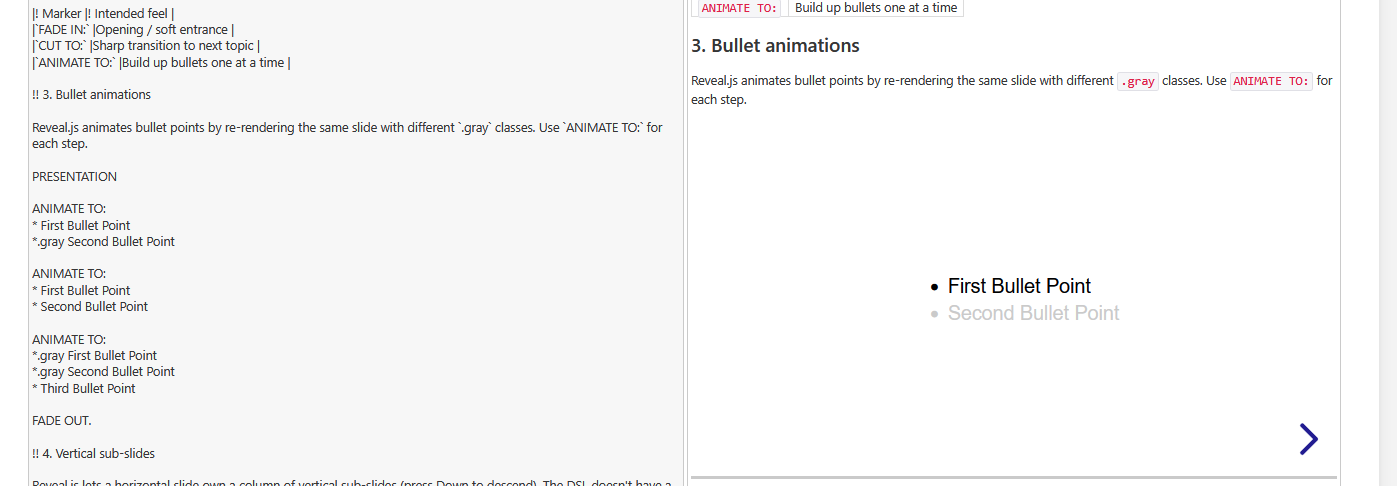
It is already pushed to the demo page. There is documentation under the v1.0 TOC tree, but I wanted to create some videos, to explain the new concept, which is fundamentally different to the legacy one.
The “legacy” concept with pragmas should still work. So it should be compatible. My ~80 test-* files still work. Except reveal.js plugin, which is disabled at the moment, since it interferes with printing.
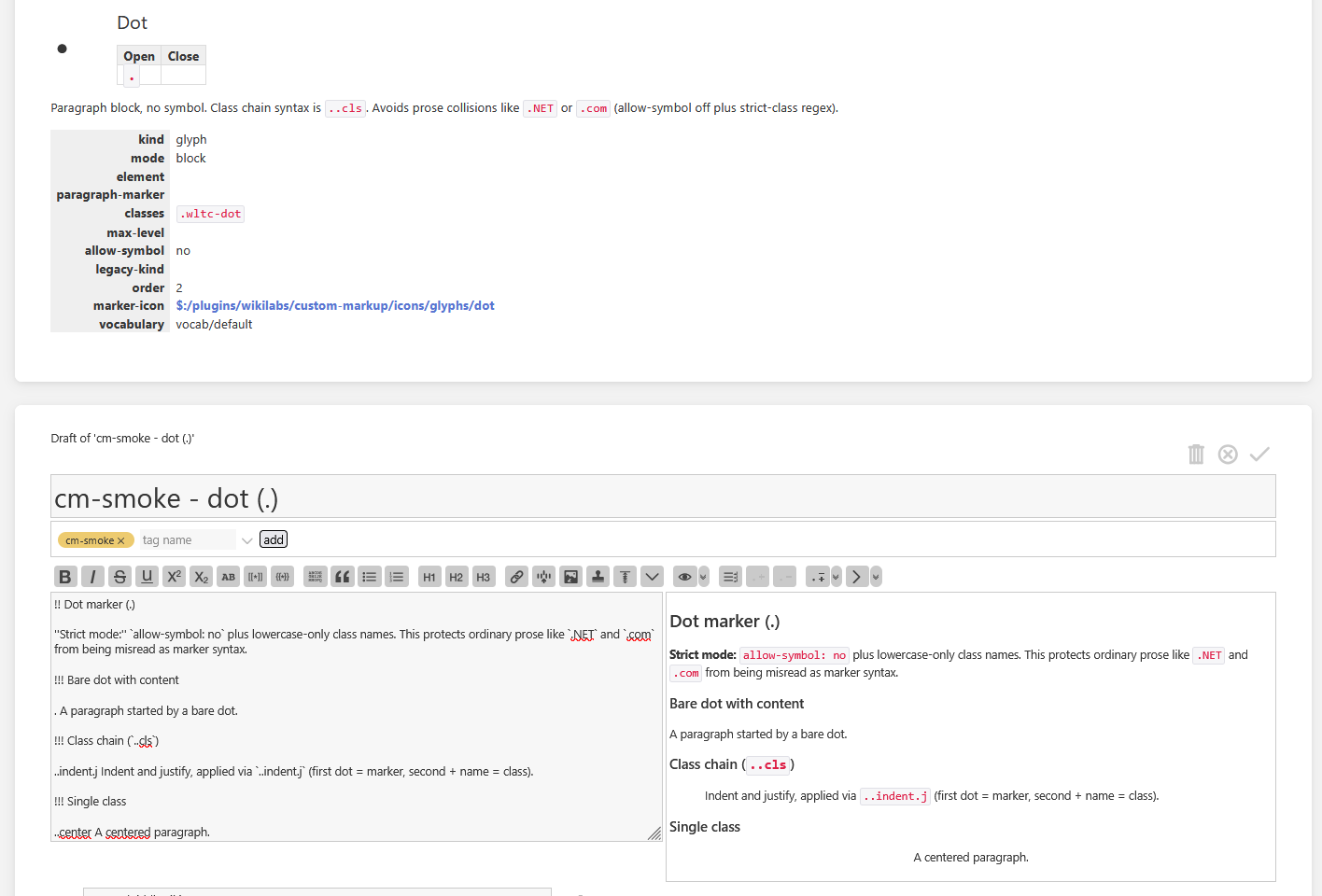
The new concept exists, since I did find out, that the “glyphs” alone are not very memorable. They are too short. The important part was a glyph+symbol names. The symbols need to be well thought out. But the config did get chaotic very fast. …
So the new concept allows to have word markers.
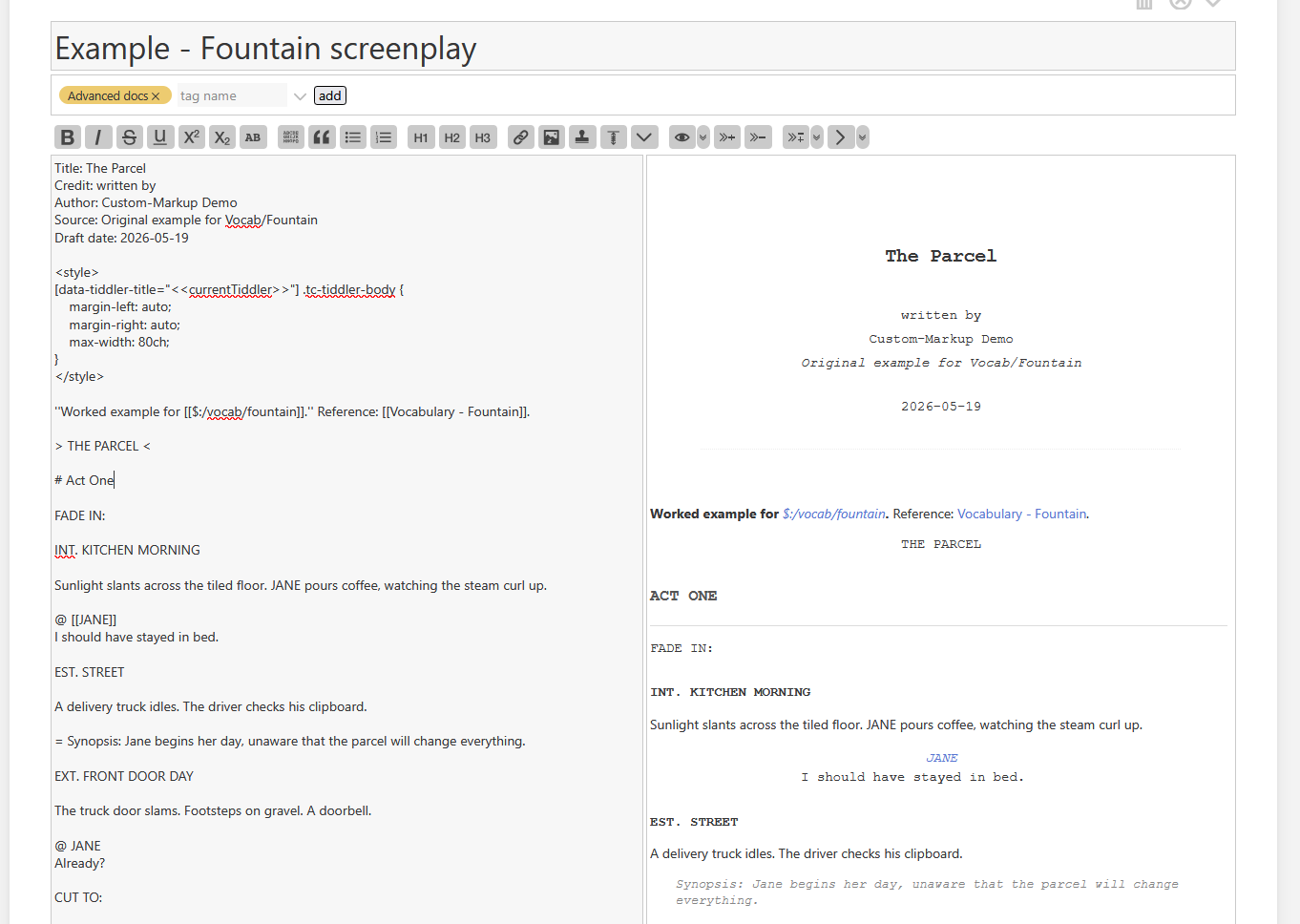
I started to define the fountain syntax using word markers. The first run was “fountain-like”. So it was a fountain dialect, that looked like fountain, but technically was not spec compliant.
That’s not good enough. … The new concept behind word markers actually is good enough to create a fountain compliant DLS (domain specific language) that is very, very close to the spec. – I think, I got it right this time, without a performance hit. Now we have a tiddler type: text/vnd.tiddlywiki;vocab=Fountain – Including a print A4 layout.
Since fountain is markdown-like I could not stop there. I did try to implement vocab=Markdown, which is WIP at the moment. It will never be 100% commonmark spec compliant, since it is more like GFM (Github flavoured markdown).
A vocabulary is a bundle. So a future bundler version, will be able to ship and manage it as a vocabulary-configuration-plugin.
I’m not finding a great deal of time for TW related work at the moment, as local politics has been all-consuming. But this is something I don’t want to lose track of. The number of use-cases I can see is phenomenal!
@pmario, thank you for this, and for all you do for the community!

 "
"