@CodaCoder, canine side-note …

Maxma drooling. Might that be a disease? Just asking for a puppy that doesn’t drool.

Side note
TT

@CodaCoder, canine side-note …
Maxma drooling. Might that be a disease? Just asking for a puppy that doesn’t drool.
Side note
TT
Is there any demo wiki available for testing out this?
This only works in 5.2.1. It could probably be adapted to work in other versions. Basically it reworks the example code to become a (hopefully) practical annotation tool.
MAKE BACKUPS!
This did go off the rails a couple times while I was developing, and though I was always able to find a way back, you may not be so lucky.
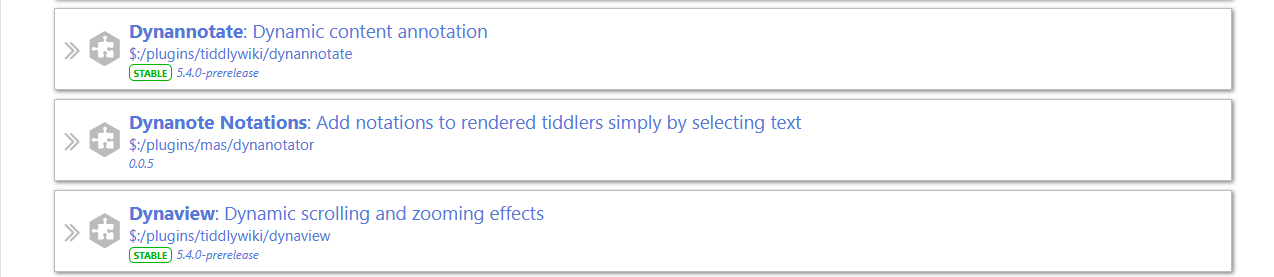
You need to install the dynanote plugin from the official repository. Import the attached.
This overwrites the example tiddler that comes with the official plugin.
Go into the official plugin → examples → Viewtemplates and click on “Click here to use the custom view template”
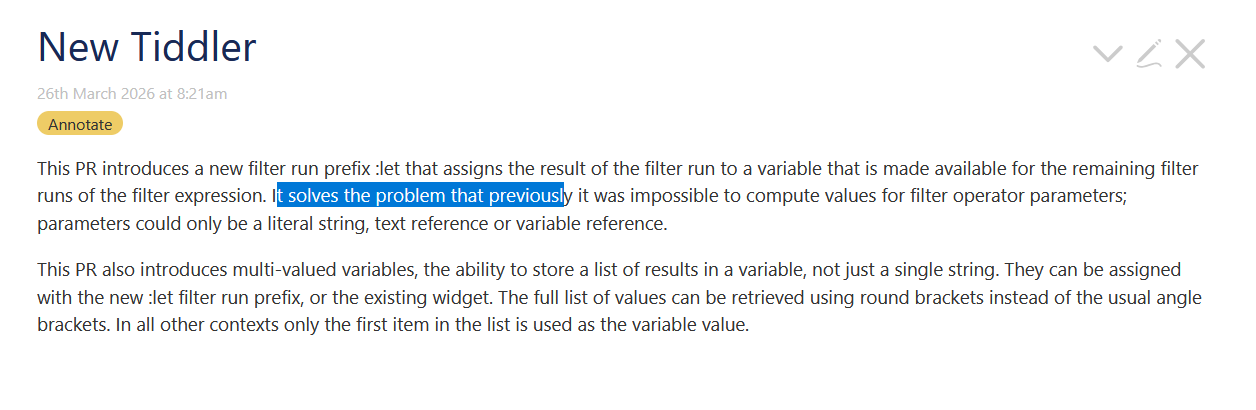
By default, the annotation will only work with tiddlers tagged “Annotate”. But you can change this in the tiddler “Dyna/Config/Filter”.
The prefix and suffix of created annotations can be changed by Dyna/Config/Prefix and Dyna/Config/Suffix respectively.
You can add your own list of tags to apply to annotations in Dyna/Tags.
One downside of annotations is that they suppress existing links. For this reason, you might want to use the “Hide” or “Hide All” buttons on the annotation editor.
To get the annotations back, select a bit of text, and from the popup chose “Unhide Hidden”.
The “Close” button on the two popups close out the current dialog without you having to click somewhere off to the side.
dyna-notate-220210-1112.json (7.0 KB)
Thanks @Mark_S, it’s great to see Dynannotate being exercised. It is overdue for an update – for example, thanks to the cascade mechanism we should be able to avoid the custom view template now.
I’m not on my desktop so I can’t try your example now, but do you think we could adopt your example into the plugin?
Any thoughts as to further improvements are appreciated – perhaps there might be some documentation updates arising from your experiments?
Thank you very much for this @Mark_S and @jeremyruston , it is extremely useful and works very well on mobile.
One cosmetic suggestion for small screen users would be narrower popup windows and buttons and a more centralised popup (it goes off screen a bit on mobile). Maybe pointers to the css classes are already in the dynanote docs?
Only brief feedback, it already adds really nice flexibility to dynanote, Thanks.
D’oh!
Per Jeremy’s suggestion, here’s an updated version that makes use of cascades. This will decouple the annotation code from the example, and allow the code to be used in future versions of TW.
To install, delete everything tagged with “dyna” on your existing set up (assuming you tried this before). Then go into the Dynanotate example dialog and click “Click here to revert to the core view template”. Then import the attached. Now you will no longer need to use the example dialog to activate the annotation. Everything that passes the filter contained in Dyna/ViewTemplateBodyFilter (currently tag[Annotate]) will be annotated.
Make backups before you start and/or turn off auto save. I managed to somehow block myself out of TW. Must have done something wrong with the cascade filter, but I’ll never know because I had to reload!
dyna-notate-kit-220211a.json (6.7 KB)
This version is a plugin (thanks Gatha!) It includes a stylesheet for changing the min/max width of the popups. It also trims the buttons a bit.
Remove anything tagged “dyna”. If you didn’t do it with the last edition, go into the Dynanotate example dialog and click “Click here to revert to the core view template”.
Then import the attached. Anything tagged “Annotate” will have annotation enabled.
plugin_MAS_DynaNotator_v0.0.4_20220215.json (11.3 KB)
Feel free to borrow any code back if you like. Or I could, but I probably wouldn’t know the standards to apply re styles. Also what criteria to apply for the cascades. And whether to keep the original example or replace it.
How do you plan to develop and use this ?
I tried to annotate an the article clipped using html clipping feature of tiddlyclip. It was nice annotating with dyna.
I would like the annotation tiddlers created by annotating a particular tiddler be brought together into a single tiddler using some viewtemplates with anchor links or something sort of linking back (so that if i click on the link for the annotation tiddler, it will take me back to the the original tiddler at the point of annotation).
Another feature other than annotation that i could think of is context search with highlighting on text selection (instead of annotation) and this should be configurable. I have seen such a feature in remnote. Not sure whether its applicable to dynaannotate or not. Just sharing my thoughts on this.
Mostly I was thinking of my own use, where I have a classic text that I don’t want to “pollute” by inserting macros, transclusions, etc. But annotating HTML, where editing the source can be extremely difficult, is a good use too.
I could add a “footnote” to the bottom, that would collect the annotations.
This, if possible, would require that the dyannotate widget insert named anchors. That’s the only way I know to navigate within a tiddler. Perhaps @jeremyruston could comment on the feasibility of that enhancement.
This really makes dynanote a great notetaking tool, thanks Mark.
I’ve had a crack at ‘skinning’ it for my own quinoid mobile use because the dialog window was a bit big and for me it was better ‘below’ rather than ‘below right’:
https://wattaged.github.io/popmap/#Aralia%20script
I moved some of the furniture around in your template body. So far so good, and on android the core images I’ve used on buttons within the dynanote popup show up fine, however on ios - no show. I wonder if you’ve ever come across that before?
I might just be using the svg buttons incorrectly or the css, does this look wrong?
<$button id="done" class="dyna-color-button">{{$:/core/images/done-button}}
<$action-deletetiddler $tiddler=<<stateTiddler>>/>
</$button>
Any tips appreciated.
I’ve always found dynanote quite a daunting plugin for some reason but your adaptation has made the note taking aspect much more useable. Maybe in the future the dynanote plugin could enlist annotations in a streams compatible field, that might meet some of arunnbabu81’s needs. Streams already has a ‘fuse’ option.
@Mark_S I tried the dynannotator. But when I add the tag Annotate, tiddler viewtemplate body is not seen at all. Any idea why ?
How do you know the viewtemplate isn’t seen?
In any event, it appears that the plugin may not work with the current version of the dynannotate plugin. There’s supposed to be a legacy tracker mode, but it doesn’t seem to actually work.
Oh, apparently I had an update to the plugin. This version works for me, at least after a fashion
$__plugins_mas_dynanotator.json (9.8 KB)
Hi @Mark_S , cool!
I was also working on something like this. I Also would like to have the possibility to correct small parts in a tool like that.
You need to put the value “yes” into tiddler " $:/config/Dynannotate/LegacySelectionTracker/Enable". Be very careful that there is no carriage return after “yes”.
Also, then save and reload so the tracker is activated.
Is Dynannotate a Legacy now?
No the state of the plugin is “stable”. But there may be a setting internally, that is only there for 3rd party plugin compatibility. So the config has legacy in the title.