I just discovered a sever-image for selfhosting called yunohost that can be installed on various hardware and virtual servers
It seems to be very practical because it has a ton of usefull ready-to-install-apps like nextcloud, moodle, etherpad …and TiddlyWiki
You can host your friends, your family and your company safely and with ease, but you must trust your users, and they must trust you above all. If you want to provide YunoHost services for unknown persons anyway, a full VPS per user will be just fine, and we believe a better way to go.
I think it will get a bit complex, if you want to create a multi-user environment.
Either you have multiple users on the host level
Or you have 1 usre and a shared Bob instance.
Both options will have their own challenges. … But theoretically it would be possible to create a yuno-app that uses bob instead of a tiddlywiki server.
Since I just found out about the above features I am going to order a raspi to check this out.
But not having seen the server at work I am still interested in
whether (and how) you can serve multiple wikis with this
Yes it should but 777 means full access to User - Group - Everyone
full access = 7 is: read, write, execute
The first 7 are the “user / owners” rights
The second 7 are the “user group” rights
The 3rd 7 is “everyone” aka “the universe”
See more details at: What Is chmod 777 and What Does It Do in Linux? .. It’s the first blog post that I found searching for “unix chmod 777” .. It seems to do a decent job to explain what’s going on.
In unix if you see: 777 for directories and 666 for for files, you know something is going wrong. ..
There should be 774 or 770 or 664 or 660 depending on the privacy needed. for minimum security
It looks like access to the WebDAV server is controlled by authentication for Yunohost if you follow those last steps. That is only logged in Yunohost users would have access. However, it is really difficult to be confident as to if this works as described without more familiarity with how Yunohost works.
Setting up WebDAV access on a server is very easy using either nginx or Apache and there are many existing images that can be used for it. The tricky part is making sure it is secure enough to be deployed facing the internet. If this is for personal use, you can also deploy a docker image on your computer at home and then use Tailscale to connect to it, though this would require that your computer at home is running 24/7.
Hey all, saw this topic go by and thought I’d chime in as I’ve been using YunoHost for quite a well and it’s my preferred way of using TiddlyWiki. I’ve been using it to host my personal TiddlyWiki for a couple years now, and have even made submitted code/bug reports to the project. So feel free to ask me any questions.
But first, what is YunoHost?
It’s a series of programs and scripts installed on top of or as part of a Debian install to make self hosting as easy and accessible as possible. Once it’s installed (the installer is quite easy to use) you can access your server/machine using a web interface to control it. This includes setting up domains (free subdomains from the YunoHost project or your own), setting up users/permissions, and installing “apps” using their app store.
I’ve got a VPS with a domain name (example.com), a user for myself, and a personal TiddlyWiki (wiki.example.com). I also have several other apps installed on their own subdomains.
YunoHost comes packaged with a couple of nice to have features including a mail server (so I can send/receive emails at user@example.com), an XMPP server for chatting, and the users are all controlled through LDAP.
How is TiddlyWiki installed in YunoHost?
From the user perspective it’s as simple as opening the “app store”, clicking install, and following the steps.
Behind the scenes there is a git repo that contains all the logic to install TiddlyWiki (install script here) as well as scripts for backing up, restoring, upgrading, etc. But essentially the scripts will ensure Node is installed, will grab the specified version of TiddlyWiki and set up the Node server version.
Access control for YunoHost apps is normally controlled through tagging users or groups that should be given access. The users and groups are defined in the LDAP server installed and running as part of YunoHost. Many of the apps available will actually coordinate with the LDAP server and will work successfully. But TiddlyWiki is not set up currently to coordinate with the LDAP server and so anyone who has access has full read/write permissions.
YunoHost itself absolutely supports multiple instances of the same app being installed, usually to different subdomains/subfolders. However it’s up to each app that’s being packaged to ensure that holds true. For TiddlyWiki under YunoHost I see that they aren’t testing multi-instances (this is the test manifest) however it might work, I’ve never tested it.
During installation it is possible to specify who is able to access a given app either by group or specific user. So you could specify all_users and every authenticated user on your YunoHost server would have access. Or you could limit it to a specific user. In which case any other user would not be able to see the TiddlyWiki instance. And then of course there is the visitor group which represents everything authenticated or otherwise, this would be the same as starting TiddlyWiki node server and opening it to the world with no authentication.
2a. In your case I suspect you were either already authenticated through YunoHost and it let you in, or the permissions were set to visitors allowing you in.
During the install process it looks like YunoHost is using a command similar to node tiddlywiki some_wiki_folder --init server. So it’s basically just using the default server edition. I think that means its using tiddlyweb?
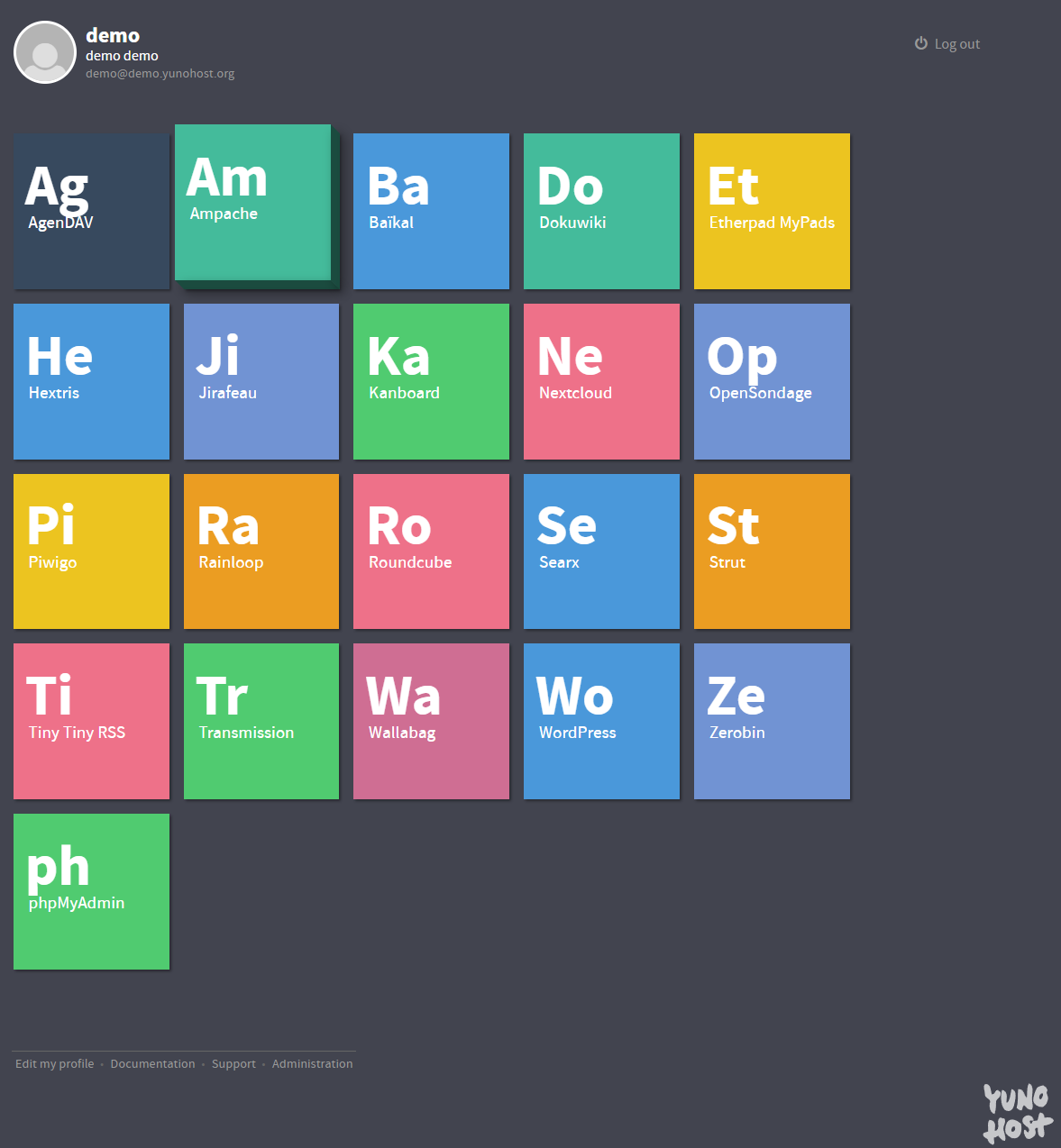
If it is possible to have TiddlyWiki installed as multi-instance then yes you would be able to see each wiki as it’s own “app” in the user app menu. This is the demo page which shows how there are individual tiles for each installed app, so multiple TiddlyWikis would appear separately with different titles. (and any wikis/apps you aren’t given permission to you would not see)
Thank you for all these comprehensive answers, they are very useful!
I have a yunohost server on a VPS, and I always wanted to try tiddlywiki on it. But I’m not a very technical user, so I was wandering if you can help me with a few of questions:
How do you install plugins on your setup?
Can you use external images, also hosted on the server?
Finally ( I admit, this is something I always had trouble understanding from the official documentation). Can you sync this setup with a local instance in some way (external files and all)?
Happy to help, TiddlyWiki and YunoHost are two fantastic projects so to see them collide is great!
I’ve only installed a couple plugins for TiddlyWiki, and I’ve always done that through plugin libraries. I’m not sure if that’s technically the correct way but it was painless and easy and appears to work so far.
I think you should be able to link to external images regardless of where they’re hosted simply using the correct wikitext. But I have yet to find a nice way to quickly and easily upload images to my wiki (I haven’t looked too hard). I think there’s an upload plugin which might work? Otherwise it might be possible to install a separate app from YunoHost and just hotlink the images through there.
I’ve never tried syncing my wiki in any way, I just access the online copy with all my devices.
After testing yunohost for some time, I am even more convinced this could be a great basis to serve TiddlyWiki. Because it is a pitty that by default just one wiki is served, I wrote a post in the yunohost forum asking to implement Arlen’s TiddlyServer.
If you install TiddlyWiki under YunoHost it uses the default node tiddlywiki --listen command to start the TiddlyWiki instance so there’s no authentication on the TiddlyWiki side and so if anyone can see the TiddlyWiki they can edit it. This can be restricted using the YunoHost permission system so only a subset of people have access to the TiddlyWiki.
It’s entirely possible to use something like the My Webapp for YunoHost which simply exposes a webserver to the internet (also possible to use YunoHost permissions to restrict) with no authentication and place a static html version of your TiddlyWiki here to be presented to the wider internet as your “frontend” and then have a TiddlyWiki instance that requires YunoHost authentication as the “backend”.
It would be great to have something like that out of the box.
Perhaps it would be worth checking out the gitea and gitlab installations for yunohost. https://yunohost.org/de/apps
Alas deno is not among the apps to install on yunohost out of the box yet; I would like to have a way to host a PWA version of TW