Hi Simon
More feedback - sounds negative but don’t take it the wrong way. Still enthusiastic and positive here. However you are too prolific!
imo you and Claude need to slow down, consolidate and simplify the model, label descriptively and work out how to work around the playstore bottleneck.
You need to give some thought to your release schedule. Even Google Play Store can’t keep up and their bottleneck makes it difficult to be confident it’s worth testing a particular version. Another one appears too quickly after.
Can you make it clearer whether the updates are interdependent? i.e Does an Android app update reconcile issues in a particular desktop version or are they totally independent and don’t need testing as pairs?
imo now is a good time to rationalise the Ui and ‘labelling’. There are too many hoops to jump through to test it at the moment and it’s not clear enough what does what, leading to quite a bit of uncertainty in the testing process. Consolidated labelling would also make it easier to describe test experiences/issues. KISS?
This thread is too long to go looking for solutions, maybe after a bit of Ui restructuring, user instructions would be easier to produce?
Still a great app though! Very difficult to test - see below. Thanks for the perseverance!
My testing experience
Check github for update
If yes;
Delete previous folder containing portable extracted from latest tar.gz
Delete configs in .local
Download and extract latest portable
I’m using LAN only
No wikis opened on new install
Working desktop test wiki kept in a desktop folder, seperate to TD-RS folder.
Working/matching Android test wiki kept in a folder under downloads.
Open Desktop dashboard
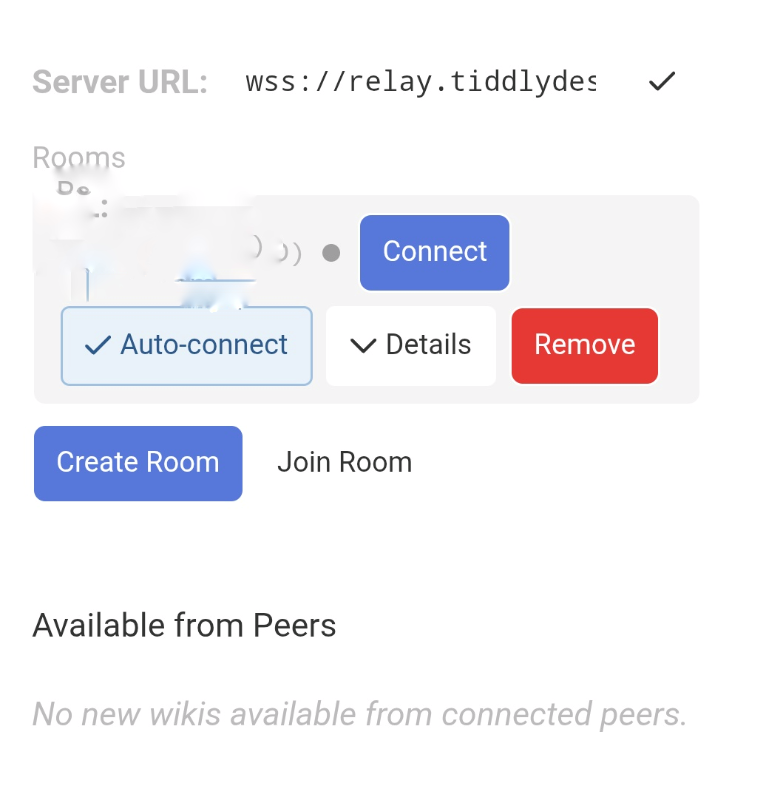
SYNC section
labels in very light colour font - look greyed out and therefore not ‘active’, eg not obvious you can give your device a name.
No rooms configured. Create a new room or join an existing one buttons exist.
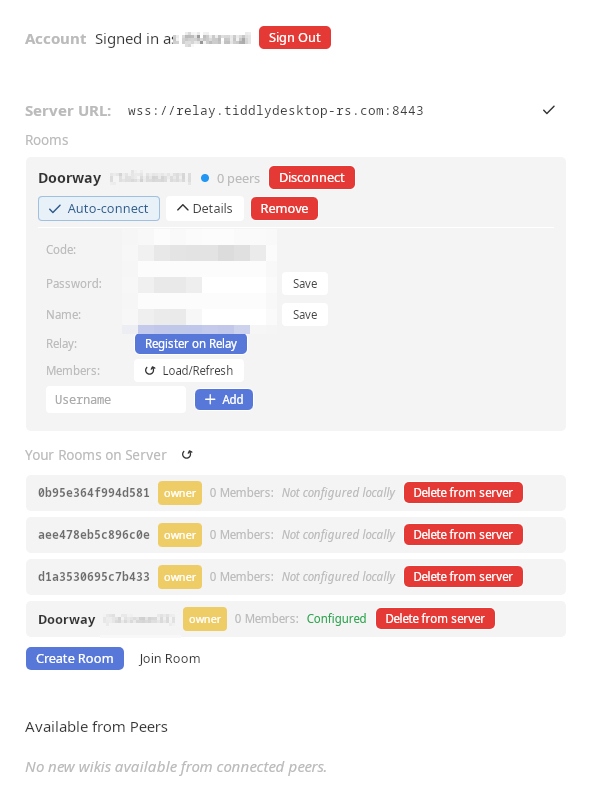
Sign in - no info on what I’m signing in to or why I need to.
Relay server url is visible with a tick - no info but implies I’m connected to it (I’m not).
Scroll up top
Click open wiki file
Navigate to desktop folder where wiki lives, select wiki previously used with earlier versions - appears on wikiname list, no room or sync buttons visible. Open now?
go back to ‘join room’ button
Click join
font looks greyed out - what am I supposed to do? Where can I get info about existing rooms from other devices?
Go to phone, which I had updated before starting laptop set up, it tells me there is a new version. I try and update - Google hasn’t updated yet, can’t download it from play store.
Does unavailable version contain fixes relevant to testing? Better wait for Google?
Meanwhile portable desktop gets an update! Are the desktop and Android releases in sync with each other? Is there any point testing this desktop if a new one is on the way?
Return to current Android version - get previously created Room name/code/password info.
Back to desktop dashboard - Join room - enter info (incidentally the input fields are in different order on android and desktop - causing input of wrong info - please make consistent)
Nothing happens in sync area - am I connected? The indicator is tiny, and I’m colour blind. It’s LAN only as far as I can tell but server url still says relay? Click ‘Connect’?
Anyway scroll up to wikiname on dashboard.
Room and Sync buttons have appeared there. I choose my room name and the top right globe appears in the opened wiki telling me connected peers, I click on it and it gives phone name. The globe sits beside the hide sidebar chevrons - (they’re not related).
My phone is already in the room. Sync button ticked. Wiki open.
My laptop is now in the room. Sync button unticked. Wiki open.
Does this mean changes to phone wiki will sync to laptop wiki? No - not on my test. Click sync button on desktop - both phone and desktop are now marked sync beside wiki name. Both are in the same room. Both on same LAN. No syncing.
By the time I’ve done all this I see a new release is available on Github and the phone says a (newer?) update is available - Google play store however is still not able to keep up. Update not available. I wonder is it worth continuing with this test?
Currently the top right globe button says they are connected or at least seeing each other. No sync though.
Close everything on both devices.
Reopen - globe comes up on phone, no globe on desktop. No sync.
New release available - wonder if they contain fixes? Start again - redownload needed.