
TiddlyDesktopRS on Android Play Store - Test phase

Requests to help testing:

Could we have a way to save our settings, even if by export? So that we don’t have to reset everything when doing a complete re-install. (this would be helpful on the Desktop too).

Could there be extra line space be placed at the bottom of the Dashboard, so that we can scroll the Dashboard up? The reason I ask is that the floating keyboard is right on top of the fields that you need to complete, making the task even harder.

Could the current version number be put somewhere on the page so we can report more accurately?

Thank you!
1 Like

Yes, I understand the issue. If you install the app (no portable install), settings are preserved. But if you use a portable install it’s uncomfortable. Noted.

Yes, that’s on my list of things to figure out.

Absolutely! I’ll add that!

I don’t know how accurate this article is, but it is posted under Google support. Says the number of testers has been reduced to 12.

https://support.google.com/googleplay/android-developer/community-guide/255621488/everything-about-the-20-testers-requirement?hl=en

1 Like

v0.5.40 Linux

Just a comment – not actually an error.

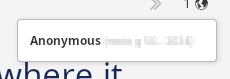
The message in the upper right hand corner says “Anonymous”, followed by the phone name. If you’re deliberately sharing a room with someone, they’re probably not entirely anonymous. Of the handful of people I know who I might share a TW with, no two have the same phone model.

It does make you think though – you could use this to make your own Discord or Signal text app.

image

1 Like

Hi @BurningTreeC I only got around to this now and the opt in link you sent me in the emails no longer works. Is it still possible for me to join?

  • I was just setting up to test sync

Log into your account with Google. Then in the same container space (if you’re using containers), try opening the link.

1 Like

With my Firefox browser logged into my gmail/google account and the play store accessible I use a fairly generic link given to me in the email and i get;

We’re sorry, the requested URL was not found on this server.

with a search box below.

Do you have more than one gmail account? Be sure to use whatever email you gave BTC in the first place.

And of course maybe make sure any ad-blocker is off. And as a desperation measure, you could even log in on Chrome :weary:

I had a similar error until I opened the URL in the same name space as I was logged in with.

No I don’t but if @BurningTreeC assumed it was the email address I gave him we made an ass out of each other - ie assumed. My real play address would end with gmail.com not the one I gave.

The latest desktop app and the upcoming Android version do hash the device ID coming next to “Anonymous” (or your configured $:/status/UserName) so that this information is not shared anymore.

Hi @TW_Tones :grin: … if you still want to join in, I’d need the email address you use in your Google Play Store. You can still send it to me over pm or email (burningtreec@gmail.com)

@Mark_S yes chatting through a TiddlyWiki5 becomes possible with the Sync functionality!

We’d just need to create a better interface for it, maybe a plugin.

It would allow a group message window on a collaborative tid edit for example?
File sharing?
Wonder if Eric’s audio/video plugin would work?
Games?
Ai prompts?

1 Like

Logging in to Github on 0.6.2 was nearly instant on the desktop.

But on the phone, at version 0.0.54 (highest upgrade provided by Playstore so far), clicking on GitHub gives you a message “Logging in with GitHub”, but nothing happens. What should I be expecting to see?

Do we need to have a GitHub app installed?

Thanks!

No GitHub app needed, but the latest Android version is needed which is STILL not published…

At the top of the app it taunts me that version 0.0.57 is available. Where is it looking to find that?

at GitHub - there’s a simple .txt file containing the app version but if Google is slow you will see it before the update is available

Is it a different account? I don’t see a repository for Android.

Linux v0.6.10
Android 0.0.62

Installed latest Android. Then cleared cache and user storage for a fresh start.

Created room called “Doorway”, but it won’t let me connect.

But … there is some connection, since it offers to link to a file on the other device.

If you try to link to a file that isn’t in a room, you get a RSOE (have to verify).

I put the document in a room and link appears to succeed. But the two files don’t share any changes that happen, so they’re not really connected. Both files show the peer icon. Meanwhile, the “Blue” connect button on the room doesn’t do anything.