@jeremyruston
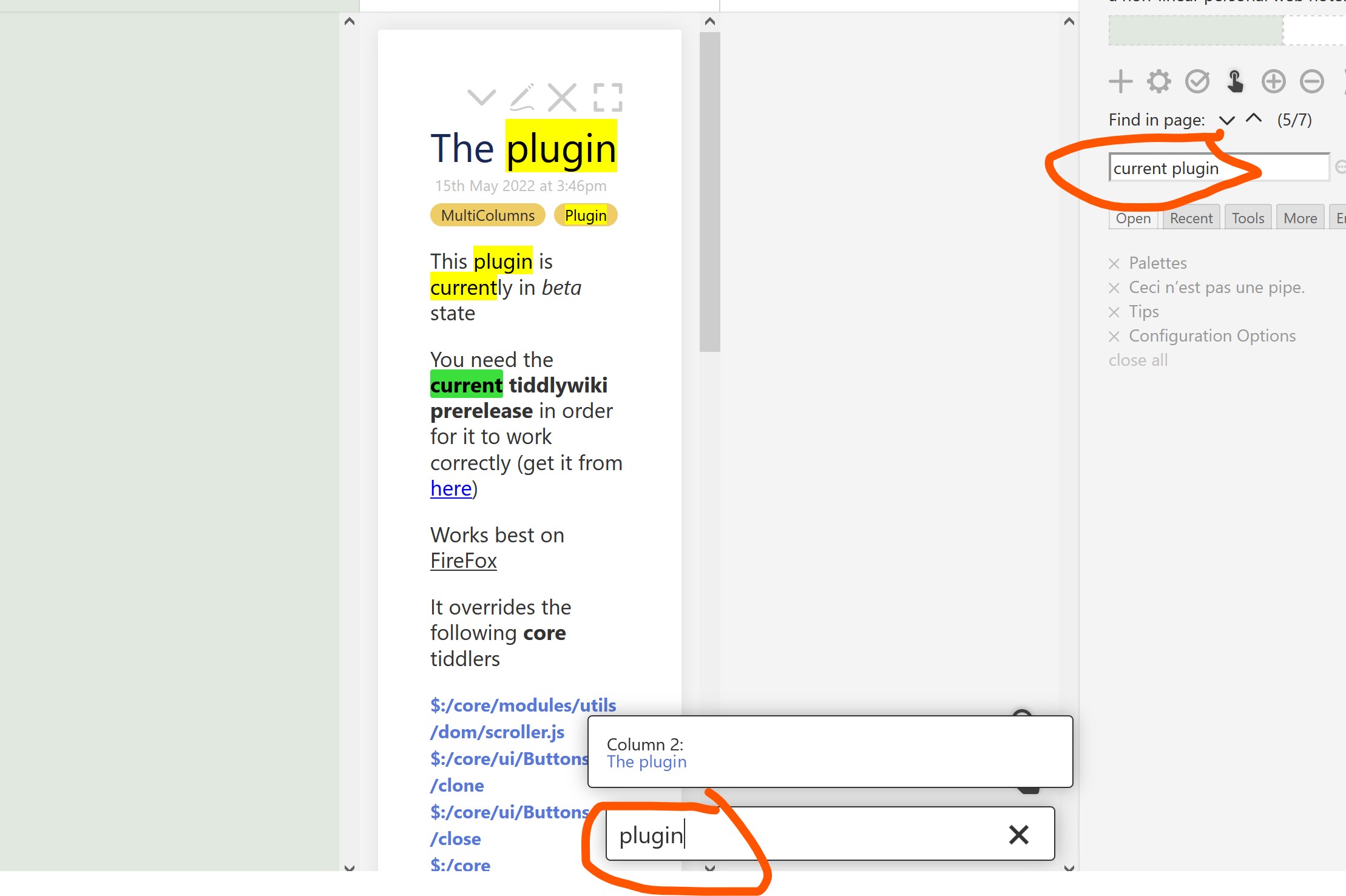
I think when use keyboard with sidebar searchbox to move through list of tiddler found, the content of searchbox should not be changed, one confuses when you see the content of searchbox changes, because one needs to see what he/she has entered in the searchbox.
i’d be interested in how to integrate it with other search tools.
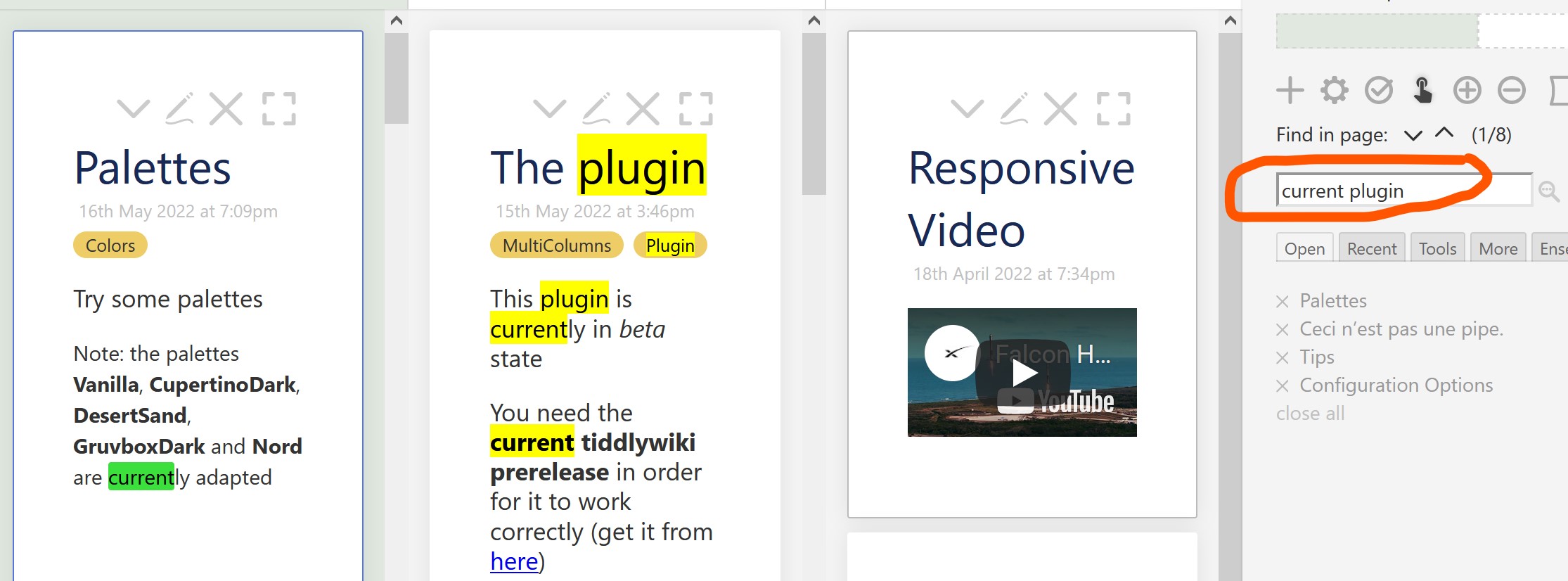
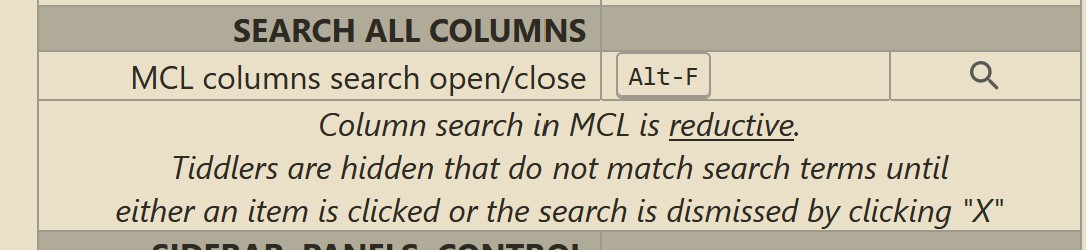
For instance @BurningTreeC’s Multi-Column Layout has a very neat “reductive column search” (=not matched tiddlers are hidden). Could you run this highlighter too, after the reduction?
Other search tools just need to populate search criteria into $:/temp/search. Then pressing Ctrl-G will highlight matching items, scrolling them into view.
Looks good! I was not able to get the Reductive search working on mine. Did you do anything with MCL to make it work? Seems like a <$action-setfield is needed somewhere to get $:/state/search-panel/search into $:/temp/search but I’ve had no luck as yet.
I found this plugin a great piece of work! I like the incremental search and highlight!
I only did not require the sidebar segment, as I use ctrl+g so, I just turned it off!
I have been using this plugin for maybe two weeks.
It is great but one issue I find is the way it handles search strings of more than one word - for instance if I search for dog cat
The native Tiddlywiki search seems to register two types of hit - I am already using the Context plugin with search ( $:/plugins/danielo515/ContextPlugin )
If the separate words are found in that order in a tiddler then register that as a match - ie exact string match.
If the separate words are found but not in that particular order in a tiddler then list the tiddler but it’s not considered a match but it is a result displayed in the search pull down which lists tiddlers that register hits.
In contrast the search and highlight plugin which otherwise works harmoniously for me seems to consider any occurrence of any of the words a match which is then highlighted and counted in the search and highlight counter.
This means if I enter 4 words then the results I see are effectively the superposition of four separate searches conducted for each of the words separately.
Neither search criteria is wrong or right in my view although I find the highlight plugin criteria less useful because when I search on multiple words I am interested in them appearing in that order sequentially - either an exact string match or something very close ( close might mean flexibility in multiple spaces, punctuation etc ) - I would be happy with exact matches only.
However with both the search and highlight results and the regular search being closely integrated on screen it feels inconsistent when the regular search reports 68 matches and the search and highlight reports 1103 matches - this being a real search I conducted.
My initial take on the most useful behaviour for the search and highlight plugin would be that it would only register and highlight exact string matches or something close as described above.
Some people might find the existing search and highlight behaviour useful?
For instance if they supply a search string of cow cat dog they might be interested in visually identifying paragraphs where more than one of these words occur but not necessarily in that order and not necessarily sequentially.
I don’t expect both search methods to produce the same number of results - the search and highlight only considers tiddlers currently on the story river but I would prefer the search and highlight to produce fewer rather than vastly more results than the regular search when I search for more than one word.
One argument for stricter conditions for a hit in the ‘search and highlight tool’ is if someone wants to search for a phrase like guilding the lilly or passing the buck - the presence of the word the will surely overwhelm the results although this argument might also apply to some extent to the existing base search functionality?
Right. I do see your issue. But the tool is really only a “text match” … i.e. already visible (rendered in browser) strings are highlighted. TBH it is not really a “search” mechanism, rather only a “screen aware highlighter” … at that it is very good.
You have a point in “HOW do you combine the Highlighter with TW search systems such that they mirror each other?”
I think that an interesting question.
FYI in my own use cases I actually like that I can BOTH search in TW normally AND Highlight DIFFERENTLY.
Thanks TT, yes I think it’s very true that different people will differ in their opinions here, there is no right answer except for each individual in terms of what suits their needs best.
I would be keen to have/make a macro I can use that I pass a “tiddler name” and a “search string” to, that I can click to open the found tiddler with the search string highlighted. Its fine, even useful, if the search string is found elsewhere on the open tiddlers as well.
Try this updated version which works more naturally with multiple words. For example It will find follow in following, but will not split the search if a space is used, such as the follow.