Right. I use Chromebook. It’s whole thing/k is wooden.
To the point here: HOW, practically, can we legitimately get TW to act beyond The Standard Browser?

Right. I use Chromebook. It’s whole thing/k is wooden.
To the point here: HOW, practically, can we legitimately get TW to act beyond The Standard Browser?
I keep meaning to comment here, but I’ve never had much to say. But I wanted to share what I just sent to a co-worker:
There is something very uplifting about being involved in a project—TiddlyWiki—which has recently started planning for its next major version release… in 2036. TW5 was released in 2011, with the tag line "a reboot of TiddlyWiki for the next 25 years. Since then, there have been three point releases with only minor backward incompatibilities. We’re about to release
5.3.7and are planning5.4.0now, but we’re also starting the6.0discussions, for when backward compatibility can be deemphasized.I don’t have a conceptual problem with Agile development (although corporate Agile is mostly an oxymoron), but it feels great to be thinking on such timescales.
Thank you @jeremyruston and everyone for a wonderful tool and an amazing community!
Oh but you’re wrong, Scott. You should apologize to your co-worker for that terrible mistake, forthwith.
Corporate Agile is an oxymoron.
There. I feel much better now. 
You’re absolutely right. Apology sent.
I use something like this in the sidebar for editing, with a button to detach. Type or paste the tiddler title and the markup appears. A major time-saver for me, now I only use the regular editor for tags and fields. Very simple though—no toolbar & bypasses the “Draft of” state.
In a tiddler titled “Edit Tiddler” tagged $:/tags/SideBarSegment, positioned just below $:/core/ui/SideBarSegments/site-subtitle:
<style> .wide1 { width: 100%; } </style>
<details>
<summary>''Edit Tiddler''
<$button class="tc-btn-invisible">
<$action-sendmessage
$message="tm-open-window"
template="Edit Tiddler"
windowTitle="Edit Tiddler"
width="500"
height="645" />
<span>{{$:/core/images/open-window}}</span>
</$button>
</summary>
<p>''Tiddler Title''</p>
<p><$edit-text tiddler="Edit Tiddler" field="TiddlerTitle" size="35" /></p>
<p>''Tiddler Body''</p>
<p><$edit-text tiddler={{Edit Tiddler!!TiddlerTitle}} class="wide1" /></p>
</details>
But experimenting with the contenteditable attribute in TW was very cool, made me really wish I had the ability to edit directly as well.
oh that’s nice! I’ve tweaked it a little for my taste (made it a $:/tags/SideBar tab and removed the details/summary folding).
If I’d caught up this thread earlier, I may not have asked about the setting of height in the native edit field (though I’m glad I did, I learned a little more about the innards of things: Choosing the height of the text editor
After half a year of studying PicoLisp, I came to the conclusion that there is a more interesting version of my proposal. PicoLisp is great, but I would not like to waste time arguing why, after all, it is not quite an ideal option, at least for me. Now the priorities have shifted to the Golang - Ryelang bundle … To summarize, I can say that I see the development of the project in the integration of Tiddlywiki - ASON - Go - Rye. I considered it necessary to declare this.
An interesting chat with Gemini happened by chance, read it, maybe you’ll even like something. I liked it. I apologize for the Russian, but it’s more convenient for me to think like that for now, and there are no problems with translation right now.https://aistudio.google.com/app/prompts/1fLNAQ0zjb7YxdotFW8DVmbtDRcti82oa
Not sure if it was mentioned before, but considering how vibe coding made coding accessible to many more people, I think it makes sense to enable writing functionality entirely in JS. Meaning it should be possible to construct a filter (not use a filter string with some function, but use JS code), define a view, etc. This works well for Obsidian, and will make enhancing TW less arcane (I don’t think vibe coding works well with TW’s unique filter syntax or procedures/macros/widgets). It will also allow to use tools developed for JS. E.g. right now, debugging a view template is impossible. Debugging JS is built into the browser.
It is not impossible, but there is room for improvement 
We did discuss this problem quite some time ago at GitHub (Jan. 2022) and came up with some ideas to improve information, that can be used using default browser tools, without the need to debug JS code.
Jeremy gave his OK, that extended info has a chance to be merged into the core.
If you look at the core tiddlers with the prefix $:/core/modules/filters you will see all the JS based filter operators. I have sucessfuly given an LLM the code for one of these that resemble what I need and asked it to introduce a different operator with alternative functionality.
It should be simple enough to document this process and teach people how to obtain the appropriate JS to use within tiddlywiki’s requirements.
\function with a . in the name)This is my thought. A WYSIWYG editor would be a dream-come-true for notes…but it could prove a nightmare for editing markup containing code. It took me a while to find the “Smart Punctuation” setting on my phone and turn it off, because smart quotes instead of ASCII double-quotes delimiting a widget attribute value will immediately crash TW when it tries to render. Making that kind of mistake possible in a WYSIWYG editor would seem unwise.
So there are situations when having a WYSIWYG editor would be a strong advantage. But there are other situations where having to click an Edit button to edit code would be advantageous. For simple editing of formatted content, WYSIWYG wins - and since that’s how new users (and long-timers with uncomplicated needs) use TW, it should be the default. But for those of us who have tasted TW’s power and like crafting custom data-oriented experiences, an Edit button provides some “safety”.
The big question I don’t yet have an answer to is how to expose that new WYSIWYG-only user to the power under TW’s hood. By forcing all users to click Edit, today’s TW makes that transition easy.
I did create my own filters and used filters through JS. But, it is not documented and not “nice” to use.
Basically, tiddlywiki invented its own language. With filters, procedures, functions, etc. All very niche, not very consistent and without tooling or community to support. And, it all ends up being based on JS. So instead of having people learn this language and tell themselves they are not programming, maybe “bite the bullet” and decide that building TW features is programming and use a language that is well supported?
TiddlyWiki is not primarily designed for JavaScript developers, although it is made from JavaScript, it is a paltform that allows non programers to use it.
As a rule we should try and use its tiddlywiki script and only if an when it is not possible to do something then we may write a workaround in JavaScript, but it must be written within the rules of the platform (this is not very restrictive) it is primarily about guarenteeing the platform works as it should.
Every time someone resortes to a Javascript solution we should investigate if they were forced to due to a limitation of tiddlywikis core, and look to improving that, so the solution or the enabling code is included in the core. Then no one needs a patch/or plugin and javascript knowledge to do that in future.
If people come to tiddlywiki with javascript skills they often seek to solve things wirth javascript before they fully exclude it from already being posible with tiddlywiki script.
Fine go ahead and make bespoke solutions using JavaScript but please dont ask for it to be moved to the core platform unless you can establish it is not already possible. Feel free to ask here to find out.
A real world example may be if you were asking CSS to be designed differently, when you did not understand what is possible with CSS.
I think that is not true, although the developer documentation can be improved, and as a community member you could contribute. It looks missing if you don’t stick to building the platform itself.
I’d say that it needs to have a native app.
Why:
1.- Save.
Saving is still terrible after 20 years.
2.- Obsidian.
Obsidian came and stole the spotlight, it is more limited — and focused.
3.- Twine, used for novels.
Even newer tools like Twine have gotten more popular.
In conclusion:
Do like Obsidian and support save out of the box.
TW should hide some of the complexities to reach a wider audience
And also needs a single repository of all plugins
TiddlyDesktop is the official solution to the saving woes, I’m also actively developing a lighter alternative; it’s a proof of concept with a bit more friction at the moment but if you are on windows it might be worth checking out.
LiddlyDesktop
I’m on mac 
Tried it but looked garbled up on start
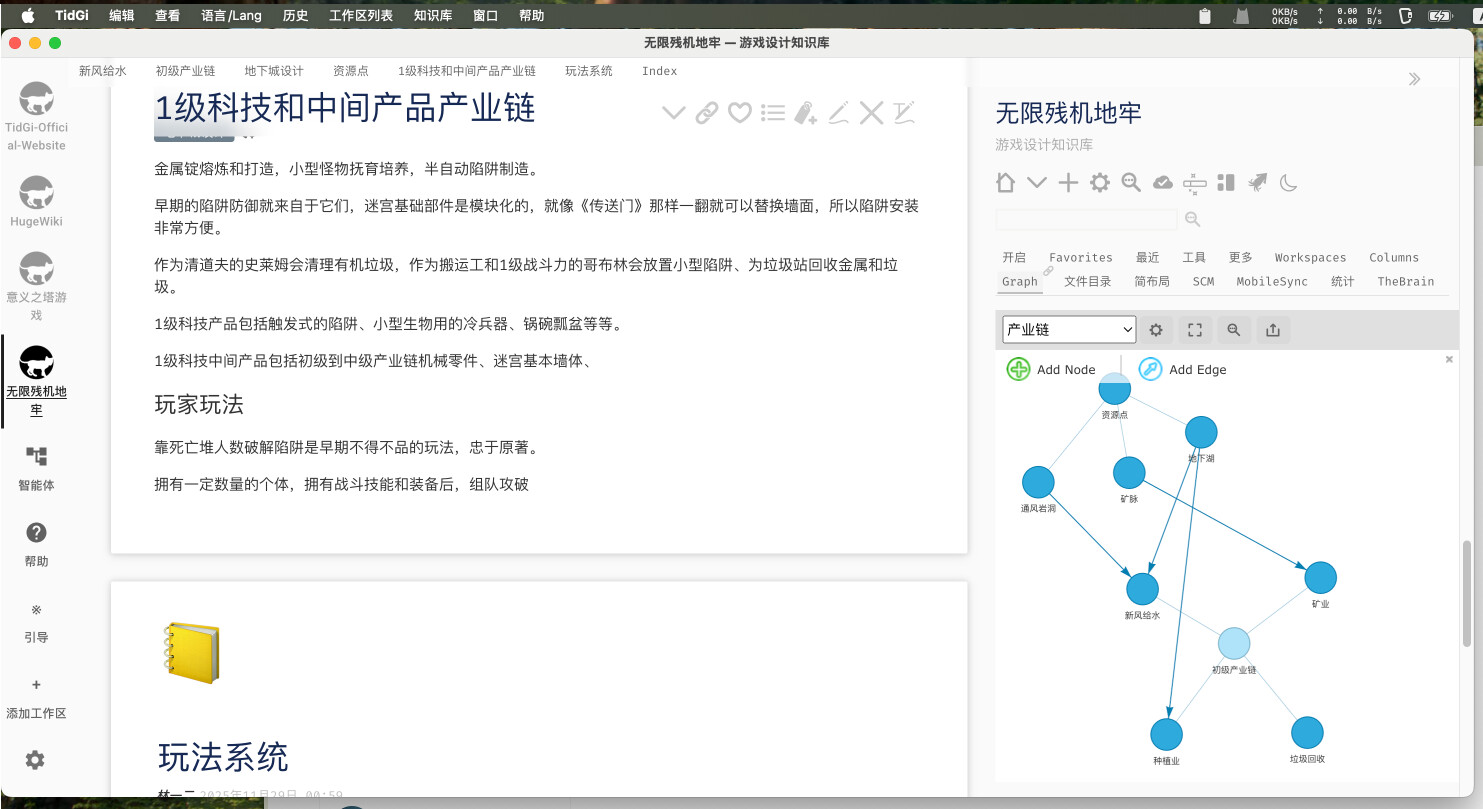
See TidGi desktop supports loading multiple folder as a wiki, or serving multiple wiki server
About twine, see how I build my game’s design doc using tw5-graph plugin
Tiddywiki with TidGi is already as good as Obsidian in some aspect.
I’d say TiddlyHost is equally powerful!
Someone can be up and running with multiple wikis, accessing them equally easily from home and office and mobile, with zero configuration stress. Then the ability to make any wiki public (with or without password protection) is icing on the cake!