I am seeking assistance from someone familiar with or comfortable with the code found in $:/core/macros/tag-picker
The core macro tag-picker is used in $:/core/ui/EditTemplate/tags the and defined in $:/core/macros/tag-picker but is still somewhat limited in scope.
One limitation is you can not add tags from tiddlers not already a tag see here
I see great value extending the capabilities of the tag-picker, or generalising it into a tiddler-picker. Specifically modifying or cloning the tag-picker macro $:/core/macros/tag-picker to make a more general, tiddler-picker macro.
I am finding editing/retrofitting/rewriting $:/core/macros/tag-picker very difficult
I would like to create a “tiddler picker” to which we can provide a fieldname, filter and placeholder (replacing “tag name”)
Since the fieldname can be tags and the filter [tags[]] it can do the same job as tag-picker
However it could be used to do the following both in edit and view modes.
Pick any tiddler title including not yet a tag and add it to the tags
Pick a tag from a filtered subset of tags
Pick any tiddler title and add it to any field, including multiple items eg a tiddler list
And as defined by any filter
I am raising this in the Developer category, because of the complexity in the $:/core/macros/tag-picker is making it hard for me to retrofit or replicate it to generalise it.
The existing tag picker has a great interface and 95% of what I need including a selectable field name.
I am happy to provide the requirements and even specific methods to address this so would love to find a collaborator with the skills to make this a reality.
Why?
Such a solution will permit users and designers to
address some shortfalls in the current tag-picker and tag editor
provide a method to offer a curated set of tags that the user can select from
provide a flexible tool for selecting and populating fields, including list fields.
from existing titles, a filter or even a set of values
make the use of fields and list fields much more accessible to users and designers
For example a tag-picker that allows you to tag the current tiddler with a title from the list of possible “contacts”, or add them to a contacts-list field.
A parameter that allows one to force a selected fieldname to only contain one value, not a list as by default, will also permit user/designers to developed fields that have only one value eg; next-tiddler, category, project-name.
Post script design notes
If the existing tag picker was replaced with a tiddler picker, the tag picker macro can be come a specific case of the tiddler picker, thus minimising the number of additional bytes to provision this solution and hopefully have it added to the core rather than as an additional macro.
Leveraging the existing actions option of the tag-picker designers could allow additional tags/list items/values to be added or removed on the selection of a specific title;
If I were to do this and found the original macros too difficult, I’d just start from scratch. Frankly, the thing you describe that you want seem much simpler than many of your other creations, Tones.
Here’s a rough outline of how I would approach it:
In a $:/tags/EditViewTemplate…
Show a small editwidget that links to some temporary field.
This is followed by the dropdown which should sense if the temporary field has content (a conditional filter). Off the top of my head I can see a permanently displayed dropdown that is styled to be hidden (display:none) when the editor is empty, otherwise display:block. (I have done this a few times.) The search mechanism of course features an editor+dropdown so if you know how that works you can peek how it is solved there…
So, the dropdown uses the temporary field content as input for a listwidget filter. This listwidget is inside a macro with a parameter taking the filter as input.
Inside the listwidget, the titles are wrapped in buttonwidgets with actions set to add the selection to the edited tiddlers tags field and to clear the temporary field.
Thanks @twMat I may very well come to use you guide, which is a sufficient for me to follow, however I am hoping ultimately to extend and replace the core macro, extended to be the existing tag-picker to include the tiddler-picker.
That is why I have the mind breaking desire to reverse engineer and edit the current tag-picker.
In part I want this so I can place an additional picker in the tag editor to allow users to assign a tiddler as a tag (or other list field item) that is not already a tag and present conditional options. As a result I need it to have an identical user interface in function and looks.
Does this make sense? or is time to replace the existing tag picker?
Unfortunately I have not yet mastered the “keyboard input stuff”
It would be neat if there was a controlpanel setting (perhaps an advanced such) where the user could specify a custom tag picker dropdown filter.
Actually, I think this should be very valuable also for the search mechanism. I sure would want it to show system tiddlers also, for example.
And for some wikis I use I wish the custom field dropdown would also only show a subset of all previous field names. So also there, it would be convenient with a custom filter.
Hans @EricShulman’s edit-list macro is a “swiss-army-knife utility” and extends the bounds of what one can do with tiddlywiki for sure. But edit list in particular reminds be of a swiss army knife I had when I was young, it had spoon and a fork to name two, it was really big and was unsupportable in the pocket although very useful.
The reason I started this topic is because the tag-picker is 99% of what we need for a tiddler-picker, and I think the tiddler picker should be a core function.
So its not that I can’t use Erics wonderful edit-list it is just more than needed.
So Again I ask is there anyone here that can follow the code in $:/core/macros/tag-picker?
I have abandoned modifying $:/core/macros/tag-picker and found I can reengineer the editor toolbar link dropdown to achieve what I want. As soon as I did so it took me minutes to make additional editor and view Toolbar buttons.
Hi, I would like to change this. I want the entries that are already in the story river and their tags to appear when I click the button. These are done through filter expressions. Then I click on the entry inside to add a tag to the current entry. This way I don’t have to add it by manually searching for it.
The manual search is almost the same as the normal way of adding. Only one is added in edit state and one is added in view mode.
I tried to modify and learn the usage, but it took several days to no avail. Could you try to make it work?
I’ve also tried modifying the official tag-picker, but again it failed.
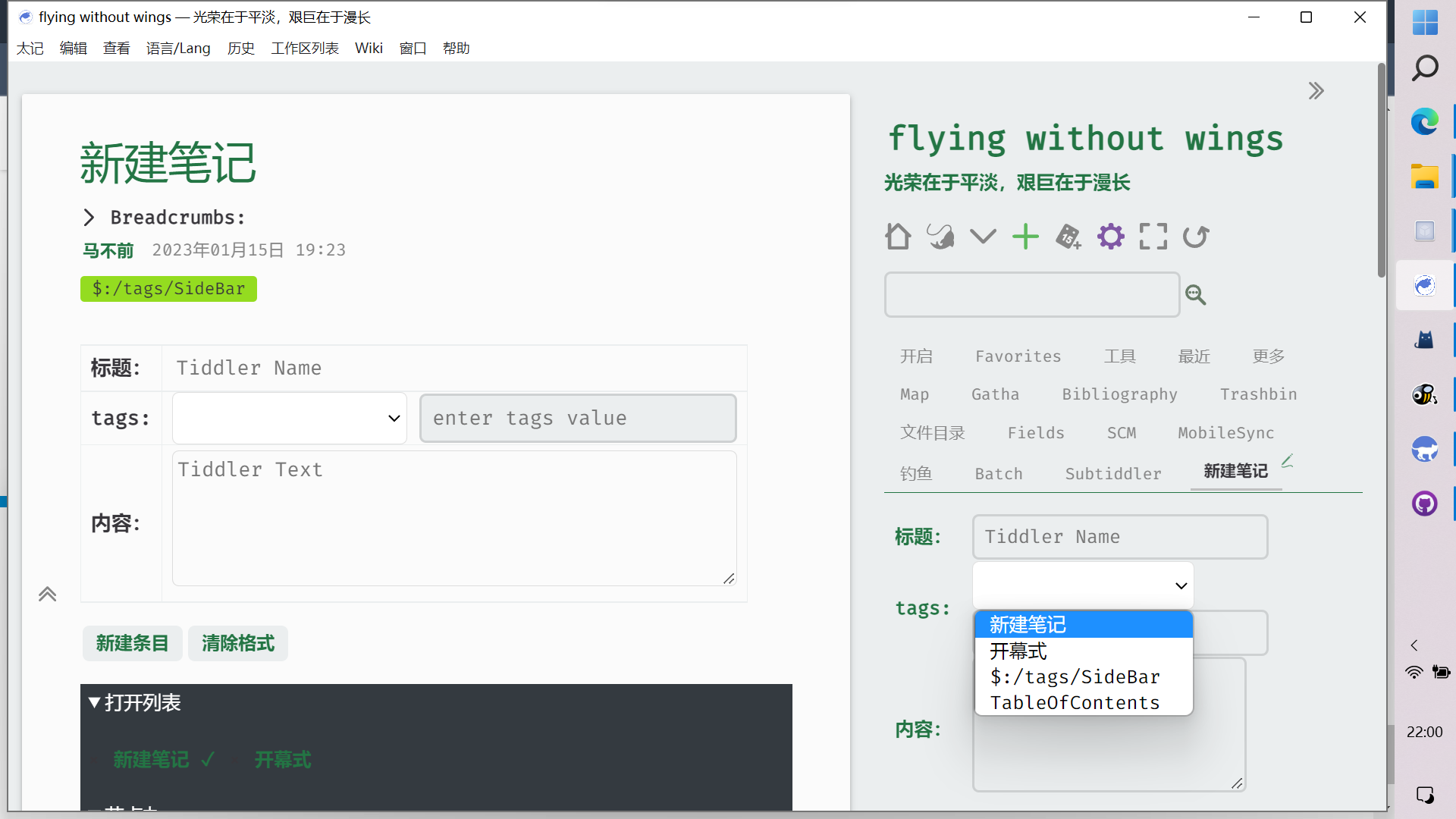
I anticipate the effect to be like the one shown in the picture. But without setting the tags manually, you can just display the entry title of the story river and the corresponding tags.
This is because it is only convenient to add tags for a story river like this that is in a state of changing. All others I find inconvenient.
I’m sorry that I don’t have better technology to support my ideas. So I got another project going.
I got a module for new notes and put it in the sidebar. This way I can create new entries directly from the sidebar. Of course the tags are self selectable, which I think is great.
I have tried to modify your solution. I want to put two buttons together and display them with one button. Then the panel that is tapped would show the tags and entry titles in the current story river. Click on it to add to the entry.
But I don’t have any more time or energy to work on it. And the research process makes me feel broken.
If someone wants the same effect, they can download these two files and change the Chinese inside.
Of course I’ll keep an eye on this topic, I think the most important thing that needs to be changed in the current tiddlywiki is the tag editor, it’s very inconvenient.
Unfortunately there is no good plugin to change this yet.
Once again, thank you for your enthusiastic response.
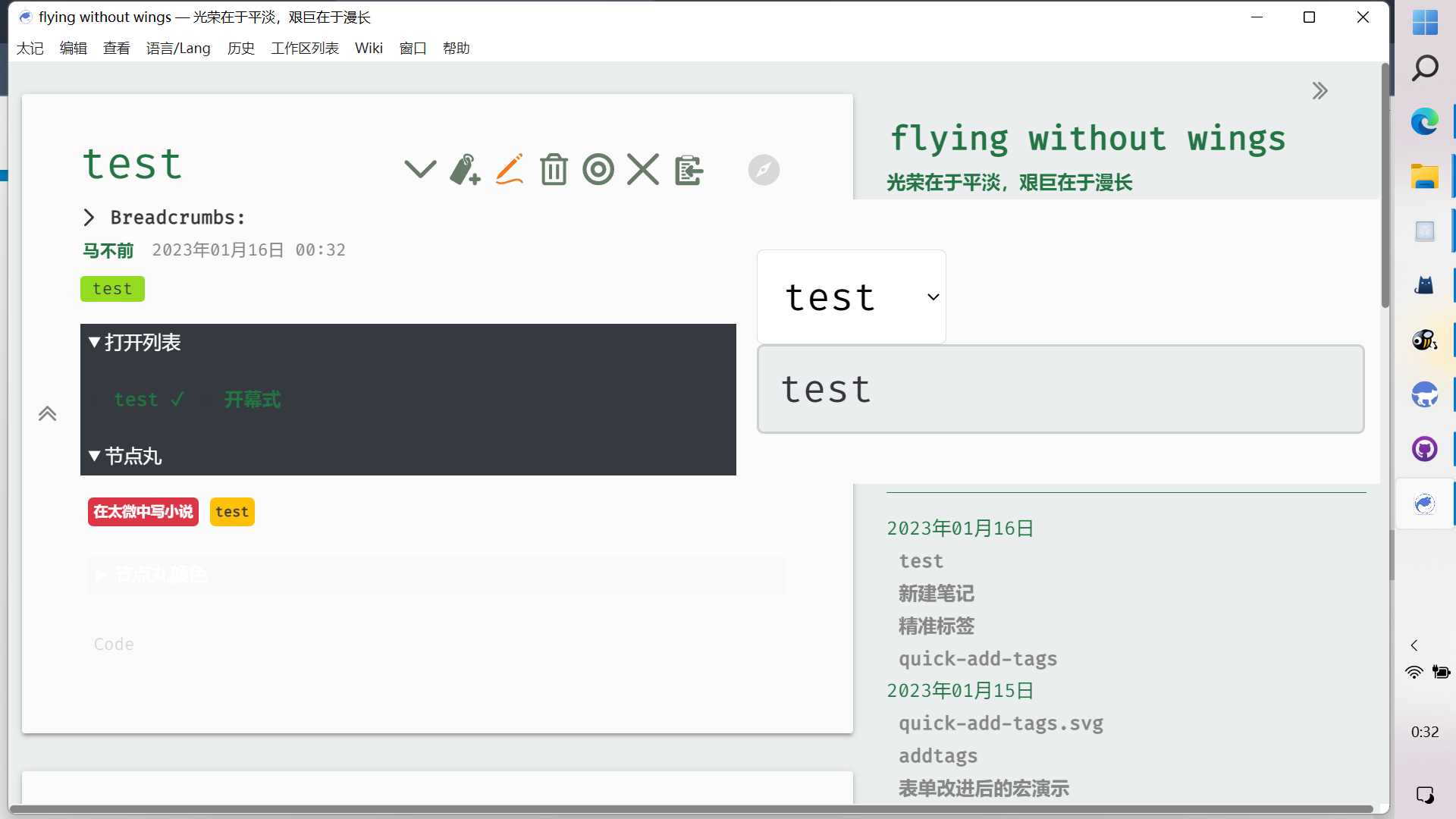
Finally there is a solution that I am happy with. I made a button. Clicking it displays a drop-down box with an edit box next to it where you can type. The two will stay together. Then the filter in the drop down box is to show the titles and tags in the current Story River entry and exclude system entries and system tags. It may not exclude sometimes, but it’s barely acceptable.
Adding tags is done directly by clicking or manually writing in the entry box. This way you don’t have to go into edit to edit the tags. If the entered tags or selections contain spaces, then you need to enclose them in [], otherwise you will add many tags.
If you want to do the same, just drag the following three files into your wiki. and install the Utility plugin. If you don’t have the plugin installed, you will need to manually modify the icon display. Change it to {{quick-add-tags.svg}}.
OK, at least I solved my problem. It took me days because I always want to modify it on top of others, but it doesn’t really need to be such a hassle.
Of course, there is a lot of room for improvement here. One of them is the style. Both the style of the icons and the style displayed after clicking are very hard to see. But I don’t have enough skills, so I’ll just have to accept it for now, and if someone can help me change it to look better, I’d appreciate it. On the other hand, maybe it might be better not to mess with the dropdown box style and just show the filtered content. I’m not really sure what to choose. If you have a better idea, feel free to let me know that too.
Maybe this stuff has been done before, but I haven’t found it. Maybe it took me a few days to implement and was very unproductive, but that’s okay. The end result is good. It would be nice if it could help more people.