HowTo
The Utility Reader Mode just got simpler.
- open Utility 2.2.0 — utility kit for authors and developers (kookma.github.io)
- Press shortcuts ctrl+shift+slash
- It goes to Reader mode
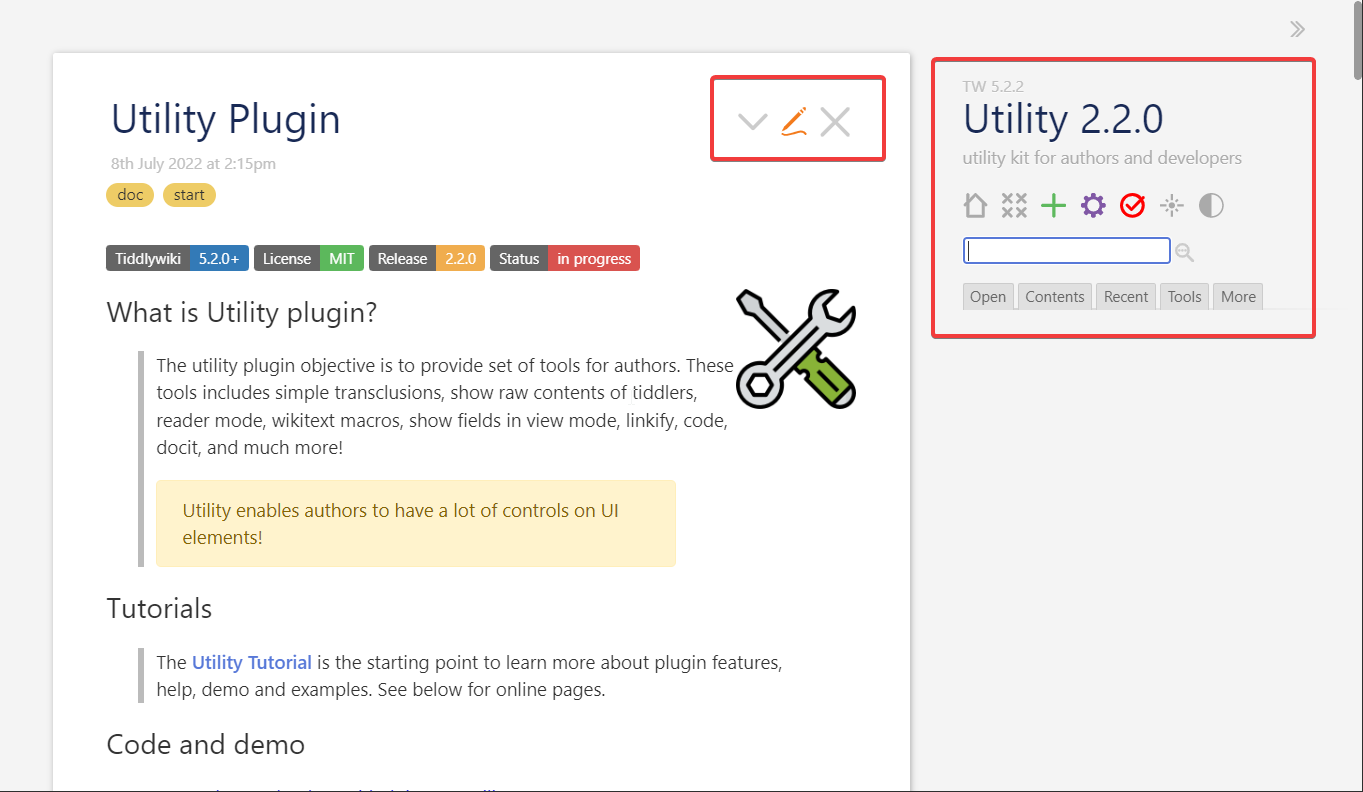
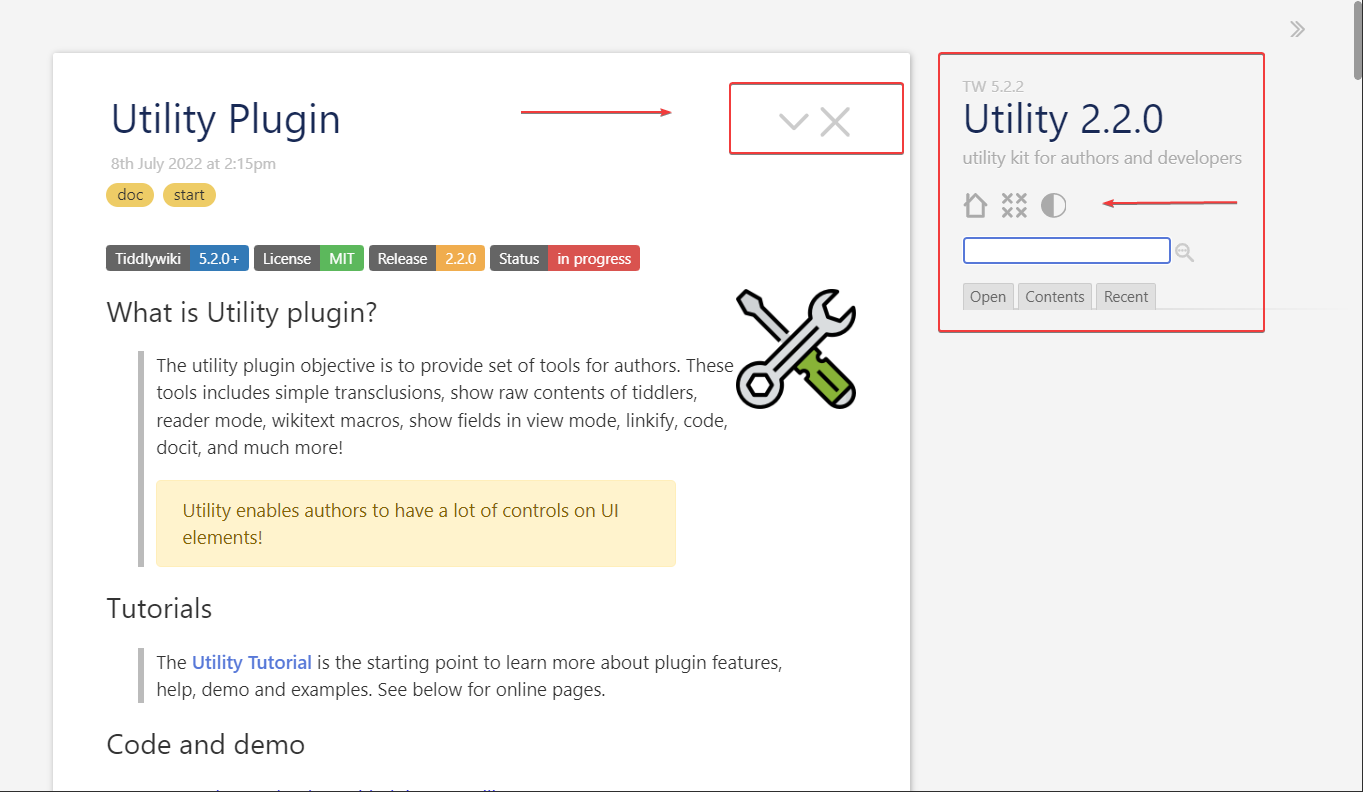
Reader mode means to remove clutter from the UI. In other words to turn off all UI elements related to editing (e.g new tiddler, edit tiddler, delete tiddler, new journal, …) or not required for one who visits the page (wiki) or a reader.
Screenshot
In Reader mode
1 Like
HowTo
The Utility Show/Hide Individual UI elements just got simpler.
- open Utility 2.2.0 — utility kit for authors and developers (kookma.github.io)
- Press shortcuts ctrl+shift+period
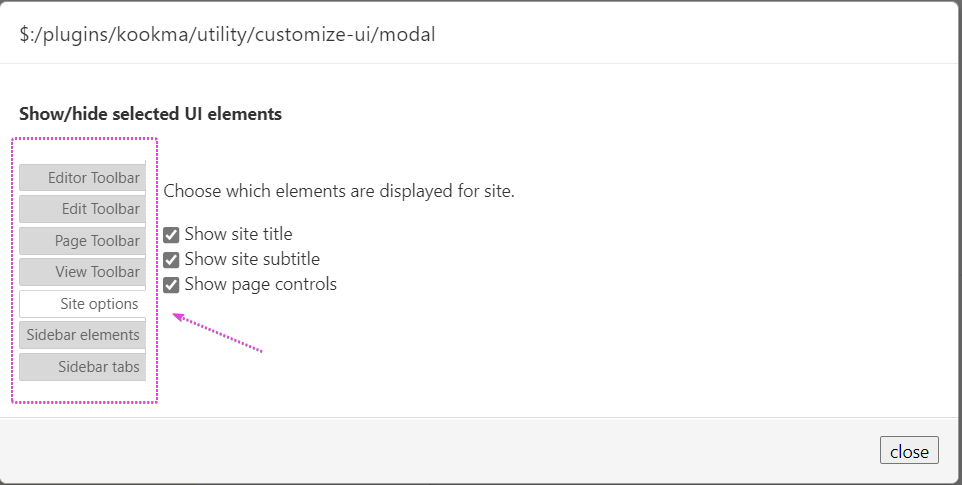
- It goes to Show/Hide Individual UI elements
HowTo
The Utility Show/Hide Individual UI elements just got simpler.
- open Utility 2.2.0 — utility kit for authors and developers (kookma.github.io)
- Open a tiddler
- Click on the dimmed
Code button at the tiddler right bottom to see the raw wikitext
- You can copy the wikitext using the copy to clipboard button
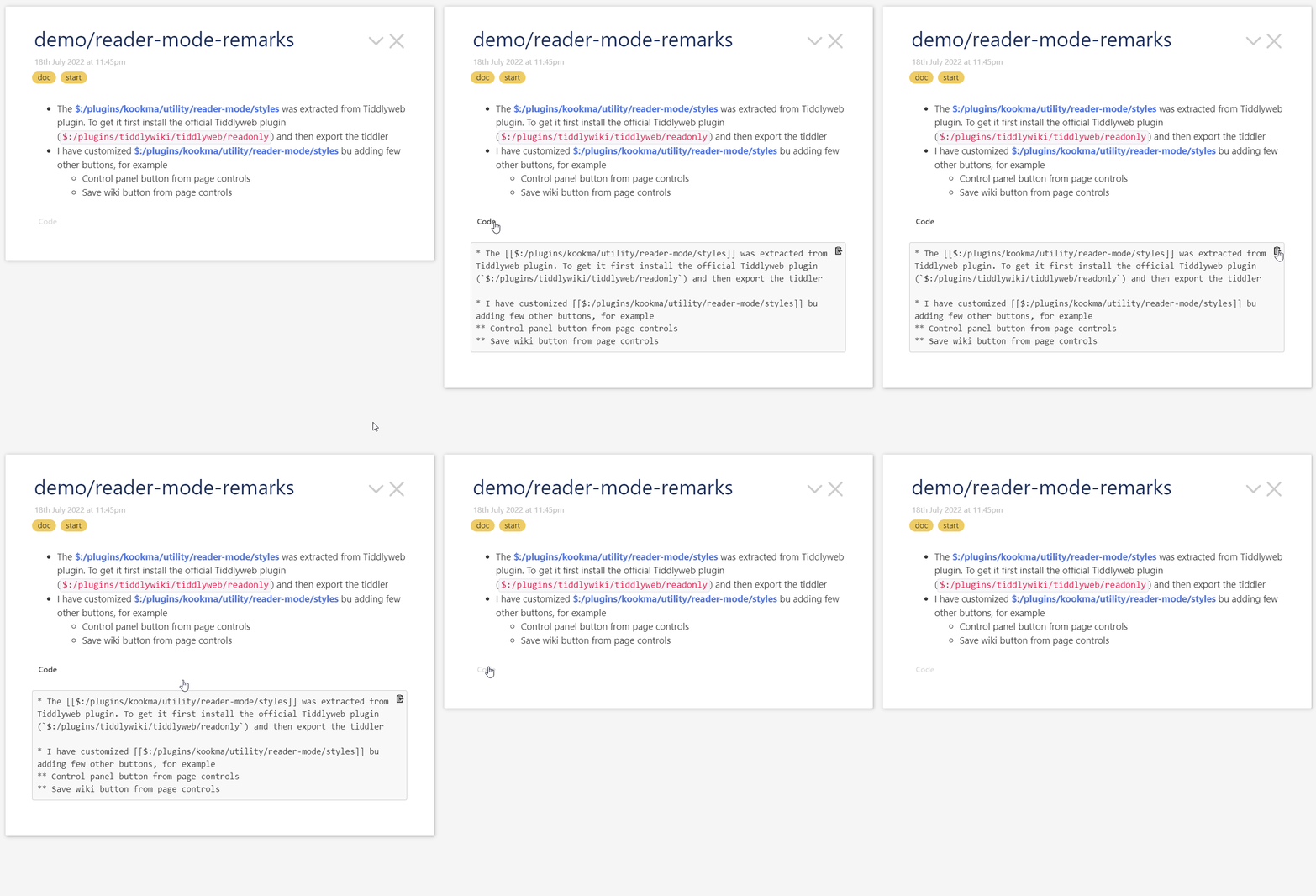
NOTE You can turn off the Code button from Utility Settings.
1 Like
HowTo
The Utility show-macro lets to list all macros in a desired scope.
- open Utility 2.2.0 — utility kit for authors and developers (kookma.github.io)
- Create a new tiddler
- in the text field enter:
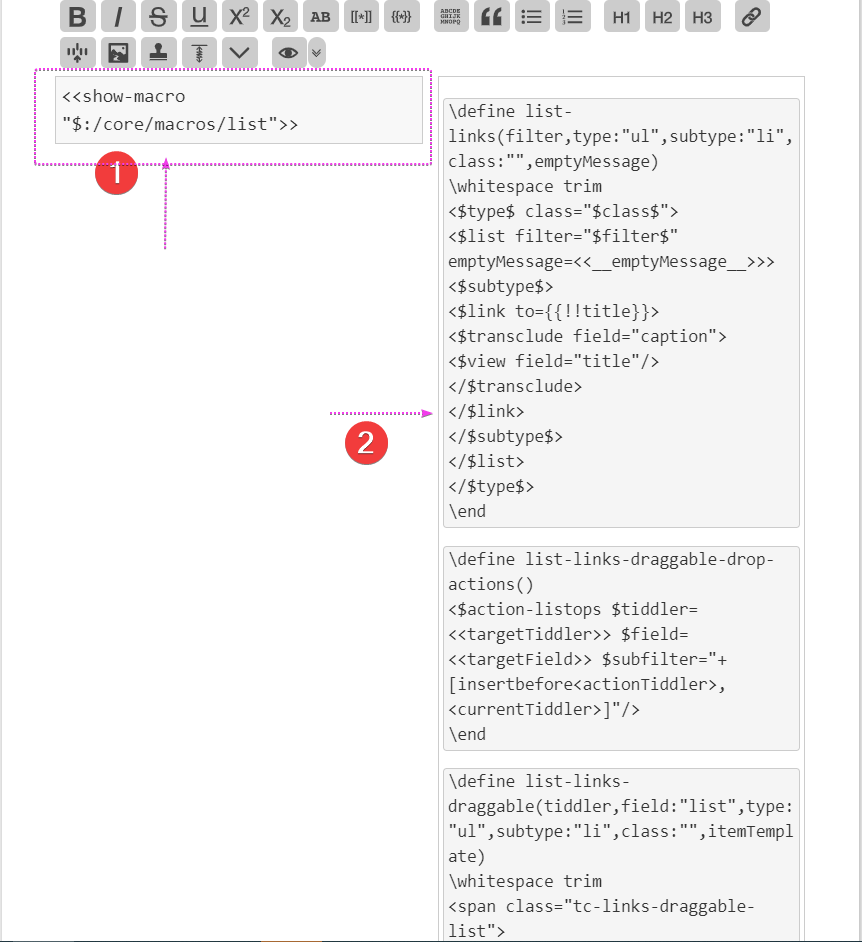
<<show-macro "$:/core/macros/list">>
- Look at the output. This lists all macros in ‘’$:/core/macros/list’’
HowTo
The Utility show fields in view mode lets to manipulate .
- open Utility 2.2.0 — utility kit for authors and developers (kookma.github.io)
- open any tiddler
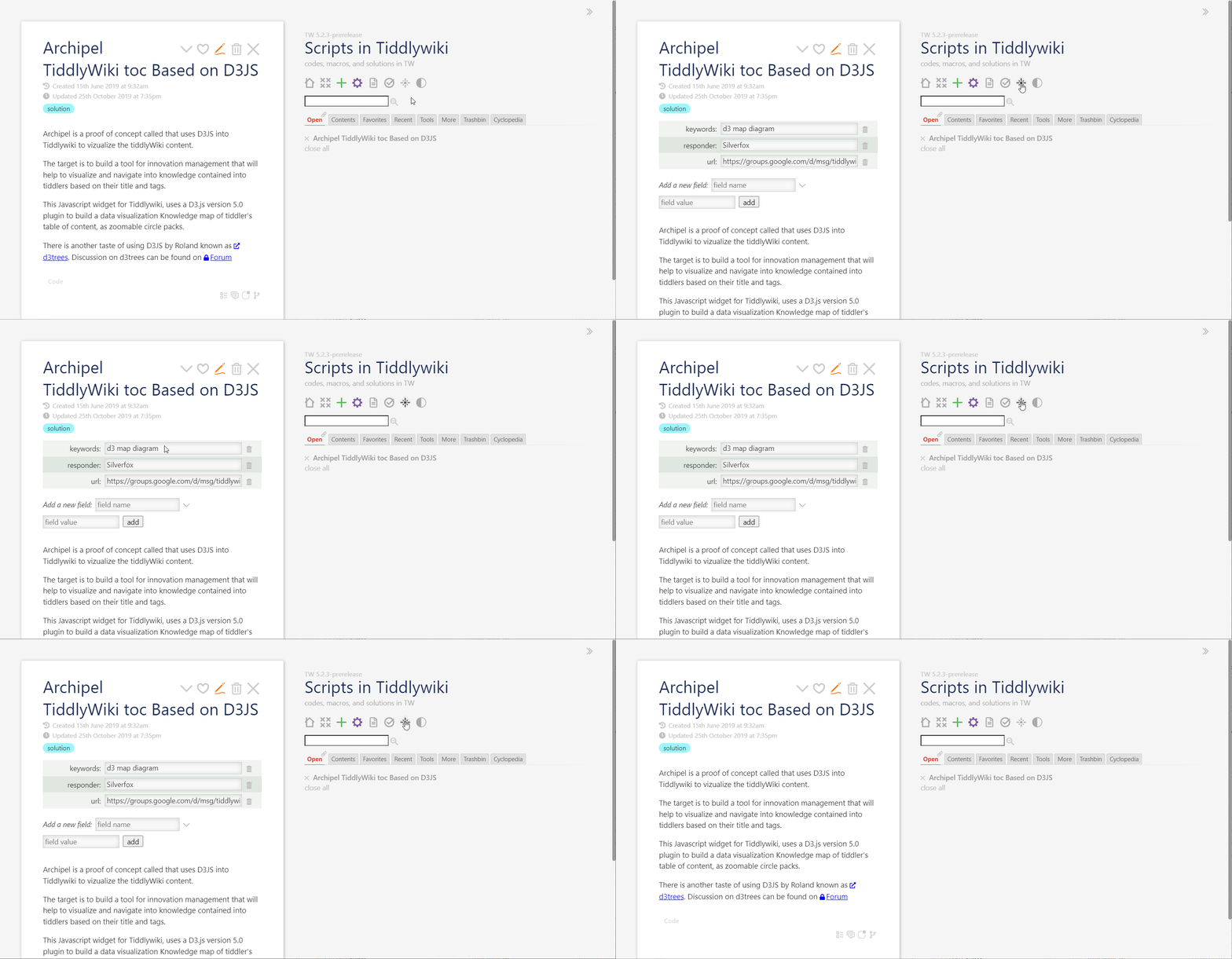
- click on
show-fields from page control
- see fields in view
- click again on
show-fields from page control to hide fields
Screencast
1 Like
For sure! This is like other shortcuts! Just open $:/ControlPanel → Keyboard Shortcuts
and then assign new shortcuts you like!
In the current design:
- You can open Customize Ui from Sidebar → More → Utility → Show/hide selected UI elements
- For switch reader mode! You need to hack! You can create a tiddler use a $button and use the actions in switch-reader tiddler.
Mohammad, thanks for this update!
The “show fields” button is probably the most clicked button on several of my projects; I do want fields showing for some tasks, but I prefer them hidden for others. Perhaps I’m not alone in this…
Could there be a keyboard shortcut attached to the show fields button?
-Springer
I add this to improvement! It is possible
1 Like
Utility plugin got an update to work with TW 5.2.3
Important Note
- Always create backups before updating
- Update Utility (this version does not work with TW 5.2.2 and older version)
- Open $:/ControlPanel → Plugins → Utility → Contents
- Delete any shadow tiddler if that has been overwritten
Demo and Code
1 Like
Utility 2.3.1 has ctrl-slash for this as shortcuts. You well know how to change shortcuts and customize them for yourself. ($:/ControlPanel → Keyboard Shortcuts)
@Mohammad,
Somehow that keyboard shortcut is not working – and not appearing in the list of shortcuts at $:/ControlPanel – for me. I do see how it is supposed to work, at your plugin site.
Here’s my 5.2.3 “quick-demo” site with nothing other than a few plugins (incuding Utility 2.3.1) , which mysteriously does not seem to include your new keyboard shortcut:
I’m sorry to tug on you for trouble-shooting! This is certainly not urgent, but perhaps something useful to others will emerge in the course of discovering the cause.
-Springer
Would you please install 2.3.1 by drag and drop from demo site? (Please also delete the current installed plugin before drag and drop).
Edit: There was an issue in kookma plugin library. I will fix it by tomorrow.
Yes, the new feature(s) of the Utility 2.3.1 plugin do work when I install it by drag-and-drop. (I had intalled 2.3.1 via the kookma library.)
-Springer
The library now works as expected.
1 Like
Utility plugin got a new update.
Release 2.4.0
- Nov 10th, 2022
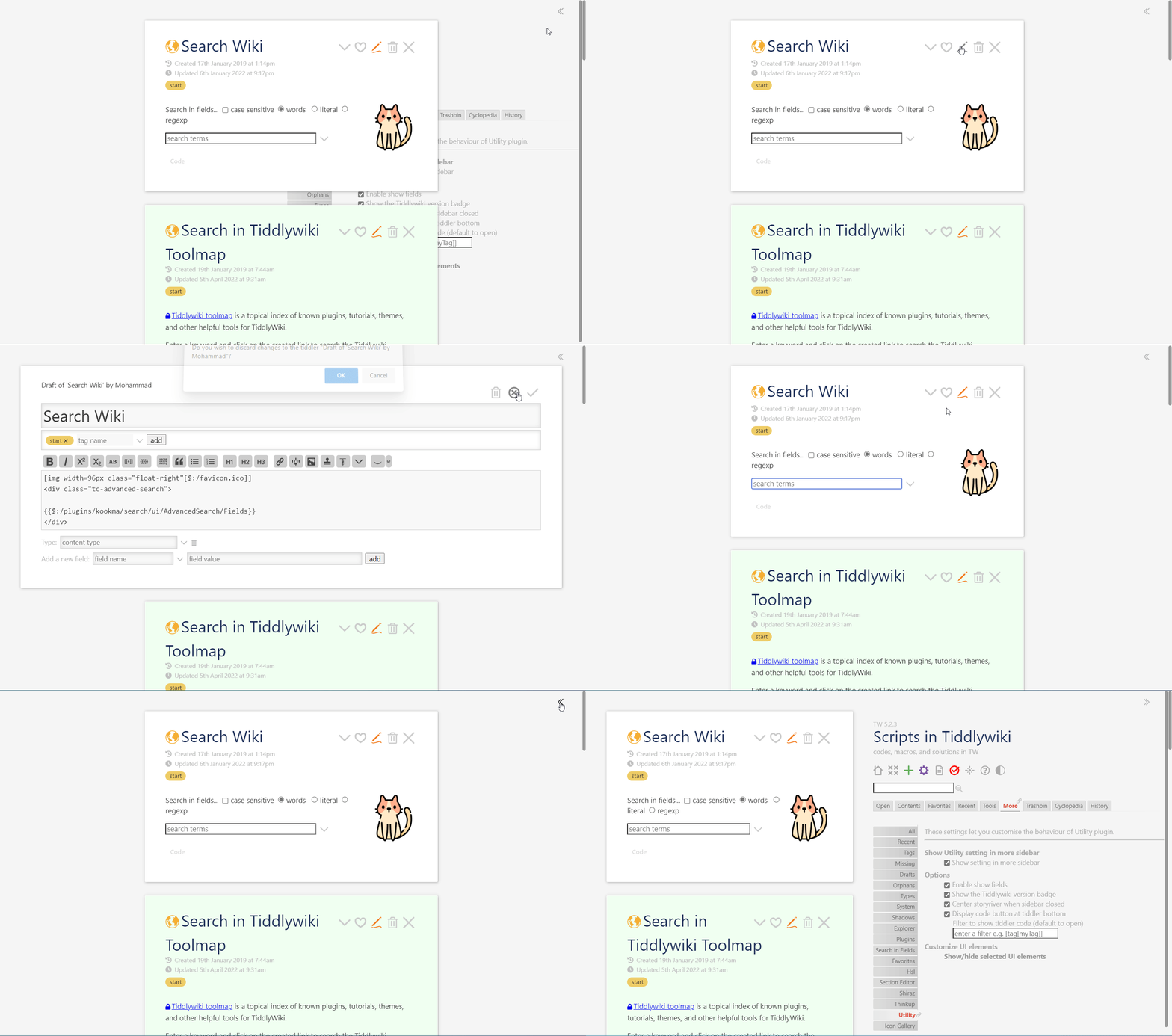
- [NEW] Option to center storyriver when sidebar is closed
- [FIXED] bug fixes in simple navigation macro
- [FIXED] docs improved
Demo and Code
Screenshot
1 Like
Utility Plugin got a new update
Release 2.6.1
- Mar 8th, 2023
- [NEW] The .lorem macro supports number of words
- [NEW] The wikitext-macro supports embeded macro (macro embeded in host tiddler).
- [NEW] The wikitext-macro name has been changed. This is not backward compatible.
- [FIXED] Space in page control button (view-fields)
- [FIXED] The snippets for wikitext-example modified and corresponding tiddlers were renamed
- [FIXED] The wikitext-macro supports dark palettes
- [FIXED] The reveal-code does not show duplicate code for tiddlers has
code-body field set to yes.
WARNING The wikitext-example and wikitext-example-without-html macros are not backward compatible. See examples and details before upgrading!
1 Like
Release 3.1.2
For all changes see ChangeLog
Code and demo
1 Like
The new View Fields icon on the page control may not be visually appealing, but it’s an improvement over the previous one, which resembled the dark/light theme switcher icon. I would appreciate a view field SVG as a replacement for the upcoming release. The standard TiddlyWiki icons are bold, and I believe the new icon should match the TW icons’ style.