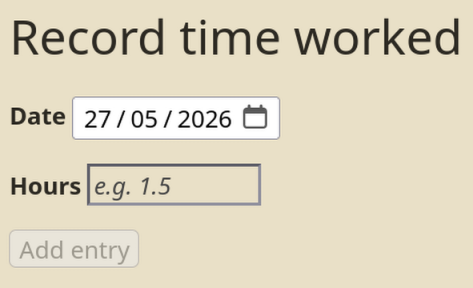
Spurred on by your Tiddly Date Input widget and the discussions here, I’ve made some enhancements to TiddlyTools/Time/EditDate:
If TiddlyTools/Time/ParseDate.js is installed, then TiddlyTools/Time/EditDate now automatically uses it to convert to/from ISO8601 (‘YYYY-MM-DDThh:mm’) format when type:date or type:datetime-local is specified. This eliminates the need for inputActions=... to perform the “extra steps”. If TiddlyTools/Time/ParseDate.js is NOT installed, then type:date and type:datetime-local fallback to outputing ISO8601 format as before.
When multiple instances of <<edit-date>> are used to target the same tiddler field or index, they are now properly “synced” when changes occur.
When using the TiddlyTools/Time/Calendar popup to select a date, it now uses zeros (instead of the current time) to pad any hh:mm:ss.XXXformatting. This eliminates the need for local vs UTC timezone offset handling (which sometimes produced “off by 1 day” errors in the resulting date).
As an added bonus, even though these enhancements added some code I was actually able to reduce the overall add-on size by almost 600 bytes! (mostly by using better, more compact wikitext code patterns and cleaning up the TiddlyTools/Time/EditText/Info documentation tiddler).
It all depends on what you want to do with the stored date output.
If you specify format:"YYYY0MM0DD", the <<edit-date>> macro only outputs the truncated date portion, so the time value is irrelevant. In addition, when using type:calendar (TiddlyTools/Time/Calendar) or type:date(ISO8601) to select a date, those interfaces produce “date only” results, so again, the time value is irrelevant.
Of course, if you use type:datetime-local, then format:"YYYY0MM0DD0hh0mm0ss0XXX"produces a full 17-digit datetime result that is meaningful, but since datetime-local is, by definition, meant to be a local time, timezone offsets are still irrelevant.
The only issue is if you use type:calendar or type:date but specify a 17-digit timestamp using format:YYYY0MM0DD0hh0mm0ss0XXX. However, since those interfaces produce “date only” results, the default padding of “000000000” is generally OK unless you intend to use the stored result in a timezone sensitive calculation. If that is the case, then you can specify format="YYYY0MM0DD12000000"to explicitly produce a full timestamp that avoid the “off by 1 day” timezone issues.
Thank you Eric for the detail explanation, I know understand the rationales and I have learn that I can input the time directle in the format option (format="YYYY0MM0DD12000000" )