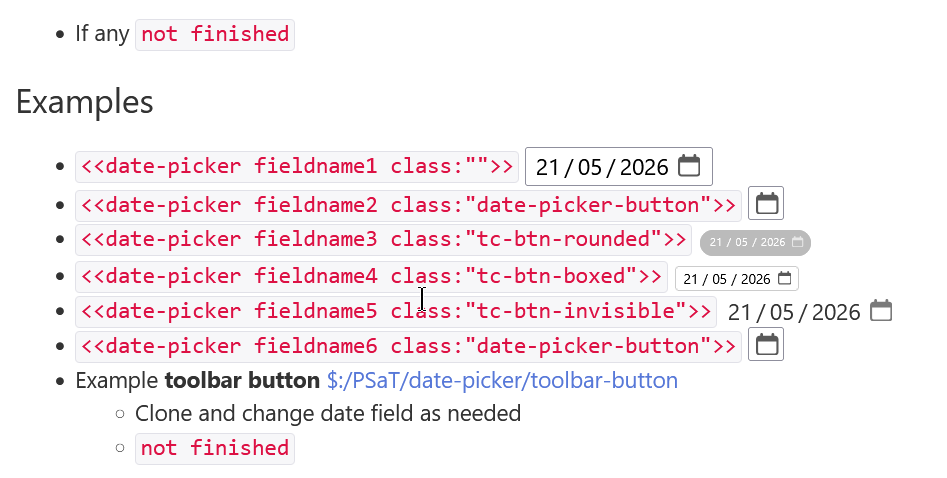
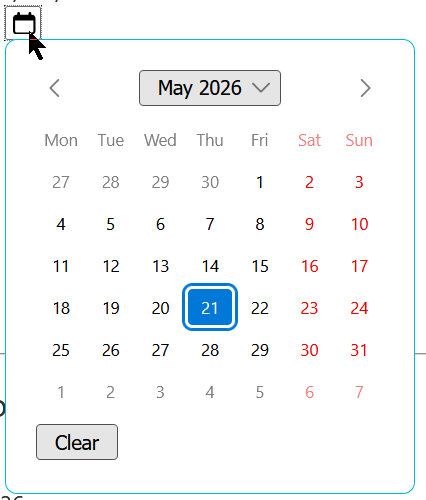
Tiddly Date Input is a plugin that lets you easily edit dates in TiddlyWiki. It renders your browser’s native input element, which allows you to choose a date (and time) in a more user-friendly way than counting digits in a long string. It’s rendered in the tiddler view, so you don’t need to edit your tiddler to begin choosing a date and time.
The documented functionality is tested with integration tests using Playwright.
There is some other behavior, such as the tiddler= parameter, that should work well but hasn’t been tested yet.
Your feedback is welcome!
As an added bonus, my Timeline plugin is already compatible with Tiddly Date Input. If you have both installed, your event pages will render their when fields with the Tiddly Date Input widget automatically.
I wanted to avoid custom-made interfaces and rather expose the browser’s built-in interface for date-time selection. This is especially significant on mobile devices, where a familiar and standardized input makes quite a difference.
I’ll be looking at your macro for future inspiration, for sure!
While TiddlyTools/Time/EditDatecan use TiddlyTools/Time/Calendar as an enhanced popup to select a date, it does not require any “custom-made interfaces”. If TiddlyTools/Time/Calendar is not present, it just uses the browser’s built-in interface for date or datetime-local input.
The only thing <<edit-date>> doesn’t do by default is to convert the brower’s system-formatted date string (YYYY-MM-DDThh:mm) to TiddlyWiki’s 17-digit format (YYYYMMDDhhmmssXXX). However, you can use the <<edit-date>>macro’s inputActions:"..." param to invoke a procedure that uses TiddlyTools/Time/ParseDate.js to do the conversion, like this:
Sure, it’s not as compact as your $edit-date widget, but it gets the job done… and parsedate[] has the added ability to apply TWCore date formatting codes to produce whatever date output you prefer, including handling UTC vs local time conversion.
It is not a competition, there is room for multiple ways to get the same result. This plugin and TiddlyTools, so lets not try and squash each other’s contributions. No toes are being stepped on, that is why we have Android and iOS, Windows/Mac/Linux/ChromeOS, etc. Both methods have their merits
For me, the standard UTC format is kind of painful. And it wastes space. It would be great if we could choose how the date is stored and read. A human readable format like 2026-05-16 where the date is in local time would be nearly ideal.
And a date picker is something that after a decade should be in the core. Especially if the base date storage is in UTC.
That was absolutely NOT my intent! As you’ve said: “there is room for multiple ways to get the same result”, and a comparison of alternatives does not imply a competition. It simply helps people to be aware of the different possibilities for addressing their own particular use-cases as well as suggesting ways in which each solution might be enhanced by incorporating ideas from each other.
For example, @copper99 's solution directly handles conversion to/from ISO8601 format (YYYY-MM-DDThh:mm), while my solution requires “extra steps” (using an inputActions handler and a custom parsedate[...] filter operator).
Agreed And I’m grateful for your generous help and suggestions here in the forums, which have been a big asset, even years later, as I learn more about how TW works.
I read your comment yesterday and realized that I had completely forgotten about timezones. Thank you for bringing that up. The latest version addresses that.
Hey @EricShulman , could you please move the discussion about your plugin to a different topic? I would like this thread to be focused on my plugin. My message about the new release has been swallowed by information about the latest changes to your plugin and further discussion on that topic.
Hello @copper99,
This is a very nice minimal plugin. I was wondering whether it might be possible to let users enter or pick either a date or a time separately, instead of only a combined date-time value. Would that be feasible?
eron
If selecting a time and storing it as a TiddlyWiki date time stamp the date tends to be included. If you want to only store a hh:mm format time you can used the edit text widget and the input=time which uses the html facilities;
I created a macro as a date picker that I could share, its key mechanism is to store the selected date in a field with the -html prefix, eg date-field-html and use an action to convert this to the tiddywiki time stamp in date-field.
Although the mechanism is a little tricky it has bee designed for relative simplicity.
Yes, that could be possible. But I’d need a little more info on what you have in mind.
Do you mean a) the possibility to have two buttons showing for one field, one button for the date part and the other button for the time part? Or do you mean b) the possibility to have the widget show one of the following: 1) date + time 2) date only 3) time only, for a single tiddler field?
If you mean b), then we would need to think carefully about how the widget should behave in various situations. My first assumption is that you want to use the widget only for fields containing a TiddlyWiki timestamp value. (Or do you have something else in mind, eg. a field containing only the time, or only the date?)
Date + time – nothing to change
Date only: what time gets chosen by default? I would guess 12:00 UTC, following TiddlyWiki documentation guidelines
Time only: what date gets chosen by default? If there is a date in the field already, it can be used. But if not… then today’s date? Not sure that would always make sense. Maybe you could help me understand what exactly you have in mind.
My use case would be something like the following Wikitext:
“The meeting date is postponed to [date], and the time is changed to [time].”
In this scenario, I would like to handle date and time separately within the same context, rather than always working with a full timestamp. The idea is that one widget instance could represent only the date, and another only the time, depending on how it is used in the text.
Or think of bookings where only dates are required, for example:
“Guest room from [date] to [date], i.e. […] days.”