Great! The small range 0.5,1 I confirm is now “fat-finger compatible.”
And thanks for the explanation of the ranges and the example!
TT
Great! The small range 0.5,1 I confirm is now “fat-finger compatible.”
And thanks for the explanation of the ranges and the example!
TT
Hi @EricShulman
Love the ability to be able to choose zoom settings for the browser window. Sometimes it would be super useful to be able to set the zoom in a numeric box rather than by slider. I find 1.5X to be be perfect for one of the sites I am viewing.
Also my browser does not have the settings or help buttons. Can you say why?
Cheers, Rob
Settings and Help are optional extra add-ons:
For Settings, install TiddlyTools/Panels/Settings
For Help, install TiddlyTools/Panels/Help and TiddlyTools/Panels/Browser/Help
-e
Comment: Now we are Cooking By Gas !!
The miniBrowser is a solution to many issues.
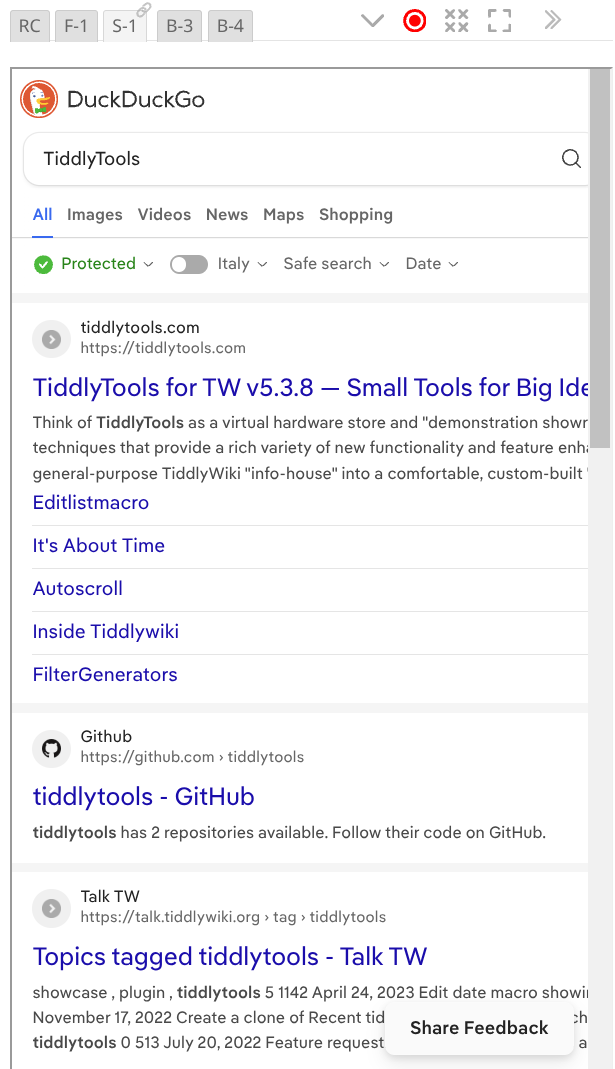
I’ll give one example … Searching the internet from the TW Sidebar …
The tool has …
I can’t thank @EricShulman enough!
TT
The most recent TiddlyTools Browser update (earlier today) no longer uses indexes in $:/config/TiddlyTools/Browser to store the current name and URL for each browser. Instead, it uses separate “qualified” temp tiddlers ($:/temp/TiddlyTools/Browser-1234543...). This was done to make the browser’s “state” information separate from the “config” settings, as well as making the code cleaner and more consistent.
Note that, while these temp tiddlers persist during the current session, they are not usually saved in the file. If you want these temp tiddlers to be saved, you can define a tiddler tagged with $:/tags/Global, containing a macro named publishFilter():
\define publishFilter() [prefix[$:/temp/TiddlyTools/Browser]]
-e
I think I do. They are kinda “where I am settings” worth persisting.
Thanks for the info.
TT
I’ve found a “limitation” when using a named minibrowser with an <a href=...> link.
Suppose you have a tiddler containing:
<$let name="somename">{{TiddlyTools/Panels/Browser}}</$let>
Then, in some other tiddler content, you write:
<a href="https://example.com" target="somename">click me</a>
with the intention of having that “click me” link shown in the aforementioned “somename” minibrowser.
The problem is that this only works if the “somename” minibrowser is already showing a rendered iframe. If it is showing “click to start” or “enter a url or select a bookmark”, then there is no actual iframe for the targeted link, and it will open in a separate tab instead.
-e
Eric, I just had a quick look in passing, and visited TiddlyTools for TW v5.3.8 — Small Tools for Big Ideas!™ just as a test I went to tiddlywiki.com and my knee jerk reactions was to apply one of my JavaScript bookmarklets, only to discover, as one may expect, they only apply to the parent wiki.
Dont go out of your way to resolve this but I just though I would ask if there is any opportunity to permit such bookmarklets to target the iframe window?
Update: I’ve added handling so a minibrowser IFRAME can be initially rendered by setting enable=yes and any non-blank default URL):
<$let name=somename enable=yes url=" ">
{{TiddlyTools/Panels/Browser}}
This allows you to successfully use <a href=...> syntax to target a specific named minibrowser:
<a href="https://example.com" target=somename>click me</a>
-e
Eric, I added a bookmark inside the mini-browser and provided a bookmarklet in stead of a url, ie a javascript payload and as may be expected it failed. I wonder if there is a way to accommodate these?
You can try this experiment:
In TiddlyTools/Panels/Browser setURL(), this line:
<$let url={{{ [<url>!regexp[^(http|\./|\.\./|file:)]addprefix[https://]] ~[<url>] }}}>
detects URLs that start with “http”, “./”, “../” or “file:”. If none of those patterns are found, then it assumes that there is a missing protocol prefix, and automatically adds "https:// to the URL.
I assume that your bookmarklets syntax starts with “javascript:”. Try changing the above line to:
<$let url={{{ [<url>!regexp[^(http|\./|\.\./|file:|javascript:)]addprefix[https://]] ~[<url>] }}}>
this should allow the IFRAME src param to be set to your bookmarklet code.
Let me know what happens…
-e
This is just a comment.
Thanks for that info!
Actually my issue has gone away with your latest additions …
Now I can precisely set the start url and it always displays as I want!
I’ll comment more later.
Best
TT
@EricShulman, following up on your great innovations I have one issue and some comments.
I’ll post first about the issue to get it out of the way.
One use of the miniBrowser for me is to iframe local TiddkyWikis so I can edit them.
In tests I’m finding saving is failing.
That leads to my question …
Q10: Is failing TW saving in miniBrowsers a
sandboxissue?
Would"allow-downloads"solve it?
Wondering,
TT
A comment on layout of menus in the miniBrowser …
The miniBrowser is replete with excellent CSS.
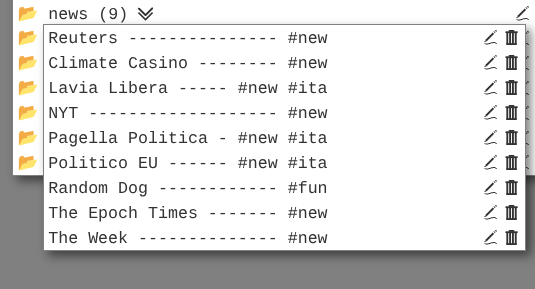
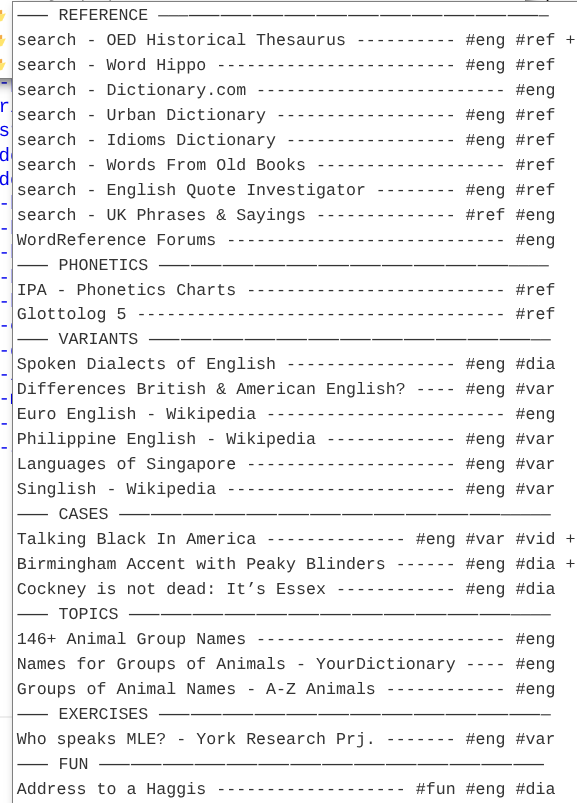
For my use I need a very regular monospace layout on menus.
Easily achieved with …
/* DROPDOWN STYLING */
 button.tt-browser-mark {font-family:monospace;}
Result …
TT
Comment on a TRICK to Sort Menus as needed …
Issue: In long lists of bookmarks I need a few at the top.
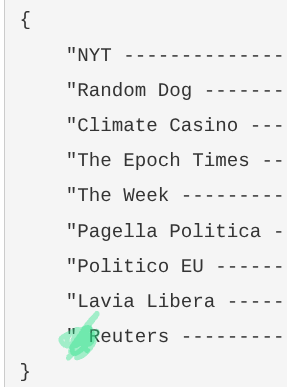
Solution: Easy. Just prefix them with extra spaces.
Result:
Reuters comes first because the Bookmark started with a space …
Useful info!
TT
UPDATE : No longer relevant because now all folders can be arranged through D&D.
Adding allow-downloads does fix that issue. However, instead of using allow-downloads, I just removed the sandbox="..." attribute entirely. This effectively permits almost all regular web page actions, including
allow-downloads for TiddlyWiki download saver handlingallow-popups for tm-open-external-window or <a href="..." target="_blank">...</a>allow-modals for window.confirm(...) messagesallow-scripts for javascript executionenjoy,
-e
Comment on fun search.
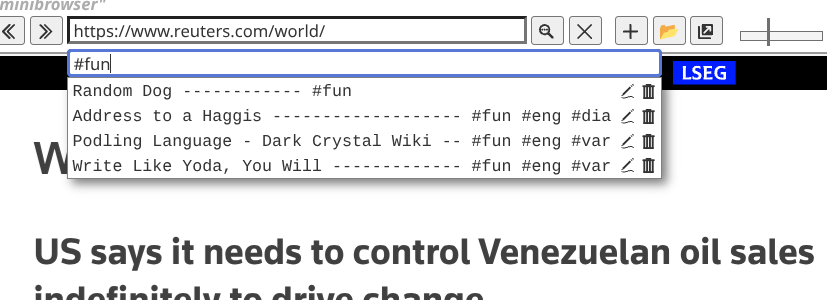
Because the miniBrowser has such great flex on finding I can globally search for and isolate the hashtag fun.
Result:
TT
meanwhile a Random Dog.
Comment on Browser Link takeover …
Thanks to the miniBrowser I can make a TW a better browser.
This is what I did after installing TiddlyTools Browser
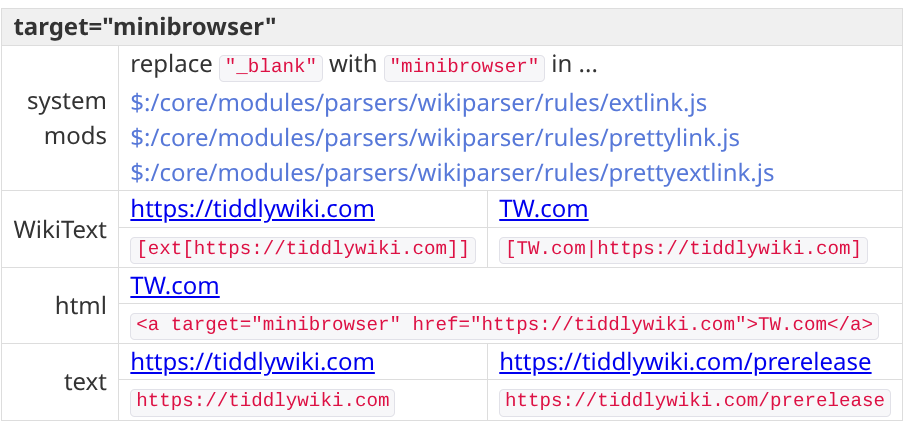
name=minibrowsertarget=minibrowserResult: Browse the net inside a TW and direct all links to the minibrowser.
Technical Notes:
TT
New feature: re-order the bookmarks using drag-and-drop in the bookmark folder popups!
Notes:
list field.update: fixed a bug… deleting a bookmark now also removes it from the folder’s list field
-e