Secrets Vault - store secrets within TiddlyWiki5

I like it’s simplicity and ease of use. It could be a mini-password manager replacement with a couple of additions.

As the number of secrets grows, you need a filter to limit the secrets or to find a particular one. And it needs a copy button for the “secret” name because you often have to type that into a field as well. I guess having two fields per secret would actually be more normal, because for most services you need a username (which is kind of a secret) and the password.

I often have situations where I want to share just a few passwords between systems, or where I’ve created a new password on one system that I will later enter into my standard password vault. Sometimes these passwords end up in insecure text files. But the real problem is that when I find them I don’t remember what they were for. :flushed: .

Some of the “features” of standard password managers make simple tasks so frustrating. Like a fast timeout that forces you to re-enter a pin, and then when you get back to the site you were setting up it’s timed out. And don’t get me started on the security “asterisks” that hide your password while you’re working from an android device where you have trouble typing even when you can see what you’re typing.

1 Like

I second this. I do use a password vault. I think using a html password element helps detect the password, I wonder if this could optionally include User name, again which password vaults handle.

And how often is someone looking over your sholder to try and see your password? 99% of the time - never. ATM I am the only one in the house, I dont thing the cats or dogs will read my password, so why are they all “asterixed out”?

@BurningTreeC I am yet to fully experiment with your solution but wonder if it is valid to allow cookies or local storarge to keep the passwords so once entered, are retained in the local browser indefinatly?

The $password widget does this. It renders as an HTML input control with type=password, which displays your input as asterisks. The text you enter is kept as an unencrypted plain-text value in LocalStorage. This value can only be accessed via TWCore javascript $tw.utils.getPassword(...), so it can’t “leak” out and be exposed by wikitext scripting.

However, because this value is NOT available for use in wikitext scripting, it can’t be used to submit URLs using a wikitext-based <$action-sendmessage> widget to dispatch a tm-http-request; for example, to access various remote services like the Google Places API for retrieving JSON address data, or showing embedded maps and streetview images.

Also, since the password text is kept in LocalStorage, it is inextrictably bound to a specific installed browser, and is not portable like other TiddlyWiki data.

This is where the Secrets Vault or my TiddlyTools Security Panel solutions come into play. They each permit “password-like” data values to be safely stored in an encrypted form within tiddlers, so those values can be later decrypted and used where ever that TiddlyWiki is accessed, even if it is a “traveling TiddlyWiki” that exists only on a USB stick and is regularly viewed with a variety of browsers installed on different systems.

-e

I suppose one reason I value a saved password option is as long as you use a browser more than once you need not revert to your password vault on subsequent access. Like I suspect many people, I usualy dont use more than three devices Computer, tablet and Mobile. With these I dont use other devices such as Internet Cafes etc… I need the password so if others stumbled apon my content they cant Access it, for me I just want to store it and get it out of the way.

Thanks to all for your feedback!

Now we can copy-paste into the inputs
Optionally a username can be specified which is connected to the secret

1 Like

It has potential to replace KeePassX on any system that can run a modern web browser, thus can run TiddlyWiki. And unfortunately, it is tethered by the same constraint that becomes a TiddlyWiki usage show stopper on any older computer that can’t run a modern web browser / Node.js. Think an old laptop running Linux in text mode only (yes I have one of those, I’m using it and I’m proud of that even if it’s not a ThinkPad! :rofl: ). In the future when this plugin matures, perhaps it could add a few custom importers/exporters for a GPG-compatible vault encrypted dump, a KeePass (which has a CLI-only mode) database or a pass directory tree (likely harder, because the TiddlyWiki importer can’t recursively import a whole directory tree, and the exporter can only save a single file as well, right?)

@nemo yes you’re right and I’ve thought about it

  • passwords should show when they were created
  • passwords should be changeable

Yes, I’m also not happy with the current layout

Styling will be improved

Yes, I’ll add that!

Can you explain a little bit what you mean by that?

Yes that’s a good Idea, there should be an indicator for that!

Thanks again!

Hi @Mark_S

That’s a good idea with the filter. Can you explain a bit more detailed how and where it should be implemented?

Hi @TW_Tones

Can you explain for what that could be useful?

Maybe just a field either below or to the right of existing secrets. Just a simple search or regexp search would be sufficient. It’s all I’ve ever needed on my existing password manager. Well, there is more I would have liked, but that’s another story.

Good idea @Mark_S … will add that!

Hi all, version 0.0.6 is out!

  • There’s a filter input so that one can filter the secrets by name and username
  • Each secret shows when it’s been created
  • The AutoHideTimeout can also be configured in the Vault Manager
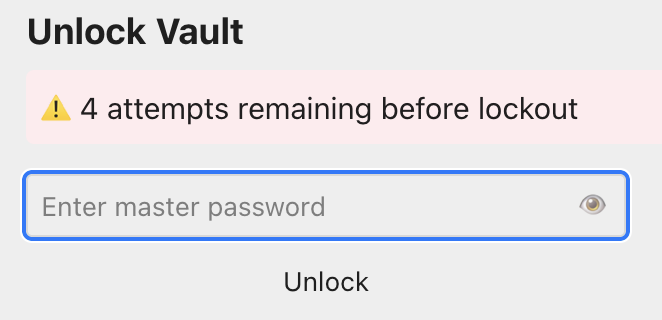
  • The remaining attempts for inserting the password to unlock the vault are shown and a warning that the vault will be locked for 5 minutes
3 Likes

This gives a list of all secrets rendered:

\define render-secret() §[secret:$(secretName)$]

<$list filter="[[$:/secrets/vault]fields[]removeprefix[secret-]]" variable="secretName">
<<render-secret>><br>
</$list>

This gives a list of all secrets with a given username:

\define render-secret() §[secret:$(secretName)$]

<$let username="myUserName">
<$list filter="[[$:/secrets/vault]fields[]prefix[username-]]" variable="secret">
<%if [[$:/secrets/vault]get<secret>match<username>] %>
<$let secretName={{{ [<secret>removeprefix[username-]] }}}>
<<render-secret>><br>
</$let>
<% endif %>
</$list>
</$let>

If I maintain a database of secrets in a TiddlyWiki localy, I want it protected by a password, but on my home computer, safe in my study, I want to provide the password once and happy it is retained in local browser memory, so I need not type it again, however should the wiki itself be stolen they will not have the password.

  • This password should be periodicaly changed see next note
  • This could also be said for the username when used.
  • Although sometimes I will have a password vault hold these credentials and insert when needed.

A Note on secrets

It is importiant for every one to note, that there is an internet wide collection of content containing encrypted content, it is thought by many criminals that if they cant decrypt it now, they may be able to in the near future.

So where possible’

  • dont make encrypted content publicaly available lest it one day be decrypted
  • continue to cycle and reencrypt content periodicaly such that stolen content “ages out”
1 Like

Attempting to unlock a vault from the vault manager reveals this in-page error:
image

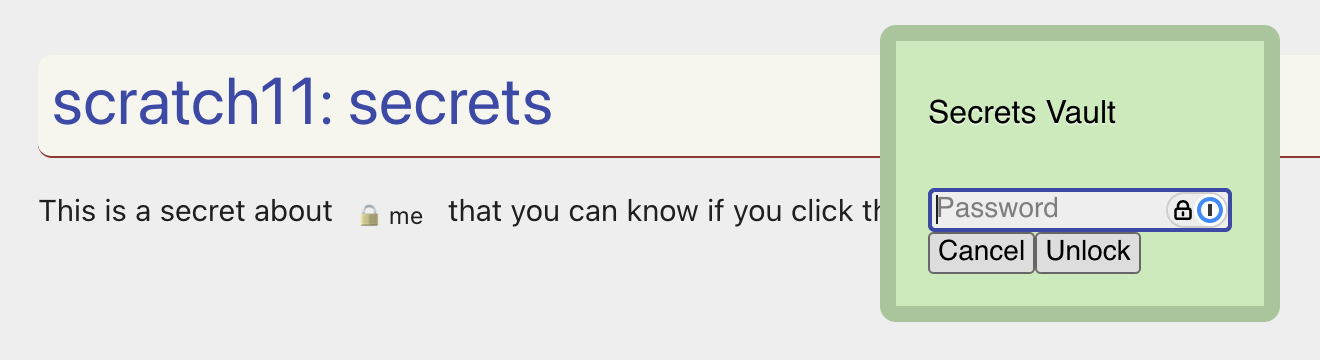
However, if you click a secret when the vault is locked, you get the green vault prompt:

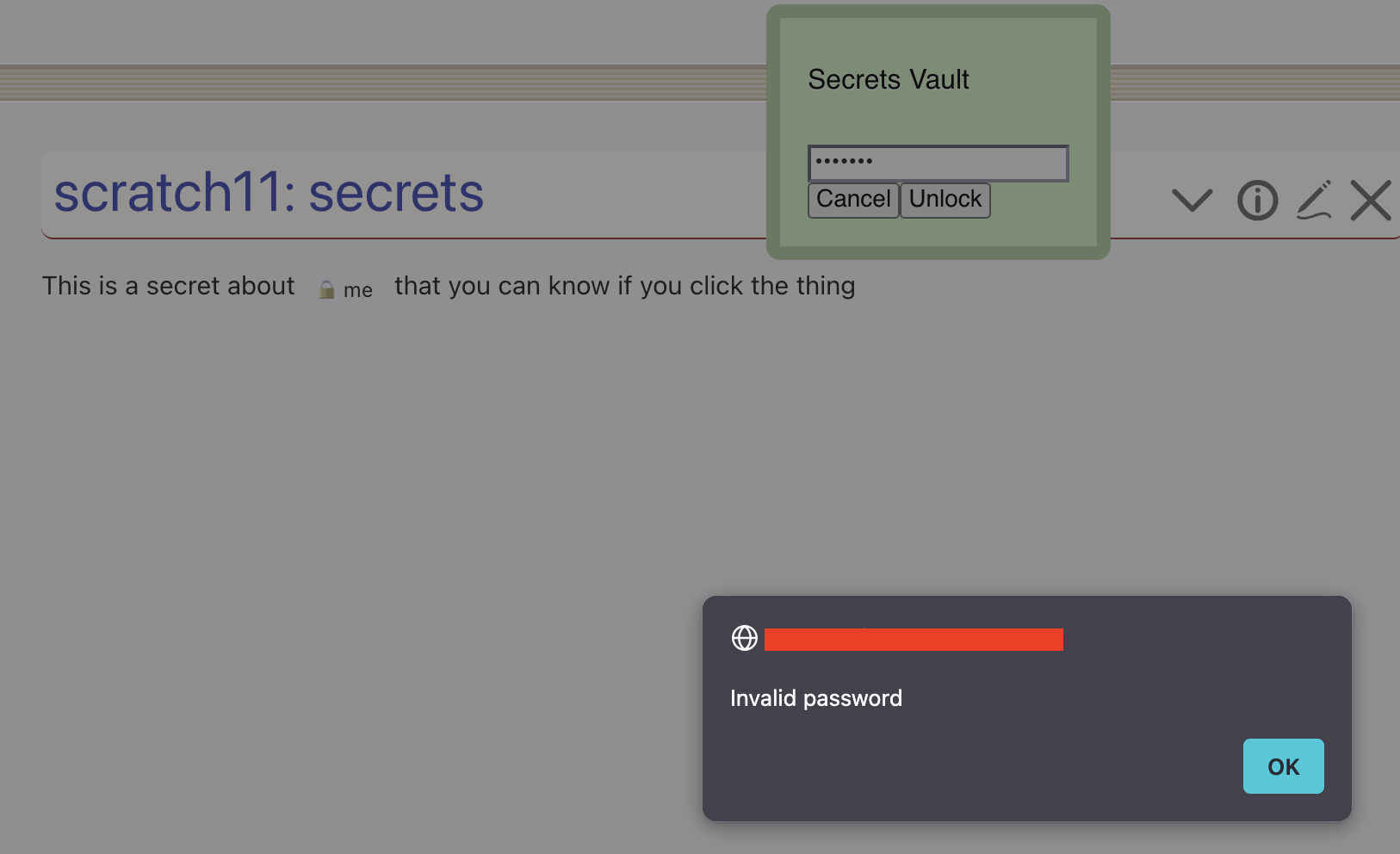
and failing the password there, returns an alert popup

That alert popup is what bothers me - I think all UI elements should be within TW

Also, a failure by this mode doesn’t inform of the lockout attempts remaining.

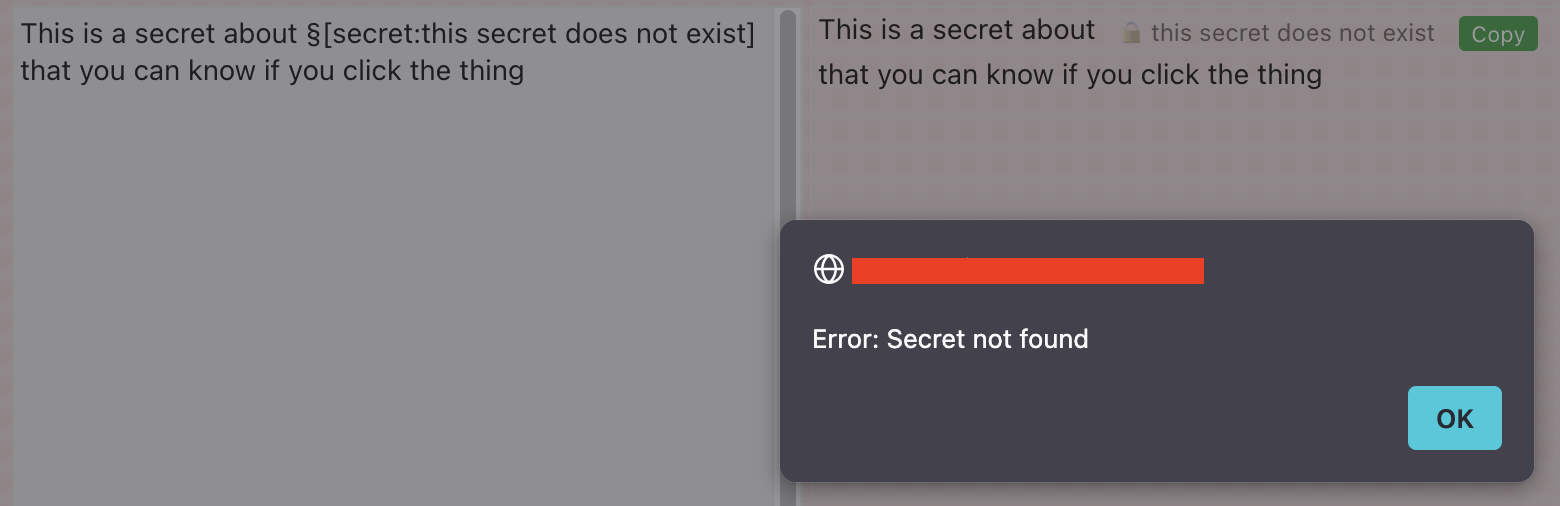
The other place that generates this alert popup is when you click a secret that doesn’t exist (I edited this one to mock it up, but originally encountered it by deleting a secret after adding the wikitext code for it)


Another thing I just noticed in testing:

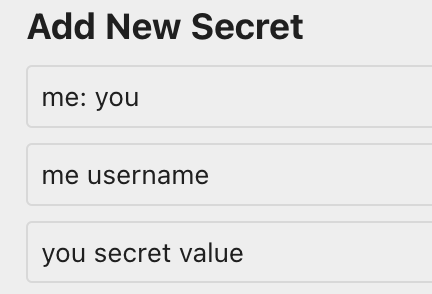
Having a colon in the title messes things up.

From a fresh vault (which is a .tid in my node setup), I add this secret:

image

However the name has lost the colon, and the username isn’t shown at all:

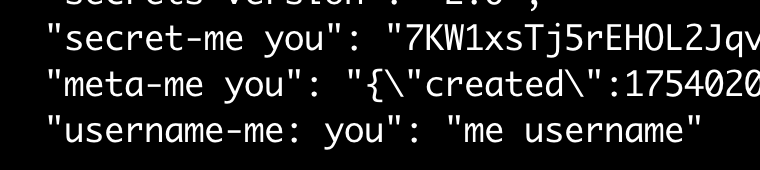
Looking behind the scenes, the vault is now converted to a json, with the colon dropped from the secret- and meta- field names, but not the username- field name. IMHO any characters should be valid for the name, though I recognise this will complicate things, or give info and about valid/invalid characters within the name before saving. (Looks like []{}() are all similarly removed, I’ve not tested weird characters in the title beyond these seven)

This also has me noticing that the username is not encrypted, which I feel like it should be.


I should note - for my own intended use, this is already great - I currently don’t see my needs for the secrets stored in TW to require more than this already does. But thinking on the systems I’ve used (personal and professional, ranging from commercial products to home-grown wrapper scripts around gpg), I think my minimum requirements of what I’d want for a general purpose secret stash are:

  • Four fields: name, username, secret, comment.
    • Name and Username both single line, secret and comment multiline (storing SSL certs and keys is common in work secret stores for instance).
    • Name and Comment public, username and secret encrypted
    • Name and Secret as required fields, username and comment as optional
  • …I’m sure I had a second thing to note, but between investigating the :[]{}() thing, and then lunch it’s entirely escaped my mind and eluded any attempts to think of it again!

Hi @nemo and thanks for your valuable feedback!

Oh yes, I shouldn’t use the TiddlyWiki builtin password prompt I guess when clicking on secrets.
I’ll add a custom solution that works like the password prompt in the vault manager.

Ouch! How about a notification instead of a prompt?


About colons and special characters in secret names and usernames
I’m going to fix that asap. Bothers me too.
And yes, the username should be encrypted, you’re right!

Tonight I’ll make these updates, stay tuned!

Thanks again,
Simon

@BurningTreeC let’s pretend someone steals you wiki.

Opening the vault needs a password.
Could it be set so that after X (say 5) tries it will refuse to open?

Just a slightly paranoid thought.

TT

Right.

Credentials management is become a vastly over-complex issue.
Sheer volume is a big factor.
Last count I had about 125 login credentials to keep somewhere.

My ultimate solution should be to develop a Better Brain.
I don’t want a Robot Memory Partner that goes “beep”.

Meanwhile @BurningTreeC and @EricShulman have both had a stab at understanding and adressing the issues.

What’s to stop them from making a million copy of your wiki, and getting five tries on each one? And if that doesn’t work, then making a billion more?

I think the concern is more that public key encryption, based on mathematical algorithms, may someday be broken. But single-key encryption, assuming a good password, will continue to be safe for the foreseeable future.

The problem with frequent password changes is that my greatest danger isn’t hackers – its me – forgetting what the new password is.