sorry not to be cristal clear from beginning on.
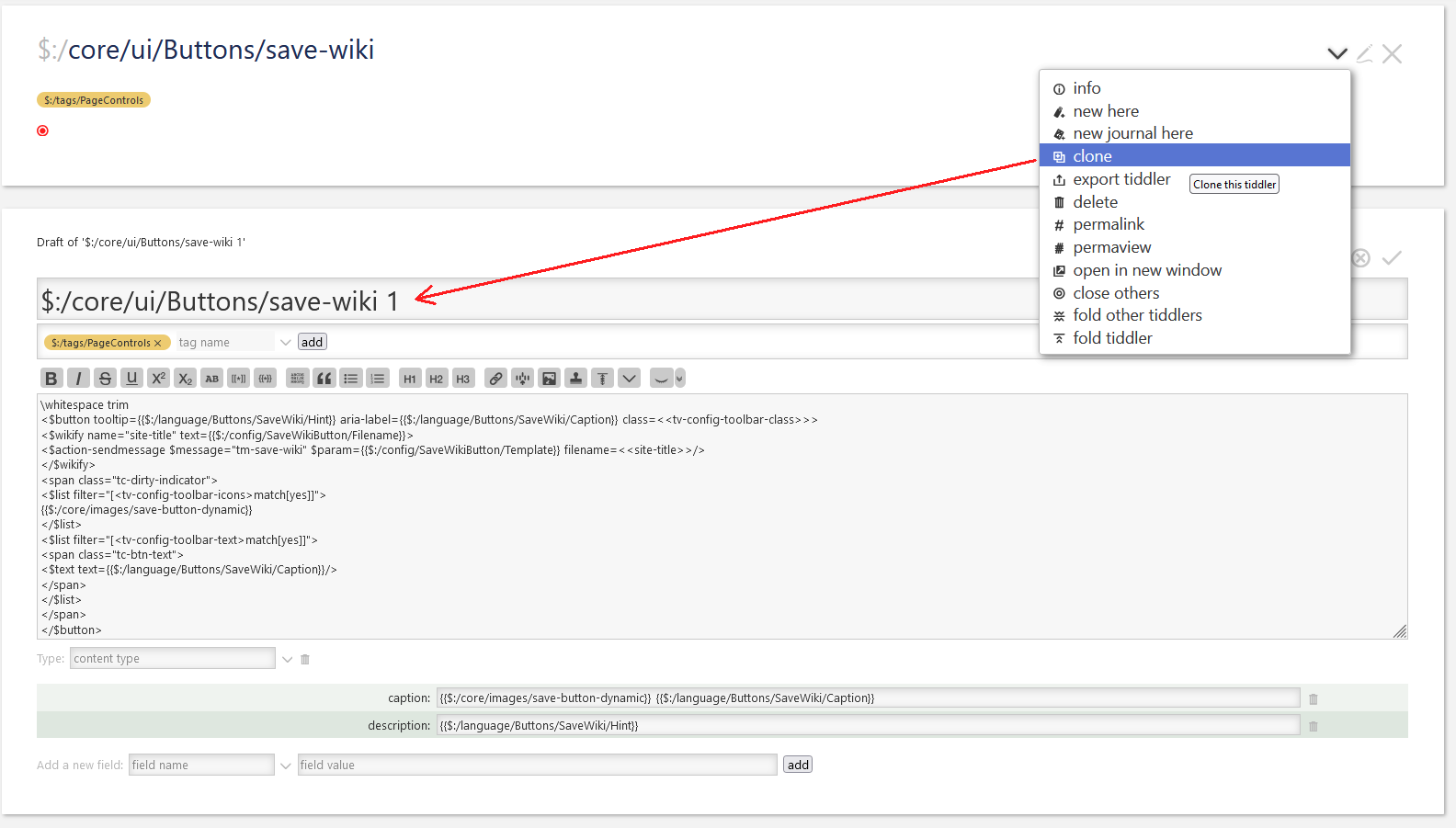
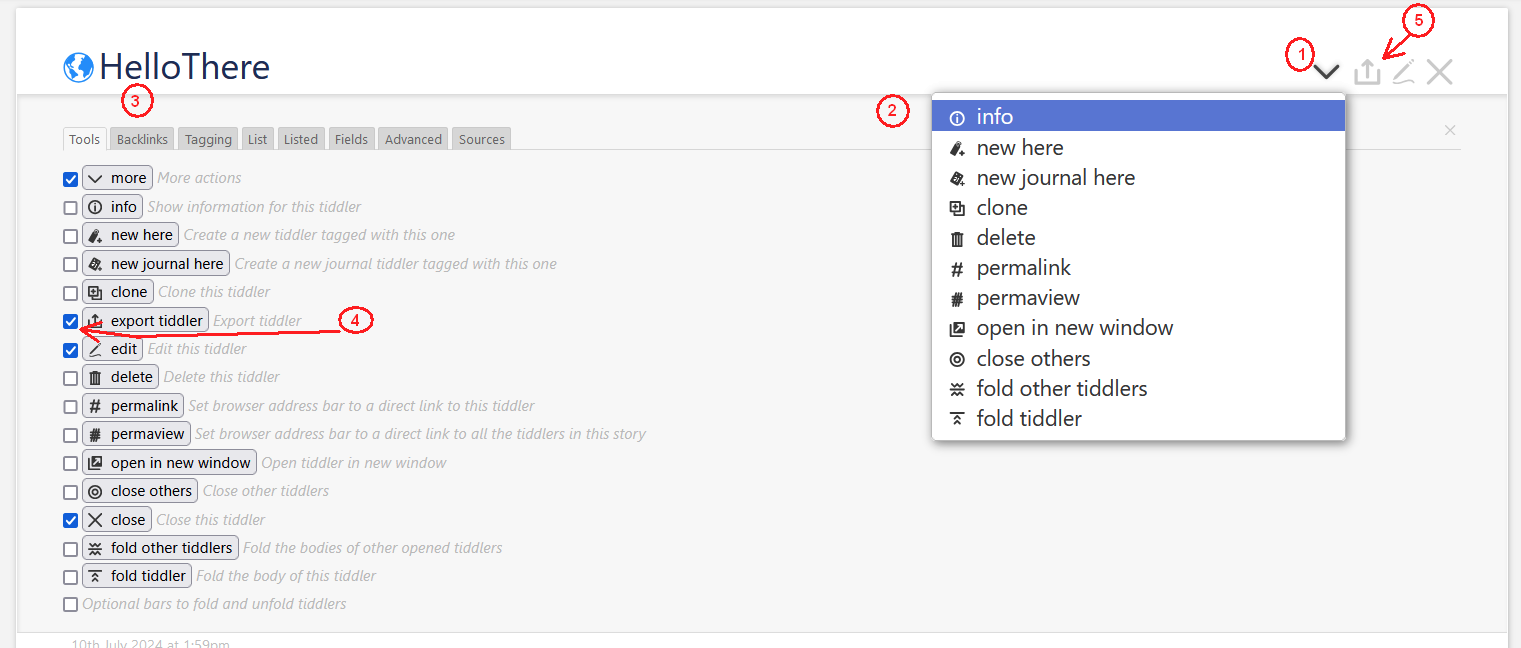
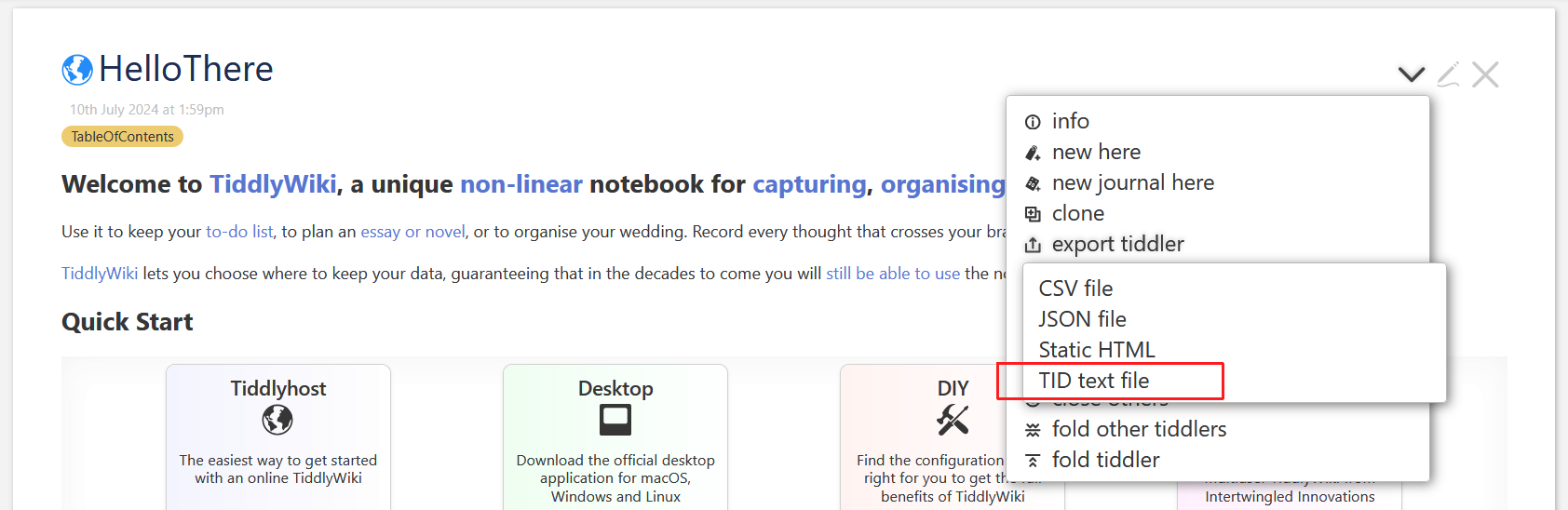
I want to save only the one tiddler what is the current one. The same function you marked in your screen shot.
The task to have the current tiddler information was solved a few weeks ago and [<tv-history-list>get[current-tiddler]] is a good working solution to get the information.
With some test in the $:/core/ui/Buttons/save-wiki tiddler I was able to integrate some special functions for my use case, but I cannot find the information how to call the export tiddler | TID text file function.
OK. It’s tricky to find a solution with maximum code reuse and minimum effort, to do the right things.
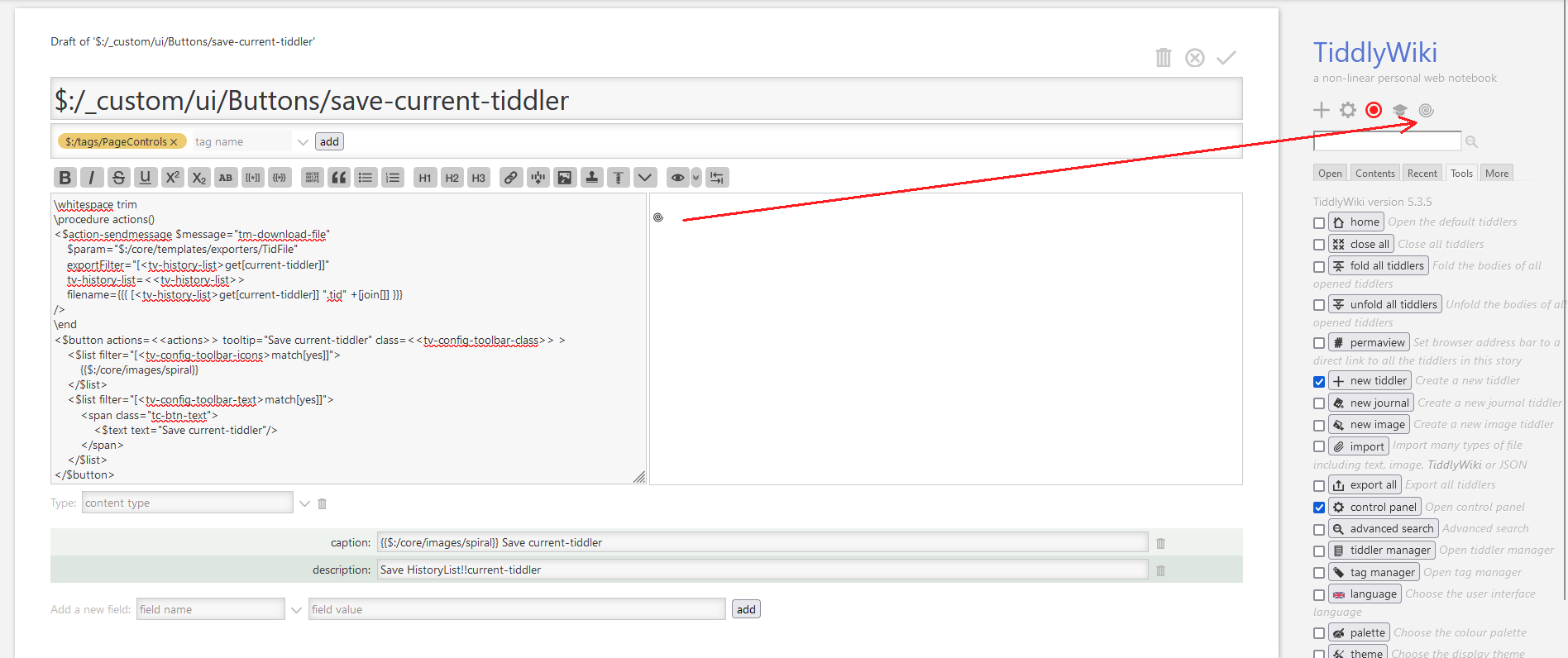
Generic page control buttons need several mandatory elements.
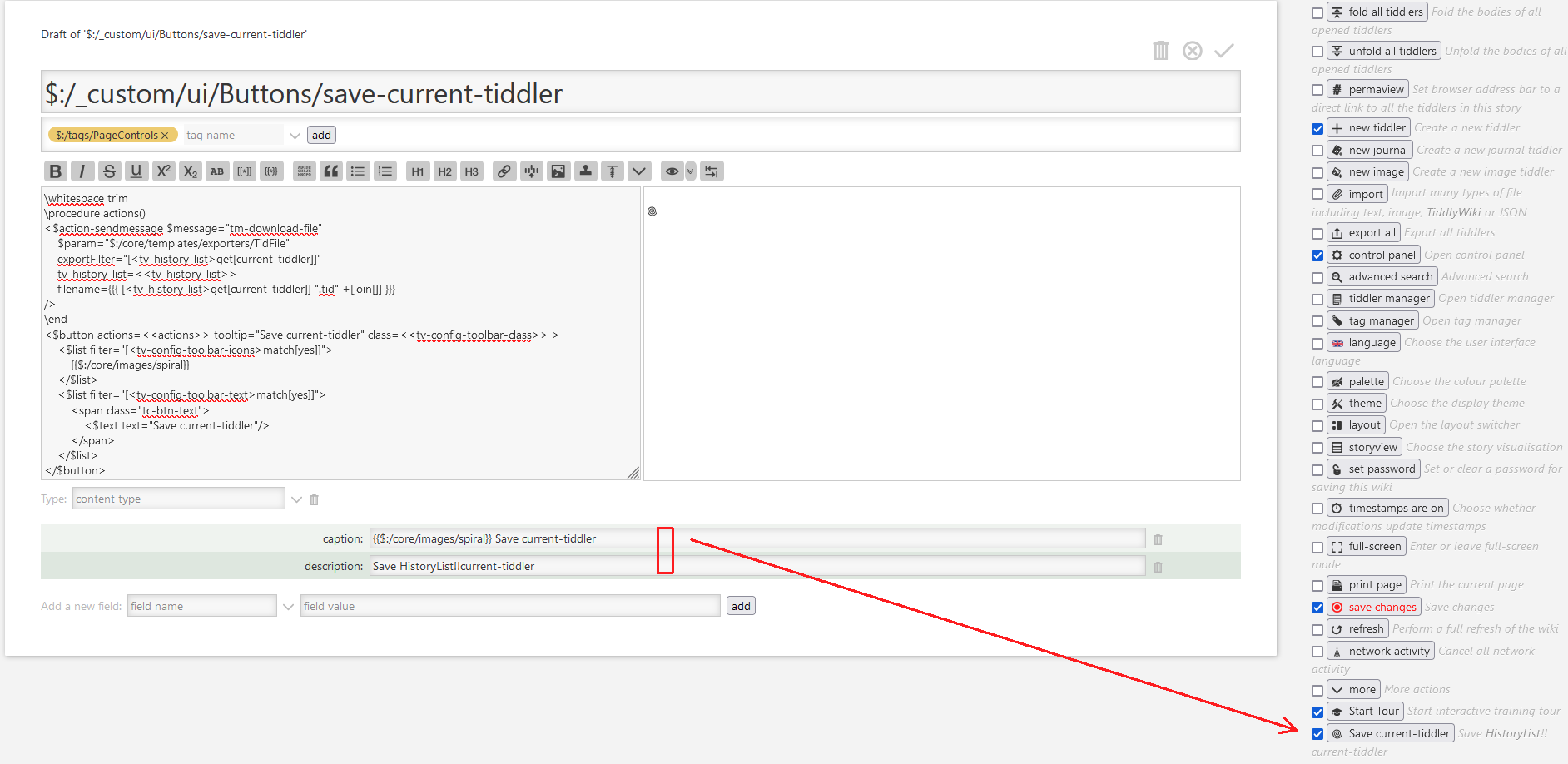
caption … which is shown under rigth sidebar → Tools tab
description … which is also shown in the Tools tab
In the text area there needs to be a button, with an icon. I did use $:/core/images/spiral in my explanation
The tiddler toolbar exporters are tagged: $:/tags/Exporter
The one which creates the single .tid file is: $:/core/templates/exporters/TidFile – So we should reuse it.
I did use the Home-button as a template for the “boilerplate” needed for sidebar buttons. I stripped it down and then implemented the stuff we need. The new code is.
thank you for all the effort.
Maybe you already know it, but all the functions I implement are aimed at creating a wiki where authors cannot publish their contributions directly. The workflow provides that the contributions must first be sent to an editorial office and after review are then integrated into the wiki and published. For technical reasons I have to use the “all in one file” TiddlyWiki version.
I have implemented your solution as follows and the enthusiasm of the authors is great.
I used the “Save Wiki” button (the original function is only commented) and only the fact that the button does not change is a problem that has not yet been solved.
I thought if I added this
to the button it would work but unfortunately the save button always stays red and doesn’t change. Do you have an idea how I can change this so that the save button changes to green even if only one tiddler has been exported? Or maybe another idea how to solve it?
Thank you very much so far.
Here is the new “Save Wiki” button
The <span class="tc-dirty-indicator"> is responsible for the colour change of the original TW save button. This class will be automatically set or reset by the core, after the whole wiki will be saved.
There is no other way to reset the “dirty” state.
You could save both – The .tid file and the .html file. So users will get 2 dialogues. In this case it is guaranteed, that the changed tiddler actually is saved as a “backup” if you will.
So if a user happens to “select” the wrong tiddler for export, they may be able to save the “right” one by loading the “backup”
If the whole wiki is saved the “dirty” status goes away
These variables are not responsible for the colour change. They are only there to show the icon or / and the button text. That’s a setting in the ControlPanel → Settings tab. You do not need them for your usecase.

 I want.