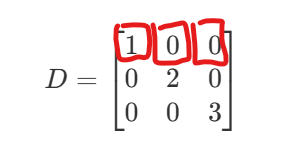
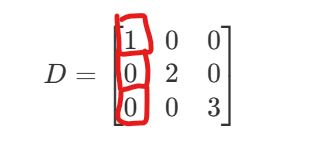
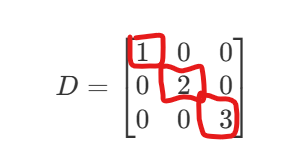
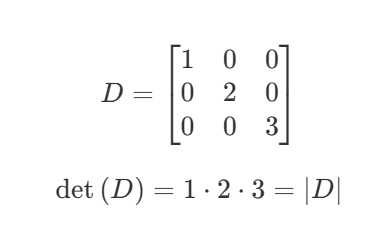
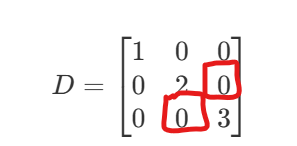
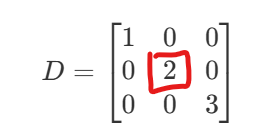
I think if we can doodle the background box area corresponding to the matrix elements and describe it in code, we can combine numbers and shapes when learning the properties of the corresponding matrix, multiply the elements defined by the formula, and make it clear at a glance on the matrix
If you show show the code to produce the matrix it will be easier to help you.
If your goal is to manually set the color for specific rows, cells etc, then it is simple with CSS. But if you want arbitrary cells to get their colors dynamically then it might be trickier.
To note that with the internals plugin installed, as on TiddlyWiki.com you can preview the RAW HTML output. this allows you to see what the resulting html is and thus look at how to apply CSS.
If you are a little more experienced you may see the browsers inspect tools to see the existing css selectors etc… that may be present given the existing CSS.
View the output of your maths and use the inspect tool on the result.
The key to this approach is identifying or adding appropriate selectors so you can target the element you want to change with the CSS you want such as a red border.
More advanced methods include
nth row or nth column tricks
Wrapping content in a span or div so you can address the html within it
eg nth Paragraph inside named div
be careful not to be too general that your CSS impacts other elements on your tiddlywiki
The TiddlyWiki approach may be to use TiddlyWiki Script to test for and set appropriate style or class on the content you are displaying. For example %if, list or reveal