It working in chrome for me.
The Parametrised tiddler - shows somewhat ok conversion in the end of the clipped text (except for the quotes) if I clip two times
It working in chrome for me.
The Parametrised tiddler - shows somewhat ok conversion in the end of the clipped text (except for the quotes) if I clip two times
When I selected in a similar fashion, I also got the same result, but its without any formatting.
Did you checked the Parametrised tiddler in my demo wiki - I selected that whole reply and clipped two times - first time the conversion was not right at all. Second time the conversion worked except for the quotes. Is that any helpful info?
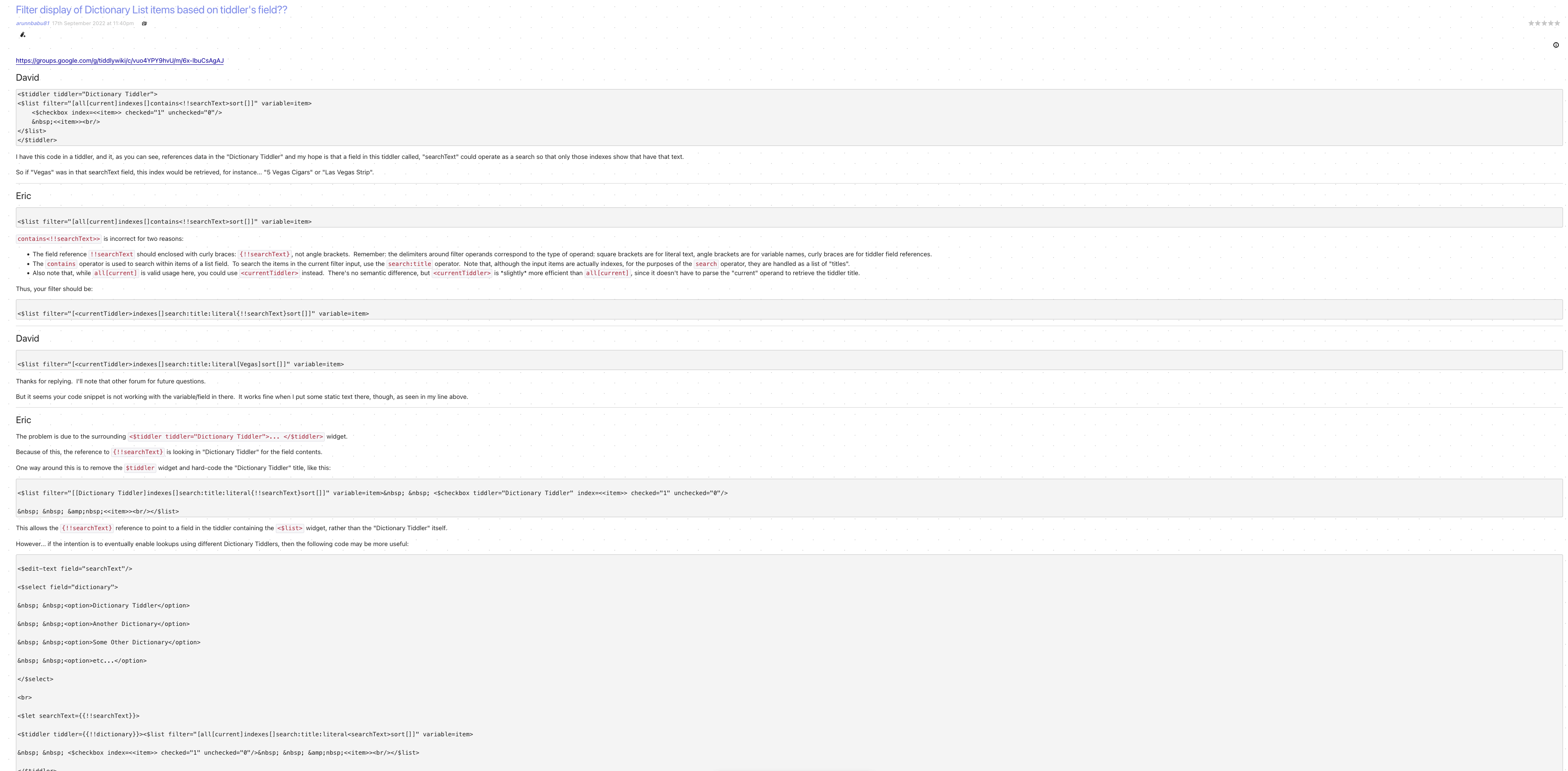
This is an appreciation post. I want to thank you @Mark_S for all your help with this macro. It greatly reduce the need to edit the clipped text since it preserve the formatting needed. I am not saying that there arent any issues. But it is certainly of great value to me. Here is an example of a TW google group post clipped using tiddlyclip and this macro. Each comment I clipped seperately - no extra effort was needed to get the exact formatting except for the initial code which was not within triple back ticks.
Authors name I added after clipping for better structuring
Do you use it in your wikis?
I don’t think it would help particularly with particularly benefit html2tw, since html2tw already uses regular expressions. But who knows.
Here’s a plugin. Be sure to back up before trying – it’s been a long time since I checked up on this, and this is the first time I bundled it into a plugin.
$__plugins_mas_regexps.json (4.9 KB)
@Mark_S, your understanding of regex in TW is v. good at it’s various levels of use!
FYI, a professional Italian programmer friend of mine commented—when I suggested he look at TW to deliver solutions to his clients well & cost effectively (he mainly makes money from doing heavily customised Wordpress sites for his clients ATM) …
He commented (translated): “TiddlyWiki looks like a serious ‘Regular Expression Machine’ that could be most useful for clients with specific needs. It might simplify a lot of things that currently I can only do via a server backend. It is interesting!”
Just a side comment. (Not meant to ruin the thread!)
Best, TT
I will definitely look at that.
Grazie, TT
@Mark_S I added it to my wiki (after making a back up). Is there any way I can test it out?
If you have the famous “HelloThere” text available, then this should give you a list of all regular words that have 10 or more characters.
<$vars regexp="(?g)\b\w{10,}\b">
<$list filter="[[HelloThere]get[text]regexps<regexp>]">

</$list>
</$vars>
Nice example! Well illustrates a simple TW syntax. But also how one needs understand regular expression syntax (JS).
I DO wonder how much an ordinary end-user would grasp that excellent regex?
This is NOT any criticism of you @Mark_S!
I think it an ace example!
BUT the caveat is this: How much non-TW stuff do you need know to leverage Mother TW?
An implication is, maybe, this: how much should we be pointing to the “Other Thing” … i.e. external resources needed to master regex??
Or should we better illustrate it IN TW in a more methodical way? Like maybe a full scope TWegexer?
Just a simple query, TT.
Thank you @Mark_S . I will need to learn about how to use regexp in TW. I have seen @Mohammad regexp site and have read about some of the basics of regexp in that site (It is little complicated to understand though). Is there any other place I can read about regexp. May be once I understand how to write regexp, I will get more ideas about how to use it in my daily TW use.
Also why were to suggesting to use this regexp plug in when I was asking regarding complex image extraction in this post. How to use this plug-in to do such image extraction.
To tell the truth, I was hoping that Saq’s enigmatic references to a new toolset would save the day.
Maybe my solution isn’t the right path. But the following would extract the lightbox references from your text:
<$vars regexp="<<lightbox\s+.*?>>(?g)">
<$list filter="[[Cortical laminar necrosis]get[text]regexps<regexp>]">

</$list>
</$vars>
I suspect that learning regular expressions is considerably easier than “Cortical laminar necrosis”.
Me too was waiting for his custom filters and macros to be released.
I will test it out

I recently restarted my endeavour to be able to use regexp in tiddlywiki to extract possibly nested “html”, widgets or arbitrary tags eg;
<tagname attrib=atval ..>
Content
</tagname>
Of note is, on the internet, I stumbled across a lot of “opinionated” statements that regular expressions can’t do this with HTML because “HTML is not a regularised language”.
display: none; but from the view template “resurface the content” interactively.I raise this here because it is all but Identical to the OT, HTML > TiddlyWiki, but in this case allowing further tiddlywiki handling to be applied.