A Note On Styling in MCL …
I won’t now as it would need added docs to know what I’m doing in it. Perhaps later.
But, regarding MCL use, the main illustration of my post at A multi-column Layout / Storyview - #271 by TiddlyTitch of SVG styling is that the MCL CSS approach is great.
Each Column can be styled differently …
Hi @TiddlyTitch ,
The columns have the class .tc-river-<columnNumber>
So the first column has the class .tc-river-1 , the second .tc-river-2 and so on
Best wishes,
Simon
And the Overall Matrix can be styled via …
Hi @TiddlyTitch ,
you can address all columns with .tc-river-inner
best wishes,
Simon
Ciao, TT
Right!
I think it likely better to just give info $:/tags/TopToolbar )—but leave them to design their own specific solutions??
Just a comment
Right! Though your English here is v. good.
When you get out of beta, and maybe need documentation checking or writing, please message me privately if it would help. I will.
Buongiorno, TT
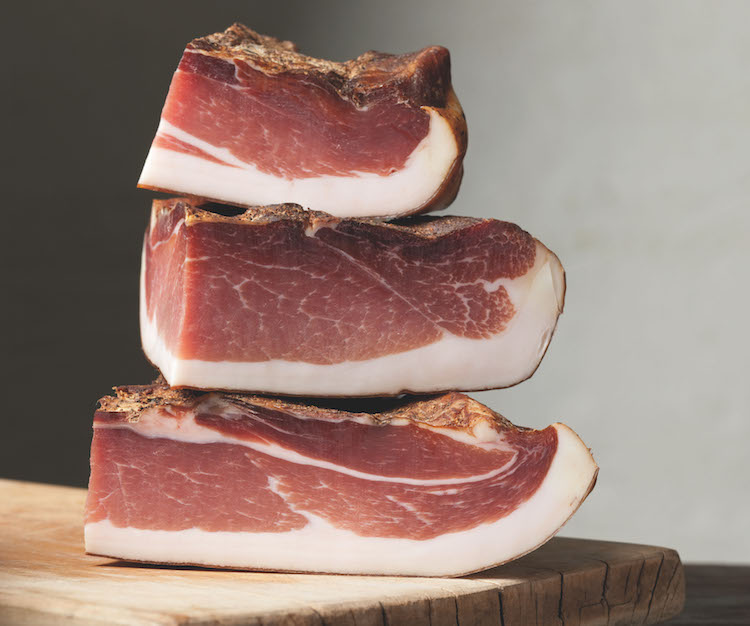
Nevertheless you deserve some very good Speck …
… for all your work!
TT
TEST #10 – Basic Image Gallery … (Vertical Index)
The latest version of MultiColumn Layout — v0.86.0 (beta 41.0) has column shrinking and widening .
It makes things like image browsers easy … Here is an early proof-of-concept …
TT
The top toolbar can be styled like anything else in tiddlywiki
create a tiddler tagged $:/tags/TopToolbar
add some content
maybe surround the content with a div that has a given class
style that class
Thank you for the offer, I will come back to it!
Oh … how do you know?
Very cool example, thanks @TiddlyTitch
Hi all tiddlywikians,
version 0.43.0 of the tiddlywiki-multi-columns plugin is out
it contains bug-fixes, some CSS updates and all my added CSS classes are rewritten to use my .btc- prefix
https://burningtreec.github.io/tiddlywiki-multi-columns
I hope you’re well,
arunnbabu81:
When I am keeping amount of columns in horizontal view as 1 and using Alt+S to get the horizontal view, always the first column is shown even if the 2nd or 3rd columns is the current active column.
Is this Alt+S bug fixable?
Hi @arunnbabu81 ,
it’s tricky to do and I don’t know if I can fix it. I’ll try my best.
Best wishes,
@arunnbabu81 - at the moment it’s impossible for me to fix because it’s standard browser behavior in this case
I’m trying to add a tm-scroll message to the active column when Alt-S is invoked but that works inconsistently.
I’ll add this problem to my list of open issues but it’ll probably be a won't-fix
How about adding a maximize button to the tiddler viewtoolbar like in mentat and Krystal and use keyboard shortcut to invoke it?
Thanks @arunnbabu81 , that’s an idea I could realize.
I’ll take a look how krystal and mentat implement it
Hi @arunnbabu81 ,Alt-Shift-F )
Very neat! (Tested in MCL beta v46.0)
One small issue on Firefox Windows (where I tested it) is when you try edit in full-screen it reverts to the column layout.
Just a comment, TT
Ciao caro
I do guess it might be worth documenting the main classes available?
Why? Because advanced use of MCL gets oomph (punch) from CSS
Just a thought, TT.
I know because in the past on the Google Group, I think, we discussed Speck ?
The South Tyrol / Südtirol / Trentino-Alto Adige … is fascinating
.
And incredibly beautiful.
Is your first language German or Italian???
Just wondering.
Hi @TiddlyTitch , that’s by design of the functionality. I have an idea how to make it work for the tiddler in view- AND edit-Mode though. I’ll have a look this evening.
Yes that’s true, I will do so
I’m german by default
Best wishes,
[[… to @BurningTreeC , side note, though I’m English, I live in Gorizia Citta, I do know that, in the distant past the …
— The Counts Of Gorizia (English)
— Grafen von Görz (German)
— Contea di Gorizia (Italian)
— Grafschaft Görz (Slovene)
— Goriška grofija (Friulian)
— (I left out “Ladino ” as I don’t understand it at all yet
… controlled the original Tyrol County.
That was from about 1271 to about 1500
Ignore]]
@BurningTreeC is there any way to access the page toolbar button easily rather than accessing them by opening the sidebar which is slow
Whitespace theme has a vertical toolbar which appears only on hover.Tiddlyseq has a top toolbar
What would be ideal for multicolumn. Opening the sidebar for just clicking page toolbar button does affect the workflow
Hi @arunnbabu81
I’ve made the tag $:/tags/TopToolbar or $:/tags/BottomToolbar for those use cases. A user can build his own toolbar and just tag it $:/tags/TopToolbar and it should appear on top.
Alternatively, if you take a look at the configuration options, you will see, that there’s the option to show the hamburger buttons in a top panel and to also show the page-controls buttons and the sidebar search if you like


 .
.
 then come italian and english