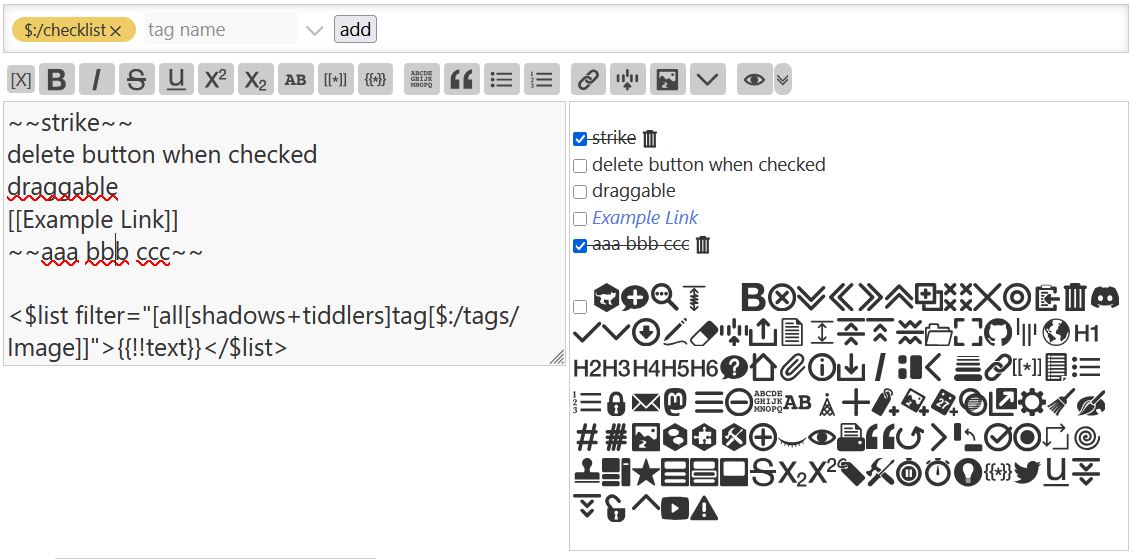
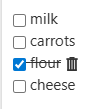
Now all you need for a checklist is to tag a tiddler, triggering a ViewTemplate that turns every newline into a checklist item that can be dragged or deleted.
The ViewTemplate has $draggable/$droppable widgets that split the text field at newlines into elements that can be drag/dropped to reorder. All of the text is stored in the text field; it gets split up and temporarily written into a data tiddler for dragging or a state tiddler for checkbox/editing before getting written back into the text field.
If a tiddler is tagged “$:/dragP” a menu button will be rendered for each paragraph that is the drag handle and also opens up an edit mode, see the example on the tiddlyhost site.
Thank you. I don’t have much need for the draggable paragraphs. Cut-and-paste serves me fine for that.
But the simple checklist looks great! I like having the list in a dedicated tiddler; it just feels tidy. But I wonder if this could also have a macro/procedure to embed the rendered checklist inside another tiddler, while still handling the check/uncheck behavior? Something called like
Some text.
Some more text.
<<include-checklist "Shopping List">>
And more text.
If you don’t mind me asking, is it possible to do the same but based on content-type of a tiddler? I think for convience sake using a tag to activate it is the easier approach, but I am curious about it none the less!
Thanks everyone. I was finding myself opening a blank tiddler and typing lists of things only to realize afterwards that, “oh, this should have been a checklist,” so simply needing to add a tag to convert it into a checklist was my goal.
That was relatively easy with similar examples out there, the draggability is what took a lot of synthesizing so I thought I’d share my solution.
The $draggable and $droppable widgets have “startactions”/“endactions” and “actions” attributes that can execute actions in a sequence to write stuff to and from a $:/temp tiddler.
A $list filter uses the operator “split” to break up the text, and the attribute “counter” to generate a value/index pair that get written into the $:/temp data tiddler. It is important to add zero padding to the “counter” variable because the reordering operations seem to get messed up when there are both 1-digit and 2-digit numbers.
The “counter”-ed index numbers also get written into the list field and are treated as a title list to do the reordering filter operations.
After the title list of indexes gets reordered, more actions rewrite the text field and delete the temporary fields and tiddlers that were created during the process.
My original solution just used “split” and “join” filter operators but then brackets in the target text would break when dragging so I had to use this more convoluted process with the data tiddler indexes as a title list.
I’m not sure. I’m using the “insertbefore” operator and without padding it would work fine if there were 9 or less items/indexes, but once it hits 10 the list order would come out completely off, like not just insertbefore-ing into the wrong spot or something. I don’t know what’s going wrong with that but inferred it had to do with 2-digit numbers getting involved so I added a “pad[2]” and that fixed things.
Oh damn, I almost-tried that. I don’t use this syntax much, but thought I remembered it. Well I was close; I used | instead of ||. Ah well! Thanks, @tw-FRed!
Currently @tw-FRed 's reply are the only ways to transclude as a checklist.
Perhaps there is a way to add to the default ViewTemplate so that any transcluded tiddlers with the “$:/checklist” tag get transcluded through the draggable template?
Or any other way to implement some kind of globally rendered selective transclusion through a template when tagged?
Hello @tw-FRed sorry for the confusion in my other post.
Thank you very much for sharing your video template examples.
I like the templates and need to adapt a similar approach.
The template-video-instance is neat and I could see me using this approach for a rating system on recipe, music, book and dvd wikis.
I didn’t know that the semi-colon could be used for labels like ‘;caption’ etc
The videos take me back to when I saw The Who in the 70’s when lasers were first being used in concerts
Thanks again for the useful templates and work method/process.
Well, they shouldn’t be used like this for public facing wikis. I usually only use them in prototypes. TiddlyWiki renders them as <dt>/<dd> html elements, designed for glossary words/definitions. Look here for more information: <dl>: The Description List element - HTML | MDN
this is another way of seeing the caption is transcluded, gets wikified, something that lets us format the title that appears in lists, which we should not do in the actual title because it is the key that makes a tiddler unique. captions don’t need to be unique although are best kept unique.
you could have a button that copies the title to the caption which you can then edit for wiki text
I did create a solution called “alt title” that allows you to display a different title on tiddlers open in the story