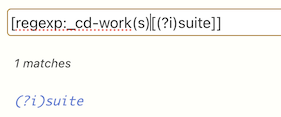
I will be probably be warned against using parentheses, etc. in field names, but as mentioned, this used to work in versions prior to version 5.4.0. Also, according to https://tiddlywiki.com/#TiddlerFields field names may contain any combination of characters.
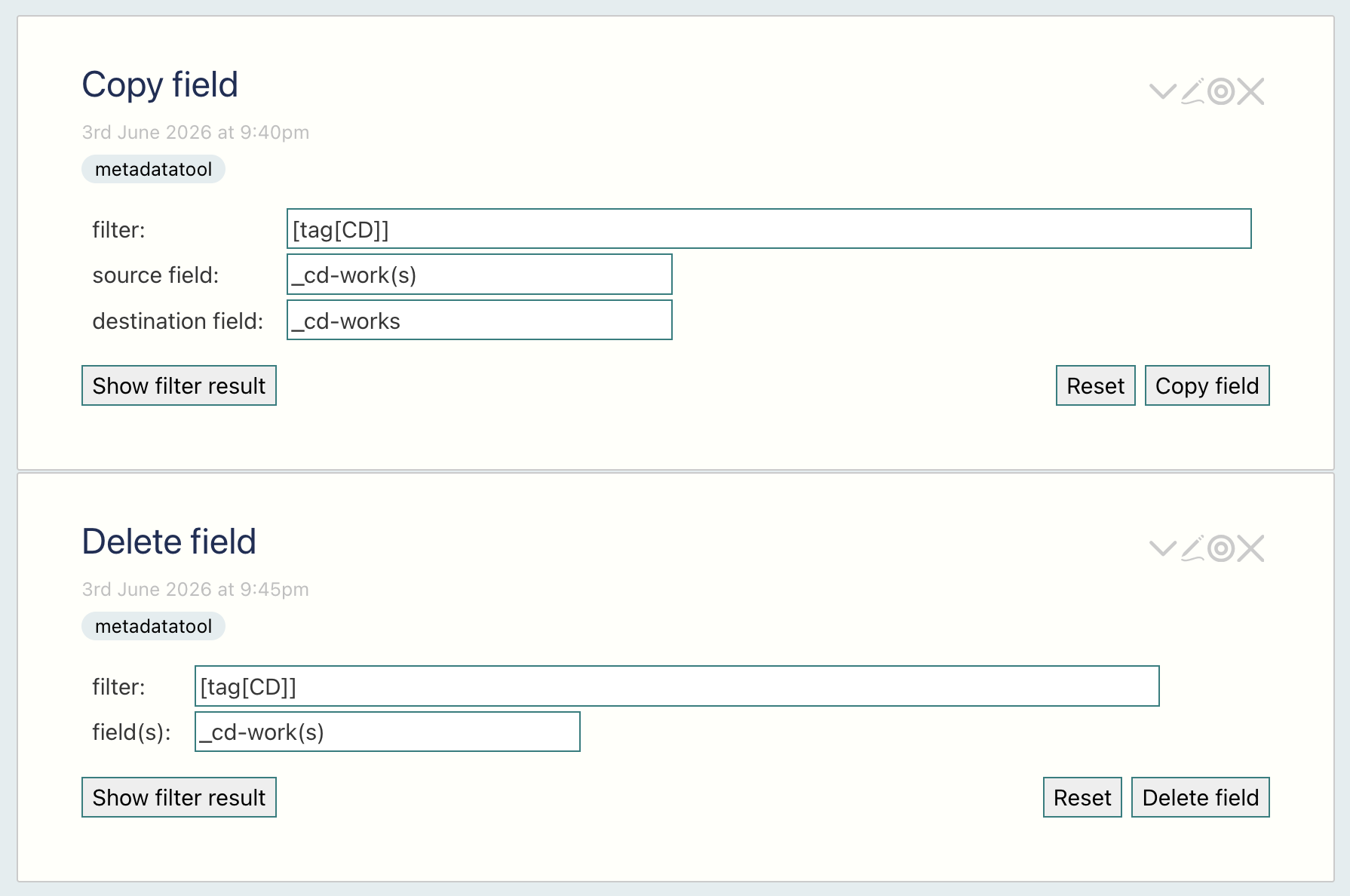
(Luckily, when I wrote my music player, I also wrote some simple metadata tools for editing (copying, deleting, setting, etc.) fields in (filtered) lists of tiddlers.)
Is it possible that this new behaviour is caused by the addition in v5.4.0 of new syntax, in particular parentheses, for multi-valued variables?
Yes and no, the characters available were expanded to include most characters some time ago.
It does make sense with the introduction of Multi-valued variables this may have side effects in filters, hopefully this will be addressed in 5.4.1 but I would also like to propose a workaround and a better design pattern. Your use is a particularly difficult because you are accepting manual input, and using this in a filter.
I started to work though providing you a work around and tips until this is resolved, but there is a few complications, that can be overcome. However it makes answering a chore. So if you ask I can give some tips, but until then I will put it aside.
Just one tip - why not accept _cd-work(s) and suit as separate values and compose the filter to be used through the use of backtick attributes?
The example shown was part of a more complex filter for searching CDs.
I replaced _cd-work(s) with _cd-works (and similarly renamed other fields whose names contained parentheses) using tools I wrote at the time to simplify metadata editing:
I just want to add in future there is a way to support special characters in field names and filters, basicaly set a variable to that name, then reference that variable using the ‘<>’ symbols. This is commonly done to support passing regular expressions into a filter.
When you do this the ‘<>’ becomes the outer delimiter of your string and the content with your special character is not parsed and misunderstood.
Although it is simple enough to avoid special characters when you get to choose their names.
While using a variable reference is a workaround when special characters occur in a filter parameter, there is still an problem that arises when field names are used in the suffix portion of a filter operator (e.g., [regexp:somefield<somepattern>], where using variables is not possible.
Thus, as a general rule, you cannot use [ and ]or { and }or < and > within field names and now, with the addition of filter syntax for multi-valued variables, you also cannot use ( and ) within field names.
I agree suffixes have been and issue in the long run, but it is still possible to use the otherwise deprecated \define macroname and now the backtick attributes to do something similar. See also the substitute operator.
The issue remains that it all depends on where you want to apply such variables or replaced strings and how they will be consumed, and each step it must not break the syntax rules, that apply to each step.
A large subset of problems can now be addressed through the use of functions which are evaluated on the fly, so such solutions would be useful if they can be used to generate functions.
I still agree with the general rules;
However there are number of examples where one may be wanting to write meta-language content including write a filter programmatically to be subsequently give to a widget or macro as a filter string.
The one place that comes to mind we must do this is for programmatically driven filter suffix(s).
I for one would like us to document and if necessary develop code patterns for this kind of meta language, ie using the language to craft the language, eg use substitution to write filters containing programmatically determined suffixes.
There may already be a way it just needs to be explored
Perhaps the way to escape such characters that are otherwise illegal in filters?
For anyone interested in using TW for chemistry-related projects this is a potential issue… many systematic names include both ( and ) and [ and ] and maybe the others as well (can’t recall, brain’s a bit fuzzy at present). For any compound with more than a few atoms it’s unavoidable. However, I guess it really depends on what can and cannot be done.
This is only a problem if you want to use “systematic names” as field names AND you also need to use those field names in a filter operator suffix.
In addition, square brackets in filter suffixes or filter parameters have always been a problem… which can be partially avoided by using variable references for filter parameters (e.g., using [regexp<pattern>]for regular expression patterns that contain [...] sequences).
The only NEW issue is this filter syntax limitation now also applies to using parentheses in field names.
No need to apologize… on the contrary, your comment was very relevant as it illustrates some of the subtle reasons why certain special characters should not be used within field names.
 .
.