Sorry it is a quite naive question, to me the line height in tiddle editor (the gray area) is too small when writing lists. I played with “Line height” and “Line height for tiddle” and it seems to make no difference.
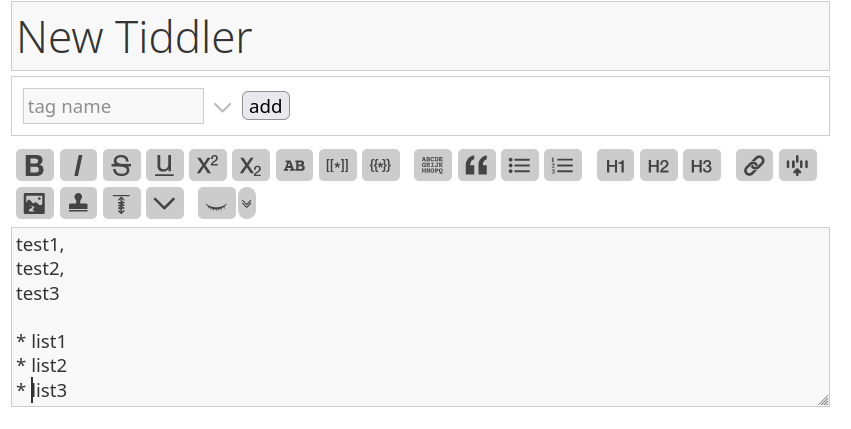
Sorry for the unclear description, a screen shot is attached. I would like to increare the line height in the grey input area, i.e., the line height of “test1”, “list2”, or “* list1” etc.
I think it is possible, but the editor is covered in an iframe. … So I think it will need to change some core code. I think it’s not possible to change it with CSS from the main wiki.
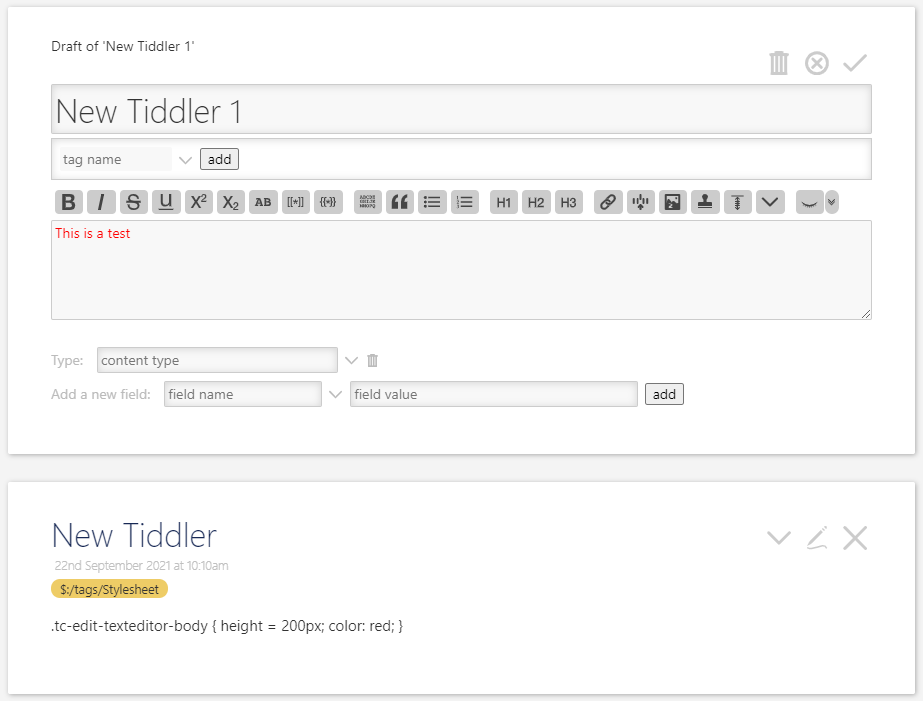
I tried to get it @Chunxuan, but my CSS skills are very beginner, but I think I’m close. With the below I can change the color of the text-area, but the height doesn’t seem to work. (Ah pmario just posted while I’m writing this - he knows a lot more about this than I do, but I’ll still post this just in case it’s useful for other customizations)
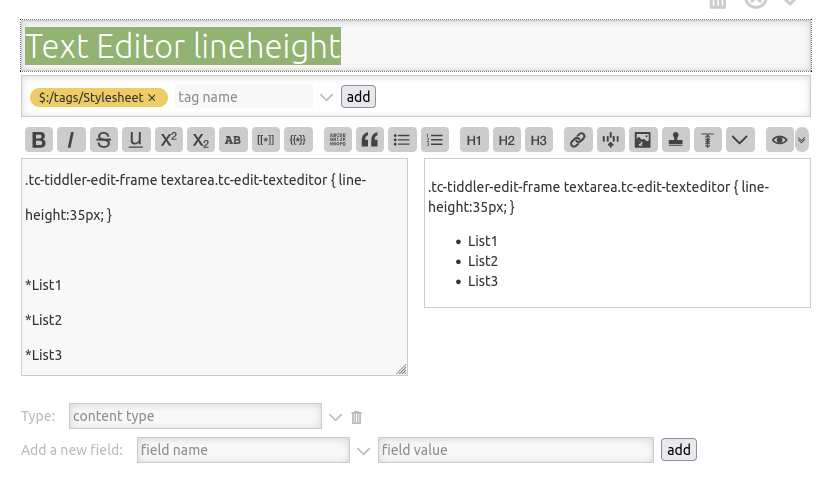
Ha! @Birthe / strikke… I was WAY OFF - wrong type of height - whoops! Thanks for saving the day.
For my own curiosity, do you know of how to get to the height (rather than the actually asked-for line-height)? I can see in the browser-tools thing there’s a height: 100px; there, but can’t figure out how to over-ride it.