Hi Mark,
Thanks for the reply.
I did not explain my goals properly. I would basically like to create a new EditorToolbar button similar to bold, italic etc. but with custom functionality.
I have successfully created buttons that can edit the text in normal Tiddlers but I cannot do the same when the Tiddler is in draft mode. Would there be an easy way to do this?
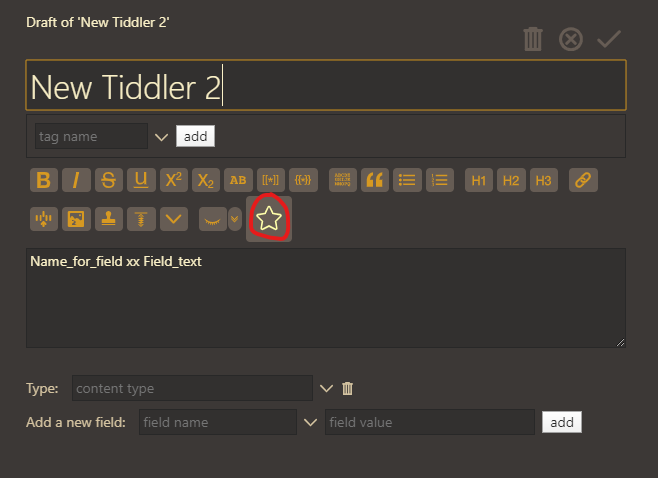
I have added a picture to help illustrate my goal. Just as an example, what I could do is that when the circled button is pressed, the text before " xx " would be a new field, the text after it would become the field content. The text would then be removed from the text area. All this should happen while the Tiddler is in draft mode.
Hope this clarifies my goals. Thanks!
Pekka