Is it possible to use the <$reveal> widget to animate an accordion slider menu just like in classic?
I really miss the animated part of that feature.
Is it possible to use the <$reveal> widget to animate an accordion slider menu just like in classic?
I really miss the animated part of that feature.
I believe so, only you need to also provide a button to toggle the state.
Although perhaps without animation, you may be able to add it back (I dont know how) after using one of the following;
You can use the html details tag (state set but not saved) or obtain the $details plugin Plugins — Utilities for TiddlyWiki
This is a common request and many solutions abound so search a bit before you choose.
I made a wikitext macro for you that emulate the old TW classic slider macro :
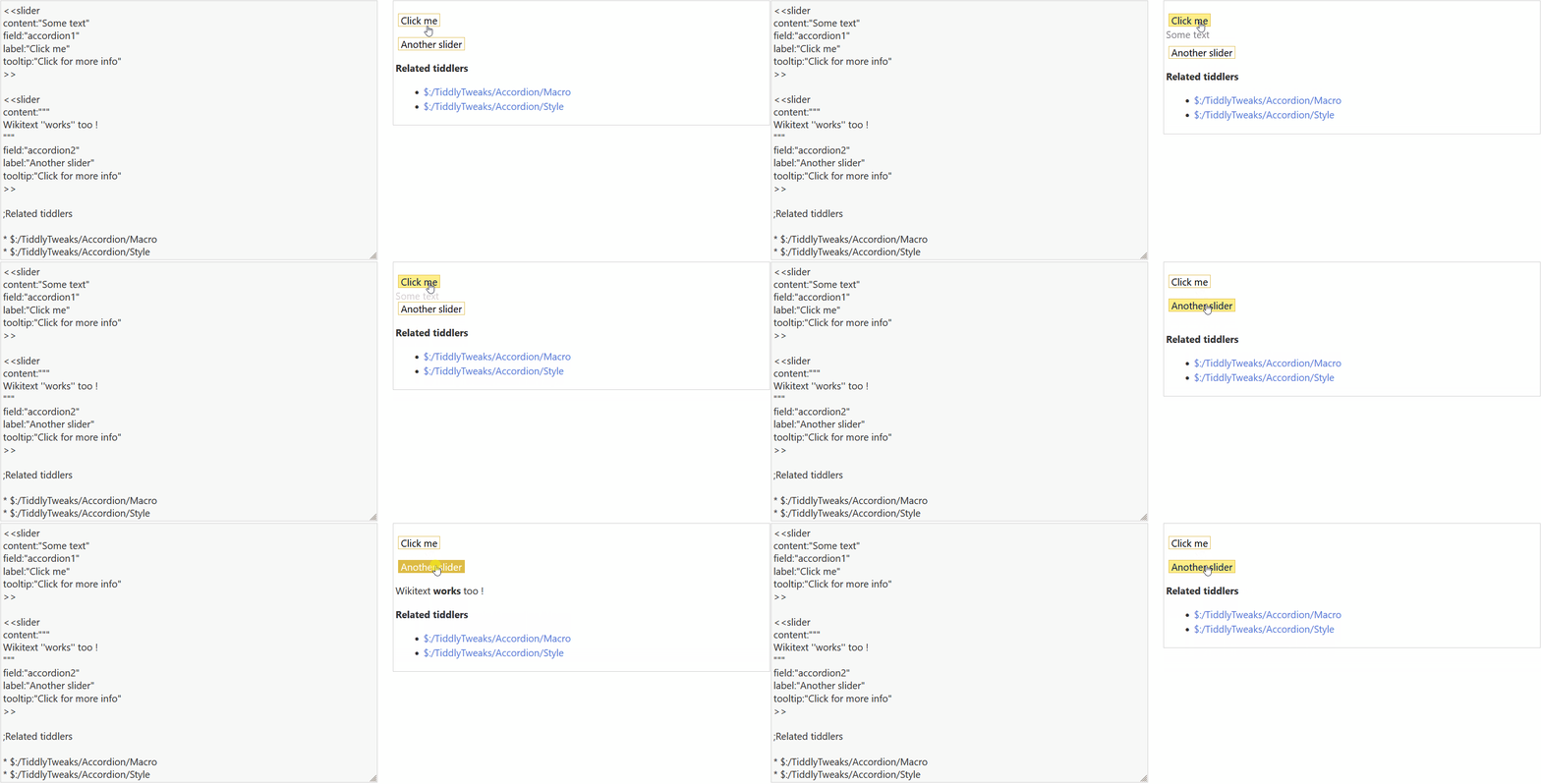
Accordion macro.json (1.3 KB)
Backup your wiki (just in case), then drag and drop it into your tiddlywiki to install it. Let me know if it works 
Thanks. Works just like the original.
I have been playing around with this, and I am wondering if there is a way to assign an open/close class to the button.
I would like to do something like this in the CSS:
.open::after { content: "-" }
.close::after { content: "+" }
I’m asking this out of courisity.
Sure : we can use a filtered transclusion to set the class of the button widget.
\define slider(content:"Content",field:"accordion",label:"More",tooltip:"Show more")
<$let stateTitle={{{ $:/state/[{!!title}][<qualify>]+[join[]] }}}>
@@.slider
<$button class={{{ "toggle" [<stateTitle>get[$field$]] +[join[ ]]}}}  tooltip="$tooltip$" actions='<$action-listops $tiddler=<<stateTitle>> $field="$field$" $subfilter="+[toggle[open],[close]]">'>$label$</$button>
<$reveal text="open" default="close" type="match" stateTitle=<<stateTitle>> stateField="$field$" retain="yes" animate="yes" tag="div">
$content$
</$reveal>
@@
</$let>
\end
Here’s the updated version (I also fixed an issue where the slider will not animate on the first click, because it was refreshing the whole node tree) :
SliderMacro.json (1.6 KB)
UPDATE: To keep things more semantic, I made a version using the html details element, as suggested by @TW_Tones. The options are now as follow :
DetailsMacro.json (1.8 KB)
Thanks for sharing @telumire;
Personally I am not always keen on content in a parameter especially if it is multi-line.
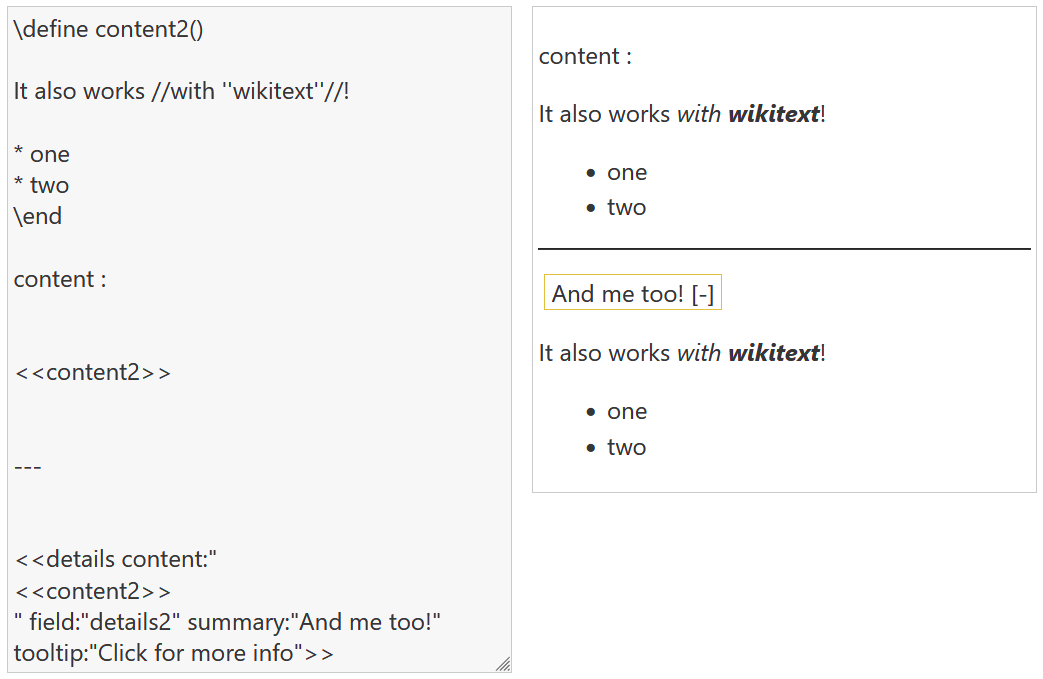
So I turned the content into a macro which can be used in a parameter now
content:"<<content2>>"\define content2()
It also works //with ''wikitext''//!
* one
* two
\end
<<details content:"<<content2>>" field:"details2" summary:"And me too!" tooltip:"Click for more info">>
This is because the macro is parsed inline, to fix this issue insert a line break before and after your content, that way it will force the block parsing :
You can also encapsulate the content into a div (but it looks like a line break is still required at the start) :
\define content2()
<div>

It also works //with ''wikitext''//!

* one
* two
</div>
\end
Thanks. Works even better now. Looks like I have a lot to learn about TW5.