TidWeb: A Tiddlywiki Browser for Android

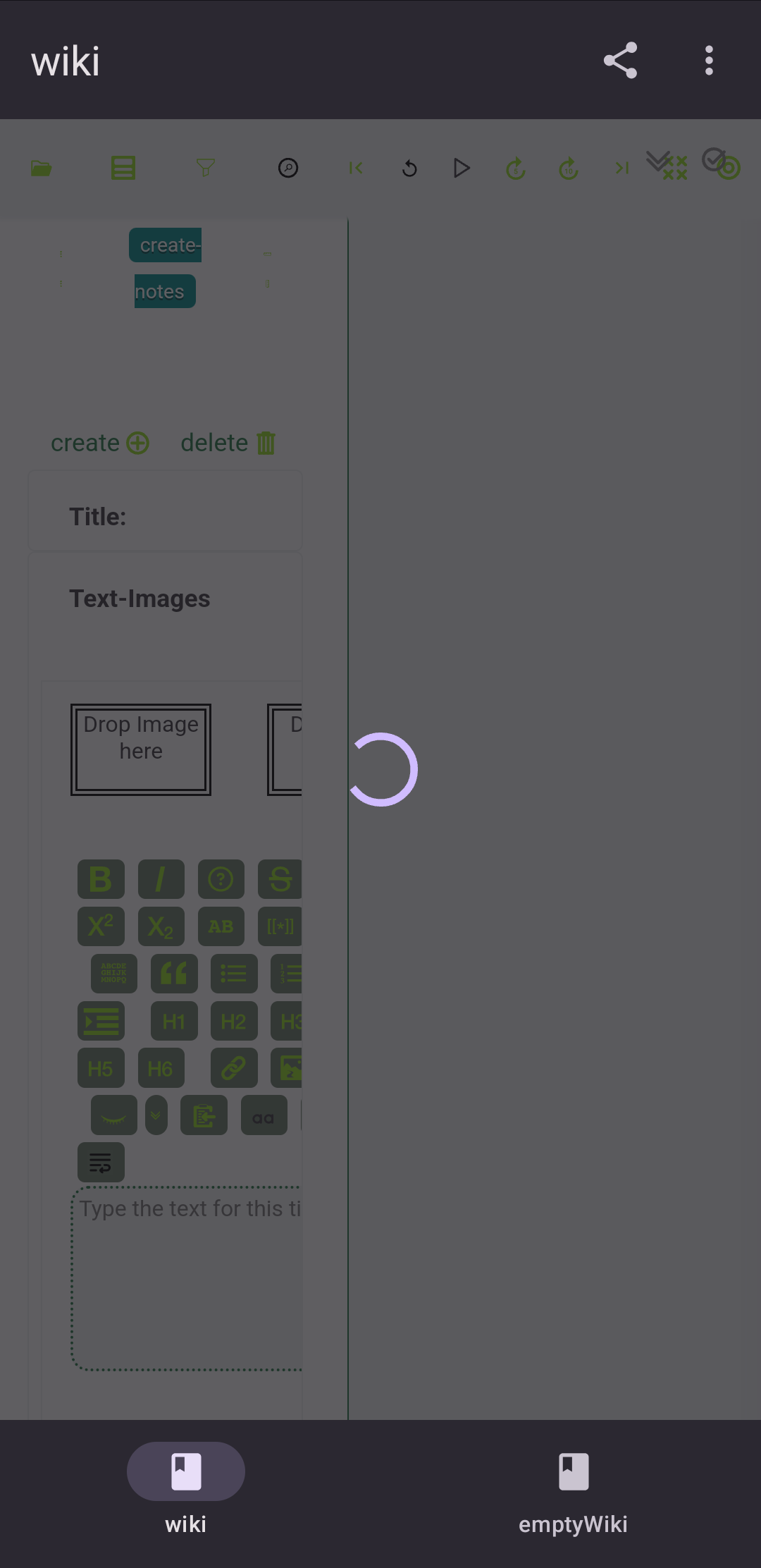
I downloaded the apk from github and installed the app. Then I used the url of the node-js wiki from the tiddlywiki-app and entered it in the create new wiki popup. The wiki loaded in TidWeb app. But a loading animation is seen as an overlay on the wiki page. But I was able to use the wiki inspite of this loading animation displaying . I could even create a new tiddler and it was simultaneously reflected in my desktop app also.

Any way to fix this loading animation ?
Hey @arunnbabu81, sorry for the late reply, I overlooked this somehow.

The loading animation was giving me trouble too and I ended up disabling it. Will send you a repackaged APK :slight_smile:

I have tried the app after you recently mentioned it in the other thread. The Github apk is as old as the previous posts in this thread and still suffers from loading animation trouble.

Google Play displays a warning when trying to install the app

This is predictable, but if Google decides to pull the plug, there won’t be any difference between not being able to install this from apk and Tiddloid through F-Droid.

I tried to import an encrypted single HTML local wiki file and it failed.

OS is Hyperos 3 (Android 16)

Thanks @vuk , there’s an update :slightly_smiling_face: I’ll get on it this afternoon

EDIT:

This version should work much better for you, @vuk, it’s the one I’m using :slight_smile: Please let me know if you have any other problems. I’ve not tried to import encrypted HTML files (I’m not even entirely sure what encryption you’re meaning…) but importing html files is working fine for me

1 Like

The fresh one is reported as invalid package and I can’t even install it.

Likely because I forgot to sign the package :face_with_hand_over_mouth: updated, should work now.

I can install the newest apk, but importing an encrypted wiki still fails. It’s the standard full wiki encryption offered by vanilla TiddlyWiki.

Interesting. I’ve never tried to import an encrypted wiki, so that’s really helpful feedback :slight_smile: Thanks @vuk, I’ll add it to my priorities list right now!

Perhaps decrypt, import then encrypt again?

What is the practical value of such a suggested workflow? If the decrypted wiki content hits the smartphone storage, doesn’t this defeat the purpose of using ecnrypted wikis at all? I am using wiki encryption not only for protecting data during transfers between devices, but also for making access to it harder on devices where the wikis are used.

To be clear, @vuk, this is the encryption to which you’re referring?

Yes, this one.

Twenty chars to make Discourse happy.

If you get rid of the decrypted wiki once you have an encrypted version, you should be fine, if that is still not secure enough you are living in a paranoid state (perhaps that is valid for you?)