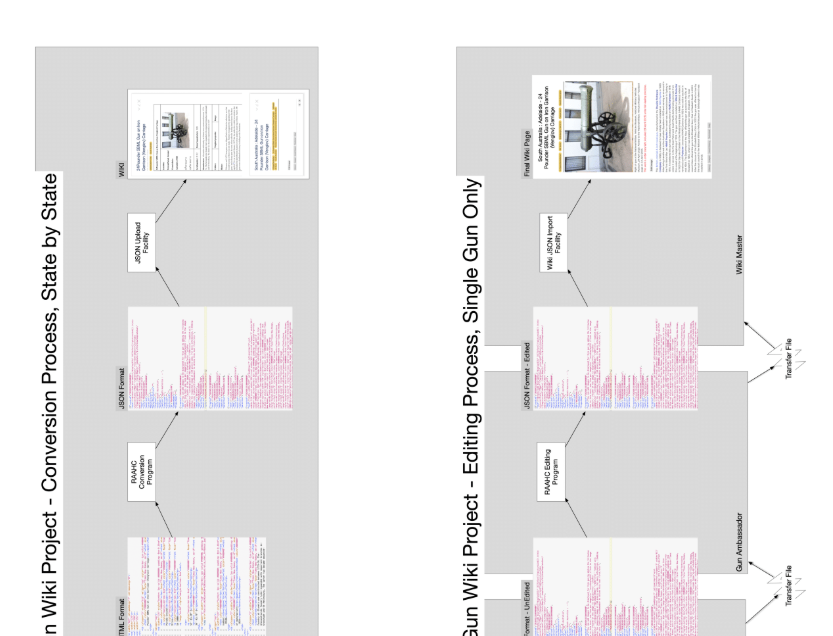
I appreciate this may not be of interest to many in this group, but a certain cohort has been extremely helpful in assisting me to get the prototype Memorial Guns wiki up and running and helping to clarify thoughts about data conversion and editing.
So I thought I would post a copy of a document I have developed which describes the conversion and editing environment.
The WIKI is a cloud-based shared resource but will undergo editing by potentially many users.
All feedback is appreciated.
bobj
Conversion and Editing Process
3 Likes
Thank you for sharing.
I don’t have the slightest interest in artillery, but I’ve very much enjoyed watching your development of this project!
Best of luck!
@Scott_Sauyet , when I started this project I felt similar. But as I understood the historical aspect of these guns, my interest grew. It is amazing that you could walk past a gun memorial and not realise this gun is a relic of the Crimean War or that an officer in charge of it in battle won a Victoria Cross or that it was salvaged and repurposed off a wreck of James Cook’s voyage up the east coast of Australia. Since then, my understanding of the role of war memorials has changed and I don’t mean those large edifices but the smaller local ones remembering local contributions.
@Bob_Jansen, very interesting and useful. Not least because of the Details.
It is a very useful case study!
Folk needing to convert stuff might learn a lot from it.
Small point. I couldn’t find a way to see the end charts in landscape?
Best, TT
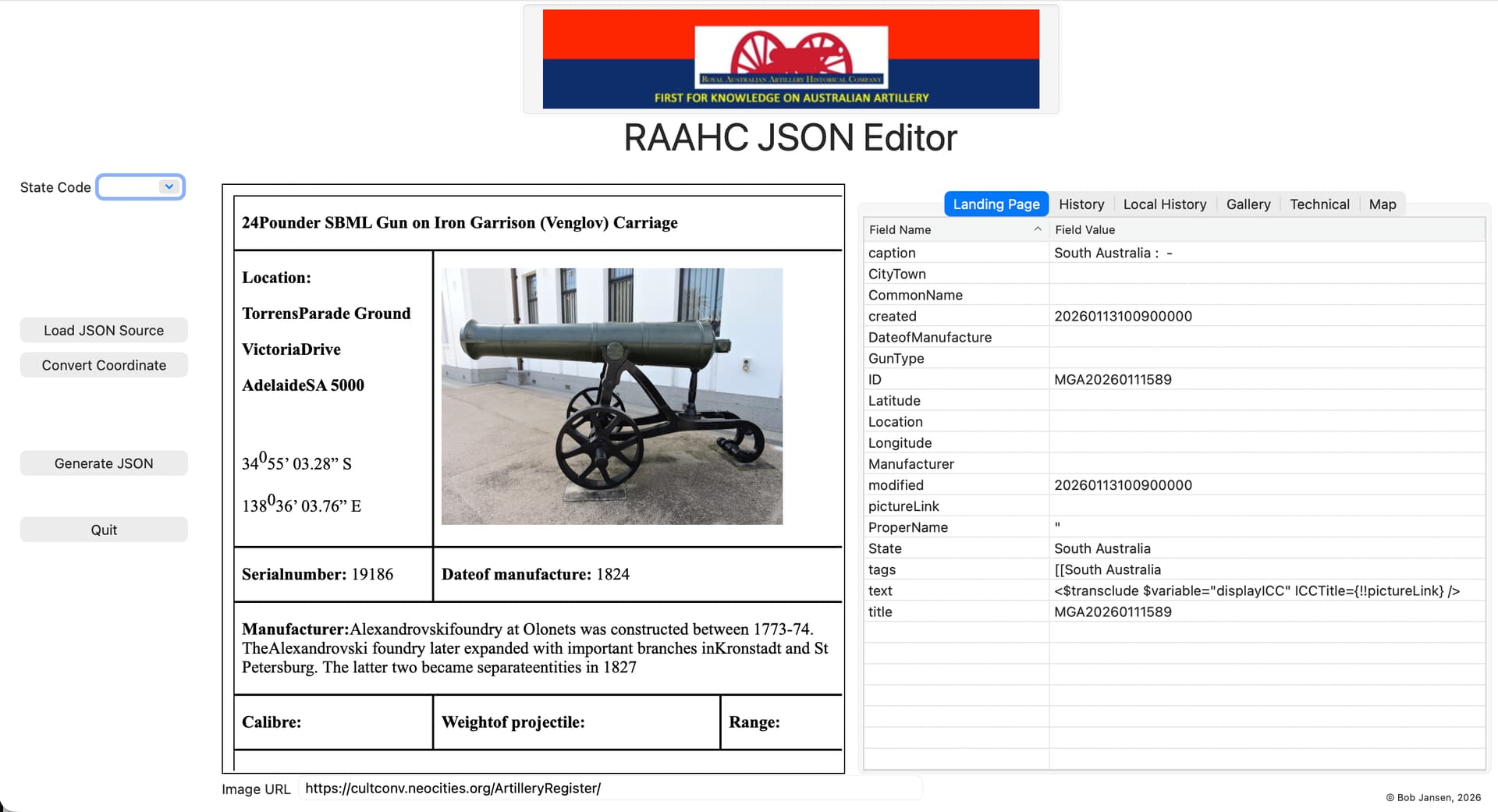
Just an update, I’ve got the editor working now.Screenshot below. The Tab control shows the tiddler types being edited with the left control showing the original HTML table format with the images being loaded from the location in the locationURL field.
Editing the value of a TEXT field opens the TEXT value in a separate window for editing.
The Convert Coordinates button brings up a window in which you can enter degrees-minutes-seconds format of a coordinate and it will convert it to decimal format.
Clicking the Generate button saves all field data back into a JSON record ready for uploading into the wiki.
Simple especially for non-TW users to use if they only need to edit ‘value’ content. There remains concern when trying to include TW code as, obviously, there is no immediate feedback as when you are editing in TW.
Still, onward and upward…
bobj
2 Likes