
Announcing TiddlyDesktop-RS: A Modern, Lightweight TiddlyWiki Desktop Application
Hello TiddlyWiki community!
I’m excited to announce TiddlyDesktop-RS, a new desktop application for managing your TiddlyWiki files and folders. Built with Rust and Tauri, it offers a modern, lightweight alternative to the original TiddlyDesktop.
Note that this has NOT yet been tested on MacOS
Download
Get it here: Releases · BurningTreeC/tiddlydesktop-rs · GitHub
Available for:
-
Windows (
.exeinstaller,.msi) -
macOS (
.dmg, universal binary for Intel & Apple Silicon) -
Linux (
.deb,.rpm,.AppImage)
What is TiddlyDesktop-RS?
TiddlyDesktop-RS is a desktop application that lets you:
-
Open and save single-file TiddlyWikis directly, with full save support
-
Run wiki folders with the built-in TiddlyWiki server
-
Create new wikis from various editions with optional plugins
-
Manage a list of your wikis in one central place
-
Drag and drop wiki files to open them
Key Features
-
Automatic saving - Your wikis save automatically, no browser download dialogs
-
Automatic backups - Creates timestamped backups before each save (single-file wikis)
-
Wiki folder support - Full Node.js TiddlyWiki server for folder-based wikis
-
Edition selector - Create new wikis from empty, server, or other editions
-
Plugin browser - Add plugins when creating new wikis
-
Cross-platform - Works on Windows, macOS, and Linux
-
System tray - Runs in the background for quick access
-
Portable mode (Windows) - Run from a USB drive with all your data
Install vs Portable Mode
During installation (Windows), you can choose:
-
Install mode: Data stored in your user folder (
%APPDATA%) -
Portable mode: Data stored next to the executable - perfect for USB drives
TiddlyDesktop-RS vs TiddlyDesktop: A Comparison
| Feature | TiddlyDesktop-RS | TiddlyDesktop (Original) |
|---|---|---|
| Technology | Tauri (Rust + System WebView) | NW.js (Chromium) |
| Download size | ~22 MB (Linux), 33-48 MB (Win), ~85 MB (Mac)* | ~150+ MB |
| RAM usage | Lower (uses system WebView) | Higher (bundled Chromium) |
| Startup time | Fast | Slower |
| Single-file wikis | Yes | Yes |
| Wiki folders | Yes (Node.js server) | Yes |
| Backups | Yes (automatic) | Yes |
| Portable mode | Yes (Windows) | Yes |
| Dev tools | Limited (system WebView) | Full Chrome DevTools |
| Platform support | Windows, macOS, Linux | Windows, macOS, Linux |
* Actual sizes: Linux .deb/.rpm ~22 MB, Windows .exe ~33 MB / .msi ~48 MB, macOS .dmg ~84 MB. macOS and Windows bundle Node.js for wiki folder support; Linux uses system Node.js.
Advantages of TiddlyDesktop-RS
-
Smaller download - ~22 MB on Linux, 33-48 MB on Windows, ~85 MB on macOS (vs 150+ MB for the original)
-
Lower memory usage - Uses your system’s native WebView instead of bundling Chromium
-
Faster startup - Rust backend and native WebView mean quicker launch times
-
Self-contained wiki list - Your wiki list is stored inside a TiddlyWiki file, making it truly portable
-
Modern codebase - Built with Rust for reliability and performance
-
Active development - New features and improvements coming regularly
Advantages of TiddlyDesktop (Original)
-
More mature - Years of development and bug fixes
-
Full DevTools - Chrome DevTools available for debugging
-
Consistent rendering - Same Chromium engine on all platforms
-
More tested - Larger user base, more edge cases discovered
-
Plugin ecosystem - Some plugins may be specifically tested with it
Potential Considerations for TiddlyDesktop-RS
-
System WebView dependency - On Linux, requires WebKitGTK; on Windows, requires WebView2 (auto-installed)
-
Newer project - May have undiscovered edge cases
-
Different rendering - Uses system WebView which may render slightly differently than Chrome
Technical Details
How It Works
-
Single-file wikis: Loaded via a custom
wikifile://protocol that enables direct saving -
Wiki folders: Spawns a Node.js TiddlyWiki server on a local port
-
Wiki list: Stored as a tiddler (
$:/TiddlyDesktop/WikiList) inside the main TiddlyWiki file
Node.js Requirements
-
Single-file wikis (.html): No Node.js needed on any platform
-
Wiki folders: Requires Node.js to run the TiddlyWiki server
Node.js: Bundled vs System
TiddlyDesktop-RS uses a smart approach to Node.js:
-
System Node.js preferred: If you have Node.js v18+ installed on your system, TiddlyDesktop-RS will use it automatically
-
Bundled fallback: If no compatible system Node.js is found, the bundled version is used
| Platform | Bundled Node.js? | Behavior |
|---|---|---|
| Windows | Yes (~30 MB) | Uses system Node.js v18+ if available, otherwise bundled |
| macOS | Yes (~45 MB universal) | Uses system Node.js v18+ if available, otherwise bundled |
| Linux | No | Requires system Node.js v18+ and libayatana-appindicator |
Linux dependencies:
# Debian/Ubuntu

sudo apt install nodejs libayatana-appindicator3-1

# Fedora/RHEL

sudo dnf install nodejs libayatana-appindicator-gtk3
The libayatana-appindicator library is required for system tray support.
Why this approach?
-
Smaller downloads for Linux users - Most Linux users already have Node.js or can easily install it
-
Works out-of-the-box on Windows/macOS - No need to install anything extra
-
Respects your environment - If you manage your own Node.js installation, it will be used
-
Universal macOS binary - The bundled Node.js supports both Intel and Apple Silicon Macs
To use system Node.js on Windows/macOS:
Simply install Node.js v18 or higher from nodejs.org. TiddlyDesktop-RS will automatically detect and use it, which can slightly reduce memory usage since the bundled version won’t be loaded.
Known Limitations
macOS: Orphaned Node.js Processes
When using wiki folders, TiddlyDesktop-RS spawns a Node.js server process. On Linux and Windows, if the app is forcefully terminated (e.g., via Task Manager or kill -9), these Node.js processes are automatically killed.
On macOS, due to OS limitations, forcefully killing the app may leave orphaned Node.js processes running. To clean them up manually:
# Find orphaned Node.js processes
ps aux | grep "node.*tiddlywiki"

# Kill them (replace PID with actual process ID)
kill PID
This only affects wiki folders, not single-file wikis. Normal app closure (quit via menu/tray) always cleans up properly on all platforms.
Screenshots
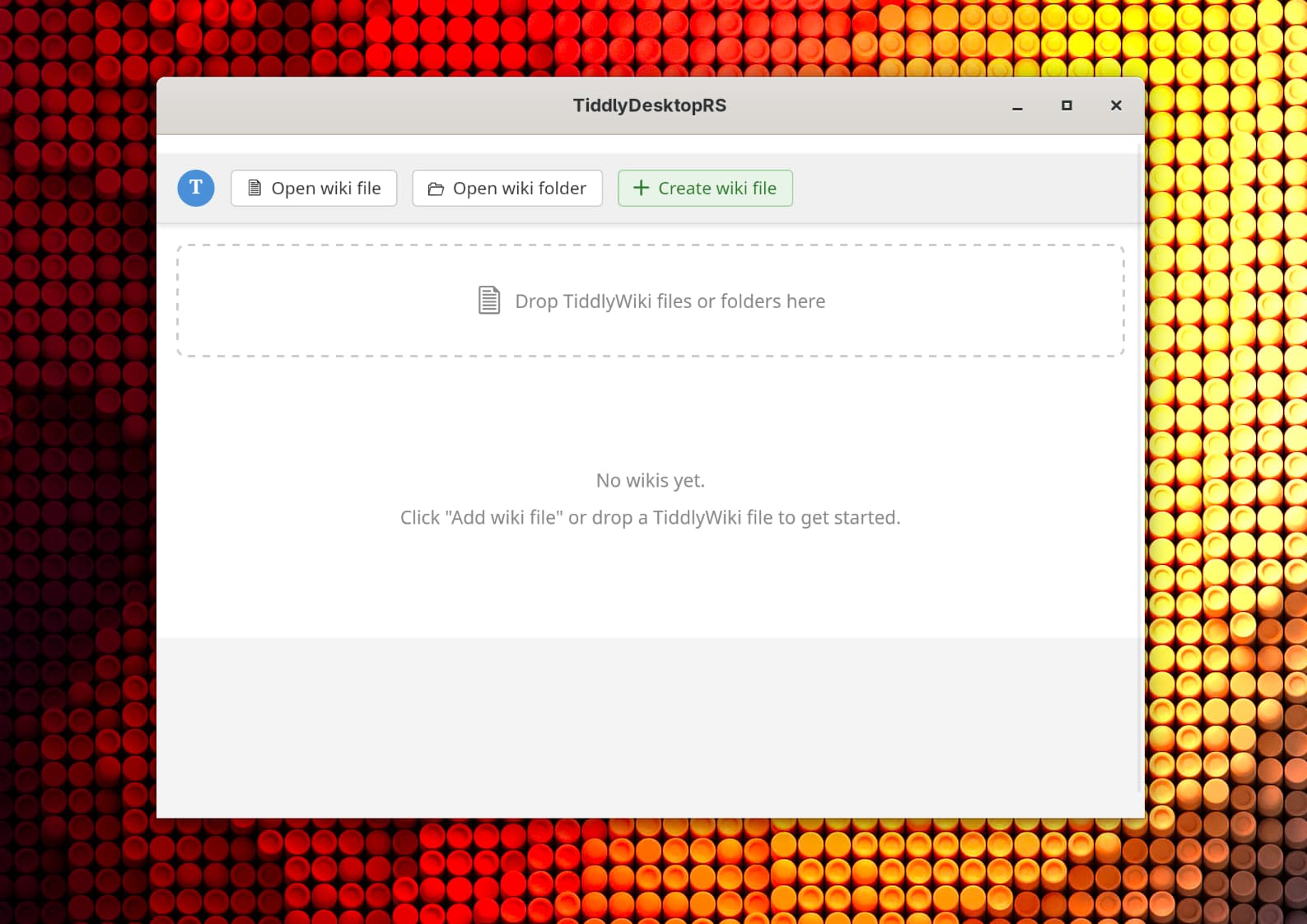
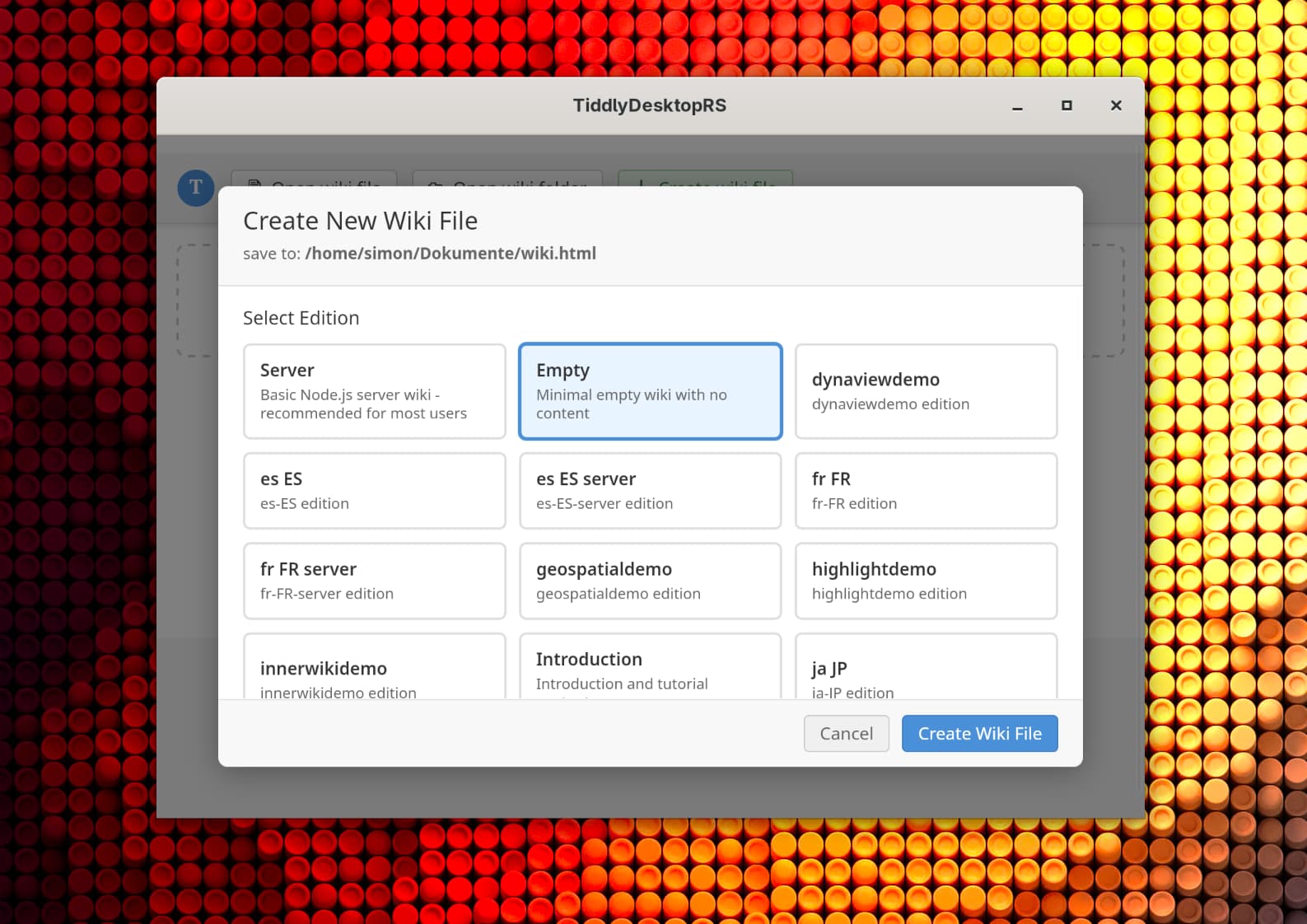
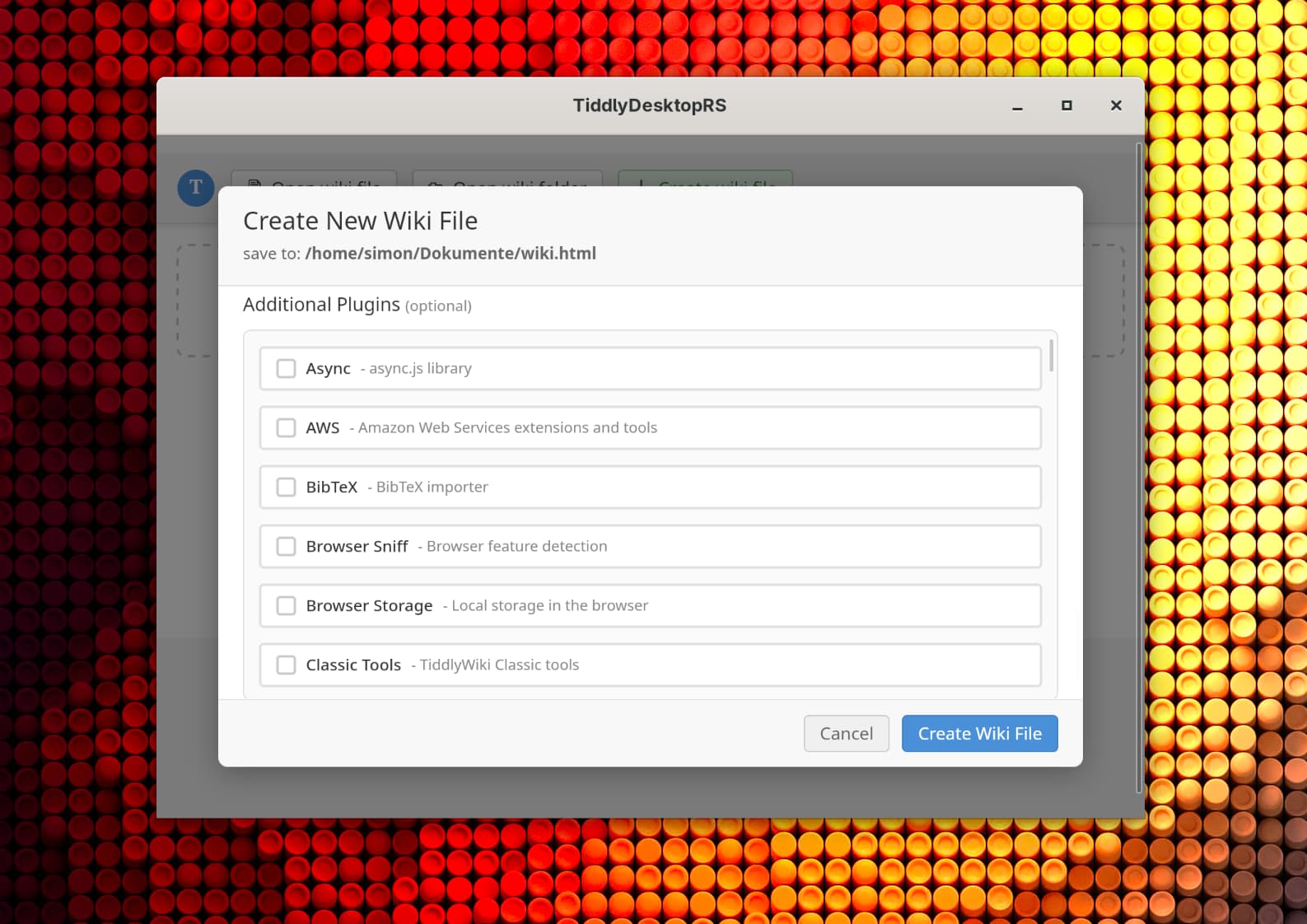
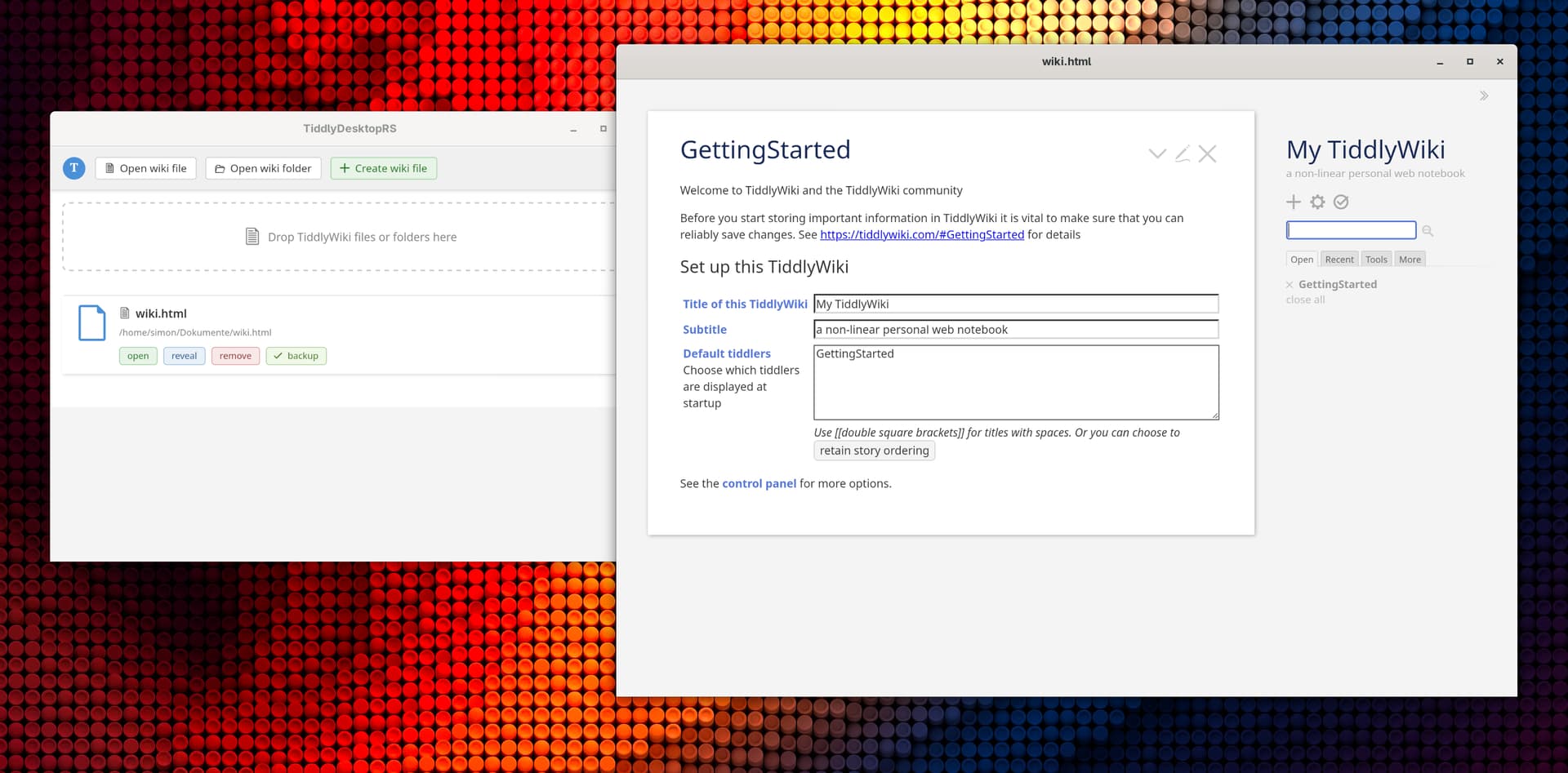
(The app uses TiddlyWiki’s own UI for the main interface, so it looks like a TiddlyWiki!)
The main window shows:
-
A list of your recently opened wikis
-
Buttons to open files, open folders, or create new wikis
-
Each wiki entry shows its name, path, and whether backups are enabled
Getting Started
-
Download from Releases · BurningTreeC/tiddlydesktop-rs · GitHub
-
Install or extract (portable mode)
-
Launch the app
-
Click “Open Wiki” to open an existing TiddlyWiki file, or “Create Wiki” to make a new one
-
Your wikis are saved automatically!
Feedback Welcome!
This is an actively developed project. If you encounter any issues or have feature requests, please:
-
Open an issue on GitHub: GitHub · Where software is built
-
Reply to this thread with your feedback
I hope TiddlyDesktop-RS serves you well in your TiddlyWiki journey!
TiddlyDesktop-RS is open source and built with love using Rust, Tauri, and of course, TiddlyWiki.