TiddlyDesktop-RS Security Model
This document describes the security architecture of TiddlyDesktop-RS and how it compares to running TiddlyWiki in a standard web browser.
Overview
TiddlyDesktop-RS is a purpose-built application for running TiddlyWiki files locally. Unlike a general-purpose web browser, it has a narrower attack surface but also intentionally grants more local system access to enable TiddlyWiki’s full functionality.
Key principle: TiddlyDesktop-RS trusts the TiddlyWiki files you explicitly open, similar to how you trust documents you open in a word processor.
Security Features
1. Tauri 2.0 Capabilities System (Permission-Based Security)
TiddlyDesktop-RS uses Tauri 2.0’s capabilities system instead of traditional OS-level sandboxing. This provides security through explicit permission grants:
// capabilities/default.json
{
  "permissions": [
    "core:default",
    "core:window:allow-set-title",
    "core:window:allow-destroy",
    "dialog:allow-open",
    "dialog:allow-save",
    "fs:allow-read-text-file",
    "fs:allow-write-text-file",
    ...
  ]
}
How this provides security:
-
Explicit allowlist: Only permissions listed in the capabilities file are available to the frontend
-
Architectural separation: The WebView (JavaScript) and Rust backend are separate - JavaScript cannot directly access system resources
-
IPC boundary: All communication goes through Tauri’s IPC layer, which validates against the permission allowlist
-
No implicit access: Unlike a native app, the WebView has no inherent system access - everything must be explicitly granted
Comparison to browsers: Browsers expose a fixed Web API. TiddlyDesktop exposes only the Tauri commands explicitly permitted - no arbitrary backend execution is possible.
2. URL/Protocol Restrictions
Allowed protocols:
-
wikifile://localhost/* - Custom protocol for loading local wiki files
-
http://127.0.0.1:* and http://localhost:* - For wiki folder servers only
Blocked protocols (in authentication windows):
-
file:// - Prevents local file access from auth contexts
-
javascript: - Prevents script injection
-
data: - Prevents data URI attacks
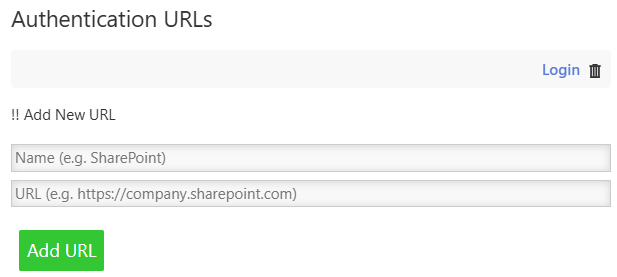
Authentication windows require HTTPS (except localhost for development).
3. Session Isolation
Each wiki gets its own isolated session directory:
wiki_sessions/
  ├── {hash_of_wiki_a}/   # Cookies, storage for Wiki A
  ├── {hash_of_wiki_b}/   # Cookies, storage for Wiki B
  └── ...
Comparison to browsers: Similar to browser profiles - different wikis cannot access each other’s cookies or local storage.
4. Shell Command Confirmation
The <$action-run-command> widget requires explicit user confirmation by default:
┌─────────────────────────────────────────┐
│ ⚠ Execute Command                        │
│                                          │
│ A wiki wants to run the following        │
│ command:                                 │
│                                          │
│ ./myscript.sh --arg1 value               │
│                                          │
│ Do you want to allow this?               │
│                                          │
│              [Cancel]  [OK]              │
└─────────────────────────────────────────┘
- Confirmation is on by default (
$confirm="yes")
- Wiki authors can skip confirmation with
$confirm="no" for trusted commands
- Users see the exact command before it runs
Comparison to browsers: Browsers cannot execute shell commands at all. TiddlyDesktop allows it with user consent.
5. Developer Tools Disabled
DevTools are disabled on all windows to prevent:
- Credential inspection in authentication windows
- Accidental exposure of sensitive data
- Modification of running wiki code
6. File Access Controls
Capability-limited operations: File system access is restricted to specific operations defined in the capabilities:
-
fs:allow-read-text-file - Reading wiki and text files
-
fs:allow-write-text-file - Saving wiki files
-
fs:allow-rename - Atomic save operations
-
fs:allow-exists - Checking file existence
Atomic saves: Wiki files are saved atomically (write to temp file, then rename) to prevent corruption.
Path validation: All file paths are validated and canonicalized to handle symlinks and prevent path traversal.
Main wiki protection: The main TiddlyDesktop configuration wiki cannot be backed up over itself.
7. Drag-Drop Security
External drag-drop operations:
- Validate data types before accepting
- Only process recognized formats (text/vnd.tiddler, text/html, text/uri-list, files)
- File paths are validated before import
Comparison to Web Browsers
| Security Aspect |
Web Browser |
TiddlyDesktop-RS |
| Local file read |
Blocked (requires user file picker) |
Allowed for wiki and attachments |
| Local file write |
Blocked |
Allowed (wiki saves) |
| Shell commands |
Impossible |
Allowed with user confirmation |
| Cross-origin requests |
Blocked by CORS |
N/A - local files only |
| Cookie isolation |
Per-origin |
Per-wiki |
| JavaScript execution |
Sandboxed |
Full access to Tauri API |
| DevTools |
Available |
Disabled |
| Extensions/plugins |
Supported |
Not applicable |
| Network requests |
Full internet access |
Limited to localhost |
| Same-origin policy |
Enforced |
Not applicable |
What Browsers Do Better
-
OS-Level Sandboxing: Browsers use OS-level process sandboxing (seccomp-bpf on Linux, App Sandbox on macOS, etc.) to restrict system calls. TiddlyDesktop does not use OS-level sandboxing - instead, it relies on Tauri’s capability-based permission system and architectural separation between WebView and Rust backend. The WebView cannot make system calls directly; it must go through the IPC layer which enforces the permission allowlist.
-
Same-origin policy: Browsers prevent one website from accessing another’s data. TiddlyDesktop doesn’t need this since you’re working with local files you trust.
-
Content Security Policy: Browsers enforce CSP headers. TiddlyDesktop has CSP disabled to allow TiddlyWiki’s self-modifying nature.
-
Automatic updates: Browsers update security patches automatically. TiddlyDesktop requires manual updates.
-
Site isolation: Modern browsers isolate each tab in separate processes. TiddlyDesktop uses a single process with per-wiki session isolation.
What TiddlyDesktop Does Better
-
Local file access: Direct file read/write without browser download/upload dance.
-
Atomic saves: Prevents wiki corruption that can occur with browser-based savers.
-
No tracking: No telemetry, no analytics, no cloud sync unless you configure it.
-
Offline-first: Works entirely offline with no network dependencies.
-
Shell integration: Can execute local scripts and tools (with confirmation).
-
Session persistence: Wiki authentication sessions survive restarts.
Threat Model
Trusted
-
Wiki files you open: TiddlyDesktop assumes you trust the wikis you explicitly open, similar to trusting documents in a word processor.
-
Local filesystem: The app has access to read/write files where wikis are stored.
Protected Against
-
Malicious websites: Cannot be loaded (only localhost and wikifile:// protocol).
-
Cross-wiki attacks: Session isolation prevents one wiki from accessing another’s data.
-
Accidental command execution: Shell commands require explicit user confirmation.
-
Credential theft: DevTools disabled, HTTPS enforced for auth windows.
Not Protected Against
-
Malicious wiki files: If you open a wiki from an untrusted source, it has significant local access. Only open wikis you trust.
-
Local malware: If your system is already compromised, TiddlyDesktop cannot protect you.
-
Physical access: No encryption of wiki files at rest.
Security Recommendations
For Users
-
Only open wikis from trusted sources - A malicious wiki could execute commands (with your confirmation), read local files, or exfiltrate data.
-
Review command confirmations carefully - When a wiki asks to run a command, verify it’s expected and the command looks correct.
-
Keep TiddlyDesktop updated - Security fixes are included in updates.
-
Use HTTPS for authentication - When configuring external authentication, only use HTTPS URLs.
For Wiki Authors
-
Don’t use $confirm="no" carelessly - Only skip confirmation for safe, well-understood commands.
-
Validate user input - If building wikis that execute commands based on user input, sanitize carefully.
-
Document shell requirements - If your wiki uses <$action-run-command>, document what commands it runs and why.
Technical Details
Content Security Policy
CSP is disabled (null) because TiddlyWiki:
- Generates and executes JavaScript dynamically
- Uses inline styles extensively
- Embeds data URIs for images
- Self-modifies during save operations
A strict CSP would break core TiddlyWiki functionality.
Network Access
Network access is restricted to:
-
127.0.0.1 and localhost on any port (for wiki folder TiddlyWiki servers)
- HTTPS URLs (for authentication windows only)
No arbitrary internet access from wiki windows.
Process Model
TiddlyDesktop uses Tauri’s architecture with WebView2 (Windows), WebKitGTK (Linux), or WKWebView (macOS). Each wiki window shares the same process but has isolated session storage.
Security implications:
-
No OS-level sandbox: Unlike Chromium-based browsers, TiddlyDesktop does not use seccomp, App Sandbox, or similar OS-level sandboxing. This is a deliberate trade-off to enable local file access and shell command execution.
-
Permission-based security: Security is enforced through Tauri’s capability system - the WebView can only access backend functions that are explicitly permitted in the capabilities configuration.
-
IPC boundary: The WebView and Rust backend communicate through a message-passing IPC layer. The Rust backend validates all requests against the permission allowlist before executing any privileged operations.
Why no OS sandbox?
TiddlyDesktop is designed to give TiddlyWiki full local file access for saving wikis, importing attachments, and optionally executing shell commands. An OS-level sandbox would prevent this core functionality. The security model is “trust the files you explicitly open” rather than “distrust all content.”
Reporting Security Issues
If you discover a security vulnerability, please report it responsibly:
-
Do not open a public GitHub issue for security vulnerabilities
- Contact the maintainer directly
- Provide detailed steps to reproduce
- Allow reasonable time for a fix before public disclosure
Version
This document describes TiddlyDesktop-RS v0.1.x security model.
Last updated: January 2026