
Yes. And after reconnecting ongoing changes (but not the offline change) propagate.
I just tested and for me it works.
I disconnected the rooms, made changes on phone.
Then reconnected, changes then propagated to desktop.
Make sure that you check the “Recents” tab for updates.
$:/StoryList doesn’t sync.
Here is the tiddler that won’t synch up
On phone:
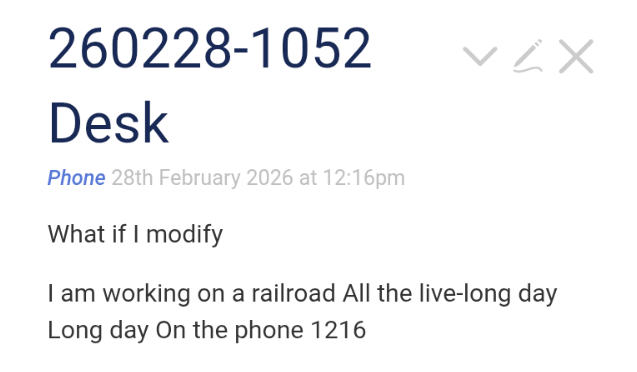
On desktop
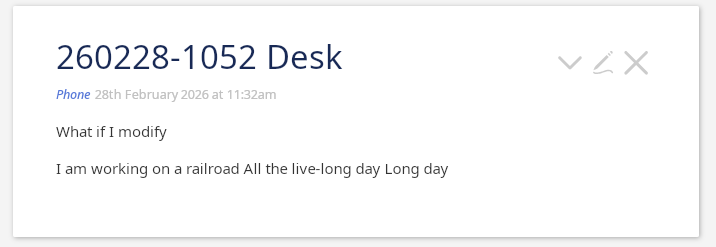
Be sure when you test to test an existing tiddler, not a brand new one.
If this could be configured it would be helpful, I can think of examples like wanting to set a “global setting” but having to do it on both instances. Don’t worry if not practical now.
I can think of cases where we may only want say messages or posts to be synced, and other cases where almost everything will be synced.
It’s pretty easy and practical to make this configurable by a tiddler containing a filter expression.
Only thing that could cause trouble is if the synced wikis have different settings for this filter I think.
I found a strange behaviour. The rooms created in the app were totally missing when I closed and reopened the app. At that point, the app was not allowing to create new rooms. I had to uninstall and reinstall the app to create the rooms again. This was with version 0.7.7
I had the room and wikis disappear. And then re-appear after I restarted once or twice.
At first I thought it was happening because of my playing with the plugins directory, but then, after a couple re-loads, the system was restored. Weird.
Yes there’s a bug! Fix coming very soon.
The rooms and settings are not gone. They are just not loaded into the landing page at startup.
Another issue I found after fresh install of 0.7.11 is that there was lag before peers are shown inspite of firewall permission being allowed and being in the same wifi network.
It was showing zero peers while I started typing this post. But after some time, after much delay it showed one peers.
lag like you had to wait for 2s initially for peers showing up?
And then they showed up persistently?
Or something else?
Lag was for a few minutes. I didn’t expected it to finally show the peers. Thats why I made this post. But I had to edit the post since it finally showed peers while I was typing.
Strange. Next time try to disconnect and reconnect the room for the peer that’s not showing up within seconds.
New Version v0.7.14
- fixes user-connection through rooms over relay-server not working
- updates collab plugin to not duplicate the edited document on collab start
- makes it possible to remove (+ban) user from a relay-server room, also unban and readd
- auto-generates room names (they are arbitrary, but still need to be set)
- adds Terms and Conditions, users need to accept them when activating LAN-sync or Relay-sync service
- fixes settings loaded on startup of the landing page not being loaded at all sometimes
- reduces the peer-discovery timeout to discover room-connected peers
I’d love to get some feedback about your collab sessions, through LAN and Relay.
Did you try the collab plugin in combination with the CM6 Editor + Simple Engine?
Have you seen that you can add fields and tags while both or more peers are editing the same tiddler and they can see the action “live”?
Have you tried editing a tiddler “live” together with another peer?
Have you tried changing the tiddler title while two or more peers have it open, saving that tiddler and then editing it again? The other peers will work with an updated draft.title and they will see the new tiddler title but for them nothing much should cause conflicts.
I’d really love to try a session with at least 3 peers … until now I only tried with max 2 peers connected.
We’d just need to set up a wiki and find two volunteers.
However, please let me know where you’re having issues, bugs you encounter and your ideas.
Thank you for testing!
Simon
About Syncing
What is synced?
- Tiddler changes in one wiki as small encrypted messages with all connected wikis and vice versa
- Never the whole wiki unless you use the “Get wiki” option at first setup but the wiki is sent fully encrypted
- When using the collab plugin, small encrypted chunks of text-updates
- The “attachments” directory with its contents beneath the wiki but with additional protection
The attachments directory is protected in various different ways from misuse.
First of all, this is not a file-sharing app and attachment-sharing is relatively slow, is done in chunks, encrypted, and the wiki-related messages are preferred over attachment-related sync-messages.
Secondly, there’s an allow-list of filetypes that can be shared which doesn’t allow executables or file types that could run code outside tiddlywiki or when embedded within tiddlywiki.
Further, one cannot inject to or access from filepaths outside the wiki’s attachments directory. Not with tricks, not with symlinks, nada.
To make sure that you’re always up-to-date security-wise, try to keep the app at the latest version.
Thank you!
Simon
@BurningTreeC I successfully logged in using a google account. Is this the relay-server you are mentioning. What to do next with this google logged in server.
You could sync a wiki with your aunt in Ohio.
If you don’t need Relay-sync but just LAN-sync, then you can simply log out.
I meant how to do that…I have logged in using the same google account in both laptop and android phone… what to do next ?..Should I create rooms under the server ? How to do that ?
You need a room. Under details register the room. Assign a room to a wiki on one device and on the other have wiki sync off. Use the link wiki option to link the target wiki.
One thing to clarify about attachments sync
Read that twice, it’s important to know and to understand!
The attachments folder of your wiki is called “attachments” and lives besides your wiki.html
If you have a second index.html in that folder, the two wikis share the “attachments” folder
If you sync wiki.html with User A and index.html with User B, both User A and User B will get a copy of your attachments folder
So best practice to keep everything clean and separated: Create dedicated folders for each wiki, so that each “attachments” folder is separate
Why not per-wiki-named attachments folders?
wiki.html could of course only access the attachments folder “wiki-attachments” and index.html only “index-attachments” but this wouldn’t survive renaming the wiki file.
I’m open for ideas, but the current best practice is a dedicated folder for each wiki. Period.