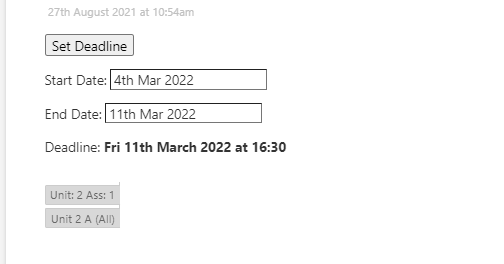
First question. How can I get the template stuff to go BELOW stuff directly entered into the tiddler?
I would like to use a template so that I can produce the above with less copy-pasting.
I don’t want/ can’t/ can’t be bothered to automatically generate the tab tiddlers, so the tab names need entering post creation, but I’d like to be able to not have to keep entering the code for the tabs manually as well.
Getting from something I can use to something I’d be happy for the rest of the non-tiddly team to use is hard!
Where Tid A and Tid B will be different in each templated tiddler OR I just do it manually but <<tabs tabsList:“[[Tid A]] [[Tid B]]” class:“tc-vertical”>> needs to be at the bottom of the tiddler (See first question).
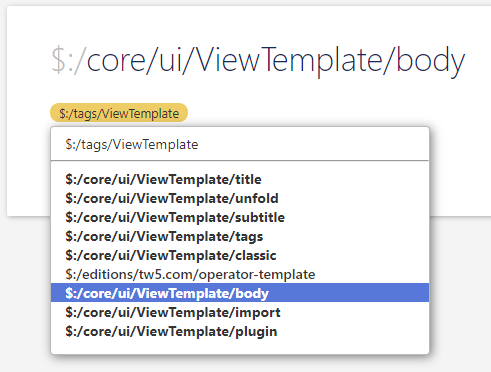
For the first part anyways, once you have the system tag on there, you can re-order using drag-n-drop from the tag. Go to the tag either from there, or something else like $:/core/ui/ViewTemplate/body, click the tag, and drag around the order.
I’m also having a hard time following easily what you’re trying to do, but assuming the tiddler you want to display the template in is related to the things you want to put in the tabs, I would think the answer would be to change the tabsList parameter to more of a dynamic filter.
So for example in your screenshot, the tabs seem to follow a pattern of “Unit 2…” - well if that’s consistent, and the tiddler you’re “in” is Unit 2, then your tabsList could be something like tabsList:"[prefix<currentTiddler>!match<currentTiddler>]" or something?
I think you have lots of options, there are just trade-offs either way. The 2 most significant branches seem to be:
Option A: Relate them off of tags or fields
This would be the more stable option. You’d want to look at the process where the thing you want in the tab is generated. If that’s done via a button or something, you could add a tag/field-value parameter and this would setup the link. That would make the filter much cleaner and you probably wouldn’t need exceptions.
Option B: Releate them based off of tiddler names
If that’s difficult, the slightly less reliable way would be do based on naming alone. As long as there’s consistency, a filter could be generated, and I or others could help with that. Taking a guess based on what you’re saying for instance… Is it fair to say that everything you want a tab for starts with the bit of the title before the word “Title”? If so, I’d use a variable to get the root text, and then filter the tabs to other tiddlers with that root text.
Lastly, for some excludes, yep, you can just do some subtractions at the end of the filter with an additional run. So for example to then remove the tiddler RemoveThis, see below change (this is kind of silly example, you’d probably need to better define what to remove via another filter).
@Ste_W, you can lay hands on the ordering of elements directly by finding the shadow tiddler $:/tags/ViewTemplate and looking at its list field. If you copy the contents of that field into a text editor, you can rearrange them more easily and paste them back in in the order you prefer.
My suggestion would be to use this in the template you’ve created:
It should look at the tabs field of the current tiddler to see which tabs to display therein. This way you (or your collaborators) could change the tabsList by editing the tabs field of the tiddler.