SVG Image Maps From PNG Using Inkscape

Using the event catcher, it should be possible to avoid the need of using inkscape. It gives all the info required to build the svg path:

\procedure clickactions()
<$action-setfield  click=`
* event-fromselected-posx: $(event-fromselected-posx)$ (x position of the event relative to the selected DOM node)
* event-fromselected-posy: $(event-fromselected-posy)$ (y position of the event relative to the selected DOM node)
* tv-selectednode-width: $(tv-selectednode-width)$ (width of the selected DOM node)
* tv-selectednode-height: $(tv-selectednode-height)$ (height of to the selected DOM node)
` />
\end

<$transclude field="click" mode="block"/>

<$eventcatcher selector="img" $click=<<clickactions>>>
[img[Motovun Jack.jpg]]
</$eventcatcher>

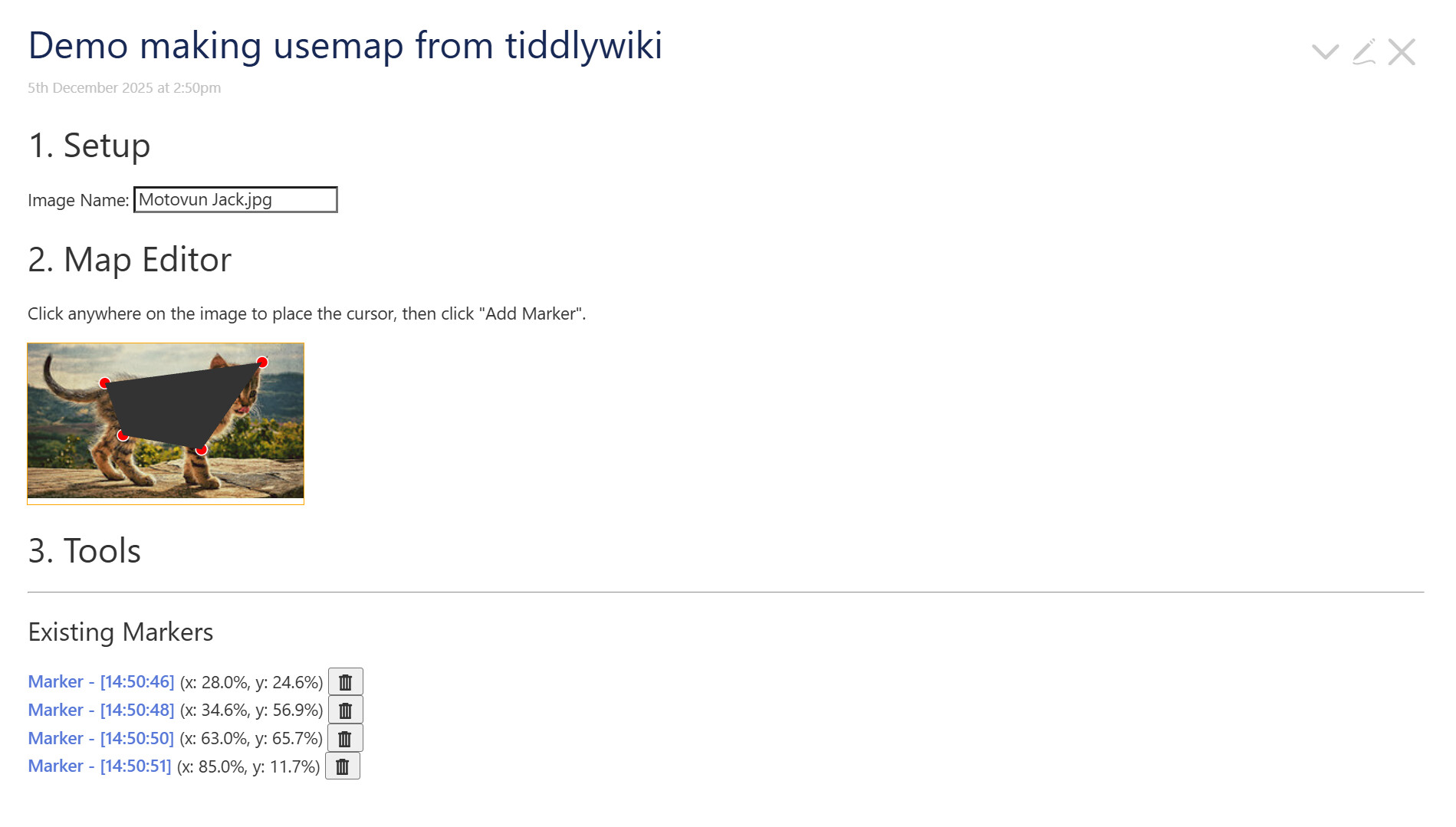
I’ll try to make a demo when I have the time

Here’s a WIP:

Demo making usemap from tiddlywiki (2).json (4.1 KB)

2 Likes

Would it be more elegant to have a plugin with some sliders and options (How many colors, methods etc) that can use edge detection that automatically vectorizes a PNG?

Similar to Inkscape’s “Trace Bitmap” function, which is really good for doing such a task.

I don’t know about all that. I am not a plugin person (yet). But if it suits others to create one then great. I am not sure I am really fully a Tiddlywiki developer in general, or even getting into Javascript for that matter.

I am sort of, tentatively trying to work out a general set of use cases for SVGs, and did not know how “cut and dry” they could be until recently.

Inkscape is good for people who already use it, almost like a utility. . . . Because it’s true: Inkscape is a massive tool to use just for this.

1 Like

When this thread came out, I meant to investigate more thoroughly, as I loved the idea and the demo.

I still mean to do so, but I stopped when I saw this:

I have done related things a few times, and thought I knew how to do this part at least. I got it working well enough to prove out the concept:

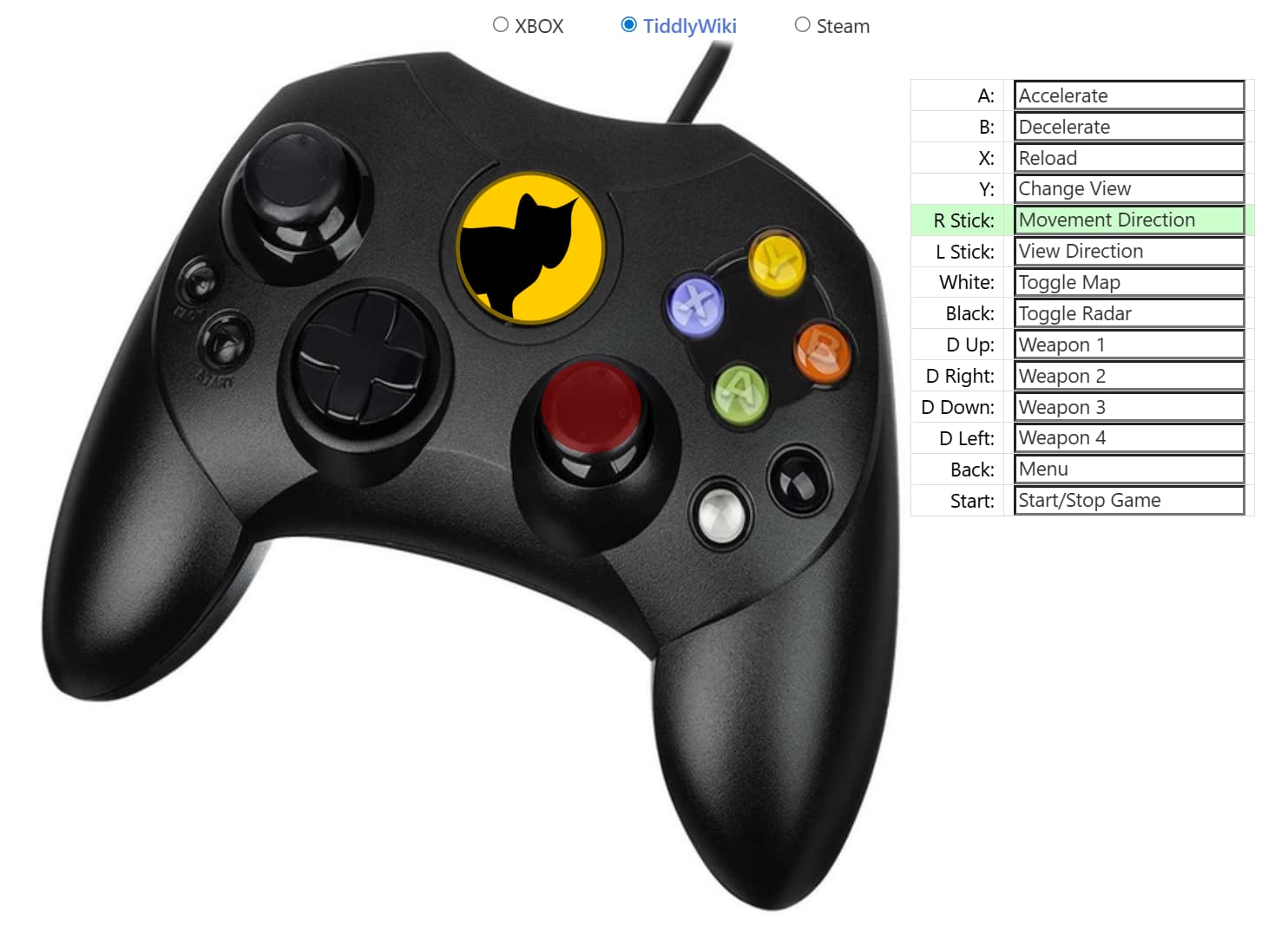
Old XBox Controller with hover.json (452.3 KB)

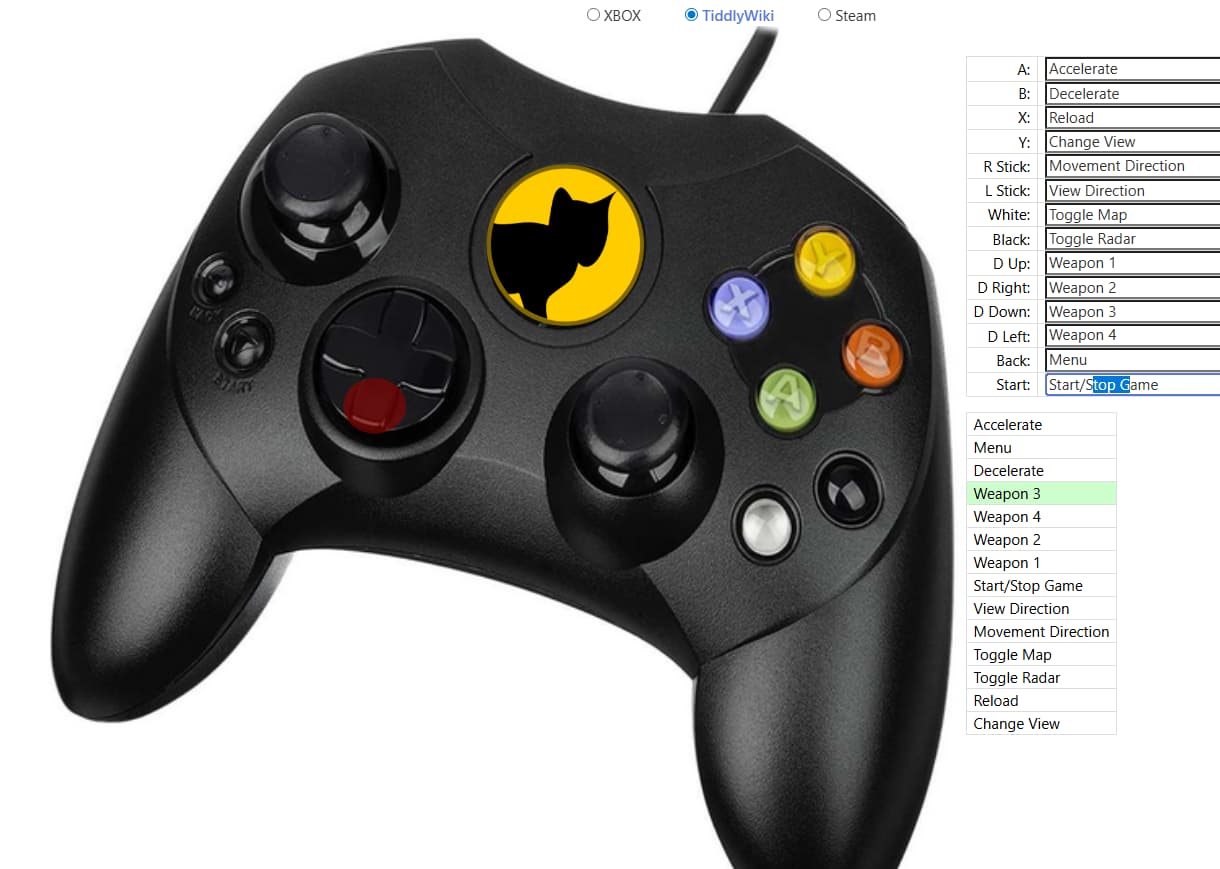
This is only a proof-of-concept. I didn’t use your table, although clearly I could have done so. Instead, we have a second, temporary table, that is pulled from the field names (and so ordered alphabetically, and not the way you would like).

But on hover of one of the rows on this table, the equivalent control is highlighted in the SVG and vice versa.

This is done through CSS’s :has pseudo-class. I needed to do one thing to your markup to make this work:

<$link to="A Button" ><path class="ctrlr abtn" d={{!!abtn}} ><title> {{!!abtntxt}} </title></path></$link>
<!--                                     ^^^^     added                                              -->
<!--                                     vvvv     added                                              -->
<$link to="X Button" ><path class="ctrlr xbtn" d={{!!xbtn}} ><title> {{!!xbtntxt}} </title></path></$link>

Other than that, I added my table, which looks like this:

<table class="hoverme">
<$list filter="[fields[]removesuffix[txt]]" variable="section">
<tr class=<<section>>><td><$view field=`$(section)$txt` /></td></tr>
</$list>
</table>

and two dynamic CSS blocks:

<$list filter="[fields[]removesuffix[txt]]" variable="section">
  <$text text=`div.wrapper:has(path.ctrlr.$(section)$:hover) .hoverme .$(section)$,`/>
</$list>
.hoverme td:hover {background-color: #cfc;}

which expands into something like

div.wrapper:has(path.ctrlr.abtn:hover) .hoverme .abtn,
div.wrapper:has(path.ctrlr.backbtn:hover) .hoverme .backbtn,
div.wrapper:has(path.ctrlr.bbtn:hover) .hoverme .bbtn,
/* ... */
div.wrapper:has(path.ctrlr.ybtn:hover) .hoverme .ybtn,
.hoverme td:hover {background-color: #cfc;}

and

<$list filter="[fields[]removesuffix[txt]]" variable="section">
  <$text text=`div.wrapper:has(.hoverme .$(section)$:hover) path.ctrlr.$(section)$,`/>
</$list>
  path.ctrlr:hover {
  fill: rgba(145, 0, 0, 0.6);
  stroke: rgba(145, 0, 0, 0.6);
  stroke-width: .5px;
  transition: fill 0.2s;
}

which becomes

div.wrapper:has(.hoverme .abtn:hover) path.ctrlr.abtn,
div.wrapper:has(.hoverme .backbtn:hover) path.ctrlr.backbtn,
div.wrapper:has(.hoverme .bbtn:hover) path.ctrlr.bbtn,
/* ... */
div.wrapper:has(.hoverme .ybtn:hover) path.ctrlr.ybtn,
path.ctrlr:hover {
  fill: rgba(145, 0, 0, 0.6);
  stroke: rgba(145, 0, 0, 0.6);
  stroke-width: .5px;
  transition: fill 0.2s;
}

I hope to look over the rest of the tutorial this weekend, and see if there’s a good way to automate some of this.
2 Likes

The tables did not show up for me.

(I had no idea you could use those tiddlywiki widgets in css! Wow! Anyway, maybe that is something I have not accommodated.)

For some reason the “vice versa” just impressed the heck out of me.

I think I’d like to try an analog of this on my polar alpha-chart, so that the legend and pie-slices call each other out more dramatically.

It does seem like it should be harder, but at a technical level it uses exactly the same mechanism.

The only real requirements are a container that holds both groups and distinct names for each related pair, which you can use directly as—or transform into—class names for the elements.

Hmm, I wonder why. Did you try this on something like tiddlywiki.com? Or was it on another site where custom CSS might have been interfering? In any case, I made another version that uses a modification of your table to hook the hovering to:

It’s here: Old XBox Controller with hover 2.json (452.8 KB)

Well, it’s more that you can generate CSS with wikitext. This doesn’t work in a tiddler with type text/css, since there wikitext markup is not rendered. But with the default type, you can generate the CSS that you might need. That’s what we do here.