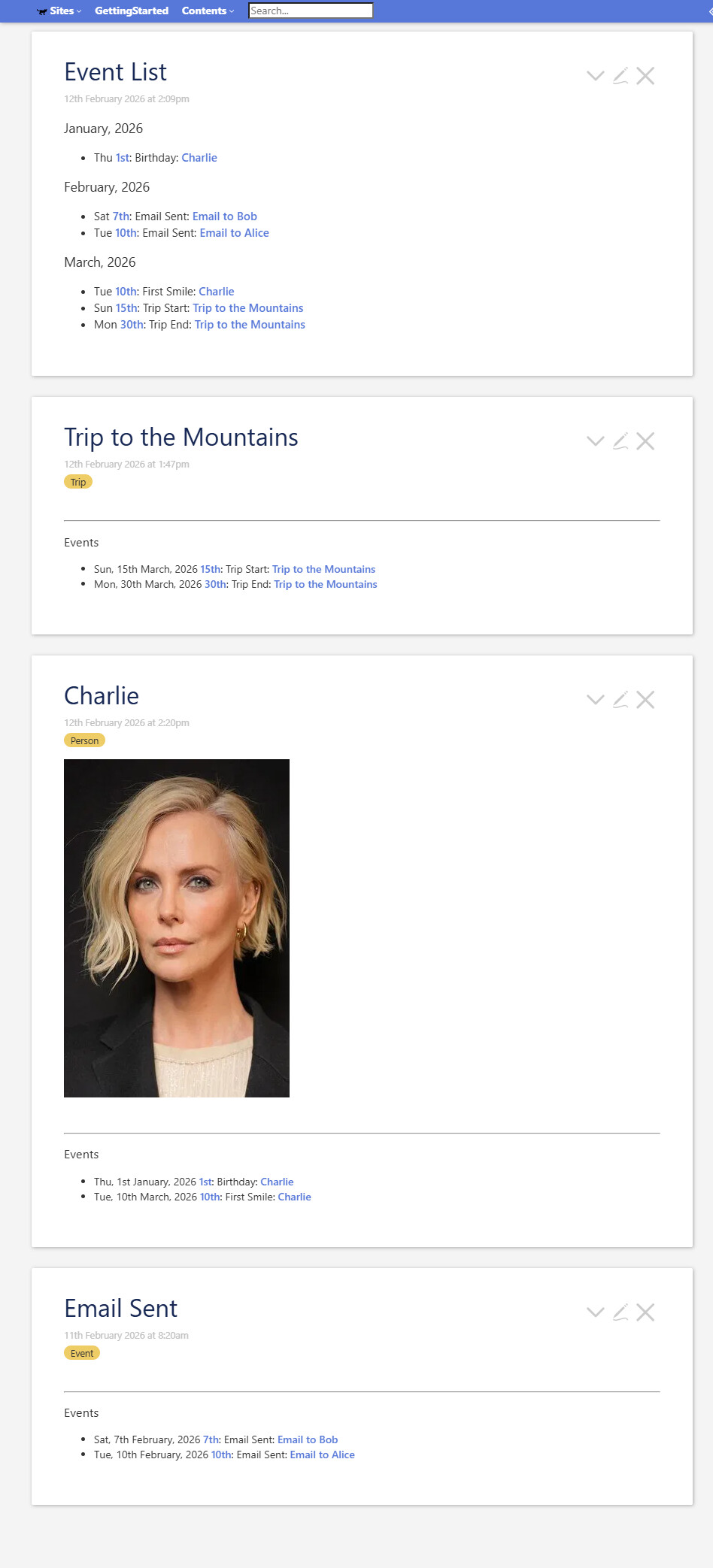
Hello 
I’ve been working on a Timeline tiddler, to list some different tiddlers chronologically. Different types of information must be sorted according to different fields:
- an email (tiddler with tag
Email) must use thecreatedfield - a trip (tiddler with tag
Trip) must use thestart_atfield - a person (tiddler with field
birthday) must use thebirthdayfield
I’m using the sortsub function to determine which field to use when sorting:
\define timeline.compare-start-at-or-created()
[<currentTiddler>get[birthday]] :else[<currentTiddler>get[start_at]] :else[get[created]]
\end

<!-- Sort tiddlers -->
\define timeline.tiddlers-sort-filter()
[<timeline.sort-direction>match[ascending]] :then[sortsub:date<timeline.compare-start-at-or-created>] :else[!sortsub:date<timeline.compare-start-at-or-created>] :filter[!match[ascending]]
\end
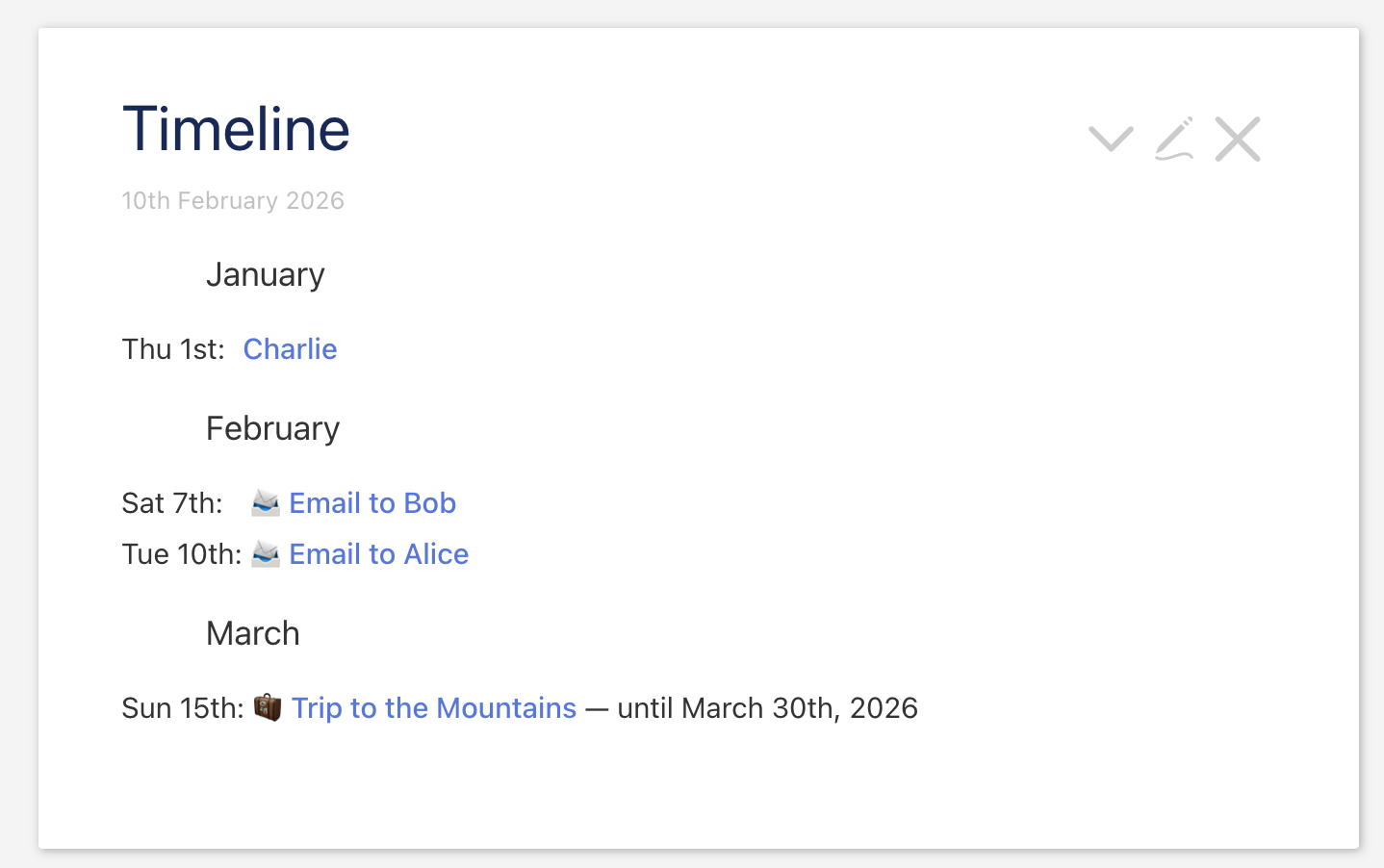
This seems to work quite well, as you can see in the screenshot. However, the problem I have is when a tiddler has more than one field, where I’d like it to show up in the timeline for each of those fields. For example, Charlie’s birthday is in January, so I want her to show up there. But her first smile was in March, so I want her to show up there, too. I (also) want to be able to identify, during the sorting, the reason that the tiddler is showing up there – in other words, which field is being used here. This will also help me to identify which icon to use, so for a birthday there will be one icon, and for a first smile there will be a different icon.
To be very clear, I want to see ‘Charlie born’ on 1st January, and ‘Charlie’s first smile’ on 1st March – even though this data comes from the same single tiddler.
I’m struggling to conceptualize this in terms of filters, as the sortsub function gets a single tiddler, and doesn’t have the context to know which specific field to use this time for this particular tiddler.
One idea that I had would be to somehow create a ‘virtual’ tiddler for each of the relevant fields of the single tiddler, eg. ‘Charlie born + birthday field’ and ‘Charlie first smile + first-smile field’, but I’m not sure if that’s possible. The issue would be that I would still need the original title of the tiddler, ie. Charlie + her birthday, Charlie + the date of her first smile.
The code I’m sharing here is simplified, but might include some remnants of the more complex code I’m actually using to cover a variety of different tiddler ‘types’.
While we’re on the same topic, it would be great to be able to show, for example, a date for the start of a trip, and also the date of the end of the trip as a separate timeline item. This is useful for longer trips, or other kinds of entities with a longer duration.
Your help would be appreciated! I would also appreciate your insight into improving my code in general.
Data tiddlers
[
  {
    "created": "20260210134652644",
    "text": "",
    "tags": "Trip",
    "title": "Trip to the Mountains",
    "modified": "20260210134744546",
    "start_at": "20260315120000000",
    "end_at": "20260330120000000"
  },
  {
    "created": "20260207120000000",
    "text": "Hello, Bob",
    "tags": "Email",
    "title": "Email to Bob",
    "modified": "20260210140847538"
  },
  {
    "created": "20260210133918858",
    "text": "Hello, Alice",
    "tags": "Email",
    "title": "Email to Alice",
    "modified": "20260210133933321"
  },
  {
    "created": "20260210132256585",
    "text": "",
    "tags": "",
    "title": "Charlie",
    "modified": "20260210134624257",
    "birthday": "20260101120000000",
    "first-smile": "20260310120000000"
  }
]
$:/my-stuff/macros/timeline
\define timeline.compare-start-at-or-created()
[<currentTiddler>get[birthday]] :else[<currentTiddler>get[start_at]] :else[get[created]]
\end

<!-- ####### SORT FILTERS ####### -->
<!-- Sort months -->
\define timeline.months-sort-filter()
[<timeline.sort-direction>match[ascending]] :then[sort[]] :else[!sort[]] :filter[!match[ascending]]
\end

<!-- Sort tiddlers -->
\define timeline.tiddlers-sort-filter()
[<timeline.sort-direction>match[ascending]] :then[sortsub:date<timeline.compare-start-at-or-created>] :else[!sortsub:date<timeline.compare-start-at-or-created>] :filter[!match[ascending]]
\end

<!-- Filter: `title` must match timeline.year -->
\define timeline.tiddlers.title-year-filter()
[{!!title}format:date[YYYY]match<timeline.year>]
\end

<!-- Filter: `birthday` must match timeline.year -->
\define timeline.tiddlers.birthday.year-filter()
[{!!birthday}format:date[YYYY]match<timeline.year>]
\end

<!-- Filter: `created` must match timeline.year -->
\define timeline.tiddlers.created.year-filter()
[{!!created}format:date[YYYY]match<timeline.year>]
\end

<!-- Filter: `start_at` must match timeline.year -->
\define timeline.tiddlers.start_at.year-filter()
[{!!start_at}format:date[YYYY]match<timeline.year>]
\end

<!-- ###### TIDDLERS TO SHOW ###### -->
<!-- Tiddlers: birthdays -->
\procedure timeline.tiddlers.birthdays()
[<timeline.year>!match[]] :then[has[birthday]filter<timeline.tiddlers.birthday.year-filter>else[]] :else[has[birthday]]
\end

<!-- Tiddlers: writings -->
\procedure timeline.tiddlers.writings()
[<timeline.year>!match[]] :then[subfilter<timeline.writings.all>filter<timeline.tiddlers.created.year-filter>else[]] :else[subfilter<timeline.writings.all>]
\end

<!-- Tiddlers: `start_at` (eg. Stays, Trips, Visits) -->
\procedure timeline.tiddlers.start_at()
[<timeline.year>!match[]] :then[has[start_at]filter<timeline.tiddlers.start_at.year-filter>else[]] :else[has[start_at]]
\end

<!-- ###### GET DATES FROM MATCHING TIDDLERS ###### -->
<!-- Used to determine which months have content (for this year) -->
<!-- Dates from birthdays (this year) -->
\define timeline.dates.birthdays()
[<timeline.year>!match[]] :then[has[birthday]get[birthday]filter<timeline.tiddlers.title-year-filter>else[]] :else[has[birthday]]
\end

\define timeline.writings.all()
[tag[Email]] [tag[Article]]
\end

<!-- Dates from writings (this year) -->
\define timeline.dates.writings()
[<timeline.year>!match[]] :then[subfilter<timeline.writings.all>get[created]filter<timeline.tiddlers.title-year-filter>else[]] :else[subfilter<timeline.writings.all>get[created]]
\end

<!-- Dates from events (this year) (Trips, Stays, Visits, etc.) -->
\define timeline.dates.start_at()
[<timeline.year>!match[]] :then[has[start_at]get[start_at]filter<timeline.tiddlers.title-year-filter>else[]] :else[has[start_at]get[start_at]]
\end


<!-- Get all months into which the tiddlers fall,
  in the format YYYY0MM, eg. 202511. -->
\procedure timeline.months()
[subfilter<timeline.dates.start_at>] [subfilter<timeline.dates.writings>] [subfilter<timeline.dates.birthdays>] +[format:date[YYYY0MM]unique[]subfilter<timeline.months-sort-filter>] :filter[{!!title}!prefix[0000]]
\end

<!-- Get all timeline tiddlers falling in the given <year-month> -->
\procedure timeline.filterForMonth()
[subfilter<timeline.input-tiddlers>] :filter[subfilter<timeline.compare-start-at-or-created>prefix<year-month>] +[subfilter<timeline.tiddlers-sort-filter>]
\end

\procedure full-date-from-short-title()
<<currentTiddler>>120000000
\end

\procedure timeline.input-tiddlers()
{{{ [subfilter<timeline.tiddlers.writings>] }}} {{{ [subfilter<timeline.tiddlers.birthdays>] }}} {{{ [subfilter<timeline.tiddlers.start_at>] }}}
\end


<!-- Sort timeline tiddlers, using the field for each according
  to timeline.compare-start-at-or-created.
  If a tiddler has start_at, use that field to sort.
  If it doesn't, use the created field to sort. -->
\procedure timeline.filter()
[subfilter<timeline.input-tiddlers>] +[subfilter<timeline.tiddlers-sort-filter>]
\end

\procedure timeline.icon()
<span class="flex ml-1 mr-1 justify-content-flex-end">
<%if [<currentTiddler>tag[Trip]] [<currentTiddler>has[trip]] %>🧳<%endif%>
<%if [<currentTiddler>tag[Email]] %>📨<%endif%>
<%if [<currentTiddler>tag[Article]] %>📃<%endif%>
</span>
\end
Timeline tiddler
\import [[$:/my-stuff/macros/timeline]]
<style>
.grid {
display: grid;
grid-gap: 0.3em;
}
.grid-col-auto-auto-1fr {
grid-template-columns: auto auto 1fr;
}
.mb-2 { margin-bottom: 1.3em; }
.ml-3 { margin-left: 2.5em; }
.flex { display: flex; }
.text-align-end: { text-align: end; }
.timeline-item {
display: flex;
padding: 0.3em;
border: solid black 1px;
border-radius: 0.3em;
}
</style>
<$let timeline.year="2026" timeline.sort-direction="ascending">
<!-- Iterate months -->
<$list filter=<<timeline.months>> emptyMessage="No items found">
<$wikify name=year-month text={{!!title}}>
<$let full-date=<<full-date-from-short-title>>>
<$wikify name=full-date-string text=<<full-date>>>
<!-- Heading: month, eg. November -->
<h3 class="ml-3"><$text text={{{ [<full-date-string>format:date[MMM]] }}}/></h3>
</$wikify>
</$let>
<!-- Entries for month -->
<div class="grid grid-col-auto-auto-1fr mb-2">
<$list filter=<<timeline.filterForMonth>>>
<$wikify name=date text={{{ [<currentTiddler>subfilter<timeline.compare-start-at-or-created>format:date[ddd DDth]] }}}>
<$wikify name=short-date text={{{ [<currentTiddler>subfilter<timeline.compare-start-at-or-created>format:date[DDth]] }}}>
<span class="text-align-end"><<date>>:</span>
<<timeline.icon>>
<div class="flex">
<div>
<$link />
<% if [<currentTiddler>has[end_at]] %>
— until <$view field=end_at format=date template="MMM DDth, YYYY" />
<% endif %>
</div>
</div>
</$wikify>
</$wikify>
</$list> <!-- /Entries for month -->
</div><!-- /grid -->
</$wikify> <!-- year-month -->
</$list> <!-- /Iterate months -->
</$let>