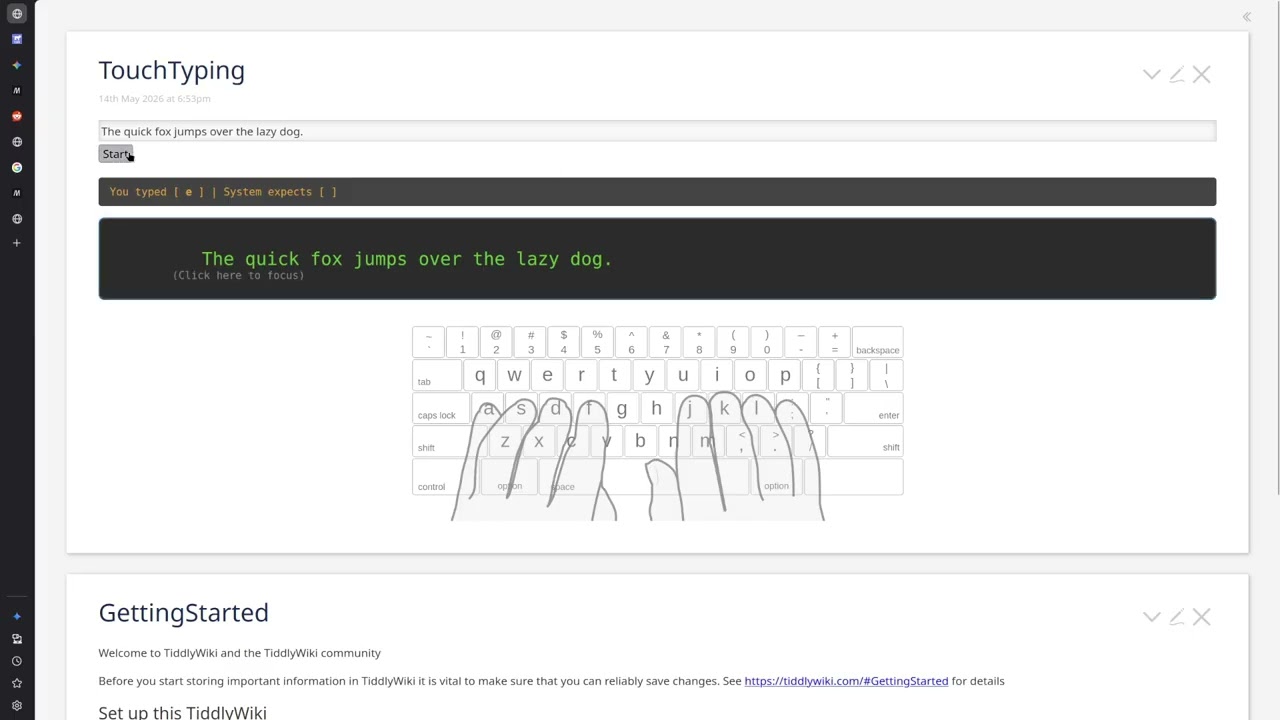
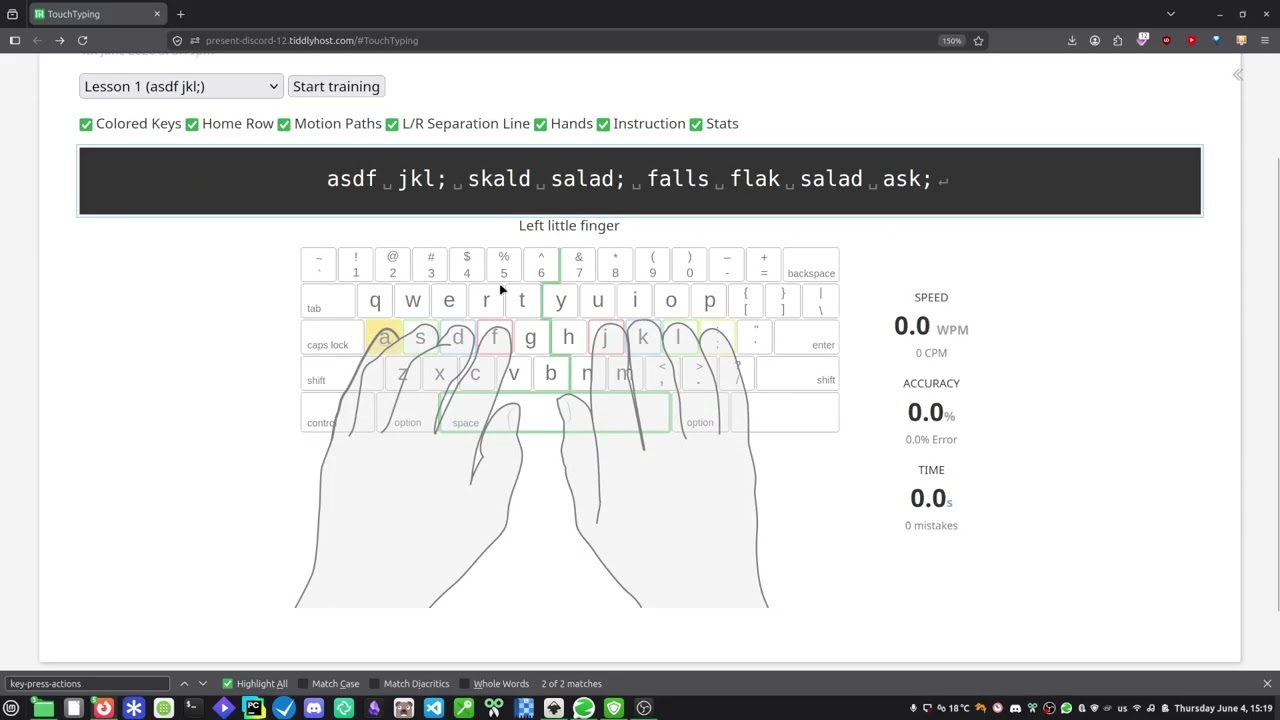
I’m currently practicing touch typing and thought it would be great to train directly within TiddlyWiki using my own wiki content. This way, I would be able to practice while studying my notes. Here is a preview of my current progress:
I cannot share the full wiki because the SVG assets belong to edclub.com. However, if there’s interest, I’d be happy to share the code and logic so you can plug in your own assets. Let me know if you’re interested!
Hi @telumire
I for one would be interested to try this in my own wiki.
Typing at any speed faster than the single finger speed I do at present would be a plus
As mentioned, I didn’t include the SVG code, but you can easily grab it from edclub.com using your browser’s dev tools (Right-click > Inspect). I’ve added two input fields in the UI so you can simply paste the SVG code in there once you have it. In vkeyboardkeys.svg, you will need to escape the backtick key by using a text widget <$text text=“`”/>, it mess with the svg rendering. The top of the svg should look like this:
<svg viewBox="0 0 683.3 254">
You might have to clean up the svg for the keyboard aswell.
The wikitext is a bit rough around the edges right now, but it works! If I find the motivation, I’ll draw my own clean SVG from scratch to make it fully standalone / make it easier to use, and improve on the ui/features.
Feel free to play around with it, and make your own versions
Just to be provocative: I wonder how many folks here are also practitioners of the contrarian art of alternative-keyboard typing. Back in grad school years I decided to replace my erratic QWERTY typing habit with DVORAK touch-typing. (Qwerty was, perhaps y’all know, designed to slow people down, back in the days when quick adjacent keystrokes might jam the moving parts.)
JKL; — How useful are these keys under your right fingertips?
HTSN — much better! (And under your left-hand home row fingertips: the vowels.)
I used a gamified typing tutor for a little while. But the main fun trick was: I never re-labeled my physical keyboard. So looking down was … useless!
After the training-up phase with the game, I kept a keyboard layout diagram near my screen — which I could look at whenever I liked — but I still had to translate its info into a motor signal to the correct finger.