Hi, i am looking for a selfhostable webbased obsidian alternative and this looks nice, i wanted to ask
- is there an uptodate docker image? I’ve found a view but theyre all some years old and unupdated
- is there a way to save all notes as local markdown/text files on the machine? I am not really interested in the one file blob for my purposes
- is there a way to ‘extrude’ a selection from a larger note into it’s own note, as in obsidian’s ‘extract’ function?
- is it possible to import existing markdown notes from my PC?
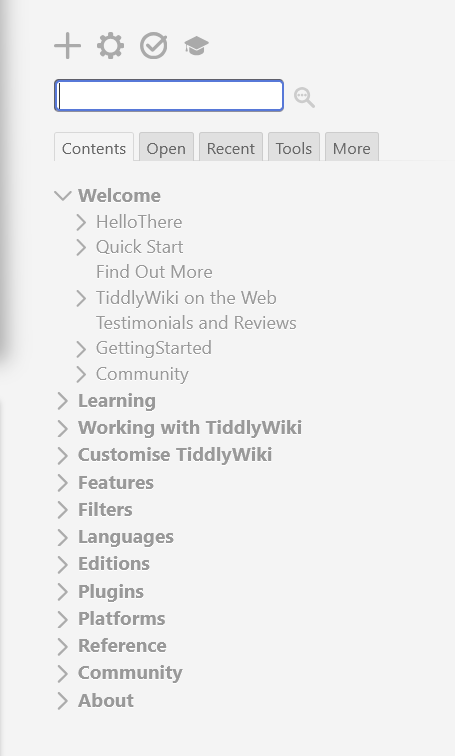
- is it possible to have a hierarchical folder view? messing around with the empty html i feel like anything i write gets lost and the infinitely expanding ‘river’ view stresses me out. I would prefer to just be able to browse my notes like pc files as in obsidian and other programs.
- and finally, is there a better text editor interface? as it is i feel like on the default having to hit the ‘finish editing’ button every time with no keyboard shortcut is pretty clunky. Just being able to save and exit editibg mode with a key would be enough for me.
Thanks for any help
In the tiddler editor toolbar, there is an “excise the selected text into a new tiddler” button  , which is assigned ctrl-E keyboard shortcut.
When the input focus is in any tiddler editor input field, you can use ctrl-enter to “save and exit”
enjoy,
-e
There is a docker related pull request in GitHub - Add Docker support with docker-compose and automated release workflow by NotHimmel · Pull Request #9753 · TiddlyWiki/TiddlyWiki5 · GitHub
If this gets merged, maybe it can solve your problem.
Here is a howto for running Tiddlywiki on node js using docker. TiddlyWiki v5.4.0-prerelease — a non-linear personal web notebook
This can be achieved using the node js way of using tiddlywiki. This tiddlywiki-app was the easiest way of using node js tiddlywiki.
there is an excise button in the editor toolbar which can do this
do you meant something like in this screenshot
If yes, you can use the toc macro for creating hierarchy
thank you both for the detailed answers  all very helpful. i will look into getting this all setup next weekend or so.
Just dropping in again to say I spun up the docker container and wow do I like this software :0 works wonderfully, especially impressed at how transclusion works. I think this’ll be really helpful for studying (am a bsc uni undergrad) and just general organization. big big fan <3
@neuroticant
This looks like being deprecated.
It is my opinion that comparing this to Obsidian and Notion etc… is only surface level.
TiddlyWiki is an open source platform from which you can do a lot while learning not only markup (trivial) and TiddlyWiki Script but also HTML/CSS/JavaScript even before you install other solutions or a very rich set of plugins. One reason there are so many plugins is that it maintains a minimal install to run on smaller devices or services, though it will take time to understand the possibilities, rest assured they are infinite in many directions and a worthwhile investment in time.
Finally the community is one of the most helpful that exists, even silly questions can be asked, so you can join us, make friends and start a life long journey.
- See any idea you like on any website, we can often implement it on TiddlyWiki