Hello
I want to display a tiddler containing a geomap generated using the Geospatial plugin in a modal; however, it is not displaying correctly
This is a screen shot of the modal tiddler
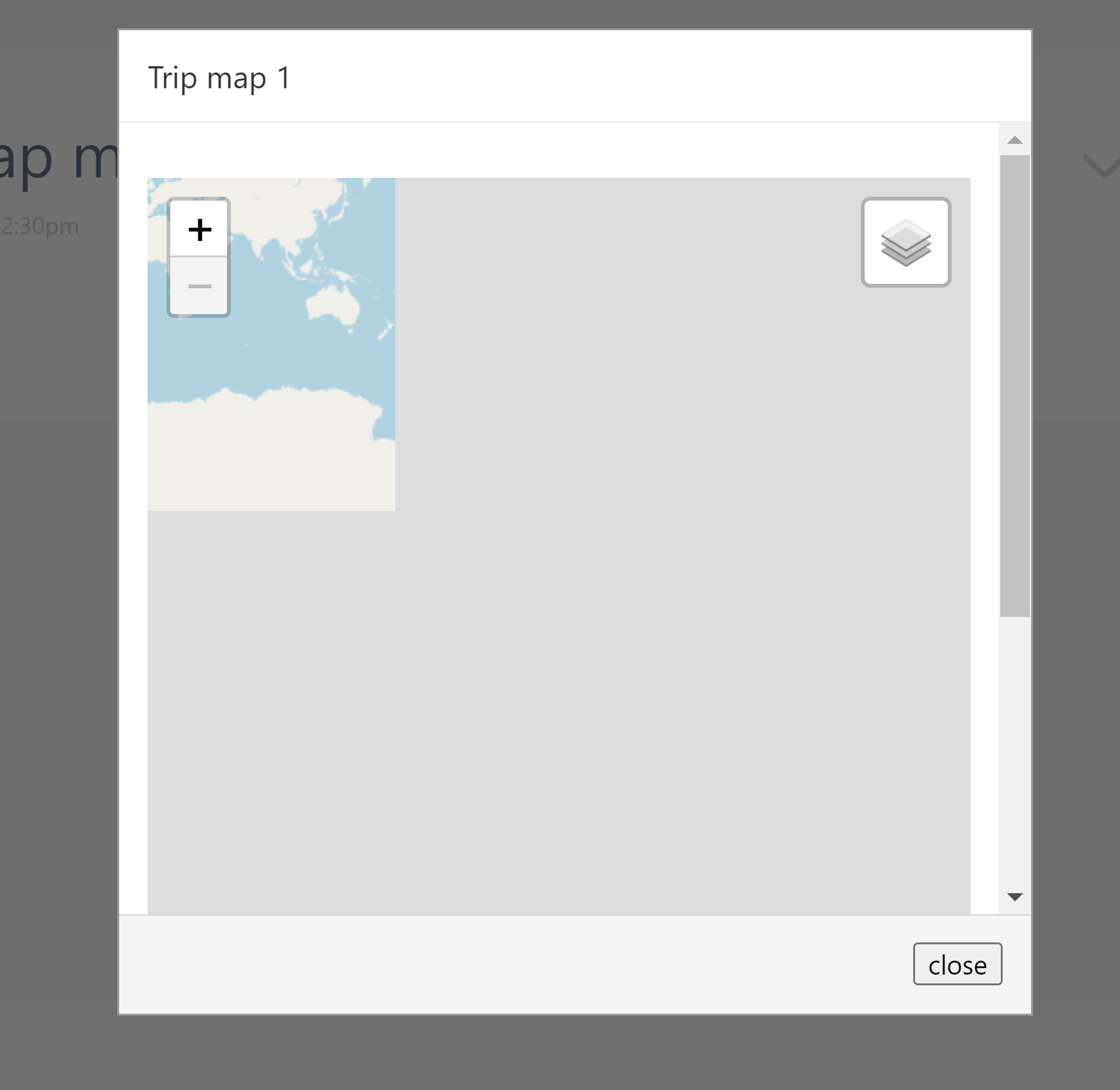
and this is the modal
I would appreciate any advice about how to make the modal display the tiddler correctly.
Cheers, Rob
One clue I notice is that the modal map is displaying a very different area of the globe at what looks like “zoom=1”. This suggests that when viewing in a modal, the $geomap widget is not reading values from the associated state tiddler.
Please provide the definition of “Trip map 1” so we can see the actual Geospatial widget syntax you are using to render your map.
-e
Hi @EricShulman
<$list filter=“[tag[trip-track]]”>
<$let date={{{ [{!!title}removesuffix[-track]]}}}>
<$checkbox tag=“selected” > <$text text={{{[addsuffix[ ]addsuffix{!!caption}]}}}/>
</$checkbox>
</$let>
</$list>
<$geomap
state=<<qualify “$:/state/trips-map”>>
startPosition=“bounds”>
<$list filter=“[tag[selected]]”>
<$geolayer json={{!!text}} color=“#ff0000” popupTemplate=“ui/PopupTemplateTracks”>
<$list>
</$geomap>
I hope that this might help
Cheers, Rob
The problem MIGHT be with the use of <<qualify "$:/state/trips-map">>
The output of the <<qualify>> macro appends a unique number to the specified title based on the “the stack of transcluded tiddlers” (which includes the currentTiddler value)… and when content is displayed in a modal it’s currentTiddler value is different from when it is displayed in a normal StoryRiver tiddler. Thus, the $geomap state tiddler referenced in the modal is not the same as when it is referenced in the StoryRiver tiddler.
To fix this, try using an unqualified state title (e.g., state="$:/state/trips-map/Trip map 1") so that the same title is used in both instances.
Let me know how it goes…
-e
Thanks Eric
I have tried that and the map within the modal behaves in a rather random manner!!

@Rob_Jopling if you are still having a problem follow the suggestion on current tiddler, if you review the sent modal message you will see you can pass parameters to it. Perhaps try displayTiddler=<<currentTiddler>> and inside the modal use the <$tiddler tiddler=<<displayTiddler>> to wrap the above code of yours so that within your code the current tiddler is set to the one that called the modal, thus it will reference the correct fields. Similarly you could pass all necessary info though parameters.
Hi @TW_Tones
I have tried that, but no luck I’m afraid.
Just to check, is this what I was supposed to do:
<$button class="tc-btn-invisible tc-tiddlylink">
Trip map
<$action-sendmessage $message="tm-modal" $param="Trip map"
displayTiddler=<<currentTiddler>>/>
</$button>
and the modal tiddler
<$list filter="[tag[trip-track]]">
<$let date={{{ [{!!title}removesuffix[-track]]}}}>
<$checkbox tag="selected" > <$text text={{{[<date>addsuffix[ ]addsuffix{!!caption}]}}}/><br> </$checkbox>
</$let>
</$list>

<$tiddler tiddler=<<displayTiddler>>>
<$geomap
state=<<qualify "$:/state/trips-map/Trip map 1">>
	startPosition="bounds">
<$list filter="[tag[selected]]">
<$geolayer json={{!!text}} color="#ff0000" popupTemplate="ui/PopupTemplateTracks">
<$list>
</$geomap>
</$tiddler>
Cheers, Rob
The first paragraph will be in the context of the modal.
The $geomap and state will be in the context of the calling tiddler.
But the $geolayer widget has the current tiddler in the context of the filter [tag[selected]].
Hi @TW_Tones
I have to admit that I am not sure from your comment whether or not something needs to be changed!
And if so, what needs to change?
Cheers,
Rob
The first paragraph has a currentTiddler=the modal tiddler
Geomap will have currentTiddle = displayTiddler
The $geolayer widget will be called once for each tiddler title with the tag selected.
If this all does what you want, you should be happy.
Hi @TW_Tones
Thanks for your time.
Ideally I would like the map to appear correctly in the modal, which is not what it is doing with the current code!
Cheers, Rob
Sorry, I cant help you much further as I have not implemented this mapping before, but if you shared a minimal example on a tiddlyhost wiki more of us could help. To do it myself is quite long winded.