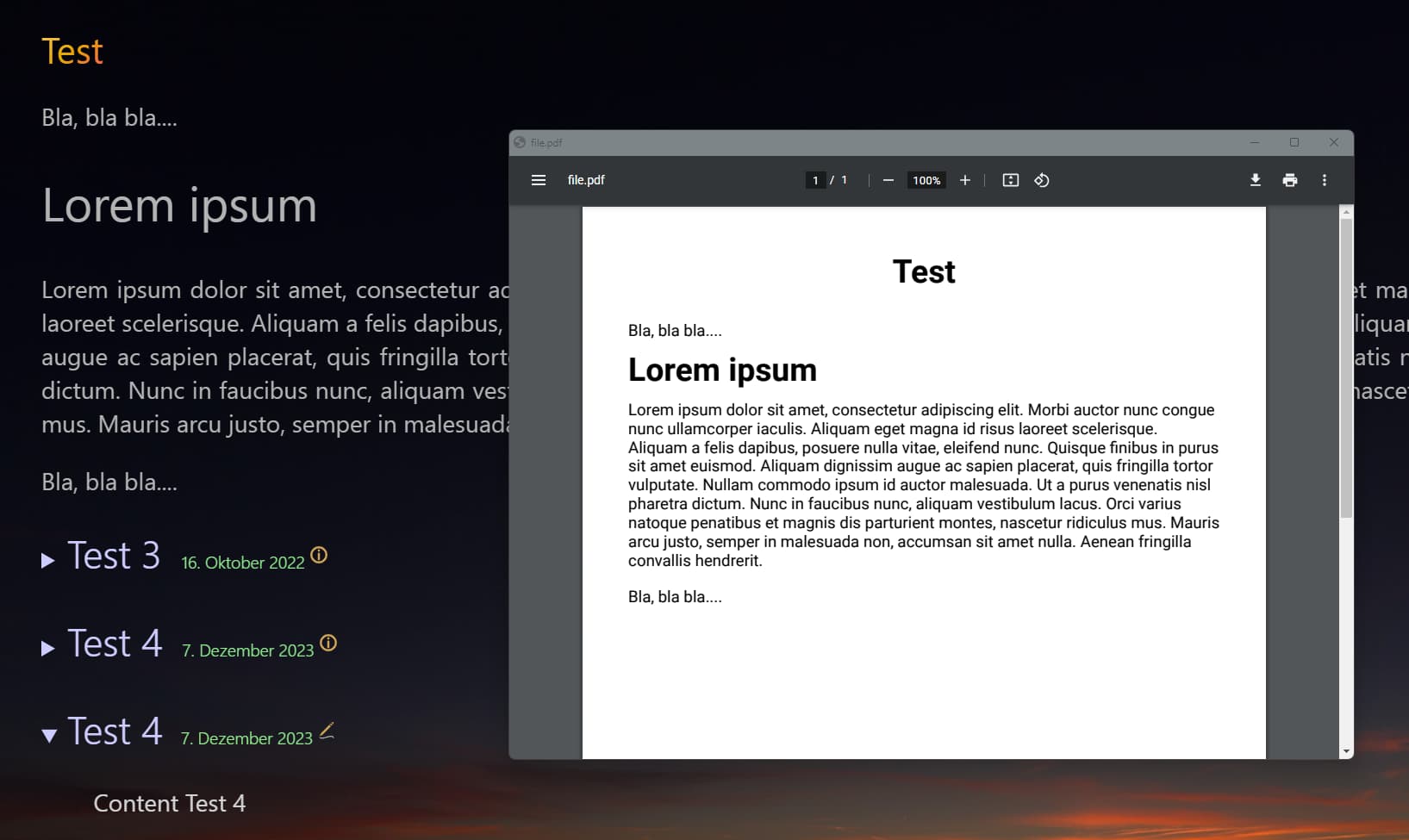
You could always just use some custom CSS with formatting to dynamically alter the print style, then the user just has to use the “print” icon and select “print to PDF” instead of a their physical printer.
This is what I do and it works for what I need.
I’m also curious if TIddly2PDF out of the box respects any specified @media print styles and layers it’s definitions ‘on-top’ or if it does its own thing regardless.
@media print {
    /* =======================================================
       1. HIDE ALL NAVIGATION AND INTERFACE ELEMENTS
       (Ensures only content is printed)
       ======================================================= */

    /* Hide the entire custom top bar */
    .nc-topbar {
        display: none !important;
    }

    /* Hide the entire custom bottom bar */
    .nc-bottombar {
        display: none !important;
    }

    /* The main TiddlyWiki Sidebar and its header */
    .tc-sidebar-scrollable,
    .tc-sidebar-header {
        display: none !important;
    }

    /* HIDE THE TIDDLER TITLE BAR (including title and controls) */
    .tc-titlebar {
        display: none !important;
    }

    /* The main 'ViewToolbar' buttons (e.g., Edit, Delete, Tag, permalink) */
    .tc-tiddler-controls,
    .tc-toolbar-group,
    .tc-toolbar-item {
        display: none !important;
    }

    /* HIDE THE TIDDLER FOOTER (e.g., backlinks, filter results) */
    .footer {
        display: none !important;
    }

    /* TiddlyWiki's core style for the Edit Template buttons/footer */
    .tc-editor-footer {
        display: none !important;
    }

    /* The Control Panel button (top right) */
    .tc-more-toolbar-wrapper {
        display: none !important;
    }

    /* If you have a custom Tiddler that shows the edit state */
    .tc-edit-text-wrapper {
        display: none !important;
    }

    /* Hide the 'Add New Node' button/control from Streams plugin */
    .stream-node-control-addnew {
        display: none !important;
    }

    /* Hide the Tiddler Subtitle (Date/Time info) */
    .tc-subtitle {
        display: none !important;
    }

    /* Hide the Tiddler Tags wrapper */
    .tc-tags-wrapper {
        display: none !important;
    }

    /* =======================================================
       2. OPTIMIZE CONTENT DISPLAY
       (Ensures text takes up full page width)
       ======================================================= */

    /* Ensure the main content takes up the full width */
    .tc-tiddler-frame {
        width: 100% !important;
        margin-left: 0 !important;
        padding: 0 !important;
        /* Set page break to keep tiddlers from splitting awkwardly */
        page-break-inside: avoid;
    }

    /* Ensure the Story River expands to full width */
    .tc-story-river {
        width: 100% !important;
    }

    /* =======================================================
       3. GENERAL TIDDLER FRAME MODIFICATIONS
       (Removes borders and stream indentation lines)
       ======================================================= */

    /* Remove the top border from ALL Tiddler frames being printed */
    .tc-tiddler-frame {
        border-top: none !important;
    }

    /* Remove the left indentation border from ALL stream children */
    .stream-row-children {
        border-left: none !important;
    }

    /* =======================================================
       4. TYPOGRAPHY & COLORS
       (Overrides dark mode text for printing)
       ======================================================= */

    /* Force body text to pure black for better print contrast */
    body.tc-body {
        color: #000000 !important;
    }
}