Hello. I have a custom View Template that I am adding into the cascade. I’m noticing that it gets added to the flow with a paragraph tag surrounding it.
I do not want that paragraph tag. Is there a way I can suppress it?
Here’s my template code. Is there something I can add to it to change this behavior? The p tag is inserted as the immediate descendant of the div class “tc-tiddler-body”, and thus surrounds all of my code.
Hi @JenniferS
I think generating extra p tag is an issue in Tiddlywiki. Of course some developers believe this is not an issue, but when you want to use CSS to implement some custom style, these extra tags make a lot of problem.
It is an issue because it is one for Jennifer and others that opened issues at GH. The problem at the moment is, that there is no generic and backwards compatible fix.
Try the following somewhat counter intuitive code, where all the empty lines are intentional. It does remove the extra P tag for me. … But to be sure I’d need the real configuration with all the cascade filter tiddlers that are involved.
What’s going on is that an opening tag followed by a double line break is recognised as a block mode tag, and thus doesn’t generate a wrapping paragraph tag. It’s awkward but it’s one of the main techniques that the core uses to address the underlying problem.
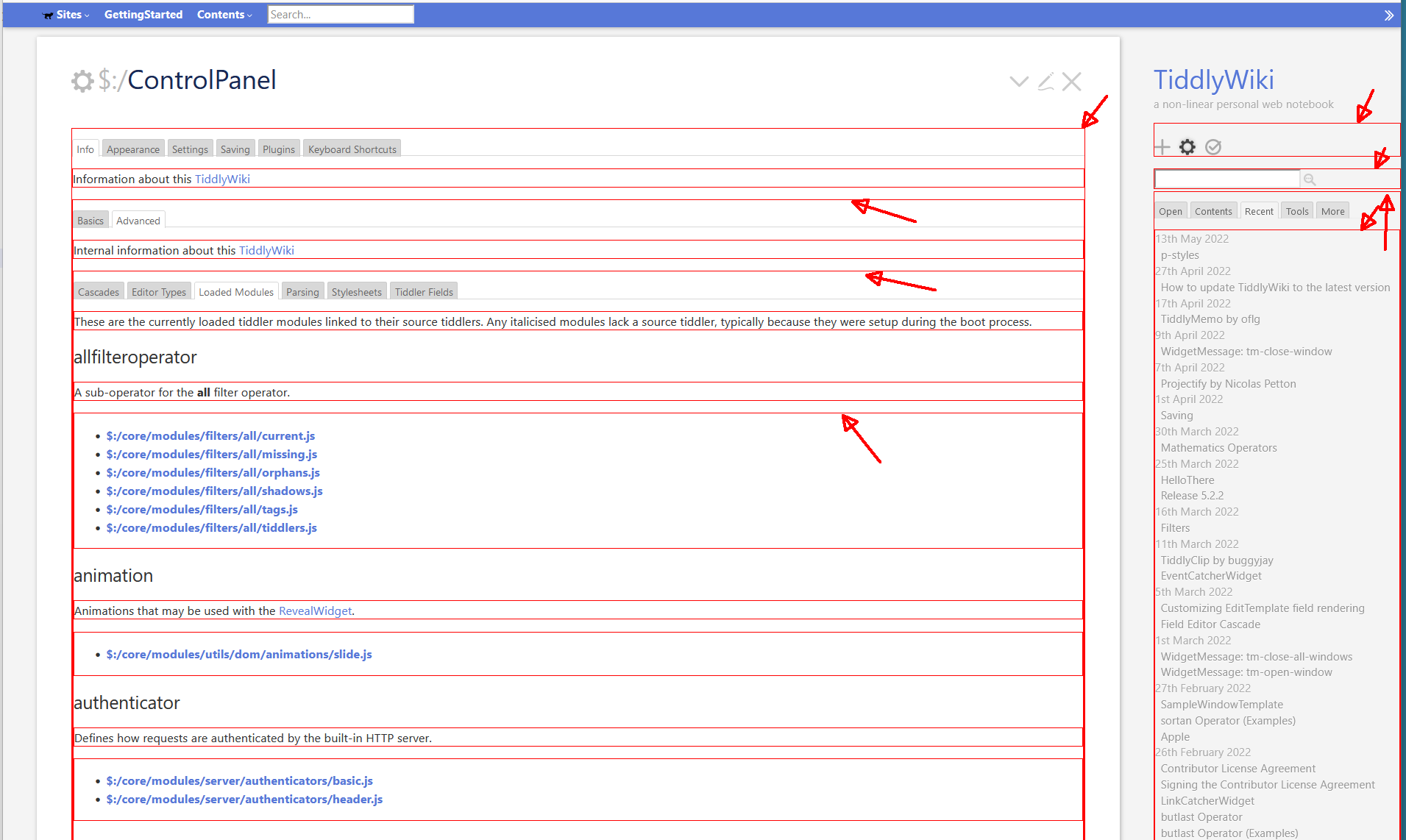
That’s exactly the problem we have at the moment. There are some P-tags in the core UI, where the margin-top and the margin-bottom are “convenient” even if they are considered bugs by some users.
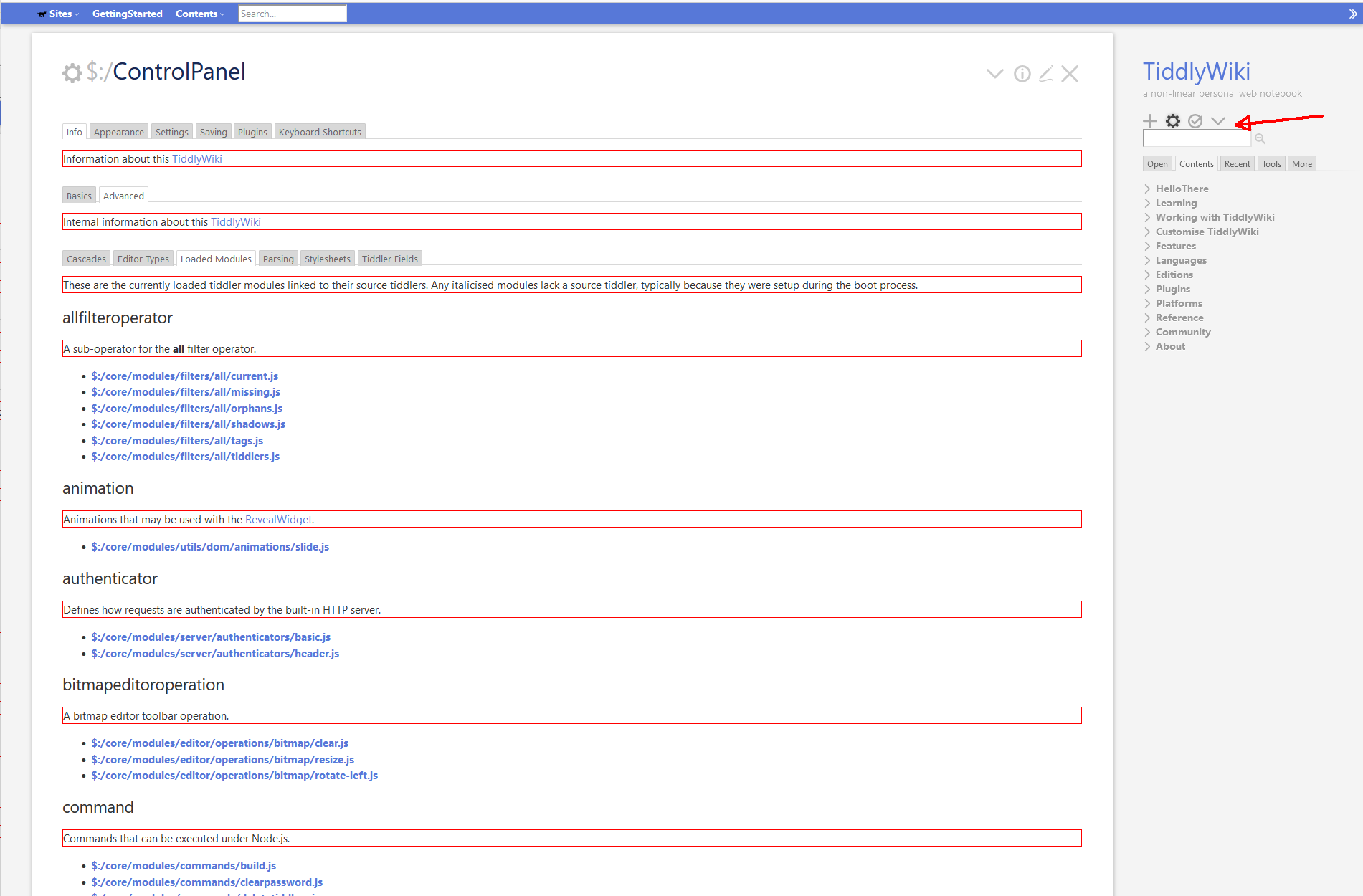
The second screenshot shows a “partially fixed” version which only contains P-tags where they should be. … BUT it kind of messes up the right sidebar as it is at the moment, because the p-tags did provide some vertical spacing. …
The vertical spacing is easy to fix, but not really 100% backwards compatible, because there may be and probably is 3rd party stuff out there that relies on the broken behaviour.
So the question is: “Should it be allowed for a fix to break backwards compatibility”.
Any solution that is dependant on special use of empty lines needs to be well documented or an alternative presented. Otherwise it causes problems because behaviour changes because of the absence of something, or the inclusion of something that is “invisible”.
It may even be better if we had a symbol that is interchangeable with double line breaks.
This would allow the reading of such code to make this more obvious.
A few times I have cloned tiddlywiki internal code to build something new and removed these blank lines because it does not suite my coding sensibilities, arising in subsequent problems.
If there were a way to wrap a block of code to remain in block mode without “double spaced lines” or “insert a symbol like " ␍or ⏎” at the end of a line that is treated as “double line feed” it would be more obvious to naïve users.
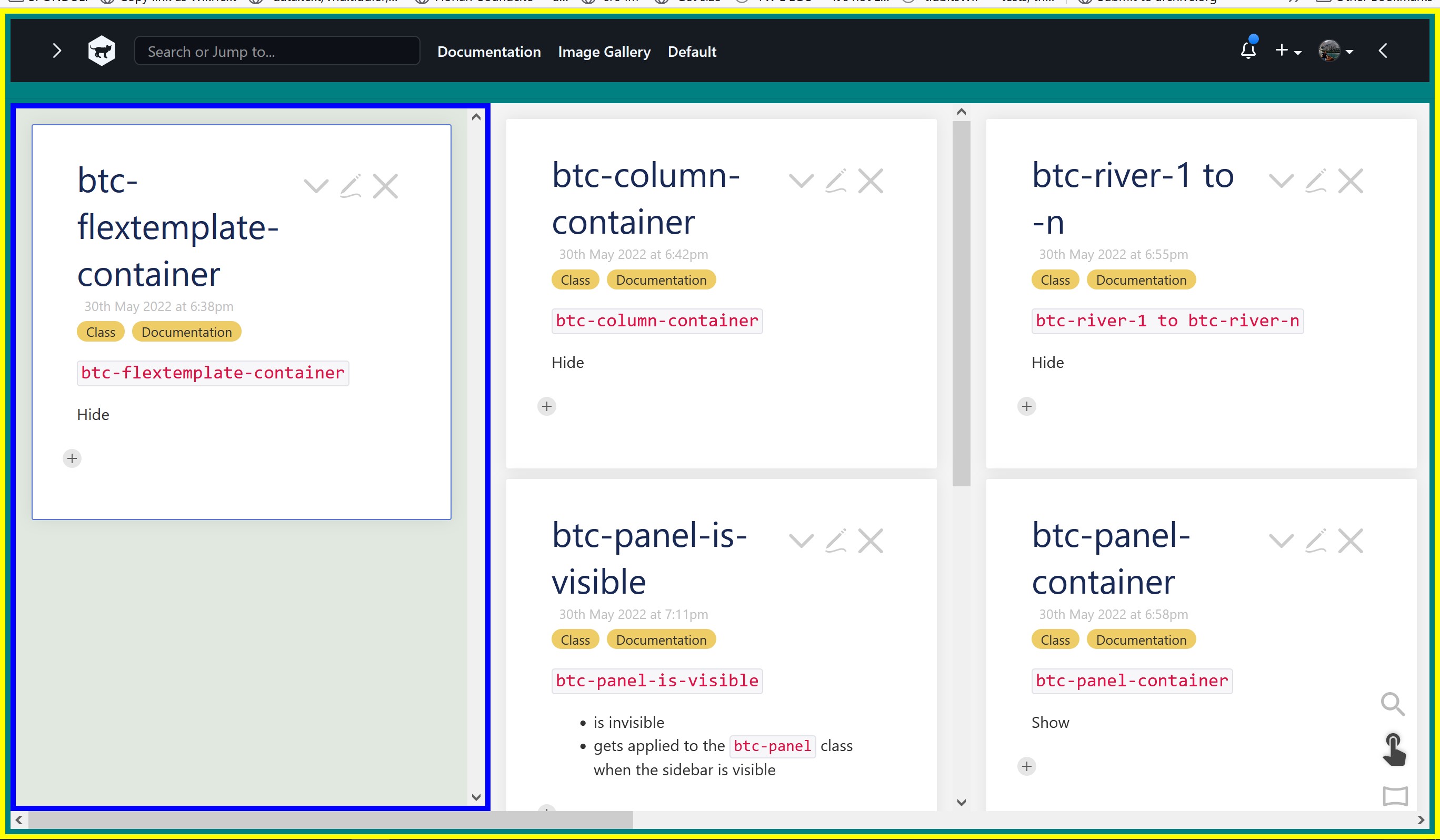
I wanted to add that I think that kind of illustration is useful. Not just for debugging but also to illustrate class use in TW.
For instance, I thought it useful that @BurningTreeC in his docs provides visual illustration of the special classes he added for a multi-column layout. MultiColumn Layout — v0.86.0 (Click “Documentation” to load it). Example …