

It puts a little squiggly line below trailing spaces to make them visible.
Hi @stobot
yes it was the emoji-picker, I’ve solved that
there’s a readme in the snippets plugin that shows how to do it
yes that’s definitely a highlight 
that should be fixed now!
Thanks for your feedback and best wishes,
Simon
1 Like
Hi @Yaisog
The plugin now has a “show trailing whitespace” toggle and a “remove trailing whitespace” button

Simon, can you add matching/closing quotes support for:
| Description | Character | Named Entity | Numeric Entity | Unicode Code Point | |
|---|---|---|---|---|---|
| 1 | Left double quote | “ | “ |
“ |
U+201C |
| 2 | Right double quote | ” | ” |
” |
U+201D |
| 3 | Left single quote | ‘ | ‘ |
‘ |
U+2018 |
| 4 | Right single quote | ’ | ’ |
’ |
U+2019 |
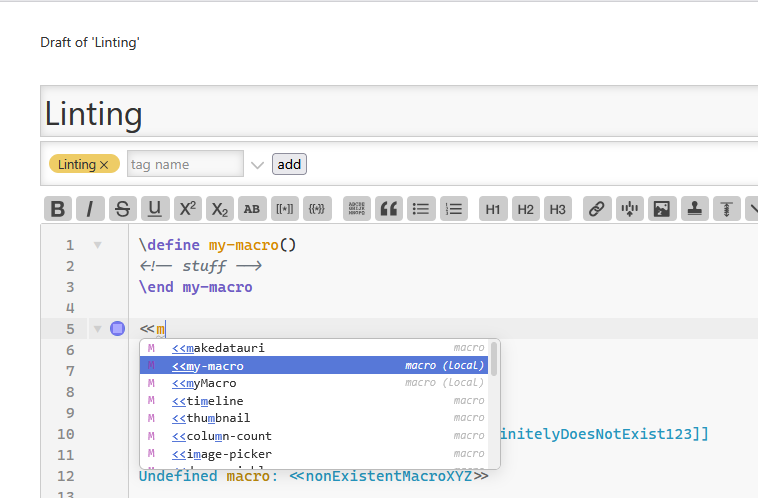
Simon, not sure what you called this in the previous version – I’ll call it predictive text. The editor stored previously found words and offered them up as you typed. I’m a huge fan of how you made that work, and a huge for of predictive text, especially for lengthier words (I’m not a great typist! )
)
Do you plan to re-implement that in CM6new?
When writing filters, typing <variable> will add a closing tag </variable>. Is there a way to check if we’re inside a filter (after a not-yet-closed opening [) or if variable is a valid variable name, to then suppress the closing tag?
Also, if I start a word, close the autocomplete popup, and continue writing the word, the new autocomplete popup will show suggestions starting with the newly typed letters, not considering the beginning of the word, e.g. type titl, press ESC, type e to get suggestions starting with e, not with title.
Hi @CodaCoder
I’ve added something but could not test it, could you please test?
already implemented but must be enabled in the ControlPanel > Settings > CodeMirror > Editor
Thank you for your ideas and best wishes!
1 Like
Hi @Yaisog that’s fixed now, thank you for reporting!
Oh wow, that’s very bad! I’ll have to dig into this. Also here, thanks for reporting!
Congratulations @BurningTreeC, this is exceptionally impressive.
It fills such a yawning gap for so many users that I would be very interested in publishing it as an official plugin.
8 Likes
I just upgraded to v0.0.12 and cannot reproduce it anymore. 

That’s what I get when I hit my key macro. Here is CM6old:

Haha @CodaCoder - I messed with the inner workings of CodeMirror!
In the “old” CodeMirror plugin this works?
The curly quotes? Sure.
STOP. Your work is done 
I can fix it myself, at the key macro generation (AHK). “ and ” are working just fine.
For anyone interested, save your AHK script as utf-8 with BOM
1 Like
Simon, thanks for the rapid updates. Much appreciated.
Line 1: The comment is preventing detection of an incomplete macro definition.
Line 4: name already defined in a child macro is not an error.

Hi @CodaCoder - that’s tricky to get right … first of all it’s the indentation that makes the second test-1() invalid. Then there are also nuances in parsing pragmas that I have to fix
EDIT: or is \define → indented valid TW syntax? I never questioned the opposite…
It is. Has been since they were introduced.