
Yes exactly, and that’s what I’m doing. I’m building only the needed libraries
Helloo,
Coloured KaTeX is now working with your update. Thank you.
However… 
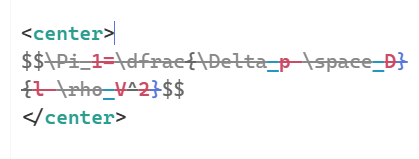
Anything between tags (I havn’t checked other tags) gets crossed out!
Deleting either the opening or closing tag removes the strikethrough.
1 Like
Hi @Ste_W , thanks for reporting! I need to look into this nasty bug! 
Also, the <center> tag is missing from autocompletions!
1 Like
CodeMirror 6 TiddlyWiki Plugin - Recent Updates
Here’s a summary of improvements made to the CodeMirror 6 editor plugin for TiddlyWiki.
Filter Autocompletion Enhancements
Completions Now Work in Plain Text Filter Expressions
Previously, filter operator completions only worked inside confirmed filter contexts like {{{filter}}} or filter="...". Now, a new IncompleteFilterRun parser detects filter-like patterns in plain text, enabling completions as you type.
Example: Typing [list[$:/StoryList]get[ now shows filter operator completions even in regular paragraph text.
Support for Function-Style Operators
-
Dots in function names: Custom functions like
[my.function[operand]]are now properly recognized -
Multiple operands: Functions with multiple parameters like
[my.func[a],[b]]or[my.func<var1>,<var2>]are now fully supported for both completions and syntax highlighting
Smarter Context-Aware Completions
-
[imgand[extcompletions (for image/external links) now only appear when the context is ambiguous - they no longer show up inside confirmed filter contexts where they wouldn’t be valid -
Chained operators after
[operator[operand]]now properly trigger completions
Linter Improvements
Action Variable Recognition
The linter now recognizes implicit action variables provided by TiddlyWiki widgets. Variables like actionTiddler, actionValue, modifier, etc. are no longer flagged as undefined when used within action attributes.
Supported widgets include:
-
$droppable/$dropzone:actionTiddler,actionTiddlerList,modifier -
$checkbox/$radio/$select/$range:actionValue -
$eventcatcher:dom-*,modifier,event-*,tv-popup-coords, etc. -
$linkcatcher:navigateTo,event, etc. -
$keyboard:event,modifier
Nested Pragma Parameter Inheritance
Parameters from outer pragmas are now properly inherited by nested pragmas:
\procedure outer(param1)

\procedure inner()

<!-- param1 is now recognized here -->

\end

\end
Parser Improvements
Inline Code with Double Backticks
The parser now correctly handles double-backtick inline code: ``code with `single` backtick inside``
Improved Escape Handling
Backslash escapes (\x) are now only recognized for actual wiki syntax characters, reducing false positives.
Highlight/Styled Span Improvements
The @@styled@@ syntax now properly handles CSS styles followed by classes:
@@color:red;font-weight:bold;.myclass Some styled content@@
WikiLink Placeholder Support
Links can now use $param$ placeholders in their targets:
[[Link Text|$targetParam$]]
Inline KaTeX/LaTeX Support
When KaTeX is enabled, inline math expressions $$formula$$ are now properly parsed and highlighted.
Editor Engine Improvements
Auto-Close Variable Substitution
Typing $( in a \define block now auto-completes to $()$ with the cursor positioned for variable name entry. This smart completion adapts to existing brackets.
Variable Completions in Substitution Context
When inside $(...) in a \define macro, typing triggers variable name completions.
Click-Navigate Cursor Fix
Fixed an issue where the pointer cursor could remain after Ctrl+clicking navigable links.
These updates improve both the editing experience and code quality checking. The filter completion system in particular is now much more robust, supporting the full range of TiddlyWiki’s filter syntax including custom functions with multiple operands.
5 Likes
I’ve had a rather frightening incident since yesterday, only now have I managed to recover my data.
I was fed up with the constant alert popups when I typed anything, I disabled the main CM6 plugin and when I reloaded, I was greeted with this:
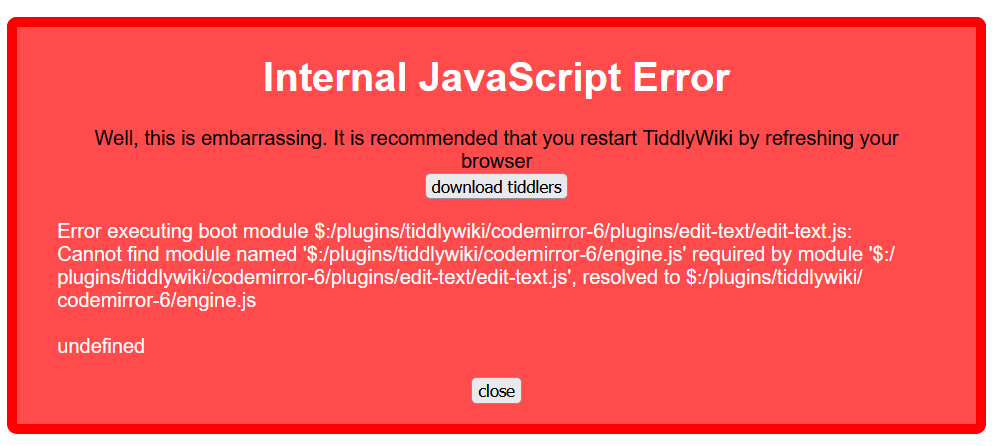
TW was not loading at all, all I got was the above. It’s too late to backtrack and find out the exact setting/option that might have triggered the above. I assume that having set CM6 as the default editor for every single input field (input, text area, title, tags etc), and then disabling CM6, TW Core was left looking for it but it could not.
I don’t know what I should have done differently. If I deleted CM6 and all its plugins, would it behave more gracefully? Anyway I think I’ll step back from experimenting with CM6 for now 
Oh Gosh, I’m so sorry @Lamnatos !
Yes, the edit-text (the simple inputs) depend on the base CM6 editor… this cross-dependency causes this problem. The edit-text plugin is rather new and I have to look into how to sort this out.
I beg for pardon for this incident
1 Like
IMPORTANT NOTE!
There’s a fix upcoming, but for now don’t use the edit-text plugin! It depends on the editor plugin and should have fallback options to the framed engine and simple engine!
I apologize for any inconvenience caused!
2 Likes
I’m not sure if you’re tracking this already, but the linter gives a warning about an unclosed html tag when you have an another tag within it closed in the same line. Here’s a simple example:
<div>
    <div>Text</div>
</div>
This produces a warning shown on the first div that it is unclosed, which is not correct. However if I put each of the inner div tags on its own line, then the warning goes away.
Thank you for all your efforts in building this! This is a great addition to TW.
1 Like
Hi @jc-ose
Could you please try here: https://deploy-preview-9556--tiddlywiki-previews.netlify.app/ ?
I couldn’t produce this issue on this page (this is the latest development page)
Thank you and best wishes,
Simon
I ran a few tests and I don’t get the issue on that page either! That’s good. Looks like it was specific to the demo site.
Thank you!
1 Like
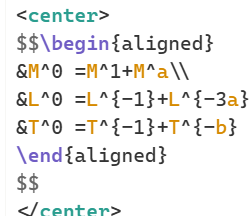
Look at that! Thank you!
4 Likes
The cross-dependency issues have been solved
If a plugin gets disabled that’s important for other plugins, the other plugins will not crash the wiki, they will silently do nothing or fall back to the standard TiddlyWiki editors / inputs / textareas
Simon
7 Likes
Updates
- we have new Editor toolbar buttons: search, goto-line and convert (space) indentation to tabs
- bidi improvements if enabled in the Settings, rtl text is recognized and shown from right to left, ltr text from left to right and mixed text from left to right
- whitespace before block elements now recognizes them correctly
- some bug fixes, one causing a “RangeError” RSOE
Overall I’m pretty happy now with the functionality and how the Editor works
I’d love to get some feedback if you find bugs or strange behavior
Thank you, Simon
2 Likes
Hi Simon,
my wiki runs with “old” CodeMirror 6 Plugin:
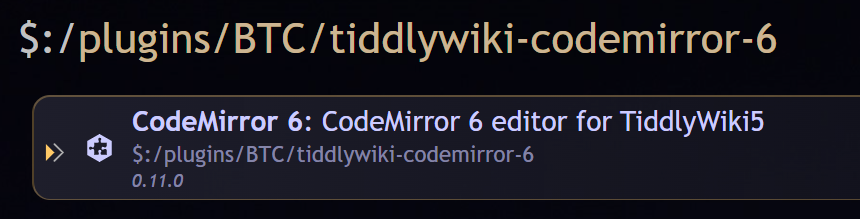
Installed “new” CodeMirror 6 for a test:

Opening a new tiddler will show this error:
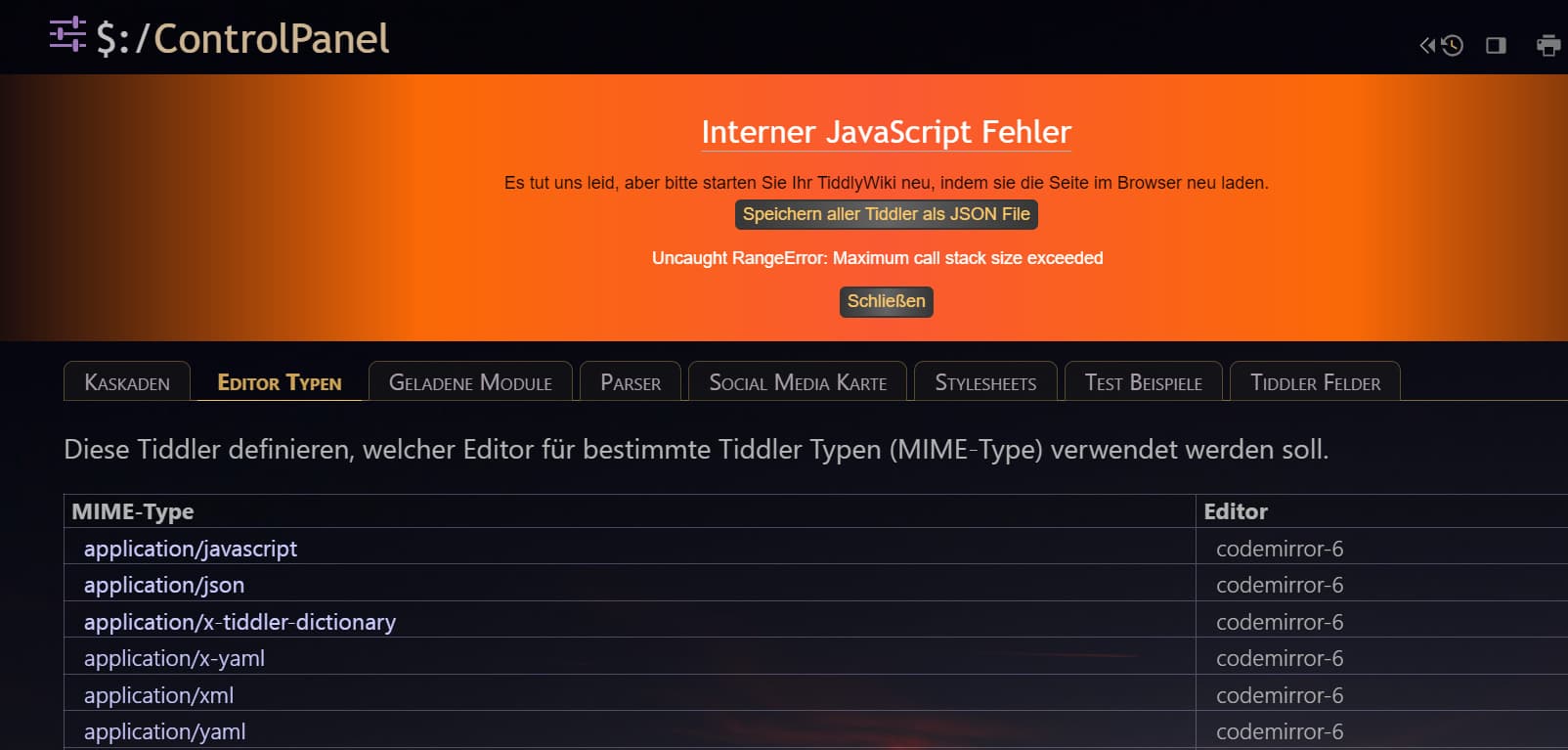
→ clicked on “close”:
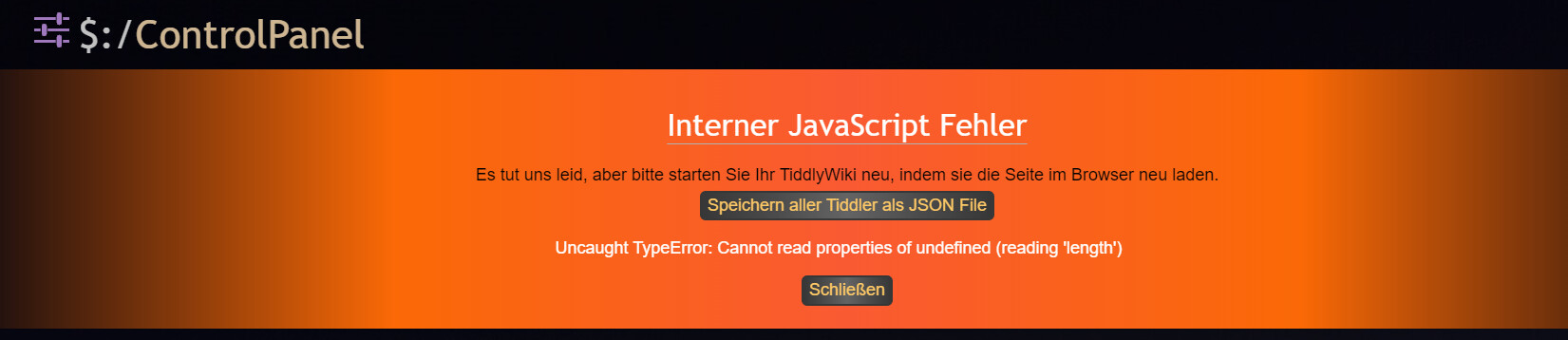
Is the new CodeMirror 6 only running in version >= 5.4.0?
Are additional Plugins mandatory?
What do I have missed?
Thanks,
Stefan
Hi @StS
you cannot have both the old CodeMirror6 and the new one installed. That just doesn’t work.
Your Javascript error doesn’t tell me much but I guess it’s because of that.
If I import the new CodeMirror 6 editor in an empty 5.3.8 tiddlywiki it works.
So no, it’s not only running in 5.4.0 and it’s standalone, no additional plugins necessary.
But I recommend the lang-tiddlywiki plugin.
1 Like
Ok, I thought, the old one will be replaced…
I’ll check it.
No, they have different names
best wishes,
Simon
deinstalled old CM6 and installed new → OK
found this issue:
Press ctrl+F → 1rst line "search; 2nd line replace
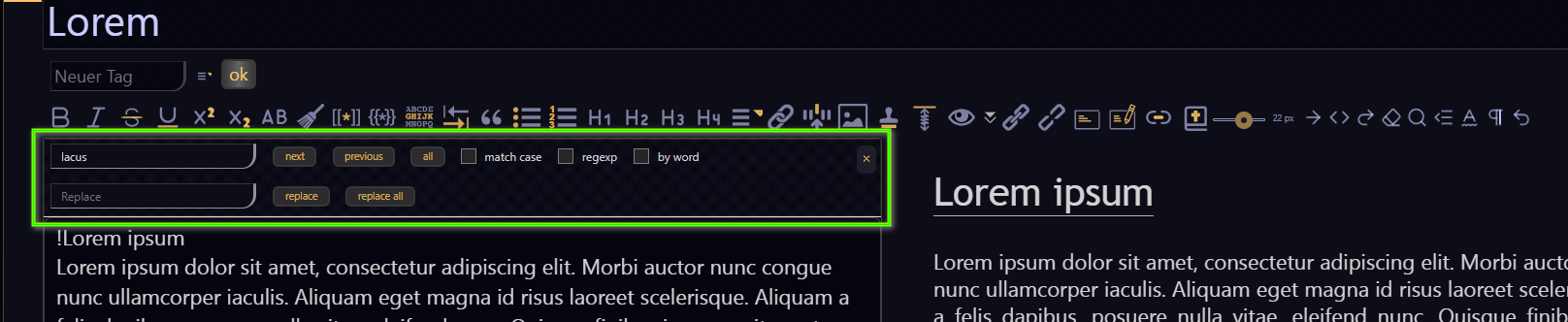
→ scroll down → 1rst line disappears:

→ close the preview:

→ scroll → line disappears:

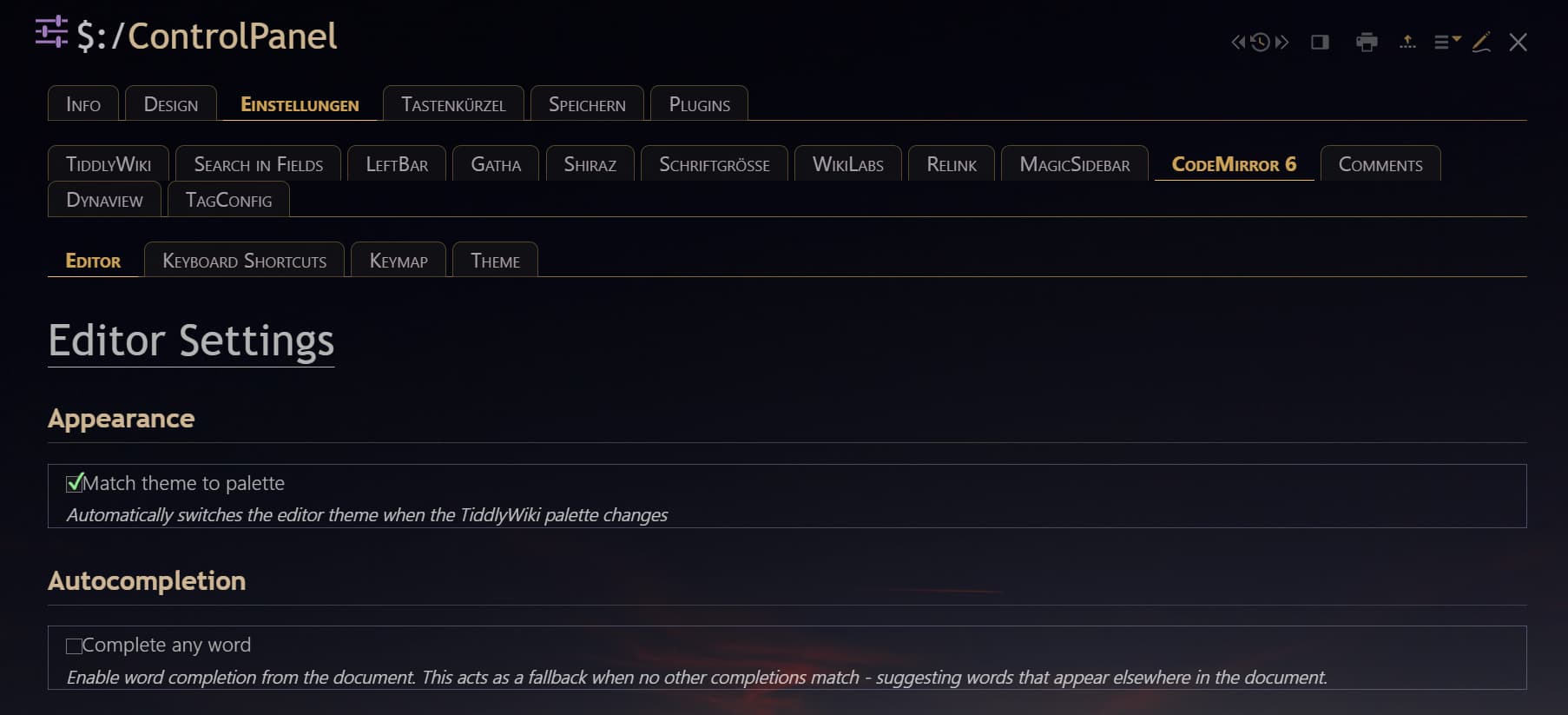
What plugin is needed to get line numbers back?
No button seen / no setting found in “Editor Settings”
Thanks.
Thanks for reporting @StS !
I try making the search stickier and fix the one-line issue.
For the line numbers, just install the line-numbers plugin.
Kind regards,
Simon