First of all, thank you so much for developing this amazing plugin! It has been an incredibly useful tool and an essential part of my TiddlyWiki workflow.
I recently upgraded the plugin from the older version 0.0.35 to the latest version , and I encountered a critical issue when editing.
The Issue:
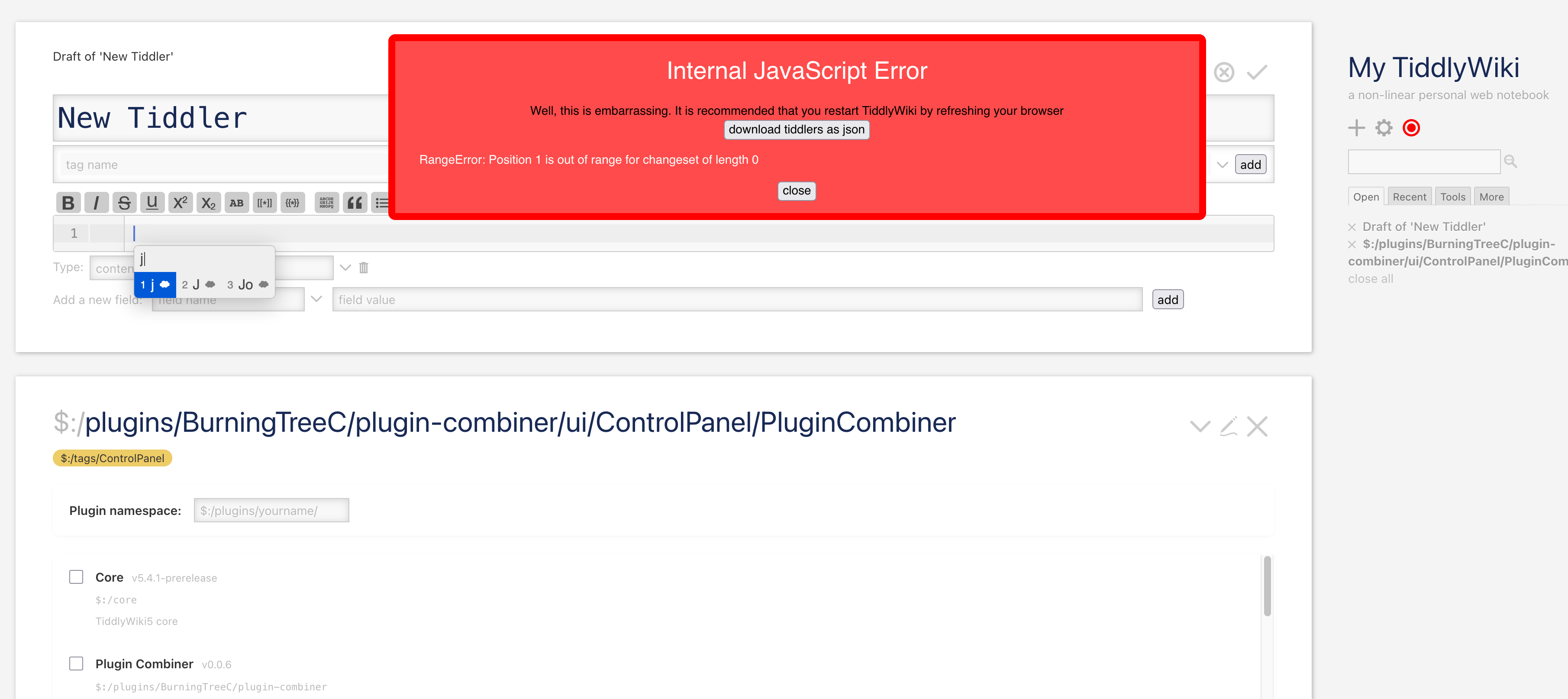
When using a non-direct input method (IME, such as Chinese Pinyin or Japanese Romaji) to edit at the very end of a tiddler, TiddlyWiki throws an “Internal JavaScript Error”.
Steps to Reproduce:
Open any tiddler in edit mode.
Move the cursor to the very end of the text area.
Start typing using an IME (while the characters are still in the composition state, i.e., before pressing Space/Enter to commit the text).
The “Internal JavaScript Error” red banner/popup appears immediately.
This issue only happens when editing at the very end of the text. Typing in the middle of the tiddler works fine.
This issue was not present in version 0.0.35. It seems to be a regression introduced in the newer versions.
It feels like the newer version might have introduced some selection, cursor-tracking, or auto-save logic that conflicts with IME composition events (compositionstart / compositionend) when the cursor is at the text boundary.
Could you please look into this when you have time? I would be more than happy to provide browser console logs or help test any potential fixes.
Thank you again for your hard work and dedication to the TiddlyWiki community!
I’ve added a DefaultTiddler now; per TW-Tones suggestion elsewhere, I’ve also set it to automatically rebuild if any new upstream commits are found; checking once per hour.
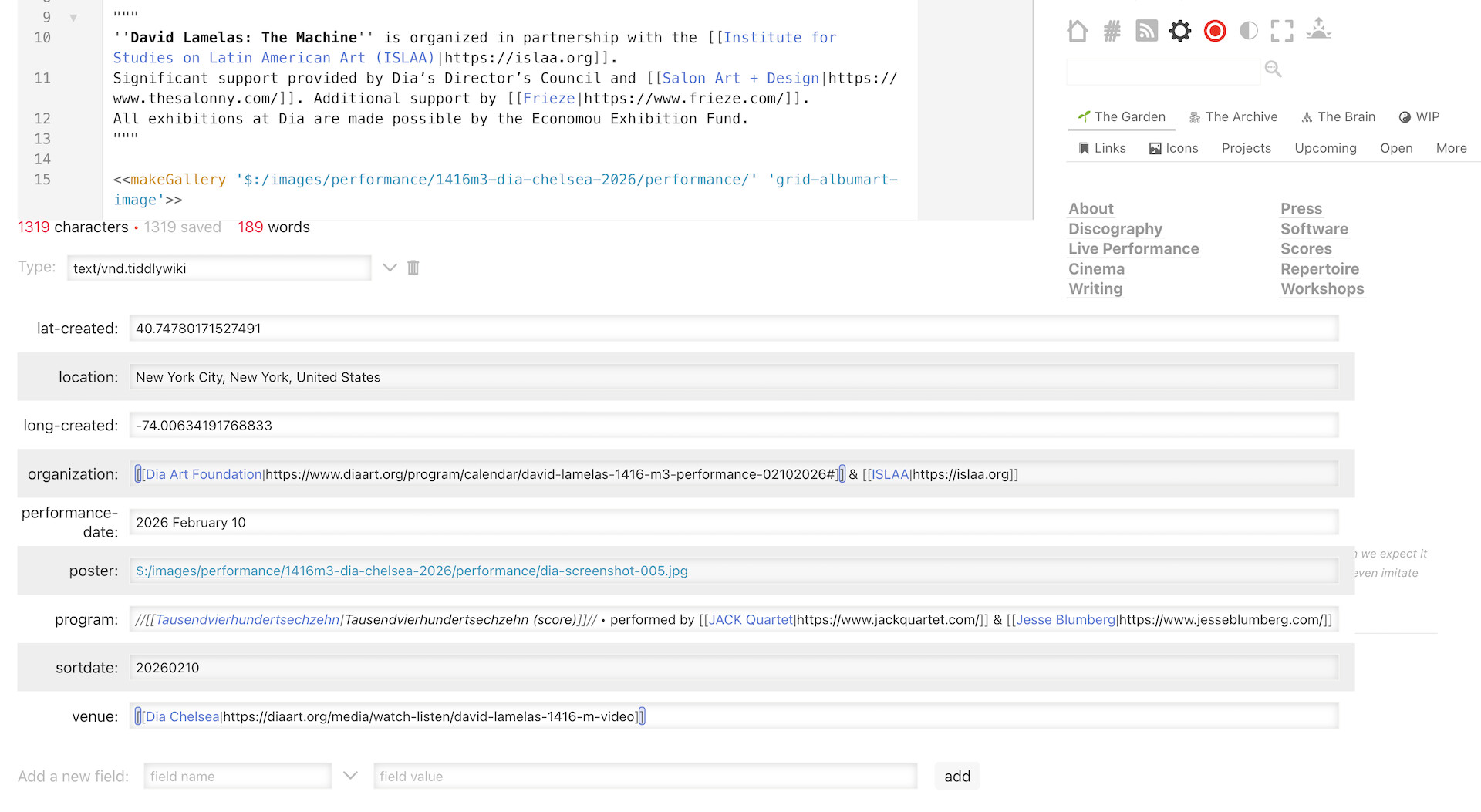
Really promising and great update to previous CodeMirror 5 plugin I was using. I noticed that fields containing long strings are overflowing beyond their container, and I am losing the Trashcan icon that is useful to delete the field. Is there a way to adjust this behavior of the fields ?
There is a sub Plugin responsible for editing fields with the new code mirror editor. That can be turned off to just use the default. However I also expect that plugin may contain the Classes/CSS that is causing the overflow when the core uses the edit-text widget to edit fields (with codemirror 6 installed)
I will test this later today to see if I can reproduce it.
Thank you so much for the incredibly quick fix! It works flawlessly now!
However, I noticed a minor side effect in this new release. It seems the search input in the Advanced Search (the sidebar search) has been “hidden” or shrunk to the point of being barely visible.
After inspecting the page, I found this is caused by the following CSS rule:
html body .tc-search .tc-editor-codemirror6-input {
    display: inline-block;
    width: auto;
}
I’m not sure if this was the intended behavior for some other layout, but it does break the search box usability in the sidebar/advanced search.
Could you please check if this CSS rule can be scoped more specifically, or if we can restore the search box width?
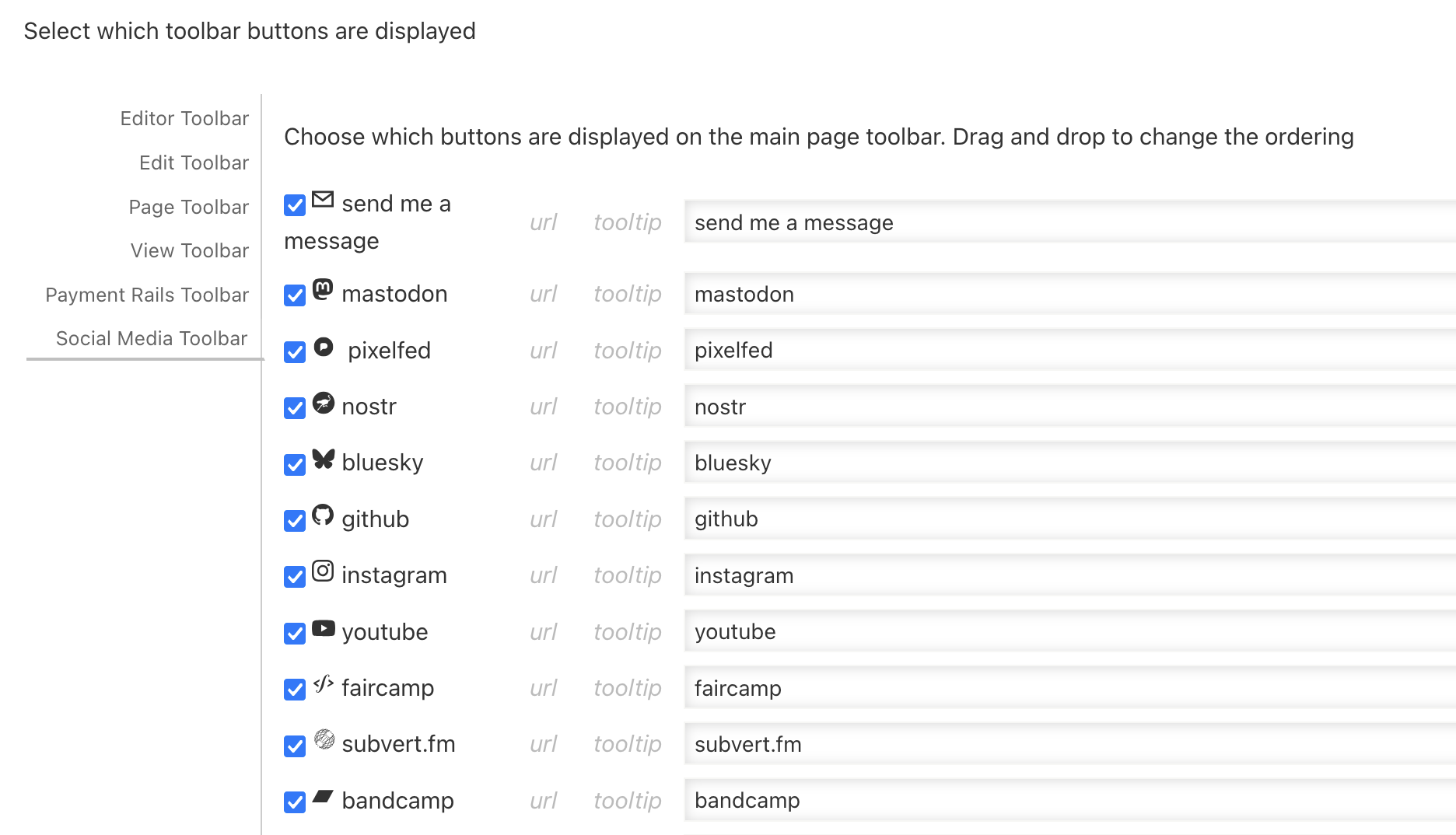
I encountered the same problem @m1m0ry . My custom toolbar url fields in the Control Panel also vanish with the latest 0.2.2 build, along with advanced search in the sidebar.
I am also noticing that in my Node.js wiki with CodeMirror 6, pressing ⌘ + mouseclick on a tiddler reference (e.g. inside a transclusion) does not open the tiddler in the story river, but doing so on a single-file wiki does perform the open operation on the tiddler. I wonder if this is a CodeMirror 6 issue or general discrepancy in TW running on Node ?
The issue with the sidebar search and advanced search should be solved now.
@gavcloud I tried the current CodeMirror 6 on NodeJs and it was possible to navigate to a transcluded tiddler using ctrl-click so I’m not sure where the issue is coming from on your side.
I noticed that the new version introduces multi-cursor support (similar to VS Code), which is a fantastic feature! It works beautifully on Windows.
However, I encountered two issues regarding its configuration and cross-platform compatibility:
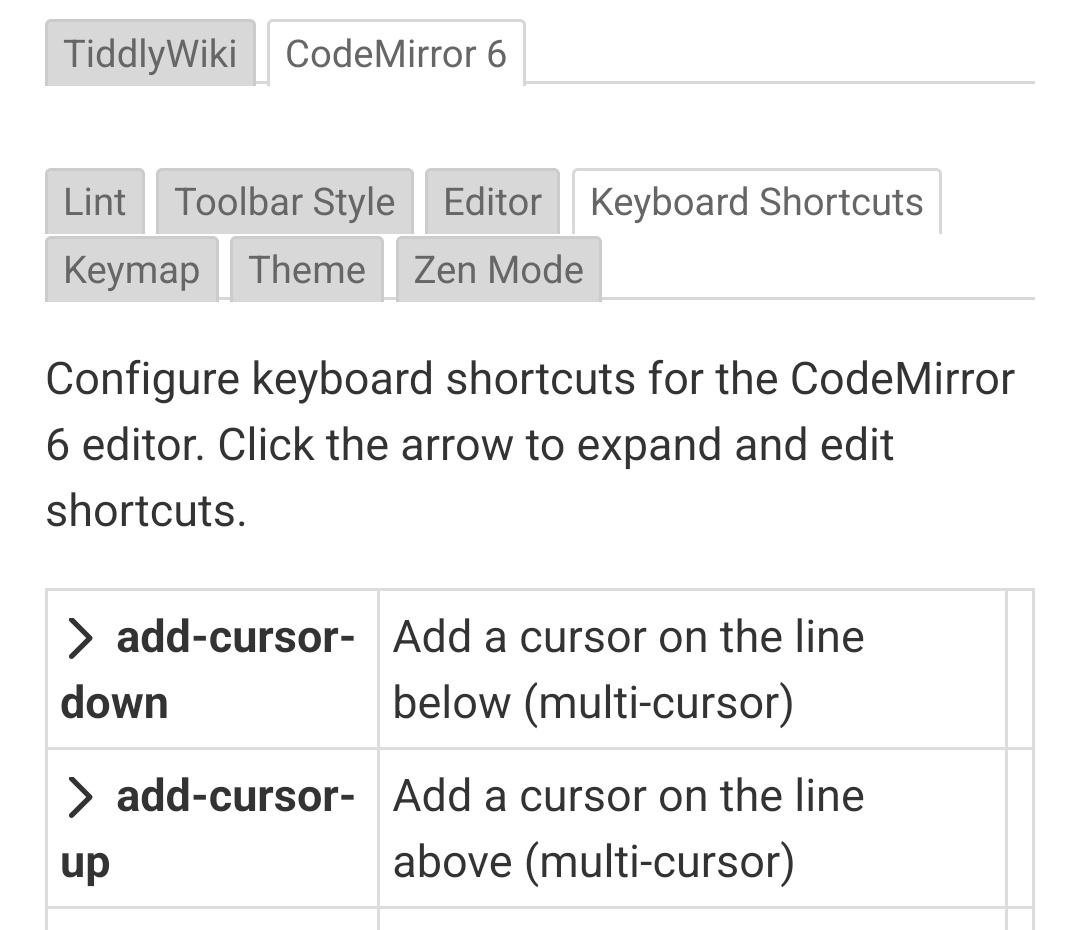
Custom Shortcut Settings Do Not Take Effect:
When I try to modify the default shortcut settings for multi-cursor in the plugin configuration, the changes do not seem to apply or take effect. The editor still expects the default keybindings.
Shortcut Conflict on macOS (Firefox):
On macOS, the default shortcut conflicts with Firefox’s built-in system shortcuts. This makes it impossible to trigger or use the multi-cursor feature when using Firefox on Mac.
Just to provide some additional details regarding the multi-cursor issue to help you debug:
On Windows, the multi-cursor shortcuts work, but there is an issue with customization: I am unable to change the default “ctrl-alt-Down/Up” keybindings to any other custom keys (the settings change doesn’t apply).
On macOS, the default “ctrl-alt-Down/Up” shortcuts do not work at all (likely due to system or browser-level conflicts).
Interestingly, the “ctrl+click” shortcut for adding multiple cursors works perfectly on both Windows and macOS.
Hopefully, this helps narrow down where the shortcut registration or customization logic might be failing. Thank you!