
Iframe responsive CSS (checking whether wiki is now displaying within iframe)

Dear all,

I’m sure this came up before, and I thought I had even implemented the solution somewhere… but I’ve tried various searches and came up empty.

I want some elements in my wiki to be visible IFF the wiki is rendering within an iframe, but not when it’s being loaded directly (including, for example, a prominent invitation/link to open the site in its own tab or new window, plus hiding sidebar and other bulky elements, so the iframe can use limited space more efficiently).

I remember there are some variables that can be compared by javascript (variables such as window.location or window.top or window.name or window.self or window.parent …?) where the variables will match when we’re NOT being nested within an iframe…

I do see solutions for generic javascript-enabled html pages in these sites: https://stackoverflow.com/questions/326069/how-to-identify-if-a-webpage-is-being-loaded-inside-an-iframe-or-directly-into-t and How To Check if a Page Is in an iFrame | Tom McFarlin

… but I’m not confident with setting this javascript up so that its output can be leveraged by css.

Any guidance?

Many thanks in advance!
Here’s one method:

module-type: macro
title: $:/_/my/modules/macros/inframe.js
type: application/javascript

/*\
title: $:/_/my/modules/macros/inframe.js
type: application/javascript
module-type: macro

Macro to report whether this code is in an iframe

\*/

"use strict";

exports.name = "inframe";

exports.params = [];

/*
Run the macro
*/
exports.run = function() {
	return window.top !== window ? "yes" : "";
};

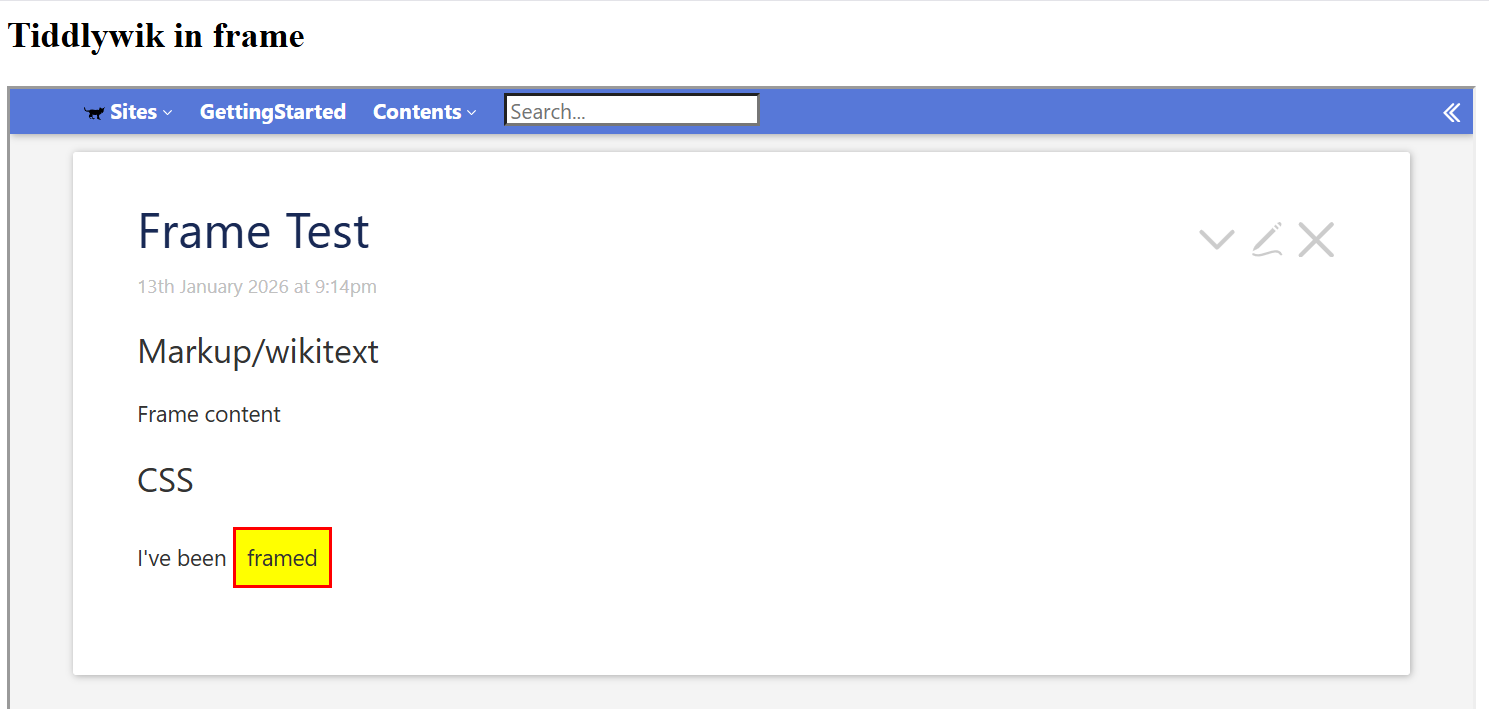
We can use it like this:

!! Markup/wikitext

<% if [<inframe>match[yes]] %>
  Frame content
<% else %>
  Non-frame content
<% endif %>

!! CSS

I've been <div class="framing">framed</div>

<style>
.framing {
  display: inline-block;
  padding: .5em;
  border: 2px solid red;
<% if [<inframe>match[yes]] %>
  background-color: yellow;
<% endif %>
}
</style>

And of course, we can also do this in a $:/tags/Stylesheet tiddler. But we will need the default type, text/vnd.tiddlywiki rather than text/css, since the latter does not handle wikitext markup.

Framed

Unframed

We can use the following, but because of the JS, we will have to save the wiki after importing it: $____my_modules_macros_inframe.js.tid (453 Bytes)

2 Likes

Fantastic — easy to set up and already tested.

My proof-of-concept css was as follows:

.iframe-only {
  opacity: 0.1;
<% if [<inframe>match[yes]] %>
  opacity: 1;
<% endif %>
}

Of course, I can replace low opacity with display:none; down the line, but at this point in developing my site, it’s nice to have faint visual confirmation — within my regular browser window — of the position of the conditional-display element.

1 Like

Perhaps;

.iframe-only {
<% if [<inframe>match[yes]] %> opacity: 1;
<% else %>   opacity: 0.1; <%endif %>
}

But untested something like this may work using styles, not stylesheets;

<htmltag style.opacity=`${ [<iniframe>then[1]else[0.1]] }$` >...

</htmltag>

Above untested by understood to be correct.