How to save a topic from the forum into a Tiddlywiki

Hi all

I frequently save topics that come up in this forum into a local Tiddlywiki for future reference. I do this by cutting and pasting the relevant pieces of information, but I do spend quite a bit of time reformatting the text.

Is there a simple way to do this while preserving the formatting?

Cheers, Rob

One way you could do it, and it’s not exactly the best option since a little clean up might be needed, is you can right click, view page source, and copy all the text between the noscript html elements.

I would like to hear from others if there is a cleaner method available.

There is an indirect and somewhat manual way to import a talk.tiddlywiki.org discussion thread into Tiddlywiki. I give it a quick test, it SEEMS to work. Note that this is just a starting point, there are more testing and works for you or somebody else to get it to the end point.

Give this a spin:

  1. Save the (AI generated) javascript below as a browser bookmarklet in your browser bookmark. Chat with an AI if you are unsure what is a browser bookmarklet, they can guide you much better than I could.

  2. In a talk.tiddlywiki.org discussion thread in your browser, add “.json” to the URL to display the discussion in JSON format. An example for this thread is https://talk.tiddlywiki.org/t/how-to-save-a-topic-from-the-forum-into-a-tiddlywiki/15094.json.

  3. Run the bookmarklet you saved in step (1) by opening it on this json page. It will extract the contents as tiddlers and download in a Tiddlywiki JSON file.

  4. Import the downloaded JSON file into Tiddlywiki : Open a Tiddlywiki file and drag that JSON file from your file explorer into Tiddlywiki to import it.

  5. Each imported Tiddlers contains a post in the discussion. You will need the markdown plugin to view markdowned text.

  6. Use Tiddlywiki to manipulate and manage these discussion tiddlers as you wish !

Have fun !

javascript:(function() {
    const data = JSON.parse(document.body.innerText);
    if (!data.post_stream || !data.post_stream.posts) {
        alert("This doesn't look like a Discourse Topic JSON page.");
        return;
    }

    const topicTitle = data.title;
    const posts = data.post_stream.posts;

    const tiddlers = posts.map((post, index) => {
        return {
            title: `${topicTitle} (Post ${post.post_number})`,
            text: post.cooked,
            author: post.username,
            created: post.created_at.replace(/[-T:Z.]/g, ''),
            tags: "Discourse Import",
            origin: `https://talk.tiddlywiki.org/t/${data.slug}/${data.id}/${post.post_number}`,
            type: "text/html"
        };
    });

    const blob = new Blob([JSON.stringify(tiddlers, null, 2)], { type: "application/json" });
    const url = URL.createObjectURL(blob);
    const a = document.createElement("a");
    a.href = url;
    a.download = `${data.slug}-import.json`;
    a.click();
    URL.revokeObjectURL(url);
})();

Oops, the “.json” only give you the first 20 posts, but if you append “.json?print=true” to the url like this https://talk.tiddlywiki.org/t/how-to-save-a-topic-from-the-forum-into-a-tiddlywiki/15094.json?print=true, you can retrieve up to 1000 posts per topic which is quite sufficient for talk.tiddlywiki.org.

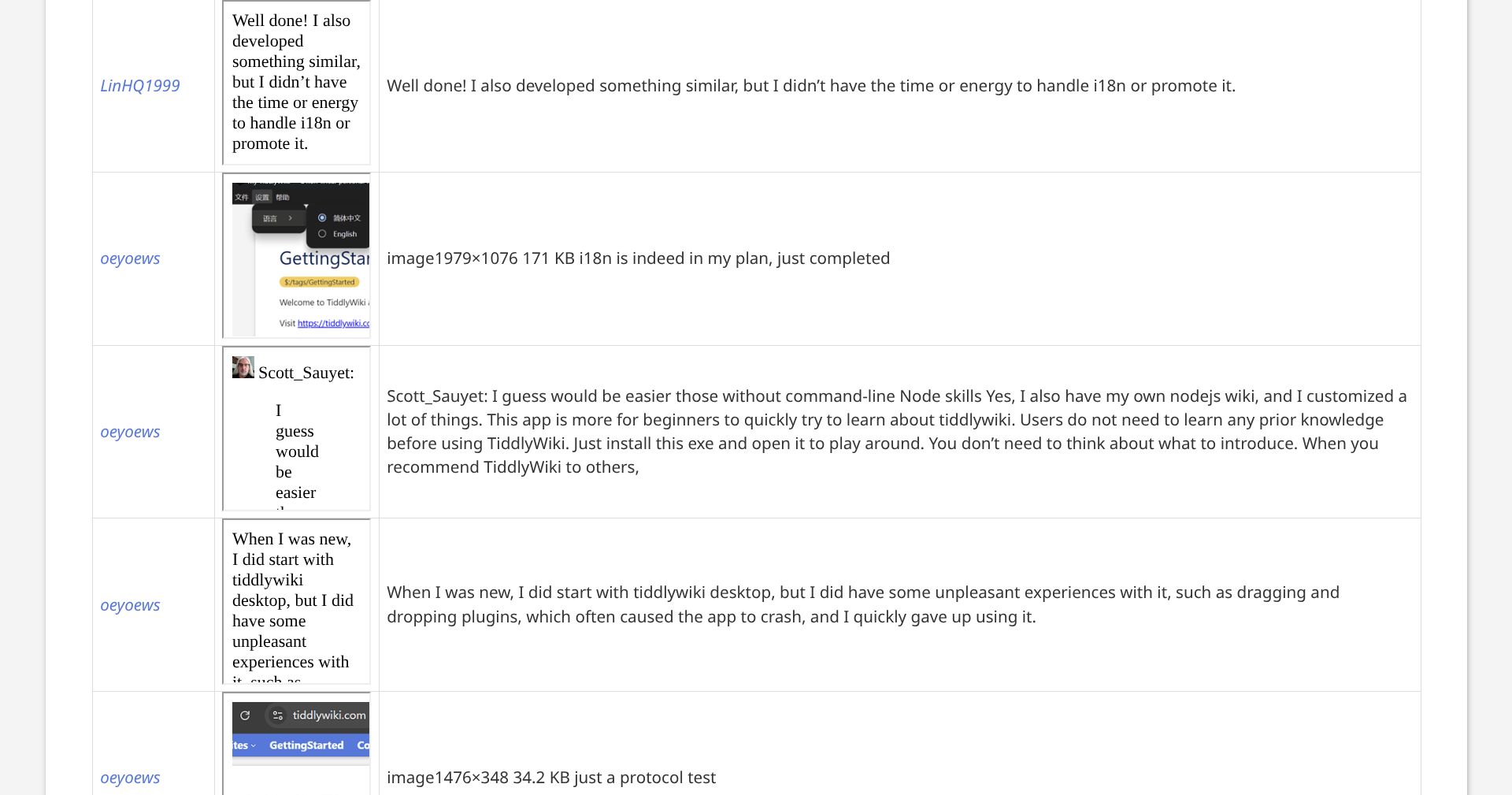
I wrote a little test in Tiddlywiki (with markdown plugin) to display the imported tiddlers with different view output.

<table>
<tr><th> Author </th><th> Text </th><th> Comment </th></tr>
<$list filter="[[$:/Import]links[]]" variable="comment" >
<tr><td> ''{{{[<comment>get[author]]}}}'' </td>
        <td><$transclude $tiddler=<<comment>> $output="text/html" /></td>
        <td><$view tiddler=<<comment>> format="plainwikified" /></td>
</tr>
</$list>
</table>

It’s a long thread from https://talk.tiddlywiki.org/t/tiddlywiki-app-a-smooth-user-experience-2025-for-multiple-platforms/12066/ :

Still some work to do to get plain clean text, especially for those comments with images and attachments, but I suppose this is a decent start to the task. Have fun :wink:

Quotes from Gemini AI on Discourse JSON :

Limitations of this JSON approach

While appending .json to a URL is a quick way to inspect data, it has several limitations for retrieving full discussion contents:

1. The “20 Post” Default

By default, the posts array only returns the first 20 posts. Even if the stream shows 500 IDs, you only have the content for the first 20. To get the rest, you must make additional, separate API calls (e.g., /t/{id}/posts.json?post_ids[]=...) using the IDs you found in the stream.

2. The 1,000 Post Hard Cap (with print=true)

There is a common “hack” where you add ?print=true to the JSON URL to get more posts at once. However, this is hard-capped at 1,000 posts. If a discussion has 1,500 posts, the “print” method will still miss the final 500 unless you manually paginate using &page=2.

3. Rate Limiting

If you try to “scrape” a long discussion by looping through the stream IDs and hitting the server for every 20 posts, you are likely to trigger the 429 Too Many Requests error. Discourse has strict rate limits for both anonymous and API-keyed requests to prevent server strain.

4. Content Formatting (Cooked vs. Raw)

The JSON typically returns “cooked” HTML (ready for display). If you need the original Markdown/Text (“raw”), you often have to specify additional parameters or use a different endpoint, which may require an API key and administrative permissions.
folks, do what I do;

hit edit on a reply select you text and copy, open a tiddler and past it into a markdown tiddler, you may need the markdown plugin if not already installed.

you can do the same for content copied from ChatGPT which is also markdown, and perhaps use pandoc if you have more exotic sources.

html can also be pasted into tiddlers but less easy to edit.

I’m not sure if it still works, but it could collect webpage as wikitext into nodejs wiki.

I haven’t use it for a while, because any knowledge could be generated by AI on the fly, or let it read the web.
I only use wiki for my personal stuff.

You can get the raw text of a post as Markdown text.

Your own post here is: https://talk.tiddlywiki.org/raw/15094/1

So it’s our URL/raw/<threadNumbber>/<postNumber> where the /raw/ bit is important here.

Have fun!
Mario

Useful!

I’ve never used Markdown in TW.
I assume to read the texts when they have complex markup you’d need a Markdown plugin?

If so, which one would you recommend?

TT

The “stable” version in the core. … But converting MD to TW syntax is simple for most content from the forum.