I asked Gemini this question…
How many states does the retain parameter have in the tabs widget? The documentation shows us “yes”, but tells us nothing of the default value. I ask, as I’m seeing three states: no value/parameter has different behaviour than “no” and still different behaviour for “yes”.
At first the response was two states. But, then I said:
Here is what I experienced. i used the browser’s dev tools with break points in code. Each tab had code to hit a specific breakpoint. With no parameter or a parameter of yes, all breakpoints were hit on load of tiddler or when a tab was selected. When I set the retain parameter to no, this did not occur. Only one breakpoint was hit—the one for the selected tab. therefore no parameter or a value of yes are performance issues for me.
Gemini claimed to review core code to confirm my finding.
Is my finding correct?
Craig
No idea.
Frankly I don’t understand what you are talking about.
TT
The retain parameter is used by the RevealWidget. Either yes or no are the options, with no being the default.
Performance should depend on how much content has already been rendered, and how much processing the content requires with each refresh cycle.
You can check out the Tabs macro to see that the RevealWidget just wraps the tab-content portion of macro.
The tabs widget/macro
https://tiddlywiki.com/static/tabs%2520Macro.html
…has a retain parameter. I’m finding three states: no, yes, default (ie parameter is not provided). Yes and no appear to behave as expected. However, the default differs from “no”. I would expect no and default to be same. However, based on my testing “no” prevents all tabs from rendering on tab selection, and default value does not.
I did just test it and “no” and “default” do the same thing.
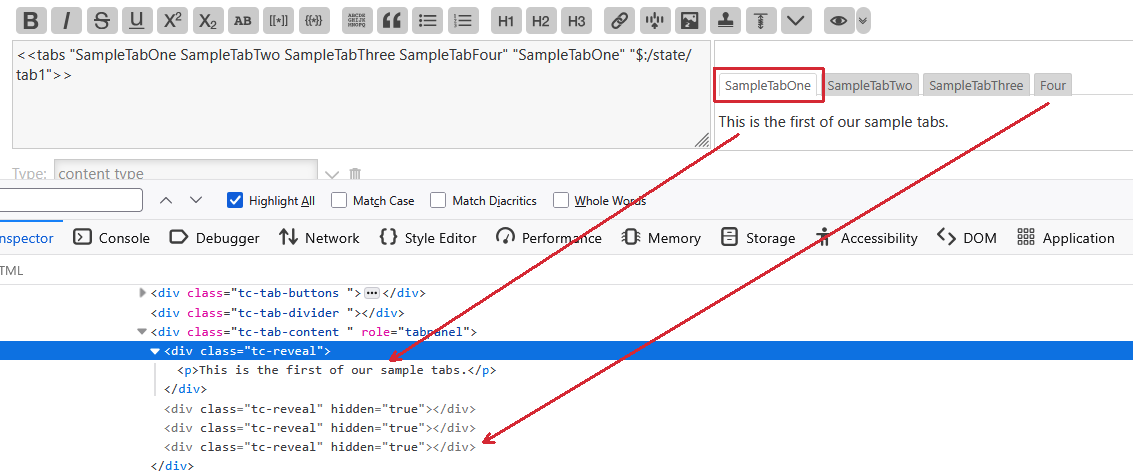
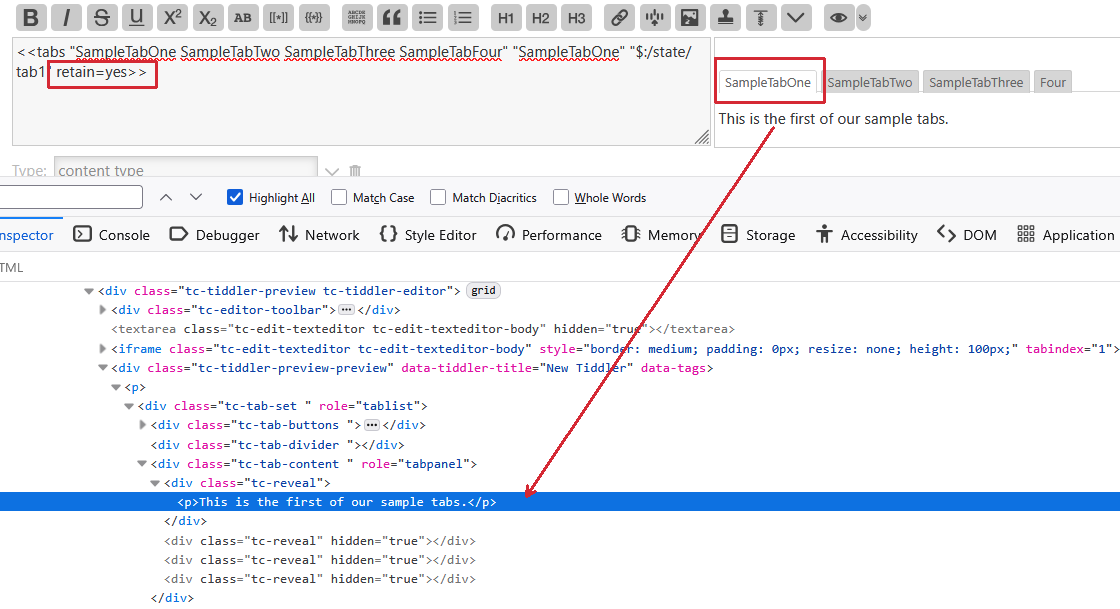
- This screenshot shows the initial state with default, since retain is missing.
- The first tab is selected and other tabs show “hidden=true” - but more importantly the DIVs are all empty.
- You can not expand the Two, Three, and Four DIVs
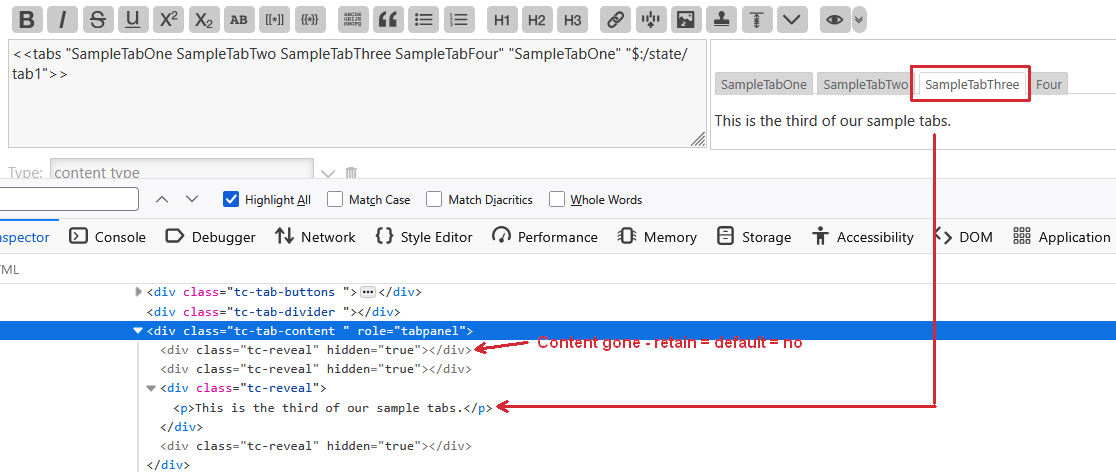
- If you click the Three tab you will see the DIV now contains content
- The first DIV is gone. That’s because retain = default = no
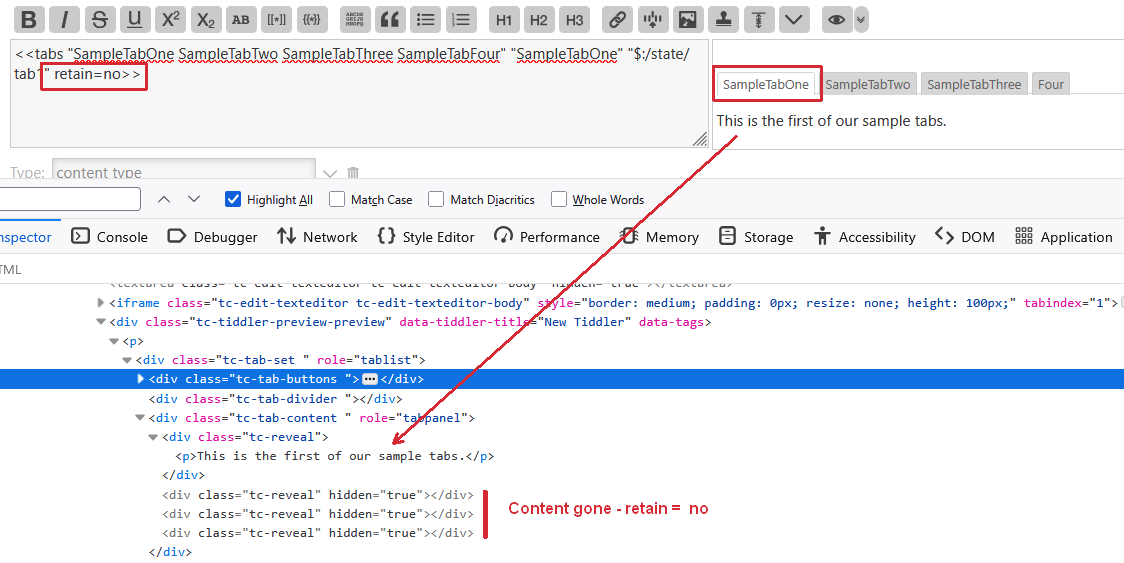
The following screenshot shows retain=no - first tab selected.
- It is the same DOM structure as the first screenshot.
- The DIVs 2,3 and 4 can not be expanded in the dev tools
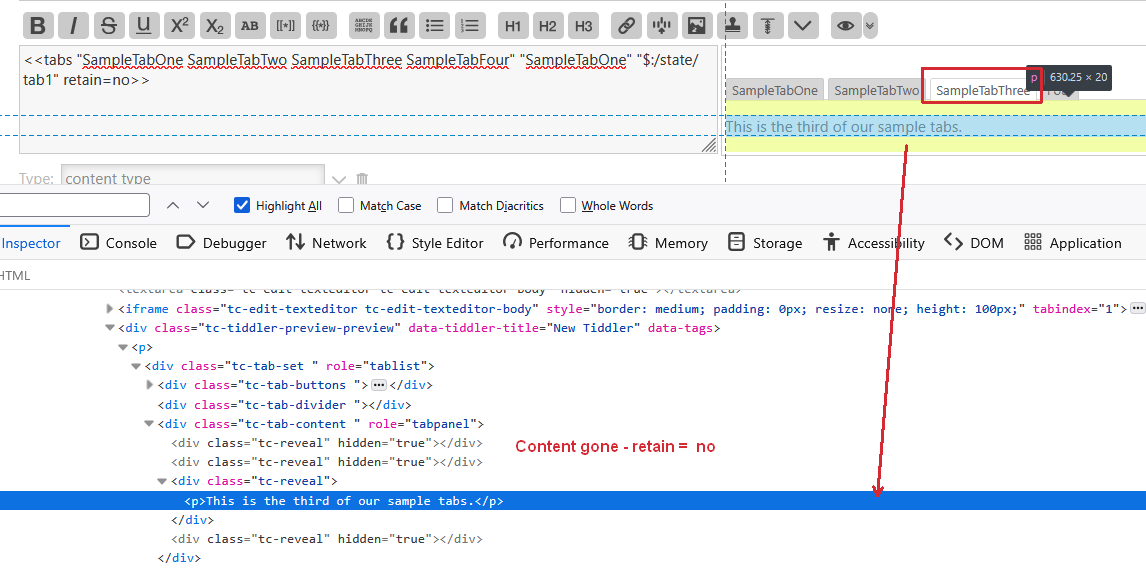
Same situation as screenshot 2
Clonclusion
retain=no and retain not defined behave the same way.
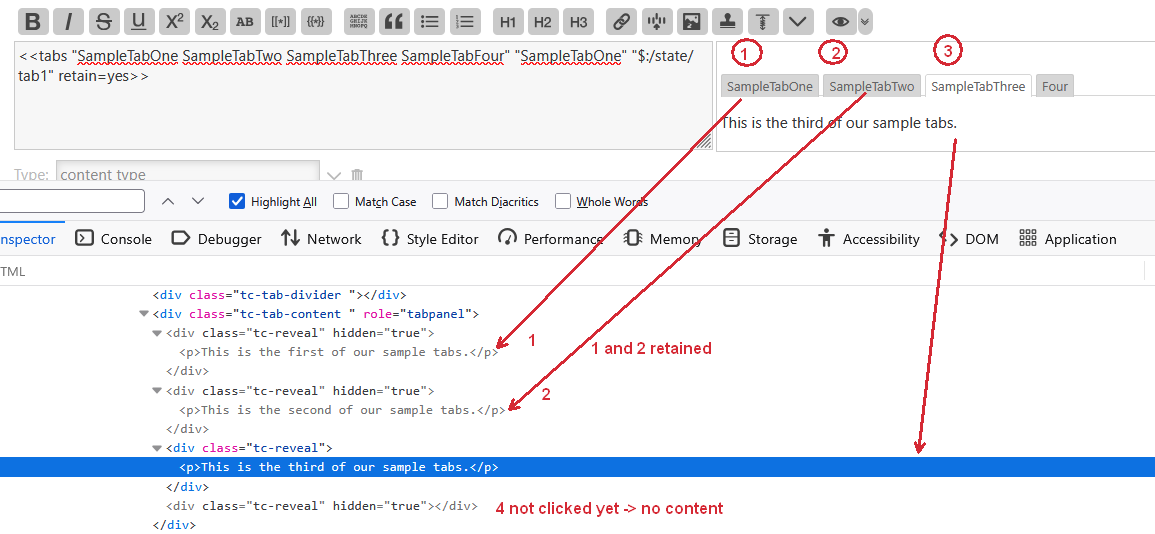
retain = yes
- Initial state - only first tab selected - only first tab has content
- Since tab 2,3,4 have never been shown they have no content.
- I clicked tab 1, 2 and 3 in sequence
- Tab 4 not clicked yet
- As you can see tab 1 and 2 are not selected but are part of the DOM
- The are rendered, if their content changes, even if hidden=true
- hidden retained tabs can waste performance
Hope that helps
-m
Althought it has not been discussed, this is how i understand it
tiddlywiki is used dynamicaly and a tab can contain as much content as any tiddler, the default would be to only render the content as needed not only being generated based on the current wiki state, just like when a tiddler is opend in the story.
Some tiddlers/tabs can produce substantial content and use lots of memory, presumably retain=no can be used to assist in this case or yes, if the user is likely to switch between tabs regularly and we dont want content such as audio and videos resetting.
- if there are changes to data in a tab tiddler I believe it will still rerender.
@pmario @TW_Tones thank you for the responses. And, @pmario the work in testing this out.
This forced me to review the core code and test my code under multiple scenarios.
First, to clarify my original test, I have multiple tabs that use various custom JavaScript filter operators that I wrote. A few of these are complex and can take a bit of time to run. I had set breakpoints in Dev Tools (in Edge) to debug a new tab that used a new custom operator and found that when retain was set to default or yes I found all my breakpoints (across all tabs) were being hit during tab navigation/selection. Suggestion all tabs are being rendered (though those not selected are hidden).
I’m not sure where I went wrong, but I had concluded that setting it to “no” verses default (not providing a value) my break points were not being hit, other than the tab selected. However, last night I retested this and found that not to be the case. The behaviour was the same.
There was one thing I found strange. In another test I enable tw performance monitor. After save and reload, the performance log shows only results from the selected tab. This contradicts my findings with the Dev Tools breakpoints.
Regardless, I found a solution to the performance. Thank you for your time.
Craig
Do you use the link-to-tabs plugin?
It replaces the core tabs plugin, with an older version.
If yes, which version? - I did update it lately, so it overwrites very little of the tabs plugin.