— Warning: It gets very technical —
This section is for developers and advanced users!
TiddlyWiki Internal Data Store
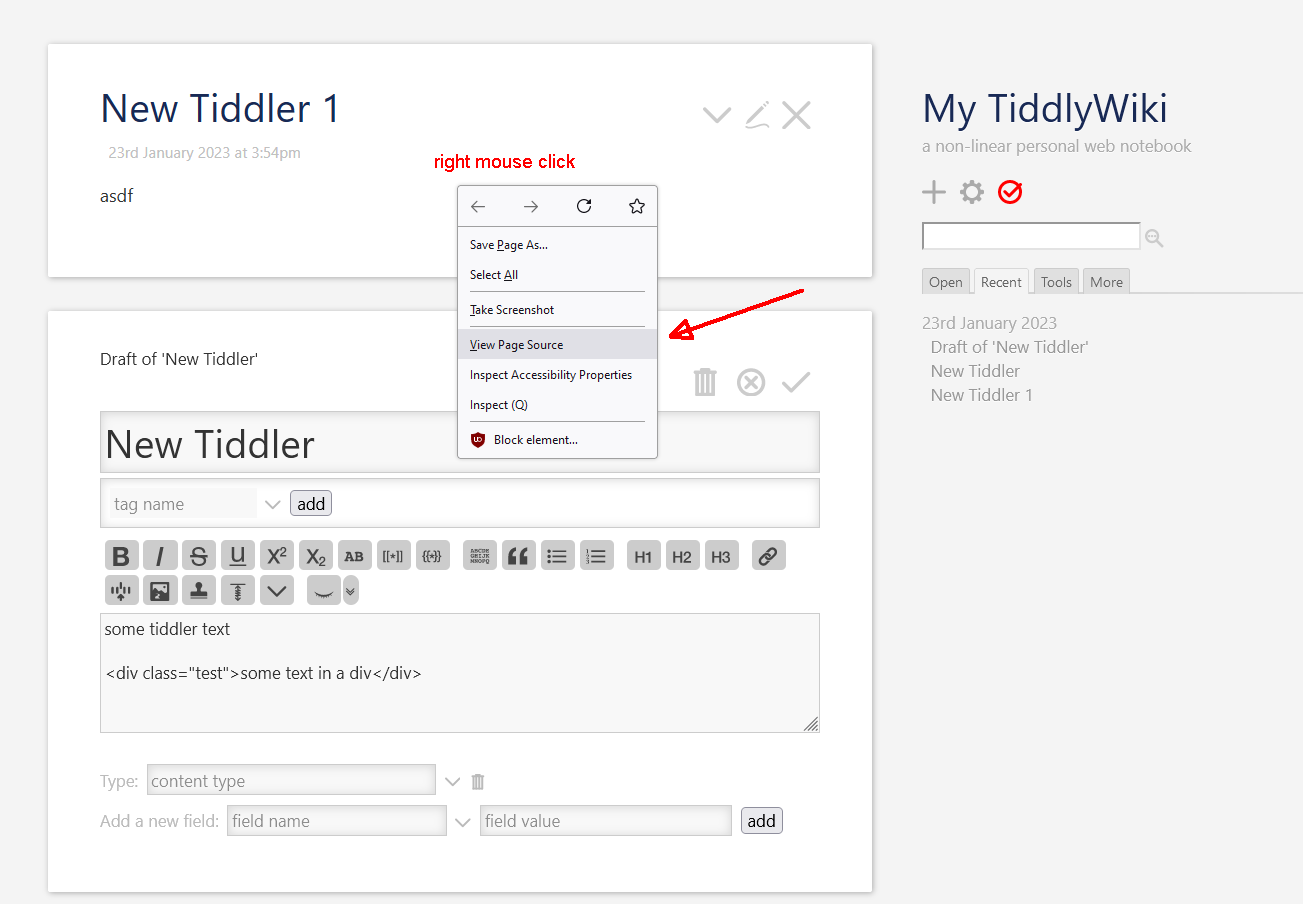
To find the following code in a TW file you should
- Start with empty.html from tiddlywiki.com
- Create 2 tiddlers
- New Tiddler
- New Tiddler 1
- Save the wiki
- Right click somewhere → Open “View Page Source”
- Search for id=“storeArea” in the plain text. (Depending on your computer, this may be slow-ish)
- “New Tiddler” and “New Tiddler 1” should be right there.
You can import the following file into empty.html for convenience.
07-tw-secure-file-storage-format-importable-pretty.json (341 Bytes)
<!--~~ Ordinary tiddlers ~~-->
<script class="tiddlywiki-tiddler-store" type="application/json">[

--- stripped a lot of content for readability reasons. ---

{"created":"20230123145440992","text":"some tiddler text\n\n\u003Cdiv class=\"test\">some text in a div\u003C/div>","tags":"","title":"New Tiddler","modified":"20230123150211919"},
{"created":"20230123145450515","text":"asdf","tags":"","title":"New Tiddler 1","modified":"20230123145453938"}
]</script><div id="storeArea" style="display:none;"></div>
Internal <script> Format Explained
Since TW v5.2.0 the internal storage format is
- JSON data covered in a HTML
<script>tag - with a
class="tiddlywiki-tiddler-store"andtype="application/json" - that contains an array of objects
<script class="tiddlywiki-tiddler-store" type="application/json">[
{"title": "New Tiddler", ...},
{"title": "New Tiddler 1", ...},
]</script>

 <!-- The following line is part of this code snippet because id="storeArea" is easy to find ;) -->
<div id="storeArea" style="display:none;"></div>
Important: Securely Embed JSON in a SCRIPT Tag
If you have a closer look at the “New Tiddler” text, there is a line, which contains an HTML DIV tag.
<div class="test">some text in a div</div>
If you have a closer look at the text field of the store JSON you’ll see it looks as follows.
The < character is replaced by it’s unicode string representation \u003C to make sure that the JSON data does not contain the string </script>
That code is created with some core templates and the jsontiddler-widget, when the wiki is saved. Since the browser javascript function JSON.parse() knows what to do with that encoding there is no special handling needed if “store” tiddlers are imported that way.
"text": "some tiddler text\n\n\u003Cdiv class=\"test\">some text in a div\u003C/div>",
                              ^^^^^^^                                    ^^^^^^
Script Store JSON for Experiments
This file cannot be imported to TW. It’s just an example!
07-tw-secure-file-storage-format.json (448 Bytes)