I don’t see a “Beginners” thread, so I hope this is the right place to post a newcomer’s question.
For various reasons I’m moving from macOS to Linux (Zorin OS). Whilst looking for software to substitute for my current uses of DEVONthink, Bike (an outliner) and Notes I alighted upon TiddlyWiki, which to be totally honest I’d never come across before.
Presently I have a (fairly) large number of important legal, tax and financial in the form of OCR’s PDFs that are indexed by DEVONthink. I had hoped to replicate my use of DEVONthink to store, categorise, annotate and retrieve these documents a simple file based TiddlyWiki. That approach, however, does not look like it will work for two reasons: if I drag and drop all my PDFs into a TiddlyWiki file its size will explode; and working inside the browser means (as far as I can ascertain) that I can’t incorporate files help in multiple, nested directories on my disk.
I sought assistance from Google’s Gemini chatbot, which suggested that rather than using a TiddlyWike file, running TiddlyServer would solve the problem. However…
The instructions Gemini gave on setting up TiddlyServer, specifically the settings.json file, have been less than useful. I’ve found the documentation for TiddlyServer, but there are aspects that aren’t explained at a level I understand.
First question: Can anyone point me at any other source of documentation on how to set up and run TiddlyServer?
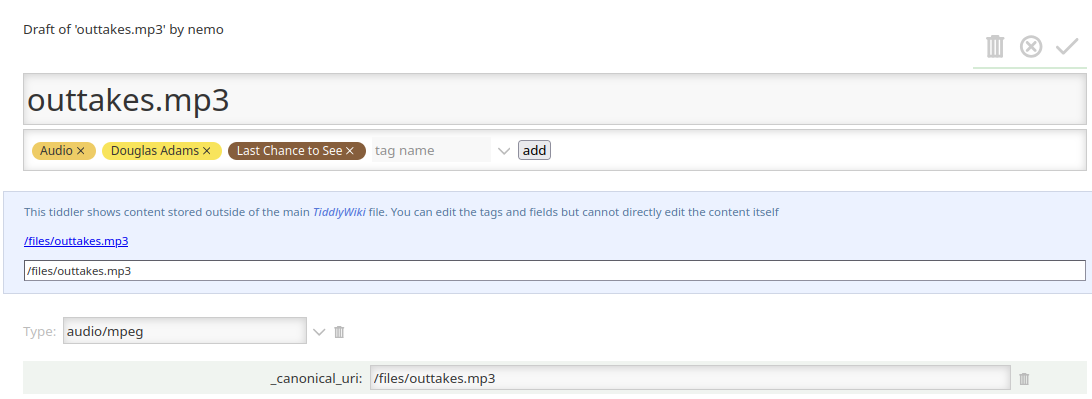
What I’m trying to do is as follows. The OCR’s PDFs are in a directory tree rooted in my home directory; for example, I have files along the lines of ~/Archive/Finance/Insurance/Car/2024.05.23 - Policy.pdf. Many of these files are tagged, for example with car registration numbers or people’s names. I’d like to be able to reference these documents from notes in TiddlyWiki and to be able to view them, which I understand (thank you, groktiddlywiki.com) can be done by creating Tiddlers that references the file using _canonical_uri().
Because I’m used to having DEVONthink manage multiple, independent databases, I’d like to retain the structure I’m used to and have multiple independent wikis, each connected to a different part of my ~/Archive directory; thus ~/Archive/Finance, ~/Archive/Estate\ Planning, ~/Archive/House etc.
Finally, I’m working on a single computer on a home wifi that cannot be reached from the Internet; I really don’t want to have to log in; especially when I’ve no idea how to set up an account on a local TiddlyServer. The security documentation is above my level of comprehension.
If anyone can help propose a simpler solution for my planned use of TiddlyWike, I’d be most.