I’m using the latest version 5.4.0, Node.js TiddlyWiki. Then I discovered a problem.
Reproduction process
Open the TiddlyWiki documentation, find the SampleWizard, and create a new class field with a value of tc-modal-centered fold-text-modal. And create a new entry with the following content, and add the tag $:/tags/Stylesheet
.fold-text-modal .tc-modal,
.fold-text-modal .tc-modal-header,
.fold-text-modal .tc-modal-body,
.fold-text-modal .tc-modal-footer {
  border: none;
  background-color: #DDDEDA;
}.fold-text-modal .tc-modal-header {
	border-radius: 10px 10px 0 0;
}.fold-text-modal .tc-modal {
	border-radius: 10px;
}.fold-text-modal .tc-modal-footer {
	border-radius: 0 0 10px 10px;
}@media (max-width: 500px) {
.fold-text-modal .tc-modal {
	width: 95% !important;
}
}.fold-text-modal .tc-modal-backdrop {
  cursor: pointer;
}
.fold-text-modal .tc-modal {
  width: 85vw;
	height: 75vh;
	top: 45%;
	bottom: 20%;
	max-height: 80vh;
  border-radius: 10px;
}.fold-text-modal .tc-modal-footer {
  display: none;
}@media (min-width: 55em) {
.fold-text-modal .tc-modal-body {
        overflow-y: auto;
        max-height: 75vh;
    }
}
Then click that interactive button again, and you will encounter the following error message.
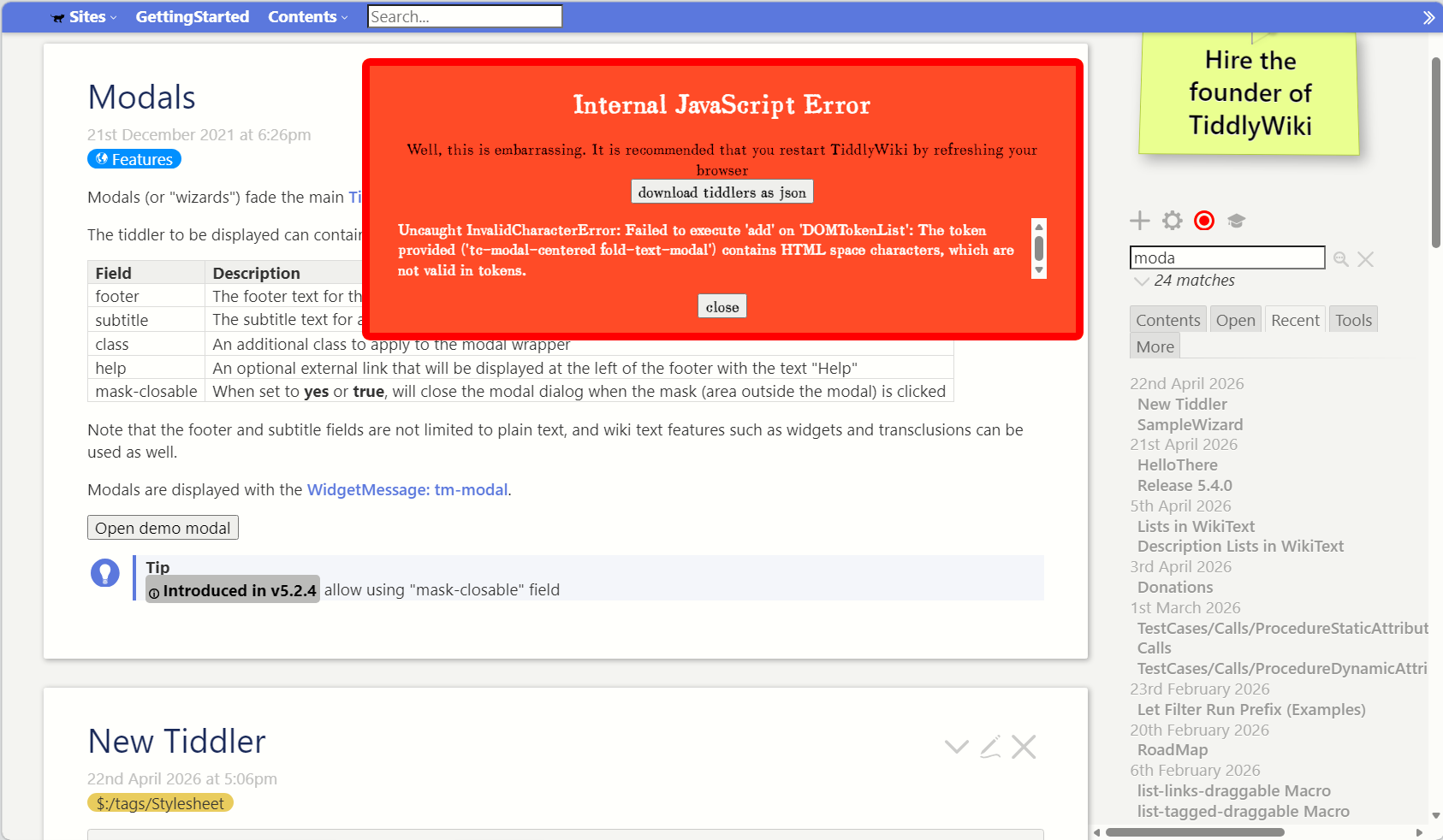
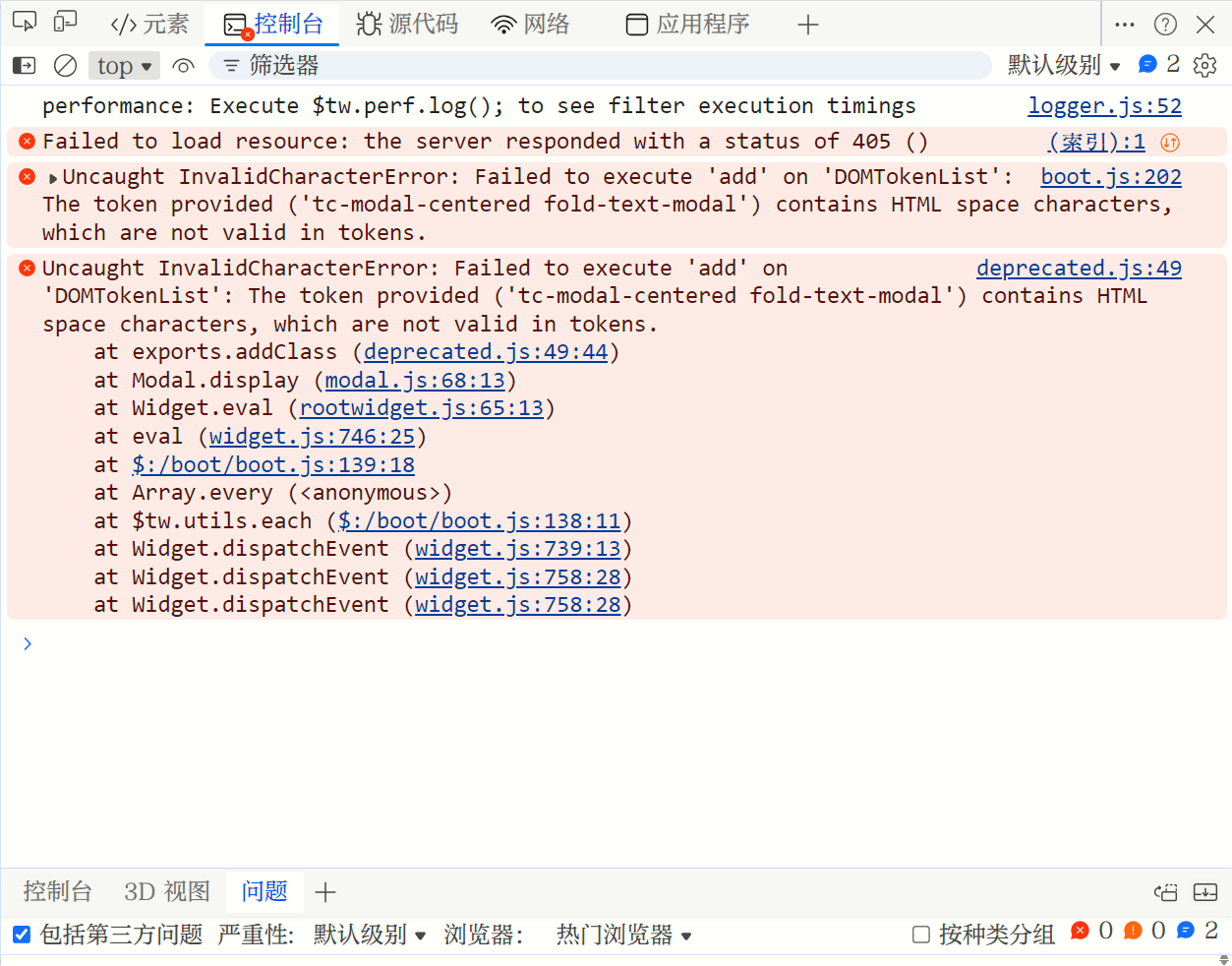
The AI explained that it was because the corresponding Settings were modified, but I couldn’t find it and have no idea where to start the modification. It’s not clear whether it was caused by the update of version 5.4.0, but it’s highly likely that this issue did not occur in the previous version 5.3.8.