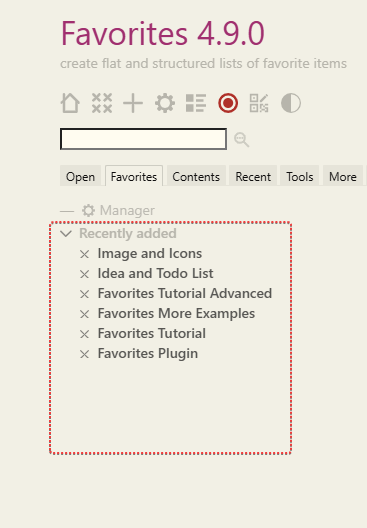
“Flat mode” refers to the state where no custom folders have been created. A freshly installed Favorites plugin starts with a single default folder named “Recently Added,” which displays items in reverse chronological order (newest first). In this mode, you will always see a single, flat list until you manually create a second folder.
If this is confusing, I may need to revise the tutorial documentation.
I think it probably does need some changes. I saw the question, said to myself, “Mohammad’s docs are usually easy to understand and comprehensive”, and, although I’ve never used Favorites, went to see if I could answer the question based on the docs and demo site. I gave up after ten minutes. So I think something more explicit would be helpful.
Would the following be accurate? I think it’s clearer.
title: Modes
tags: ...

!! Flat mode
The Favorites plugin can be used as a flat favorites list. In this mode, no folders are used;
all favorites are placed in the default `Recently Added` folder.  If you add an additional
folder, you have moved out of `Flat` mode.