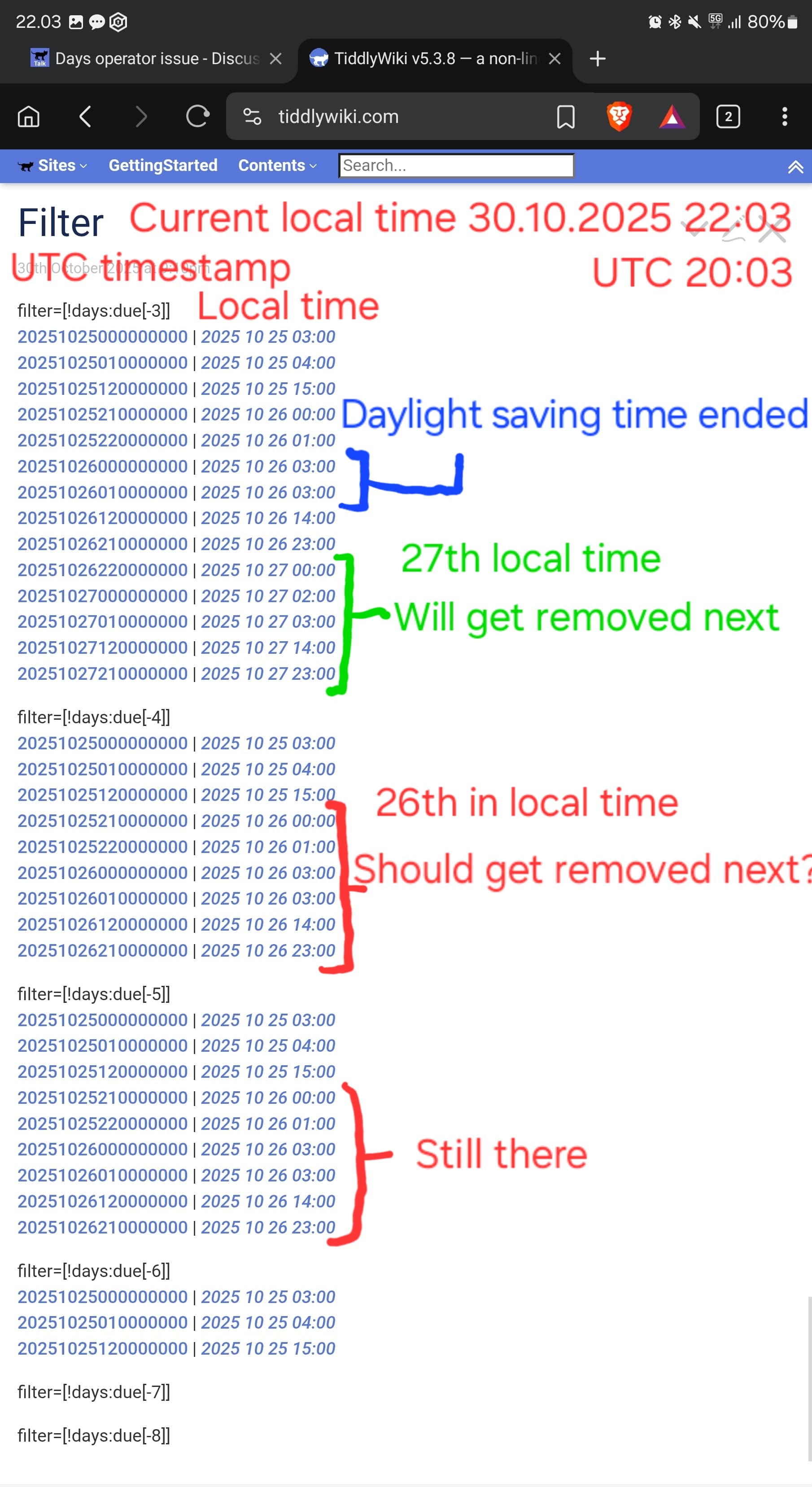
Here is a screenshot and relevant data tiddlers with the help of your code. The one hour change in local time when daylight saving time ends (26.10.2025 03:00 happens twice: UTC 00:00 and 01:00) causes the whole 26.10.2025 date and all the earlier dates appear “due” one day too early.
Observations;
If you want to set dates at no particular time, with a timestamp value, rather than use midnight, its often a good idea to use 12 noon, as this is in the middle of the day and less likely to flip the days count, it is actualy more relavant on many occasions. However by only using the first 8 digits of a time stamp and taking carful account of UTC and when and how you set it, this can be simplified. Of course created and modified dates are full tiddlywiki time stamps and I recomend you dont touch them so they are reliably represent what they are (in UTC).
Days operator, I went deep in my research of the days operator in the past, and to be honest I dont use them much because they are prone to introducing problems with the way they operate, used incorrectly they quickly switch direction when you use negative days and the negation ! The best way to use them is often a combination of two “days” operators to restrict the results to a range that does not run to infinity forwards or backwards.
There may be value a in developing a new simpler to use operator, starting with some support for date ranges with custom “functions” to hide some of the complexity.
IMO the problem here is that the targetTimeStamp = (new Date()).setHours(0,0,0,0) hours value is set to midnight UTC, which may cause problems if the DST changes.
I do not know if it would be better to set the “days detection” to 12:00 noon. (I did some experiments. No change in behaviour.)
There has been an old discussion about the days operator from the programmer who implemented it: Filter tiddlers by date: today and in the past – That’s probably not helpful with the problem, but may be some content to improve the documentation.
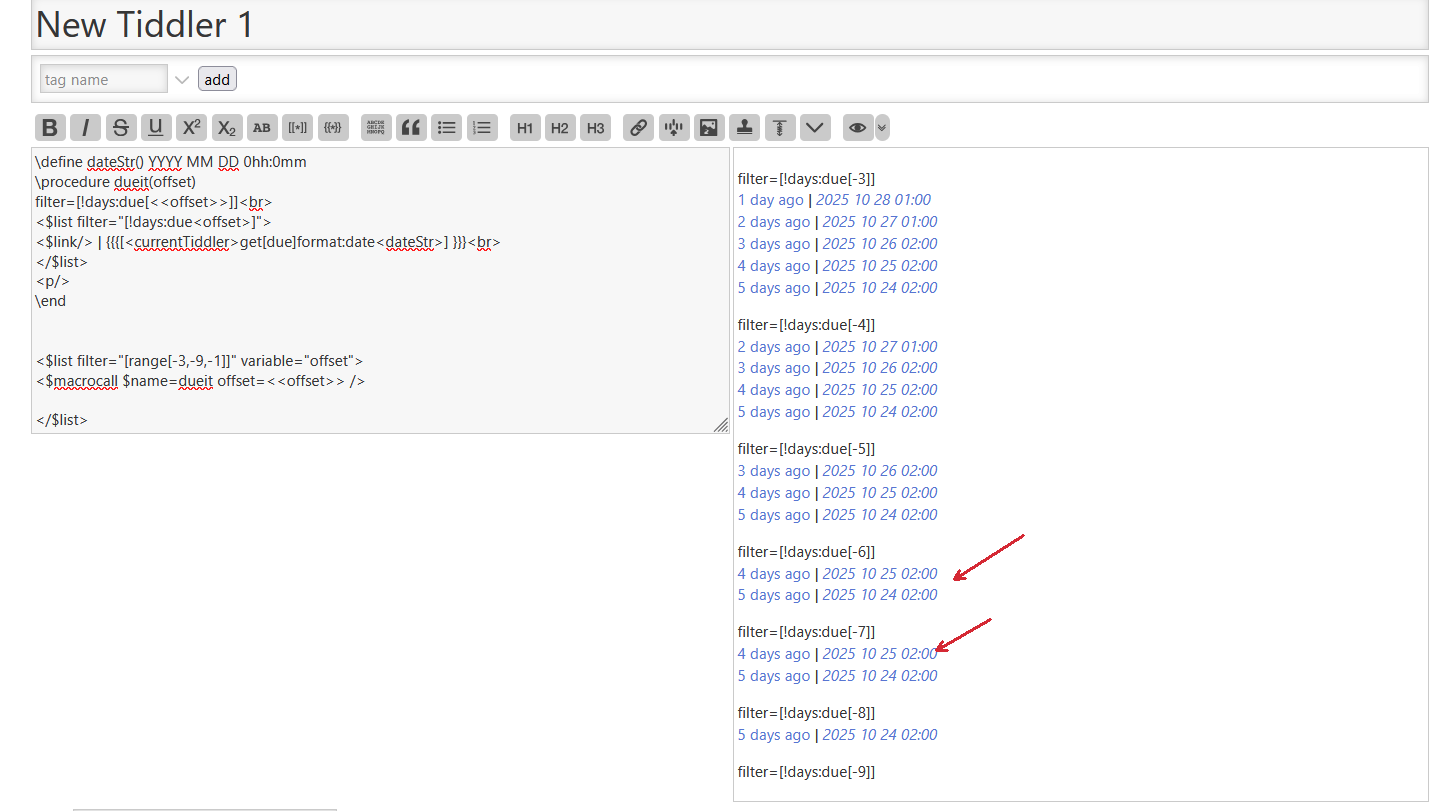
There is something strange going on with the test-data provided. (I am testing at Oct. 31) hence my different ranges.
I did do a little refresh/research just now, and as I recall the following are highlighted issues;
The issue is comparing local time vs UTC because they can be in different days, this get worse the further you are for UTC as I am at +11.00 in DST here in Sydney.
Exacerbating the above the days operator code pins everything to midnight, it does not take note of time of day. its not so much about 24 hour periods, sometimes using a 24hours period may have more suitable results
For thus Unix time can be used and there is a number for -24 hours.
An empty date field will be zero and treaded as today.
To get a closed range you will often need to combine two days operators, because most uses (except for today) return a range of dates (that is why we use it)
Where in the JS or in wikitext/tiddlywiki script or tiddler fields? I believe the JS forces midnight before comparing.
Sorry bad wording. I meant there is something going on with the code as can be seen with the test data provided and my screenshot. The test-data itself is OK.
It’s not as trivial in this case because you need to provide a series of UTC timestamps, custom made for whatever timezone the user happens to be in. And we have almost no tools for manipulating dates.
Thanks, but that’s all right. If pMario says there’s something wrong with the results, then that’s as far as I would care to go. Perhaps someone else would want to take if further.