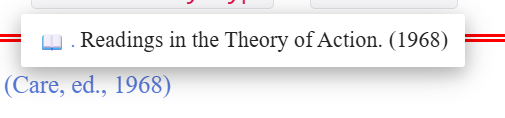
I am trying the customise the Refnotes plugin to create a new template. There are hints of how to achieve this in the flugin instructions but I cannot get it to have any effect.
revise the list field and replace the default with the title of your new entry type e.g conference, booklet, …
So, I clone $:/plugins/kookma/refnotes/templates/reflist/apa/default and give it a new name $:/plugins/kookma/refnotes/templates/reflist/apa/mytemplate
Change part of the code in the text e.g. :else[[n.d.]] to :else[[not known]]
The instructions then state: revise the list field and replace the default with the title of your new entry type
But there is nolist field in the default template. $:/plugins/kookma/refnotes/templates/reflist/apa/default
It seems to me that two adjustments are required:
Create/clone a new template.
Modify the format of the link that is hovered over / clicked to gets the pop-up displayed. (I cannot see where this is coded.)
clone the default template $:/plugins/kookma/refnotes/viewtemplates/default
modify the mainField macro and add the BibTeX fields required to be displayed
revise the list field and replace the default with the title of your new entry type e.g. conference, booklet, ...
Note: mainField macro
In >> Refnotes Advanced Topics>>Reference tiddler viewtemplates>>viewtemplates tab
I hope this helps.
There’s no list field there because the default template is at the end of the cascade line, as it were. It’s what gets used when whatever’s in the list field of the other templates is NOT what active.
So, take a look at the other templates (say, for $:/plugins/kookma/refnotes/templates/reflist/apa/book) and you’ll see a list field, which helps you see how the list field is populated with whatever reference types your template should apply to.
I have made additional reference types and templates, happy to follow up if you have questions (and of course @Mohammad may be able to chime in).
I cloned both the reflist/apa/website to reflist/apa/mytype and viewtemplates/website to viewtemplates/mytype. Also updated the List field to my new type, mytype in each.
When I use the <<ref tiddler1>> macro it still shows the default entry and the layout and format of the popup is unchanged. tiddler1 has an entry type of mytype and tagged bibtex-entry
Maybe you could let me see a couple of you custom Entry-types?
You shouldn’t need a tag such as bibtex-entry (unless you’ve modified your system to work that way). I am a bit concerned what you mean by “entry type of mytype” — you should have the field bibtex-entry-type with the value mytype. Is that what you have?
I’ll try to come back around to offering a model. The biblio wiki needs a bit of maintenance before I invite anyone to copy from it!
Hi @myfta
As mentioned in the @Springer reply (she correctly answered your question), the default template acts as a fallback and is used when no other template is available. It doesn’t have a list field, but you can check templates like book or article to see what a list field looks like. So, the default is blue print reference template.
So, what is a list field? If a template includes a list field with content like bookconference, it means both reference types will be processed using that template.
Field names are case-sensitive. So if in fact you made a List field rather than a list field, that would help explain why your template was not being engaged as expected for works with bibtex-entry-type of mytype.
It’s for the bibtex-entry-type value collection (intended especially for an academic anthology, where contributions may come from many authors, but the editor’s name should be primary in bibliography and interlinear parenthetical citations).
Please note (if anyone wants to copy this template) that this solution requires not just a distinct reference template, but also a reworking of the “author” macro, so that an editor name can appear in that otherwise author-only position.
Edit to add, for future visitors’ sake: I’ve also got two more custom templates (in refnotes system):
incollection — meaning, any contribution/chapter within an edited collection
inbook — meaning, a chapter or other proper part of a monograph / single-author volume.