Hi! I’m new to TW but I’m looking to set up some relatively simple things.
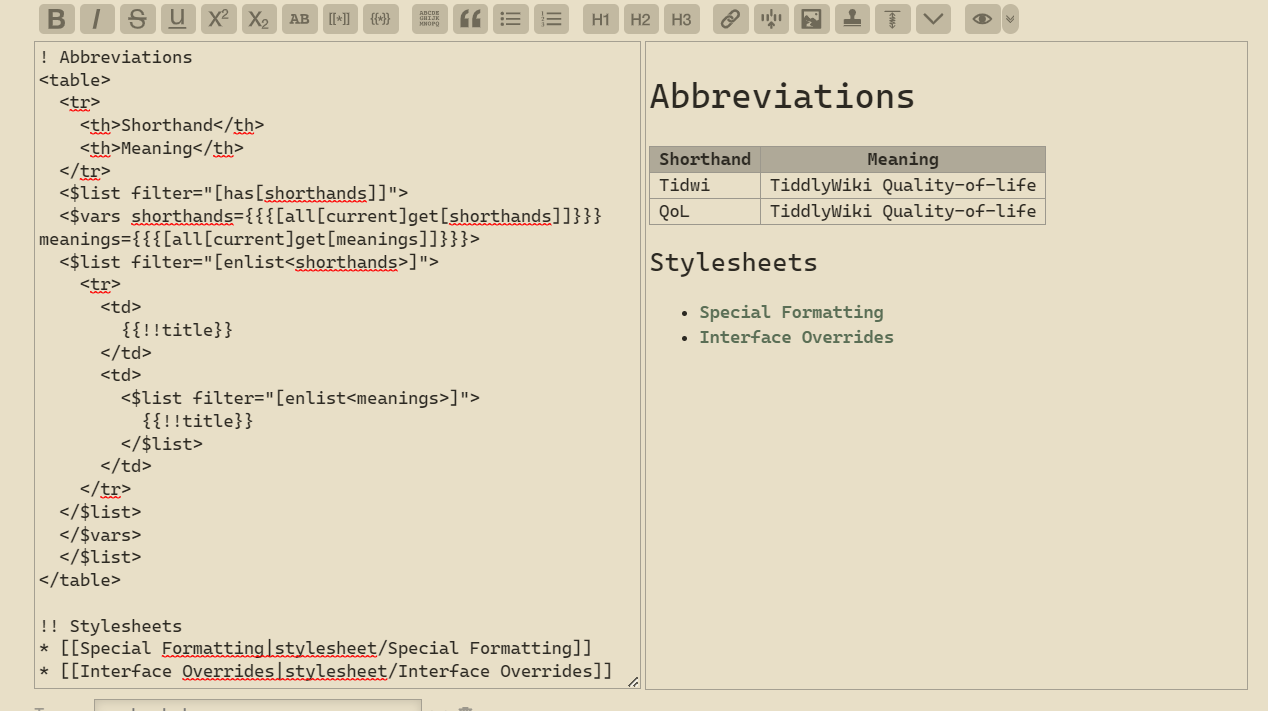
I’d like some help in making a tabular glossary of abbreviated terms based on two list fields: “shorthands” and “meanings”, both of which currently have two items: “Tidwi” and “QoL”. Attached is a partial screenshot of what I’ve done so far.
I have both list fields loaded as enlist-input variables through the VarsWidget, and while I can get the first column to load right, I have no clue where to begin for the next one.
If I understand your intent, the two lists are defined “in parallel”. That is, for each item in the shorthands list, there is a corresponding item in the meanings list. So, if shorthands contains “Tidwi QoL”, and meanings contains “TiddlyWiki Quality-of-life”, you want a table that shows:
| Tidwi | TiddlyWiki |
| QoL | Quality-of-life |
To do this, you can use the $list widget’s counter=... parameter, like this:
The $list filter defines a variable named “c” that acts as a counter. This counter has an initial value of “1”, and is automatically incremented as each list item is processed.
The value in the meanings table column uses a “filtered transclusion” to get the list of meanings and then uses the nth<c> filter operator to display only the “c-th” item from that list.
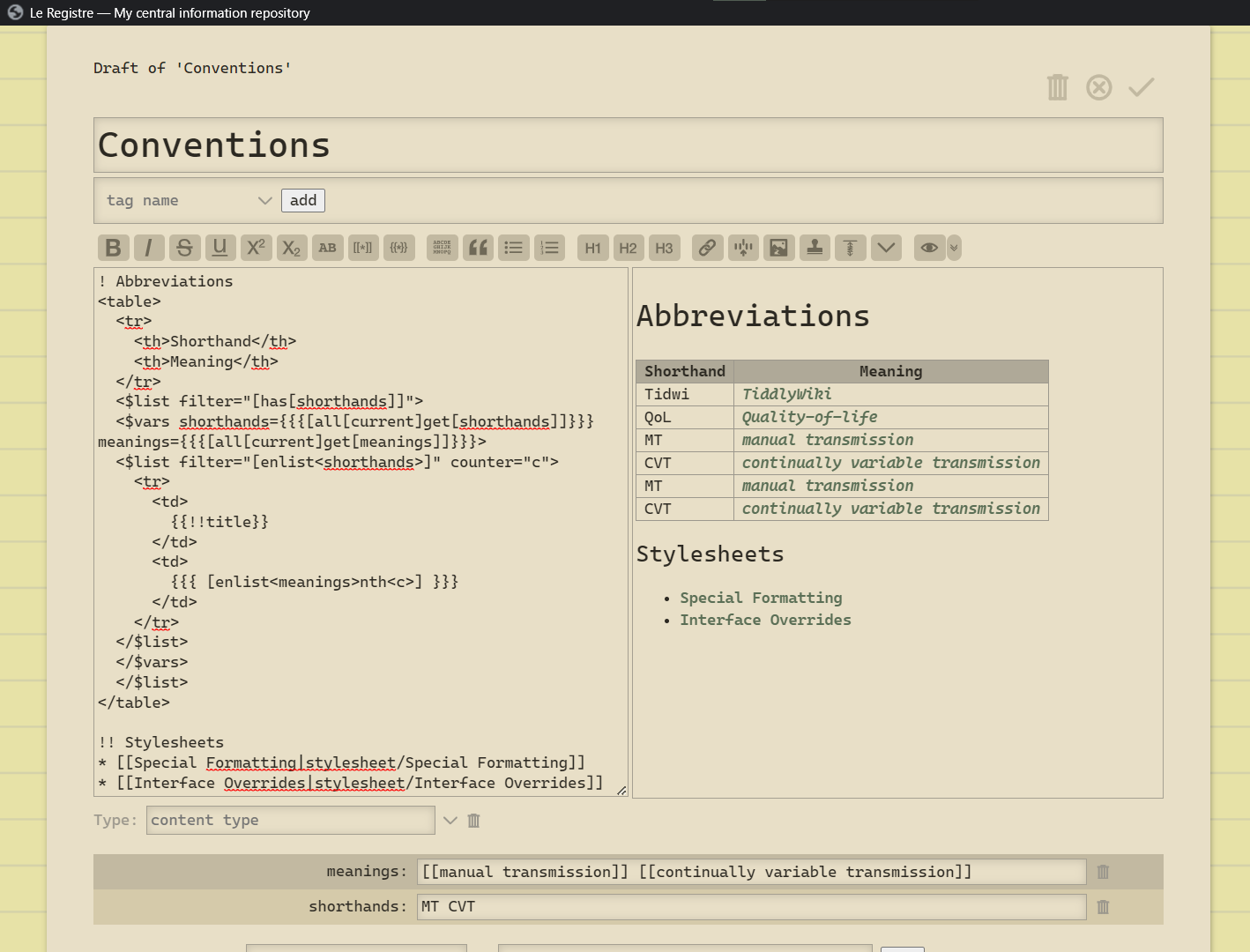
Hello again! After a while of reading the docs, I cleaned it up rather nicely. However, the need for a <vars> block just for one variable is a little tilting. Is there a way to use a filtered transclusion in [range<>]?
Are you sure shorthands and meanings stay related if you sort them separately like you do? I suggest you remove the sort[] operator from both like this:
Thanks for showing me how to omit the VarsWidget!
And point taken on the sort operator, it wouldn’t be so wise in the long run. I do want to have these sorted alphabetically, though.