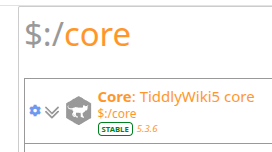
Sorry for the late reply.
I am using the node served version with one file per tiddler in a dedicated directory in my home folder. See the systemd unit file in my first post for more details.
@saqimtiaz how would I do that?
Does this help you:
~/Documents/tiddlywiki/mywiki/tiddlers $ ls | grep --ignore-case "\$__core"
$__config_EditorToolbarButtons_Visibility_$__core_ui_EditorToolbar_bold.tid
$__config_EditorToolbarButtons_Visibility_$__core_ui_EditorToolbar_clear.tid
$__config_EditorToolbarButtons_Visibility_$__core_ui_EditorToolbar_editor-height.tid
$__config_EditorToolbarButtons_Visibility_$__core_ui_EditorToolbar_excise.tid
$__config_EditorToolbarButtons_Visibility_$__core_ui_EditorToolbar_heading-1.tid
$__config_EditorToolbarButtons_Visibility_$__core_ui_EditorToolbar_heading-2.tid
$__config_EditorToolbarButtons_Visibility_$__core_ui_EditorToolbar_heading-3.tid
$__config_EditorToolbarButtons_Visibility_$__core_ui_EditorToolbar_heading-4.tid
$__config_EditorToolbarButtons_Visibility_$__core_ui_EditorToolbar_heading-5.tid
$__config_EditorToolbarButtons_Visibility_$__core_ui_EditorToolbar_heading-6.tid
$__config_EditorToolbarButtons_Visibility_$__core_ui_EditorToolbar_italic.tid
$__config_EditorToolbarButtons_Visibility_$__core_ui_EditorToolbar_line-width.tid
$__config_EditorToolbarButtons_Visibility_$__core_ui_EditorToolbar_link.tid
$__config_EditorToolbarButtons_Visibility_$__core_ui_EditorToolbar_list-bullet.tid
$__config_EditorToolbarButtons_Visibility_$__core_ui_EditorToolbar_list-number.tid
$__config_EditorToolbarButtons_Visibility_$__core_ui_EditorToolbar_mono-block.tid
$__config_EditorToolbarButtons_Visibility_$__core_ui_EditorToolbar_mono-line.tid
$__config_EditorToolbarButtons_Visibility_$__core_ui_EditorToolbar_picture.tid
$__config_EditorToolbarButtons_Visibility_$__core_ui_EditorToolbar_preview-type.tid
$__config_EditorToolbarButtons_Visibility_$__core_ui_EditorToolbar_quote.tid
$__config_EditorToolbarButtons_Visibility_$__core_ui_EditorToolbar_rotate-left.tid
$__config_EditorToolbarButtons_Visibility_$__core_ui_EditorToolbar_size.tid
$__config_EditorToolbarButtons_Visibility_$__core_ui_EditorToolbar_stamp.tid
$__config_EditorToolbarButtons_Visibility_$__core_ui_EditorToolbar_strikethrough.tid
$__config_EditorToolbarButtons_Visibility_$__core_ui_EditorToolbar_subscript.tid
$__config_EditorToolbarButtons_Visibility_$__core_ui_EditorToolbar_superscript.tid
$__config_EditorToolbarButtons_Visibility_$__core_ui_EditorToolbar_underline.tid
$__config_EditToolbarButtons_Visibility_$__core_ui_Buttons_delete.tid
$__config_PageControlButtons_Visibility_$__core_ui_Buttons_advanced-search.tid
$__config_PageControlButtons_Visibility_$__core_ui_Buttons_control-panel.tid
$__config_PageControlButtons_Visibility_$__core_ui_Buttons_encryption.tid
$__config_PageControlButtons_Visibility_$__core_ui_Buttons_fold-all.tid
$__config_PageControlButtons_Visibility_$__core_ui_Buttons_full-screen.tid
$__config_PageControlButtons_Visibility_$__core_ui_Buttons_home.tid
$__config_PageControlButtons_Visibility_$__core_ui_Buttons_import.tid
$__config_PageControlButtons_Visibility_$__core_ui_Buttons_language.tid
$__config_PageControlButtons_Visibility_$__core_ui_Buttons_layout.tid
$__config_PageControlButtons_Visibility_$__core_ui_Buttons_manager.tid
$__config_PageControlButtons_Visibility_$__core_ui_Buttons_more-page-actions.tid
$__config_PageControlButtons_Visibility_$__core_ui_Buttons_new-image.tid
$__config_PageControlButtons_Visibility_$__core_ui_Buttons_new-journal.tid
$__config_PageControlButtons_Visibility_$__core_ui_Buttons_new-tiddler.tid
$__config_PageControlButtons_Visibility_$__core_ui_Buttons_permaview.tid
$__config_PageControlButtons_Visibility_$__core_ui_Buttons_refresh.tid
$__config_PageControlButtons_Visibility_$__core_ui_Buttons_save-wiki.tid
$__config_PageControlButtons_Visibility_$__core_ui_Buttons_storyview.tid
$__config_PageControlButtons_Visibility_$__core_ui_Buttons_tag-manager.tid
$__config_PageControlButtons_Visibility_$__core_ui_Buttons_unfold-all.tid
$__config_ViewToolbarButtons_Visibility_$__core_ui_Buttons_clone.tid
$__config_ViewToolbarButtons_Visibility_$__core_ui_Buttons_close-others.tid
$__config_ViewToolbarButtons_Visibility_$__core_ui_Buttons_delete.tid
$__config_ViewToolbarButtons_Visibility_$__core_ui_Buttons_edit.tid
$__config_ViewToolbarButtons_Visibility_$__core_ui_Buttons_fold-bar.tid
$__config_ViewToolbarButtons_Visibility_$__core_ui_Buttons_fold-others.tid
$__config_ViewToolbarButtons_Visibility_$__core_ui_Buttons_fold.tid
$__config_ViewToolbarButtons_Visibility_$__core_ui_Buttons_info.tid
$__config_ViewToolbarButtons_Visibility_$__core_ui_Buttons_more-tiddler-actions.tid
$__config_ViewToolbarButtons_Visibility_$__core_ui_Buttons_new-here.tid
$__config_ViewToolbarButtons_Visibility_$__core_ui_Buttons_permalink.tid
$__core_Filters_RecentTiddlers.tid
$__core_images_new-journal-button-ehj.tid
$__core_ui_Actions_new-journal-ehj.tid
$__core_ui_Actions_new-journal-task-tiddler-ehj.tid
$__core_ui_Buttons_new-journal-ehj.tid
$__core_ui_Buttons_new-journal-task-tiddler-ehj.tid
$__core_ui_EditorToolbar_linkify.tid
$__core_ui_EditorToolbar_transcludify.tid
~/Documents/tiddlywiki/mywiki/tiddlers $ cat ../tiddlywiki.info
{
    "description": "Basic client-server edition",
    "plugins": [
        "tiddlywiki/tiddlyweb",
        "tiddlywiki/filesystem",
        "tiddlywiki/highlight",
        "tiddlywiki/codemirror",
        "tiddlywiki/codemirror-autocomplete",
        "tiddlywiki/codemirror-closebrackets",
        "tiddlywiki/codemirror-closetag",
        "tiddlywiki/codemirror-keymap-vim",
        "tiddlywiki/codemirror-mode-css",
        "tiddlywiki/codemirror-mode-htmlembedded",
        "tiddlywiki/codemirror-mode-htmlmixed",
        "tiddlywiki/codemirror-mode-javascript",
        "tiddlywiki/codemirror-mode-markdown",
        "tiddlywiki/codemirror-mode-x-tiddlywiki",
        "tiddlywiki/codemirror-mode-xml",
        "tiddlywiki/codemirror-search-replace"
    ],
    "themes": [
        "tiddlywiki/vanilla",
        "tiddlywiki/snowwhite"
    ],
    "build": {
        "index": [
            "--rendertiddler",
            "$:/plugins/tiddlywiki/tiddlyweb/save/offline",
            "index.html",
            "text/plain"
        ],
        "externalimages": [
            "--savetiddlers",
            "[is[image]]",
            "images",
            "--setfield",
            "[is[image]]",
            "_canonical_uri",
            "$:/core/templates/canonical-uri-external-image",
            "text/plain",
            "--setfield",
            "[is[image]]",
            "text",
            "",
            "text/plain",
            "--rendertiddler",
            "$:/plugins/tiddlywiki/tiddlyweb/save/offline",
            "externalimages.html",
            "text/plain"
        ],
        "static": [
            "--rendertiddler",
            "$:/core/templates/static.template.html",
            "static.html",
            "text/plain",
            "--rendertiddler",
            "$:/core/templates/alltiddlers.template.html",
            "alltiddlers.html",
            "text/plain",
            "--rendertiddlers",
            "[!is[system]]",
            "$:/core/templates/static.tiddler.html",
            "static",
            "text/plain",
            "--rendertiddler",
            "$:/core/templates/static.template.css",
            "static/static.css",
            "text/plain"
        ]
    }
}