
Contribute with edit.tiddlywiki.com
The former PR-creator wiki has been refactored, to allow to create documentation pull requests using a simpler mechanism.
You only need to be signed in to your GitHub account to be able to contribute to the TW documentation using TiddlyWiki UI to edit and create new content.
Important
We do have documentation style guides, which you should try to use, to make contributions easy to handle.
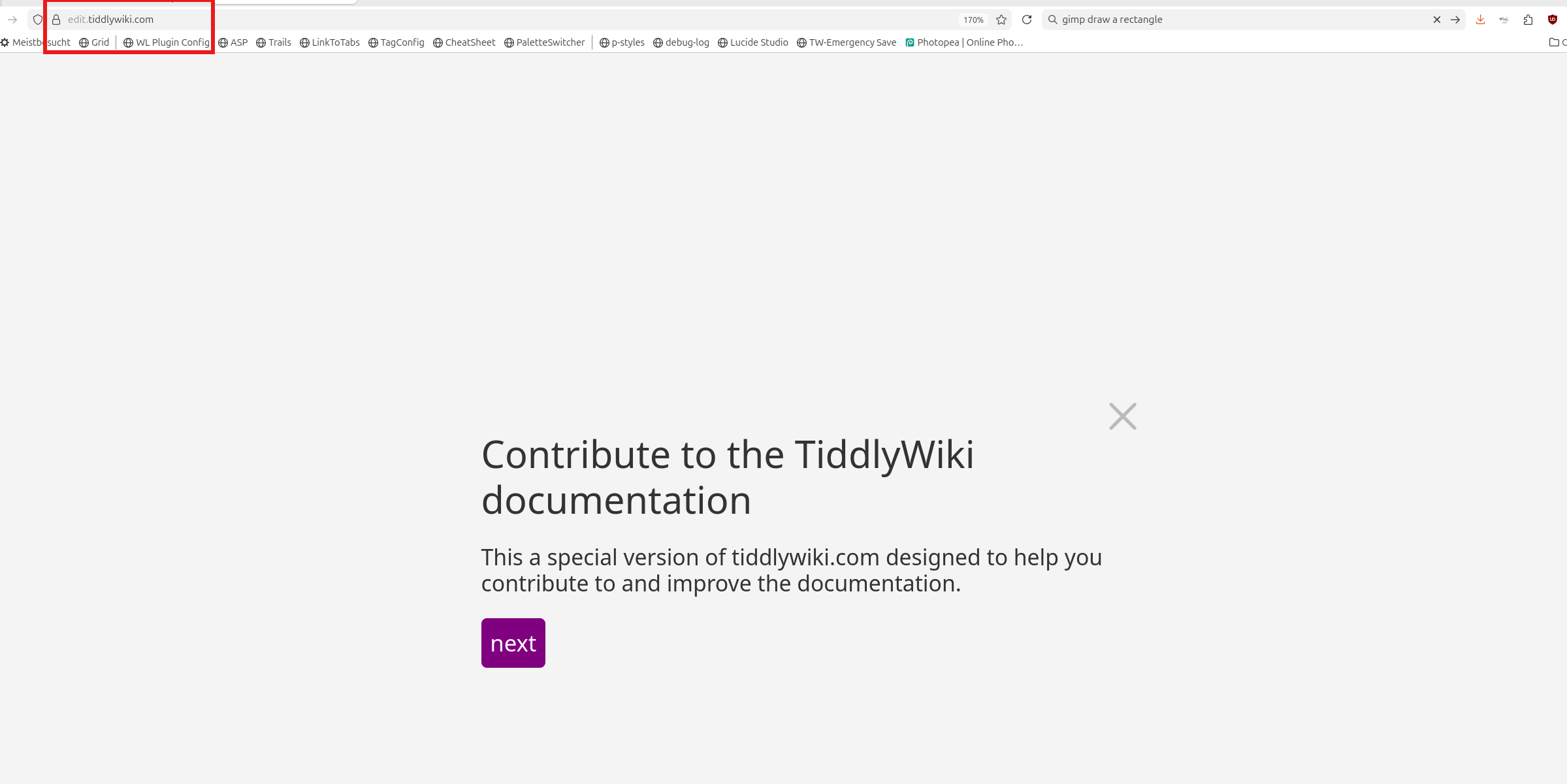
If you open edit.tiddlywiki.com you will be greeted with a step by step introduction tour.
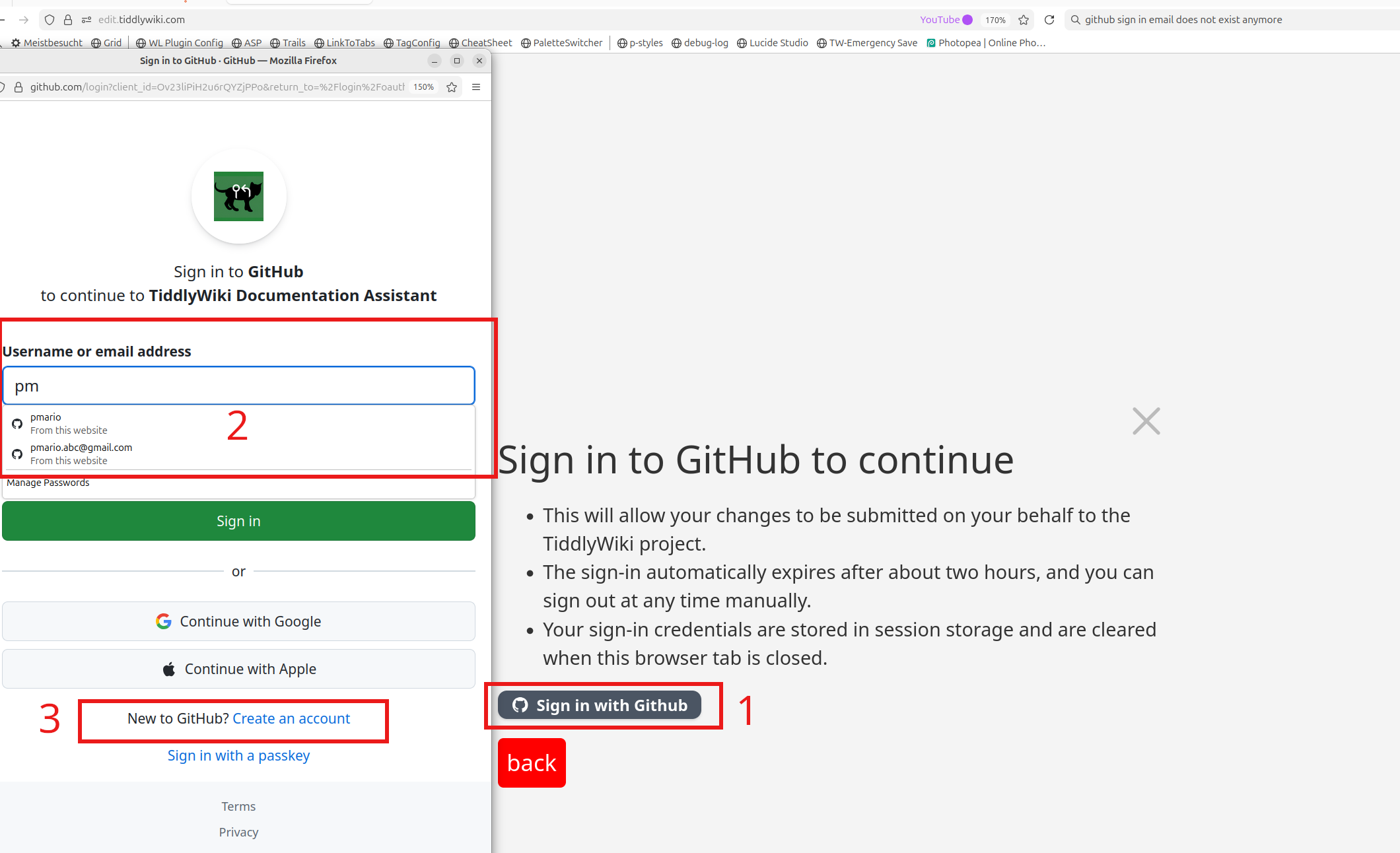
- If you reach the sign in page the first time and click “Sign in with GitHub” (1) button a popup window will be opened
- This dialogue will allow you to select the existing user (2) or
- It will allow you to create a new user
- If you do not have a GitHub account yet, you can create one using
- Your Google authentication manager or
- Your Apple account
- Create a New GH account with e-mail and PW (3)
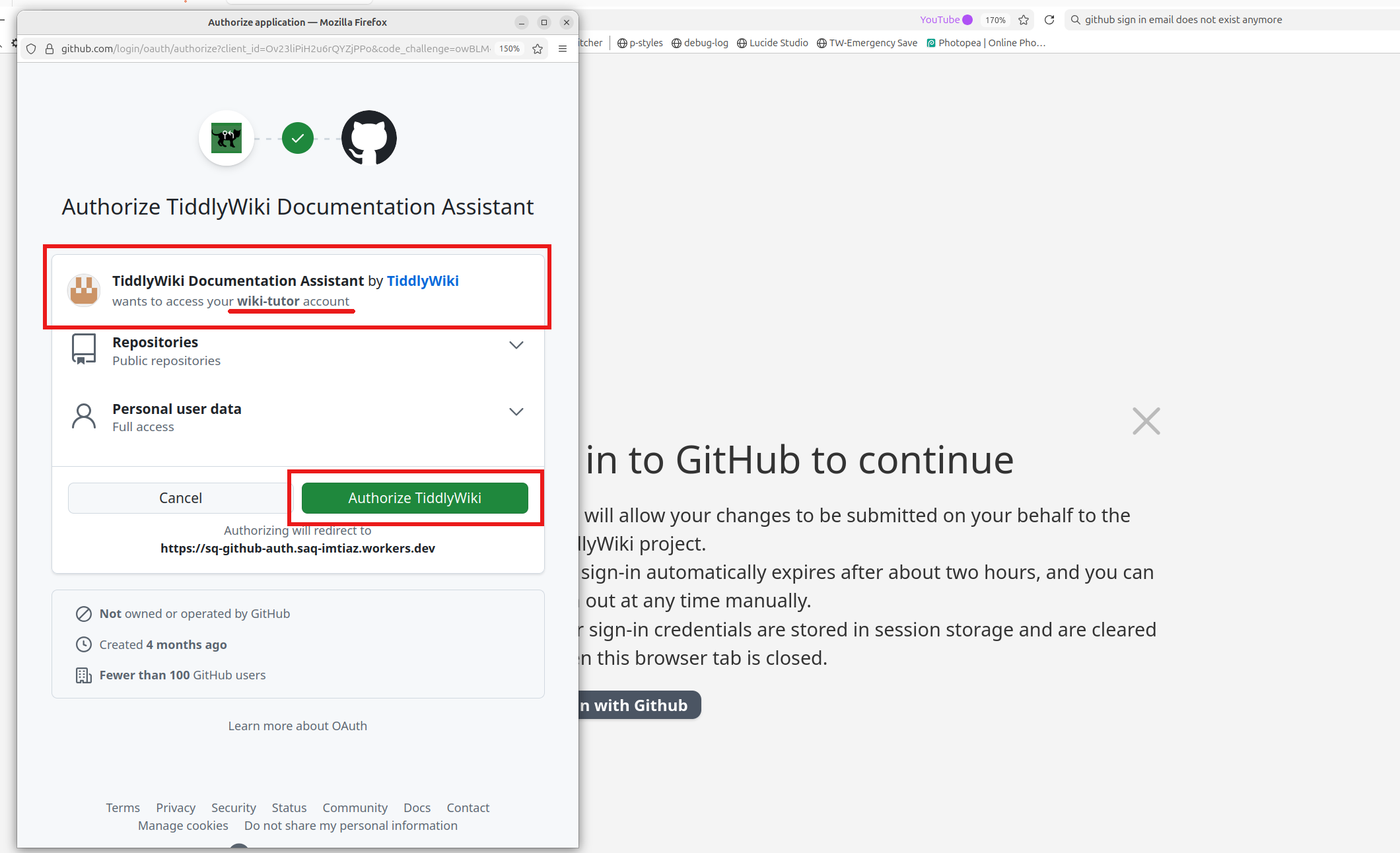
- Once you are signed in
- The first time – You will need to authorize the TiddlyWiki Documentation Assistant to push PRs on your behalf
- For this TODO I did create a new wiki-tutor account that I used to sign in as seen in the last screenshot
- The assistant was created by @saqimtiaz and is linked to the edit.tiddlywiki.com wiki, which is an official part of the TiddlyWiki project
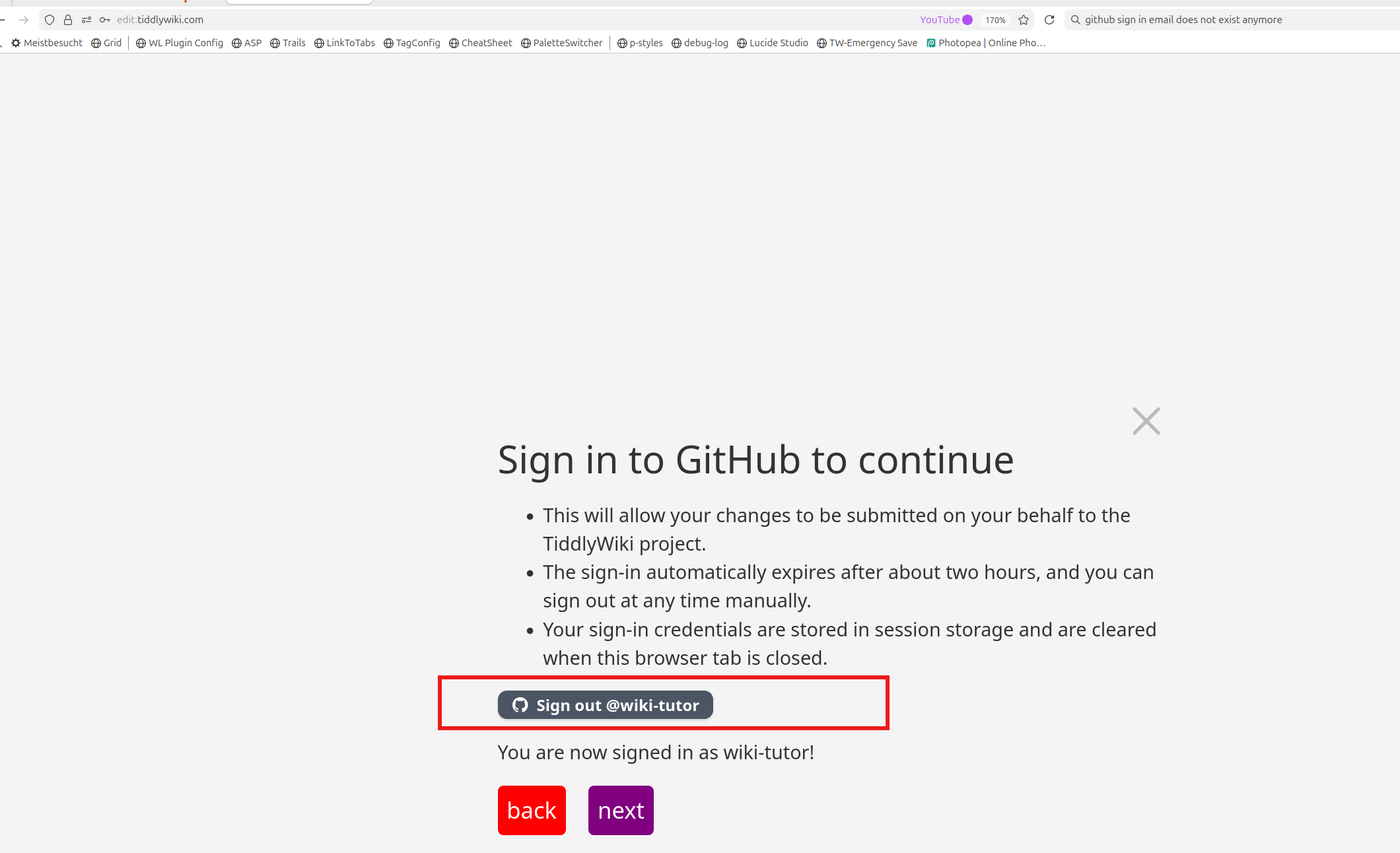
- The “Sign in” button now changes to “Sign out @wiki-totor” as seen in the next screenshot
- The sign-in automatically expires after about two hours, and you can sign out at any time manually (which not only logs you out but also invalidates the token used to sign you in)
- Your sign-in credentials are stored in session storage and are cleared when the browser tab is closed.
- No credentials are stored in any other form of browser storage or in the wiki.
- Since this user is new to the TW project, we need to sign the TW CLA (Contributor License Agreement)
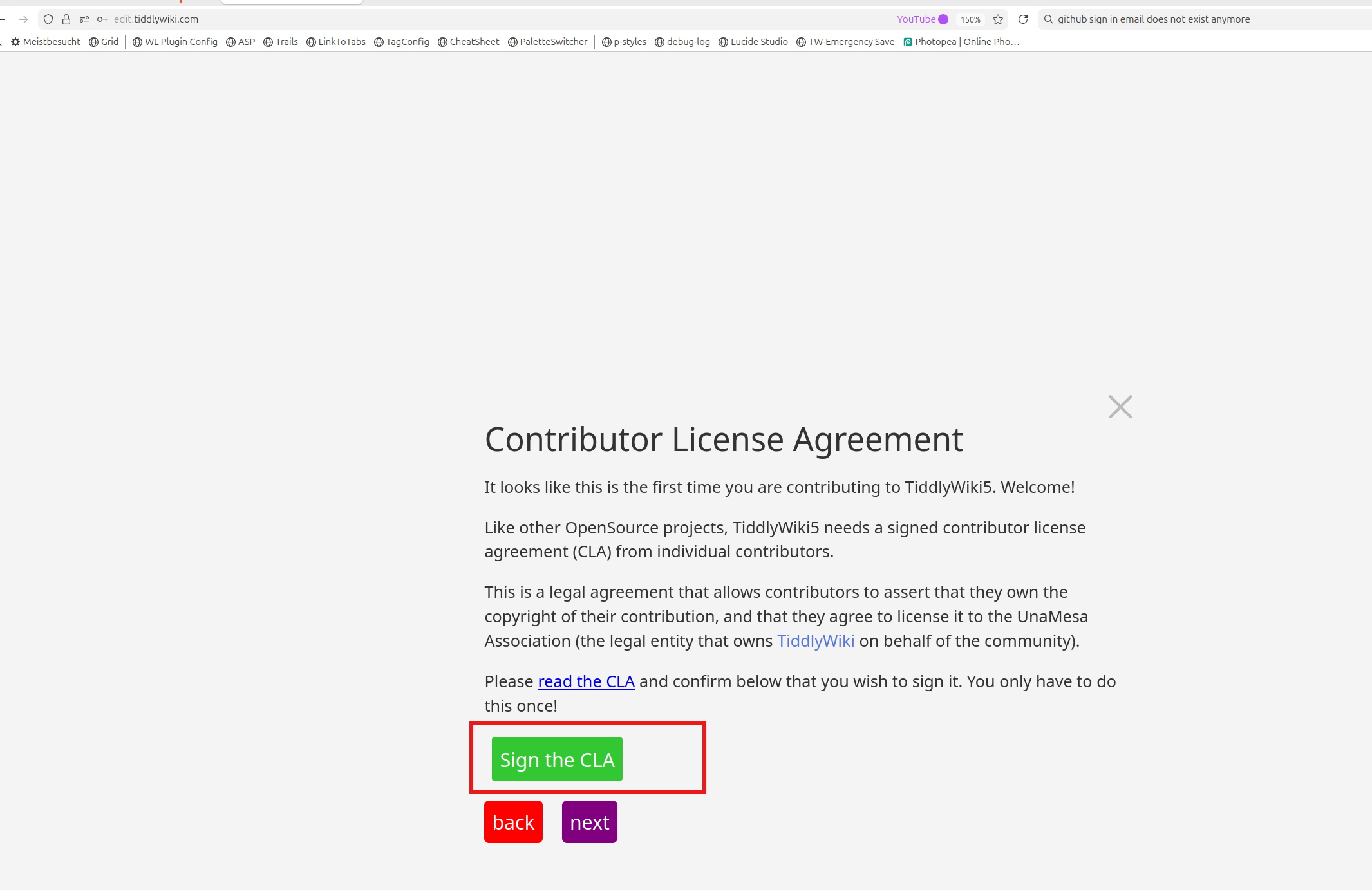
- Once the CLA is signed and a PR is pushed to the repo, the page looks like this
- You can see the PR if you click the link “Request to sign the CLA created”
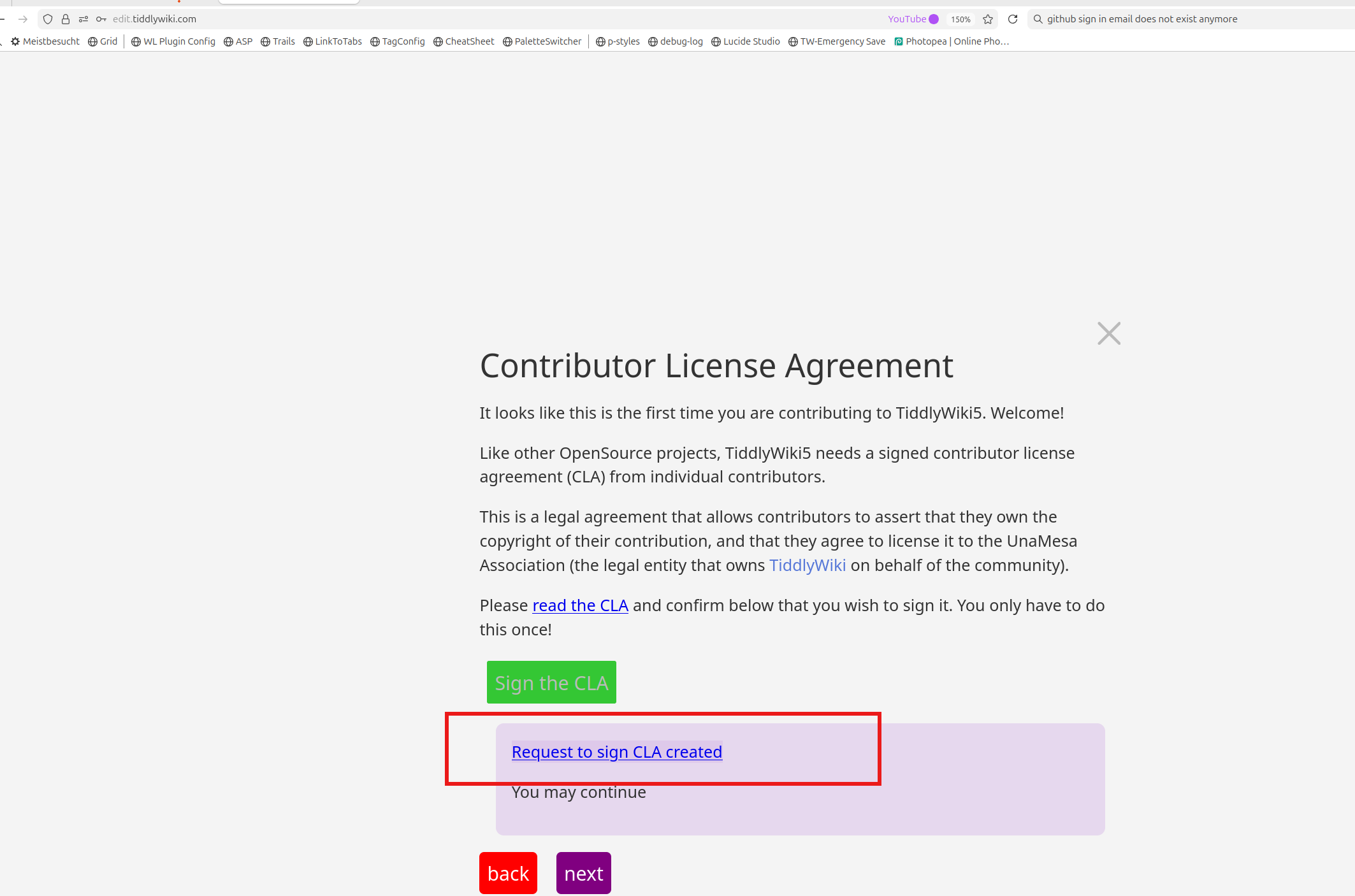
- You can continue, clicking the “Next” button, till you each the “finished” state
- The “last” dialogue can be closed with the top left X-button

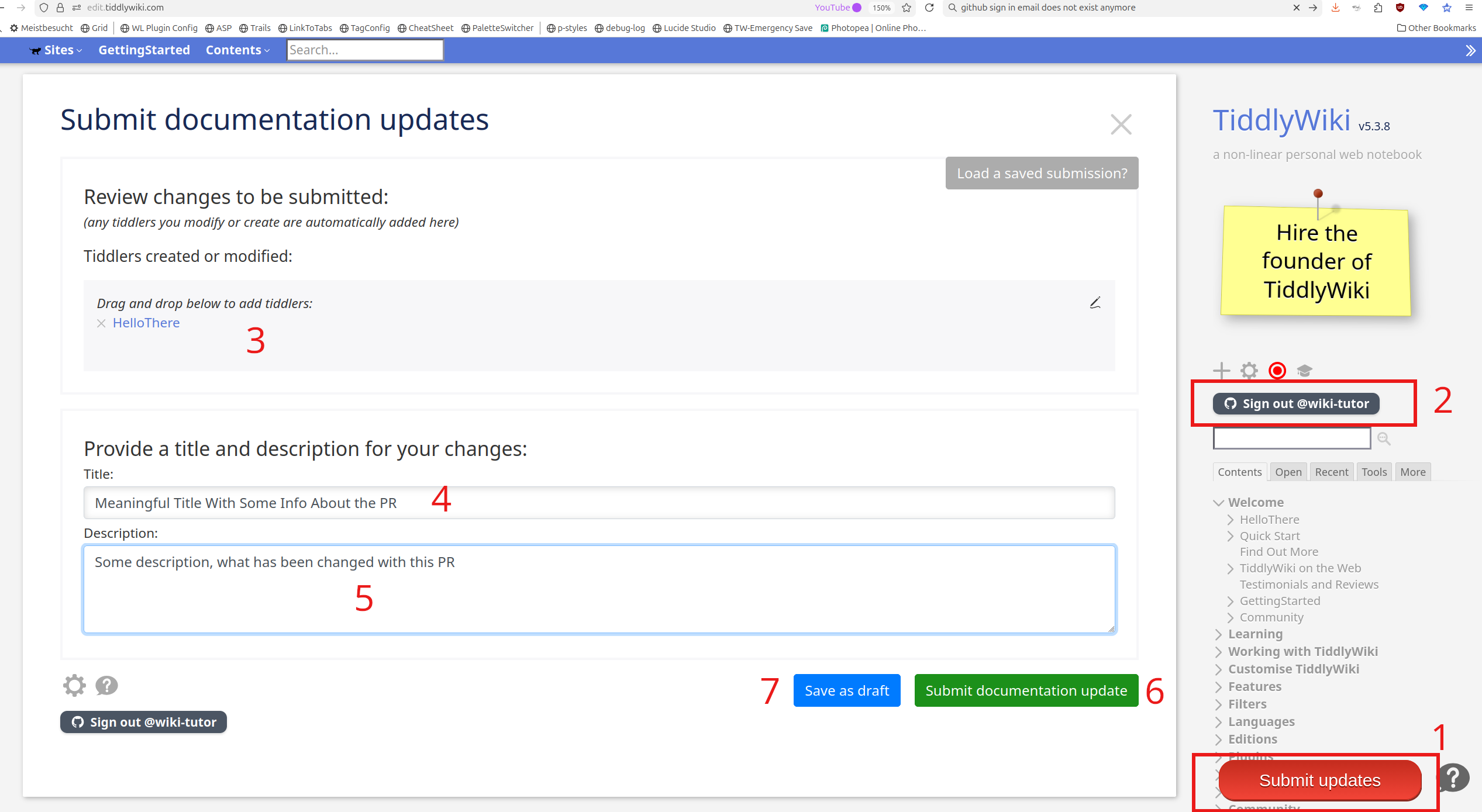
- Submit Updates (1) button opens the “Submit documentation update” summary tiddler
- Button (2) "Sign out … " will be active for x minutes. If you take a long time, you will have to sign in again.
- (3) Tiddler list of changed content tiddlers
- (4) PR Head line - Should be a short description of the PR
- (5) PR Description - Detailed info what has been changed
- (6) Submits the PR
- (7) Submits the PR as draft. This means, that the PR is not finished yet and it will be updated later
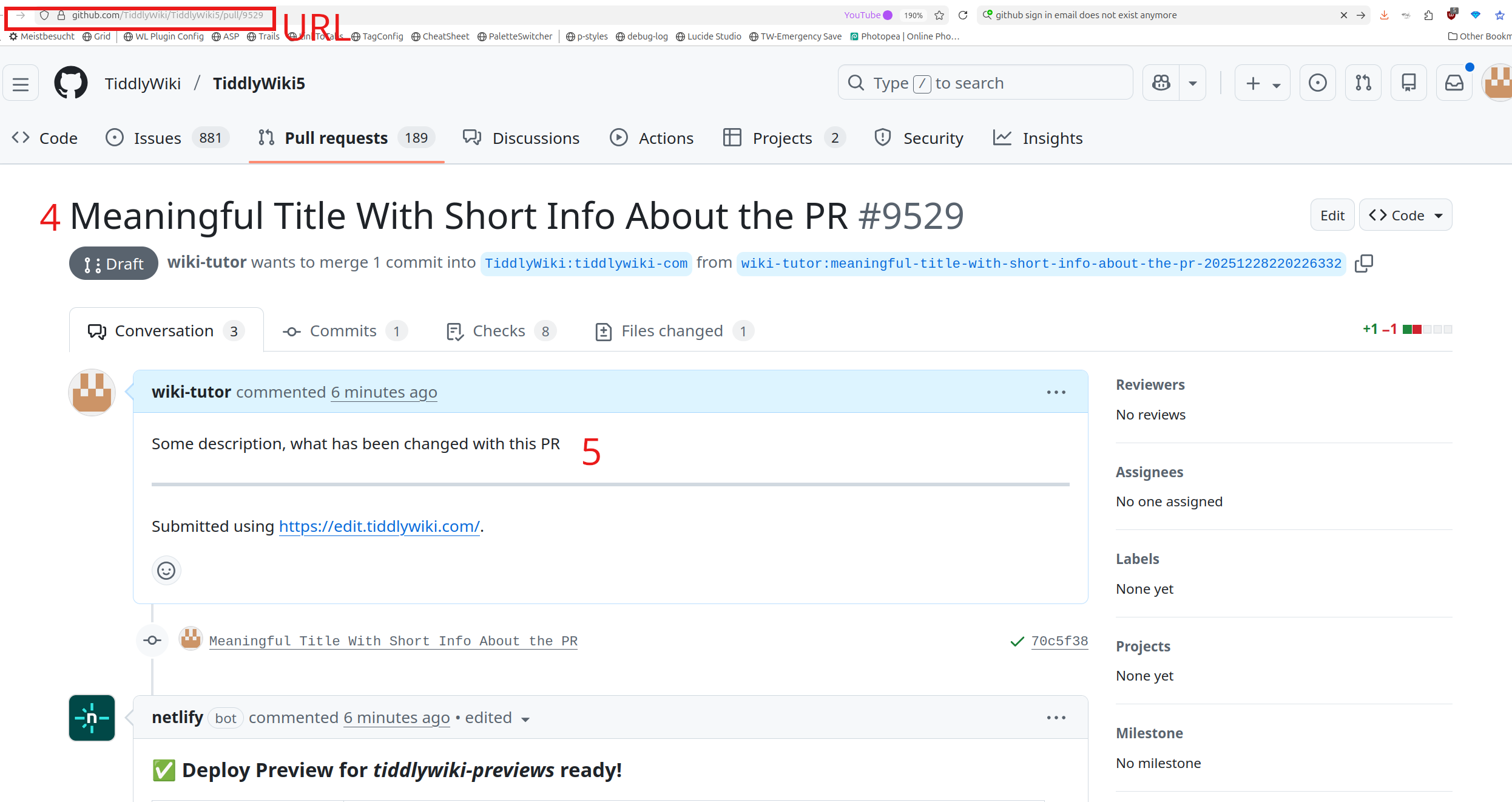
- If you successfully submitted the PR with (6) or (7) the info looks as follows:
- For this screenshot I did save as a draft.

- The link will open the PR draft at GitHub
- As you can see (4) and (5) form the tiddler is part of the PR now
- You can add additional info directly to the PR at GitHub
- Eg: Additional screenshots if needed
- Additional comments … and so on
Have fun!
Mario